
1. Introduction
Thank you for choosing the WERHY H7PRO Electric Scooter. This manual provides essential information for the safe operation, assembly, maintenance, and troubleshooting of your scooter. Please read this manual thoroughly before your first ride to ensure optimal performance and safety.
The WERHY H7PRO is designed for adult riders seeking an efficient and convenient mode of personal transportation. It features a powerful motor, dual suspension for comfort, and a foldable design for portability.
2. Safety Information
WARNING: Riding an electric scooter carries inherent risks. Always wear a helmet and appropriate safety gear. Familiarize yourself with local laws and regulations regarding electric scooter use.
- Always wear a certified helmet and protective gear (knee pads, elbow pads) while riding.
- Ensure all components are securely fastened and in good working order before each ride.
- Do not ride in wet conditions, heavy rain, or on slippery surfaces.
- Maintain a safe speed and distance from other vehicles and pedestrians.
- Avoid riding on steep inclines or declines that exceed the scooter's capabilities.
- The maximum weight limit for this scooter is 265 pounds (120 kg).
- This product is intended for adult use only.
- Do not perform stunts or dangerous maneuvers.
- Be aware of your surroundings and potential hazards.
3. Package Contents
Verify that all items are present in your package:
- WERHY H7PRO Electric Scooter
- Charger
- Installation Tools
- User Manual (this document)
4. Product Overview
The WERHY H7PRO Electric Scooter features a robust design with advanced components for a comfortable and reliable riding experience.

Figure 4.1: Overview of the WERHY H7PRO Electric Scooter, showcasing its sleek design and integration with a smartphone application.
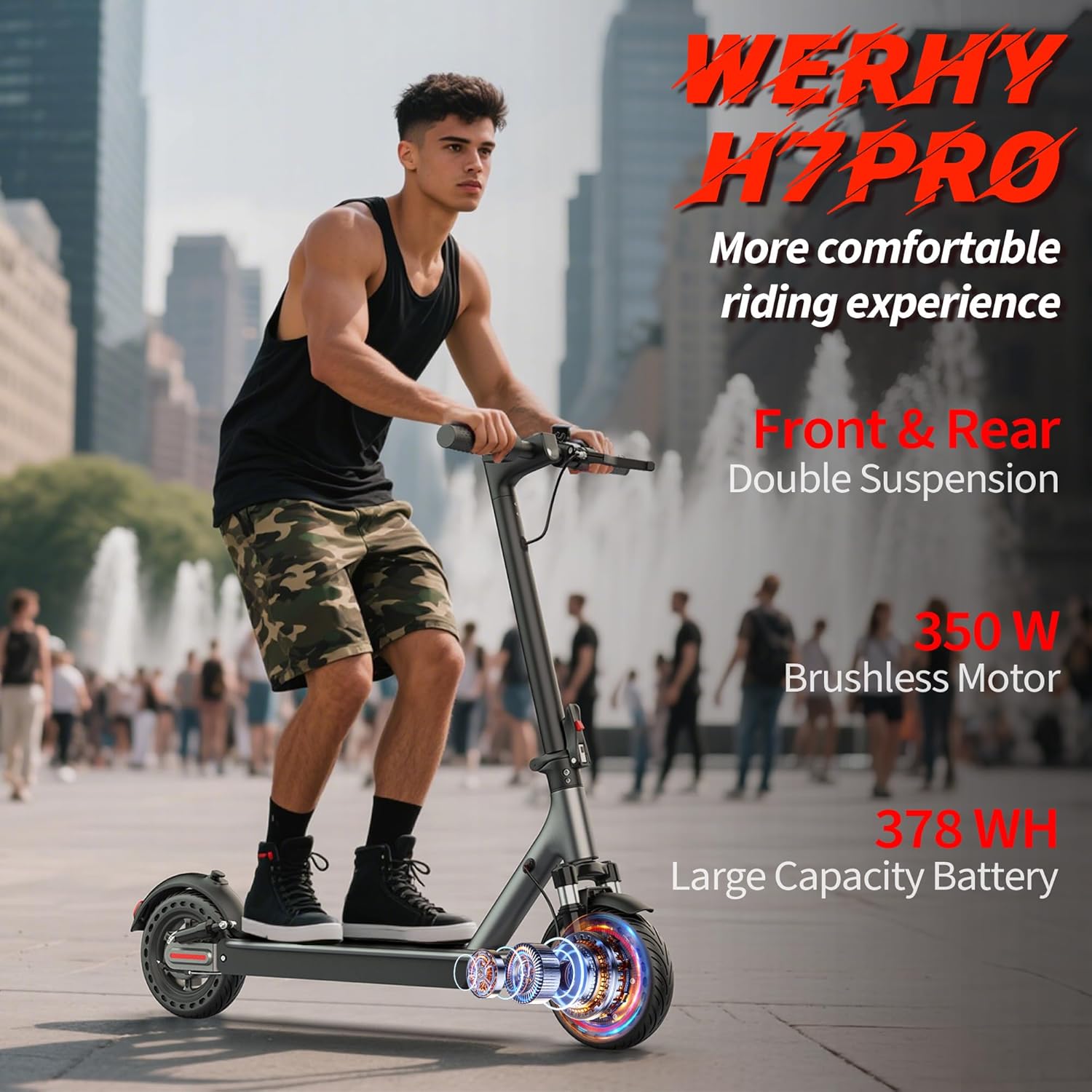
Figure 4.2: A rider demonstrating the WERHY H7PRO Electric Scooter in an urban environment, emphasizing the front and rear double suspension system for enhanced comfort.
Key Components:
- Handlebars: Equipped with grips, brake levers, throttle, and display.
- Stem: Connects the handlebars to the front wheel, includes the folding mechanism.
- Headlight: Front-mounted LED light for visibility.
- Deck: Foot platform for the rider, housing the battery.
- Wheels: 8.5-inch solid rubber tires for durability and stability.
- Motor: 350W brushless motor integrated into the rear wheel.
- Brakes: Front electronic brake and rear mechanical disc brake for reliable stopping power.
- Suspension: Front and rear dual suspension system to absorb shocks and provide a smoother ride.
- Taillight: Rear light with warning and brake flashing functions.
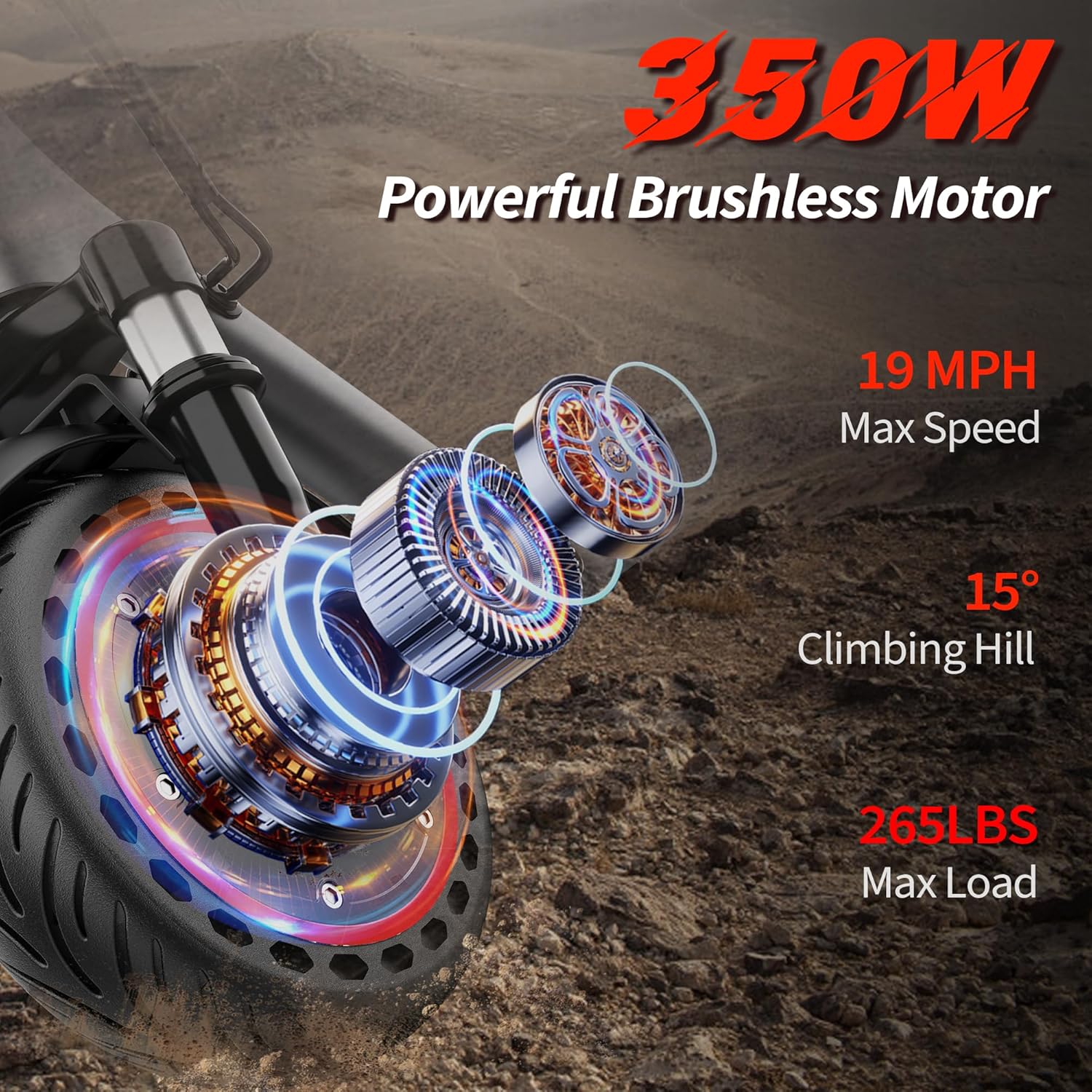
Figure 4.3: Close-up of the 350W brushless motor, highlighting its power, maximum speed of 19 MPH, 15-degree climbing capability, and 265 LBS maximum load capacity.

Figure 4.4: Dimensional diagram of the scooter, indicating a whole length of 42 inches (105 cm), handlebar height of 45 inches (115 cm), folded height of 19 inches (48 cm), and recommended rider height between 4.9-6.2 feet (150-190 cm).
5. Setup
5.1 Unfolding and Assembly
- Carefully remove the scooter and all accessories from the packaging.
- Place the scooter on a flat surface.
- Lift the stem until it locks into the upright position. Ensure the locking mechanism is fully engaged.
- Attach the handlebars to the stem. Align the handlebar with the stem and secure it using the provided screws and installation tools. Ensure all screws are tightened firmly.
- Check that the brakes and throttle are functioning correctly.
5.2 Initial Charging
Before your first ride, fully charge the scooter's battery. Connect the charger to the charging port on the scooter and then plug it into a power outlet. The charging indicator on the charger will typically change color (e.g., red to green) when fully charged. Initial charging may take approximately 4-5 hours.
5.3 Smart APP Connection
The WERHY H7PRO can be connected to a smartphone application for enhanced control and monitoring.
- Download the VICONTTM app from your smartphone's app store.
- Ensure your scooter is powered on and Bluetooth is enabled on your smartphone.
- Open the app and follow the on-screen instructions to connect to your scooter.

Figure 5.1: The VICONTTM smartphone application interface, allowing users to manage battery, speed modes, lock/unlock, light control, cruise mode, trip records, and vehicle setup.
6. Operating Instructions
6.1 Powering On/Off
- To power on: Press and hold the power button on the display until the screen illuminates.
- To power off: Press and hold the power button until the display turns off.
6.2 Riding the Scooter
- Place one foot firmly on the deck and push off with the other foot to gain initial momentum.
- Once moving, gently press the throttle to engage the motor.
- Place your other foot on the deck.
- To slow down or stop, release the throttle and gently apply the brake levers.
6.3 Speed Modes
The scooter offers three speed modes:
- ECO Mode: Approximately 8 MPH (13 km/h) - For energy saving and beginners.
- D Mode: Approximately 11 MPH (18 km/h) - Standard mode for balanced performance.
- S Mode: Approximately 19 MPH (30 km/h) - Sport mode for maximum speed.
You can switch between speed modes using the power button or through the VICONTTM app.
6.4 Braking System
The WERHY H7PRO is equipped with a dual braking system for safety:
- Front Electronic Brake (EABS): Provides electronic braking force without locking the tires, preventing skidding.
- Rear Mechanical Brake: A powerful disc brake for reliable and stable stopping.

Figure 6.1: Illustration of the scooter's dual protection EABS braking system, featuring a front electronic brake and a rear mechanical brake for enhanced safety.
6.5 Folding the Scooter
The scooter features a user-friendly folding mechanism for portability and storage.

Figure 6.2: A man demonstrating the 3-second folding design of the scooter, easily placing it into a car trunk, highlighting its portability and compact folded size of 42"x19" and 33 LBS weight.
- Ensure the scooter is powered off.
- Locate the folding latch mechanism on the stem.
- Follow the specific instructions on the latch to release the stem.
- Fold the stem downwards until it clicks into place, securing it to the rear fender.
- To unfold, reverse the process, ensuring the stem is fully locked upright before riding.
6.6 Lighting System
The scooter is equipped with a bright headlight and an integrated taillight for night riding safety.
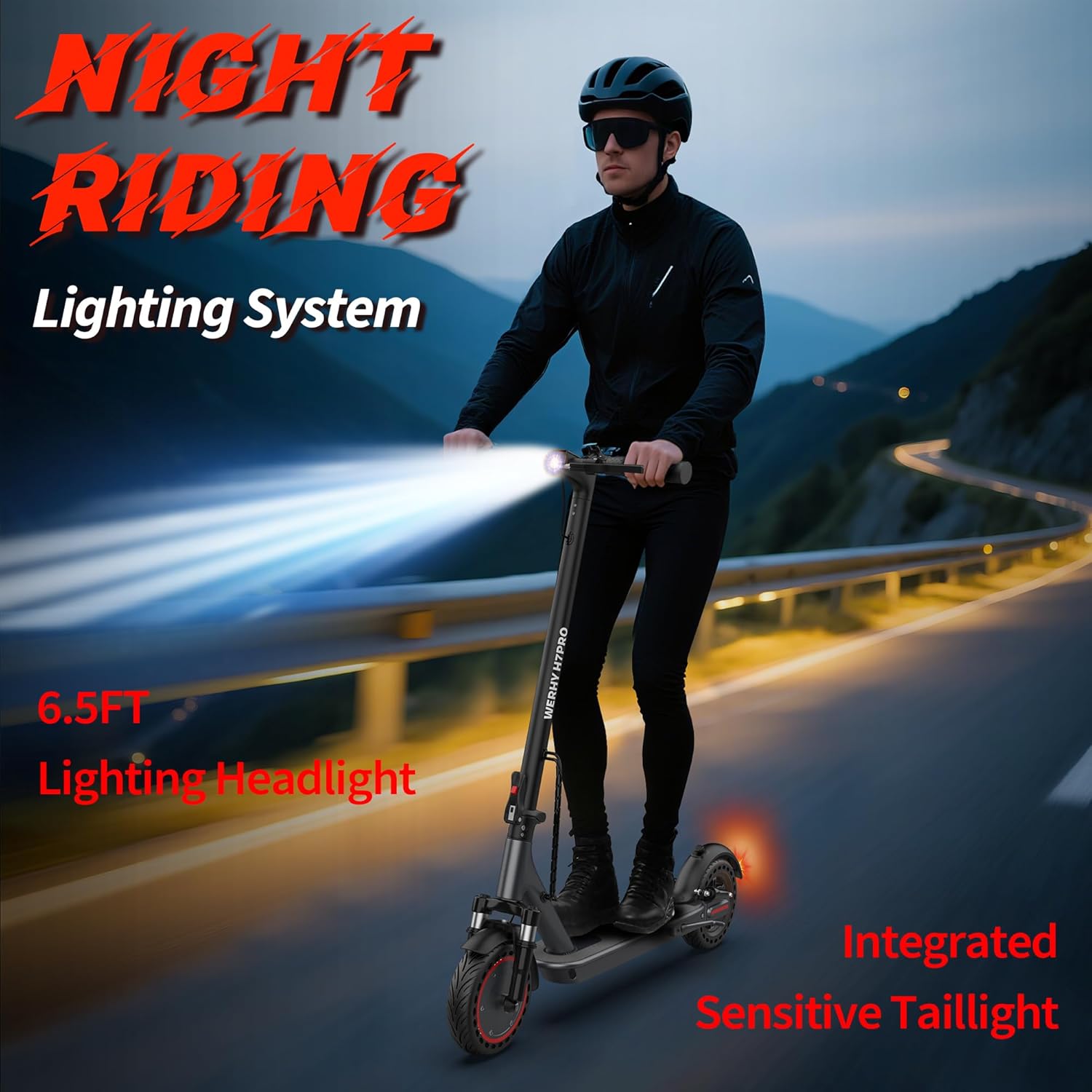
Figure 6.3: A rider using the WERHY H7PRO Electric Scooter at night, illustrating the effective 6.5-foot lighting range of the headlight and the integrated sensitive taillight for improved visibility.
- Headlight: LED lamp beads provide an effective lighting distance of 65 feet (20 meters).
- Taillight: Features both night warning and brake flashing functions to enhance safety during nighttime travel.
7. Maintenance
7.1 Battery Care and Charging
- Always use the original charger provided with your scooter.
- Do not overcharge the battery. Disconnect the charger once the battery is full (indicated by the charger light turning green).
- Charge the battery in a dry, well-ventilated area, away from flammable materials.
- If storing the scooter for an extended period, charge the battery to approximately 50-70% every 30-60 days to maintain battery health.
- Avoid completely draining the battery before recharging.
7.2 Tire Maintenance
The WERHY H7PRO uses 8.5-inch solid rubber tires, which do not require inflation and are resistant to punctures.

Figure 7.1: Detailed view of the 8.5-inch solid tires with a honeycomb structure, designed to prevent blowouts and provide a comfortable, smooth, and stable ride.
- Regularly inspect tires for wear and tear, cuts, or embedded debris.
- Clean the tires as needed to remove dirt and grime.
7.3 Cleaning and Storage
- Wipe the scooter with a damp cloth. Do not use high-pressure water jets or corrosive cleaning agents.
- Store the scooter in a cool, dry place, away from direct sunlight and extreme temperatures.
- Keep the scooter away from moisture to prevent damage to electronic components.
8. Troubleshooting
| Problem | Possible Cause | Solution |
|---|---|---|
| Scooter does not turn on | Low battery; Loose connections; Power button malfunction | Charge the battery; Check all cable connections; Contact customer support |
| Motor not engaging | Throttle issue; Brake engaged; Motor fault | Check throttle connection; Ensure brakes are fully released; Contact customer support |
| Reduced range or speed | Low battery; Overload; Tire wear; Riding conditions | Fully charge battery; Ensure rider weight is within limits; Inspect tires; Adjust riding style |
| Brakes not effective | Brake cable loose; Brake pads worn | Adjust brake cable tension; Inspect and replace brake pads if necessary; Contact customer support |
| App not connecting | Bluetooth off; Scooter off; App error | Ensure Bluetooth is on and scooter is powered; Restart app and scooter; Reinstall app |
9. Specifications
| Feature | Specification |
|---|---|
| Model Name | H7PRO |
| Brand | WERHY |
| Motor Power | 350W (Brushless) |
| Max Speed | 19 MPH (30 km/h) |
| Max Range | Up to 21 miles (34 km) |
| Battery Capacity | 36V (378Wh) |
| Charging Time | Approx. 4-5 hours |
| Weight Limit | 265 Pounds (120 kg) |
| Wheel Size | 8.5 Inches |
| Tire Type | Solid Rubber |
| Brake Style | Front Electronic (EABS), Rear Mechanical |
| Suspension | Front and Rear Dual Suspension |
| Material | Aluminum Alloy |
| Foldable | Yes |
| Recommended Age | Adult |
| Included Components | Charger, Electric Scooter, Installation Tools, Manual |
10. Warranty and Support
10.1 Warranty Information
WERHY provides a warranty for different parts of the H7PRO Electric Scooter:
- 180 days for certain components.
- 365 days for other specific parts.
Please refer to the warranty card included in your package or contact WERHY customer support for detailed warranty terms and conditions.
10.2 Customer Support
If you have any questions, require assistance with setup, operation, maintenance, or encounter any issues with your WERHY H7PRO Electric Scooter, please contact WERHY customer support. Contact information can typically be found on the product packaging, the official WERHY website, or through your purchase platform.