
Introduction
This manual provides essential information for setting up, operating, maintaining, and troubleshooting your HP 17 Laptop (Model: 17-cp3005dx). Please read this guide thoroughly to ensure proper use and longevity of your device.
1. Setup
1.1 Unboxing and Initial Inspection
Carefully remove all components from the packaging. Verify that all items listed in the "In the Box" section are present and undamaged.

Image: Contents of the HP 17 Laptop box, including the laptop, 45W Smart AC power adapter, and a setup poster. The image also illustrates the laptop's dimensions (15.78" W x 0.78" H x 10.15" D) and port layout: 1 USB Type-A, 2 AC smart pin, 3 HDMI 1.4b, 4 USB Type-C, and 5 Headphone/microphone combo.
1.2 Connecting Power
Connect the 45W Smart AC power adapter to the laptop's AC smart pin port and then plug it into a power outlet. It is recommended to fully charge the battery before initial use.
1.3 Initial Power On and Windows Setup
Press the power button to turn on the laptop. Follow the on-screen instructions to complete the Windows 11 Pro setup process. This includes selecting your region, connecting to a Wi-Fi network, and creating a user account.
2. Operating Your Laptop
2.1 Keyboard and Touchpad
Your HP 17 Laptop features a full-size keyboard with an integrated numeric keypad for efficient data entry. The touchpad supports multi-touch gestures for navigation.
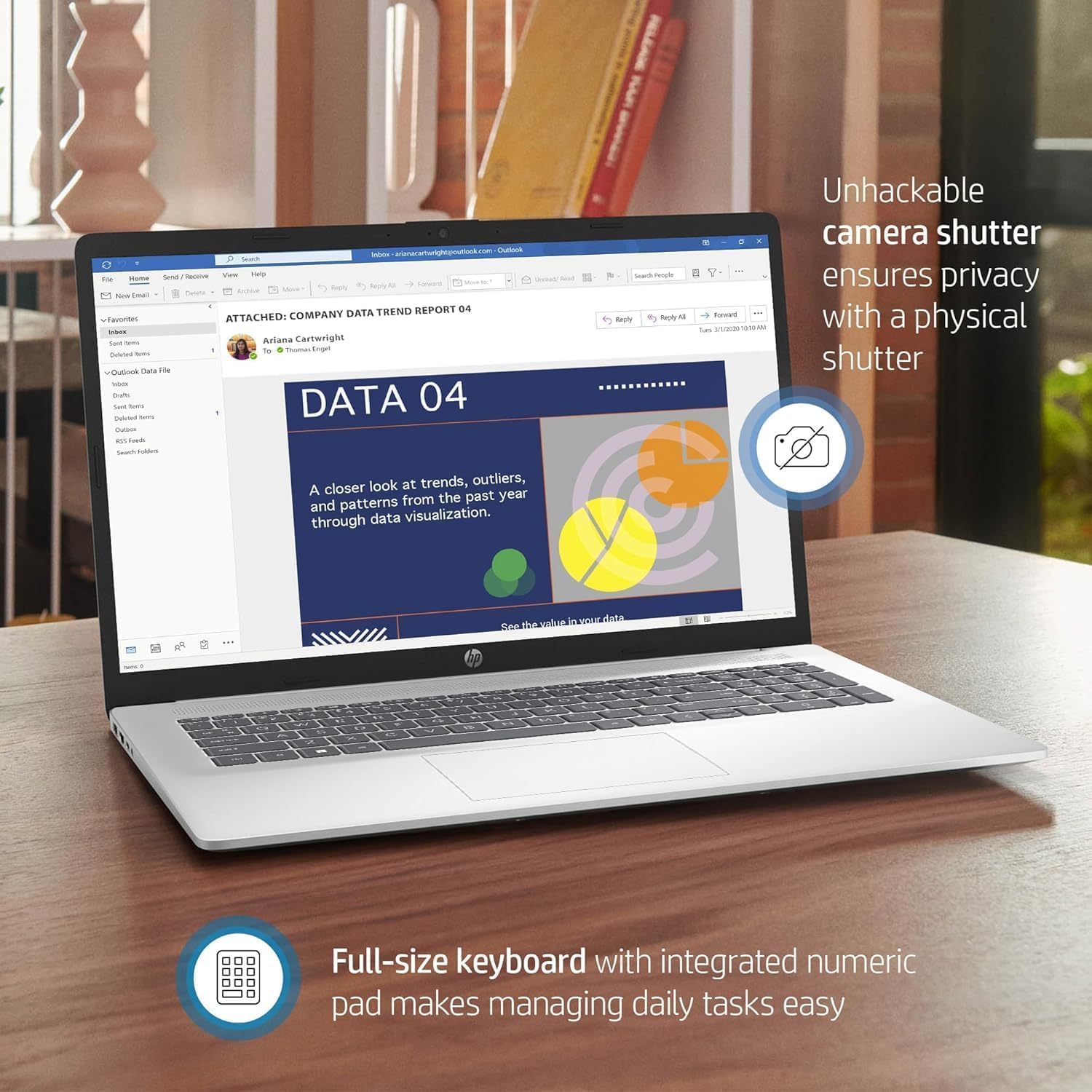
Image: The HP 17 Laptop displaying a document, highlighting its full-size keyboard with an integrated numeric pad for easy task management. The image also points to the camera shutter, emphasizing privacy.
2.2 Using the Webcam and Privacy Shutter
The integrated HD webcam allows for video calls and conferencing. For privacy, a physical shutter is included to cover the camera lens when not in use.

Image: The HP 17 Laptop in use for a video chat, demonstrating the visible shutter for camera privacy and the 17.3-inch FHD IPS screen with a narrow bezel. It also notes the elimination of screen flickering for comfortable viewing.
2.3 Connectivity
The laptop supports Wi-Fi 6 for high-speed wireless internet and Bluetooth 5.3 for connecting wireless peripherals. Physical ports include USB-A, USB-C, HDMI 1.4b, and a headphone/microphone combo jack.
2.4 Windows 11 Pro and Copilot
Your laptop comes with Windows 11 Pro, offering advanced features for productivity and security. Utilize Copilot in Windows for intelligent assistance and relevant answers to enhance your daily tasks.
3. Maintenance
3.1 Cleaning Your Laptop
Use a soft, lint-free cloth slightly dampened with water or a specialized screen cleaner to clean the display. For the keyboard and chassis, use a soft, dry cloth. Avoid harsh chemicals or abrasive materials.
3.2 Battery Care
To maximize battery life, avoid extreme temperatures. For long-term storage, charge the battery to approximately 50% and store the laptop in a cool, dry place. Periodically discharge and recharge the battery to maintain its health.
3.3 Software Updates
Regularly check for and install Windows updates and HP driver updates to ensure optimal performance, security, and compatibility.
4. Troubleshooting
4.1 Laptop Not Powering On
Ensure the power adapter is securely connected to both the laptop and a working power outlet. Verify the power outlet is functional. If the battery is completely drained, allow it to charge for a few minutes before attempting to power on again.
4.2 No Display Output
If the laptop powers on but the screen remains black, try connecting an external monitor to the HDMI port to check if the issue is with the laptop's internal display. Restart the laptop.
4.3 Wi-Fi Connectivity Issues
Check if Wi-Fi is enabled in Windows settings. Restart your router and the laptop. Ensure your Wi-Fi drivers are up to date.
4.4 Slow Performance
Close unnecessary applications. Check for background processes consuming high resources using Task Manager. Ensure sufficient free space on the SSD. Run a system scan for malware.
5. Specifications
Below are the key technical specifications for your HP 17 Laptop (Model: 17-cp3005dx).

Image: An overview of the HP 17 Laptop's core specifications, detailing the AMD Ryzen 5 7430U processor, AMD Radeon Graphics, 1 TB PCIe NVMe M.2 SSD storage, and 32 GB DDR4-3200 RAM.
| Feature | Detail |
|---|---|
| Brand | HP |
| Model Name | HP 17 Inch Laptop (17-cp3005dx) |
| Processor | AMD Ryzen 5 7430U (6 Cores, 12 Threads, up to 4.3 GHz) |
| Graphics | Integrated AMD Radeon Graphics |
| Display | 17.3-inch FHD (1920 x 1080) IPS LED, Anti-Glare, 250 nits |
| RAM | 32 GB DDR4 SDRAM |
| Storage | 1 TB PCIe NVMe M.2 SSD |
| Operating System | Windows 11 Pro |
| Wireless Connectivity | Wi-Fi 6 (802.11ax), Bluetooth 5.3 |
| Ports | 2x USB-A 3.0, 1x USB-C 3.0, 1x HDMI 1.4b, 1x Headphone/Microphone Combo |
| Webcam | HD 720p with Privacy Camera Shutter |
| Audio | HD Audio with Stereo Speakers |
| Battery Life | Up to 9 hours |
| Dimensions (W x D x H) | 15.78 x 10.15 x 0.78 inches |
| Weight | 4.58 pounds |
| UPC | 197961286496 |
6. Warranty Information
Your HP 17 Laptop comes with a limited manufacturer's warranty. For detailed terms and conditions, including warranty duration and coverage, please refer to the warranty documentation included with your product or visit the official HP support website.
Keep your proof of purchase for warranty claims.
7. Support
For technical assistance, driver downloads, or further information, please visit the official HP Support website:
- HP Support Website: support.hp.com
- Product Page: hp.com/us-en/laptops/personal/hp-17-laptop.html (General HP 17 series page, specific model may vary)
When contacting support, please have your laptop's model number (17-cp3005dx) and serial number ready.

