
karuisrc K417-D
karuisrc K417 Drone User Manual
Model: K417-D
1. Introduction
Thank you for choosing the karuisrc K417 Drone. This foldable RC FPV quadcopter is equipped with a 1080P HD dual camera system, optical positioning, and intelligent control features like gesture control and VR mode, designed for both beginners and experienced pilots. Please read this manual thoroughly before operating the drone to ensure safe and optimal performance.

Image: The karuisrc K417 Drone in flight, showcasing its design and key features.
2. What's in the Box
Verify that all the following components are included in your package:
- K417 Drone x1
- Remote Control x1
- Drone Battery x1
- Propellers x4 (2 sets)
- Propeller Protection Racks x4
- Screwdriver x1
- USB Charging Cable x1
- Carry Case x1
- Instruction Manual x1

Image: Contents of the karuisrc K417 Drone package.
3. Setup Guide
3.1. Charging the Drone Battery
- Connect the USB charging cable to the drone battery.
- Plug the other end of the USB cable into a 5V/2A USB adapter (not included).
- The indicator light on the battery will show charging status. Once fully charged, the light will change or turn off.
- Charging time is approximately 60-90 minutes for an 18-minute flight time.

Image: Modular battery design and flight duration.
3.2. Installing Propellers and Protection Racks
- Unfold the drone arms carefully.
- Attach the propeller protection racks to each motor arm. Ensure they click into place securely.
- If replacing propellers, match the 'A' and 'B' markings on the propellers with the corresponding motor arms. Use the provided screwdriver to secure them.

Image: Propeller with protection guard installed.
3.3. Remote Control Setup
The remote control requires 3x AAA batteries (not included). Insert them according to the polarity markings in the battery compartment.
3.4. Pairing the Drone and Remote
- Place the drone on a flat, level surface.
- Turn on the drone by pressing the power button. The drone's LED lights will flash.
- Turn on the remote control.
- Push the left joystick up and then pull it down. The drone's LED lights will stop flashing and remain solid, indicating successful pairing.
4. Operating Instructions
4.1. Basic Flight Controls
- One-Key Take-off/Landing: Press the dedicated button on the remote for automatic take-off or landing.
- Altitude Hold: The drone maintains its current altitude, making it easier to control.
- Headless Mode: In this mode, the drone's orientation is relative to the pilot, simplifying control regardless of the drone's front direction.

Image: Easy control features for the K417 Drone.
4.2. Advanced Features
- Gesture Control: Perform specific hand gestures to trigger photo or video recording. Refer to the detailed instructions in the app for specific gestures.
- VR Mode: Connect your smartphone to the remote and use VR goggles (not included) for an immersive first-person view flight experience.
- Optical Positioning: Utilizes a downward-facing camera to maintain stable hovering, especially indoors or in areas with clear ground patterns.
- 3D Flips: Execute impressive aerial stunts with a single button press. Ensure sufficient altitude and clear surroundings before attempting.
- Trajectory Flight (Tap to Fly): Draw a flight path on your smartphone screen, and the drone will automatically follow it.
- 3 Speed Modes: Adjust the drone's speed to match your skill level or flight conditions.
- Night Flight LED: The adjustable blue LED bar enhances visibility during night flights and optimizes camera exposure.

Image: Experiencing VR mode with the K417 Drone.

Image: Trajectory flight, 360° flips, and 3 speed modes.
5. Camera Features
The K417 Drone is equipped with a dual camera system for versatile aerial photography and videography.
- Main Camera: 1080P HD resolution with a 90° adjustable tilt for capturing various angles.
- Lower Camera: 720P resolution, providing an additional perspective.
- Video Recording: Records in 1080p resolution (MP4 format).
- Still Image Capture: Captures 2 Megapixel photos (JPEG format).
- Connectivity: Wi-Fi for real-time FPV (First Person View) transmission to your smartphone.
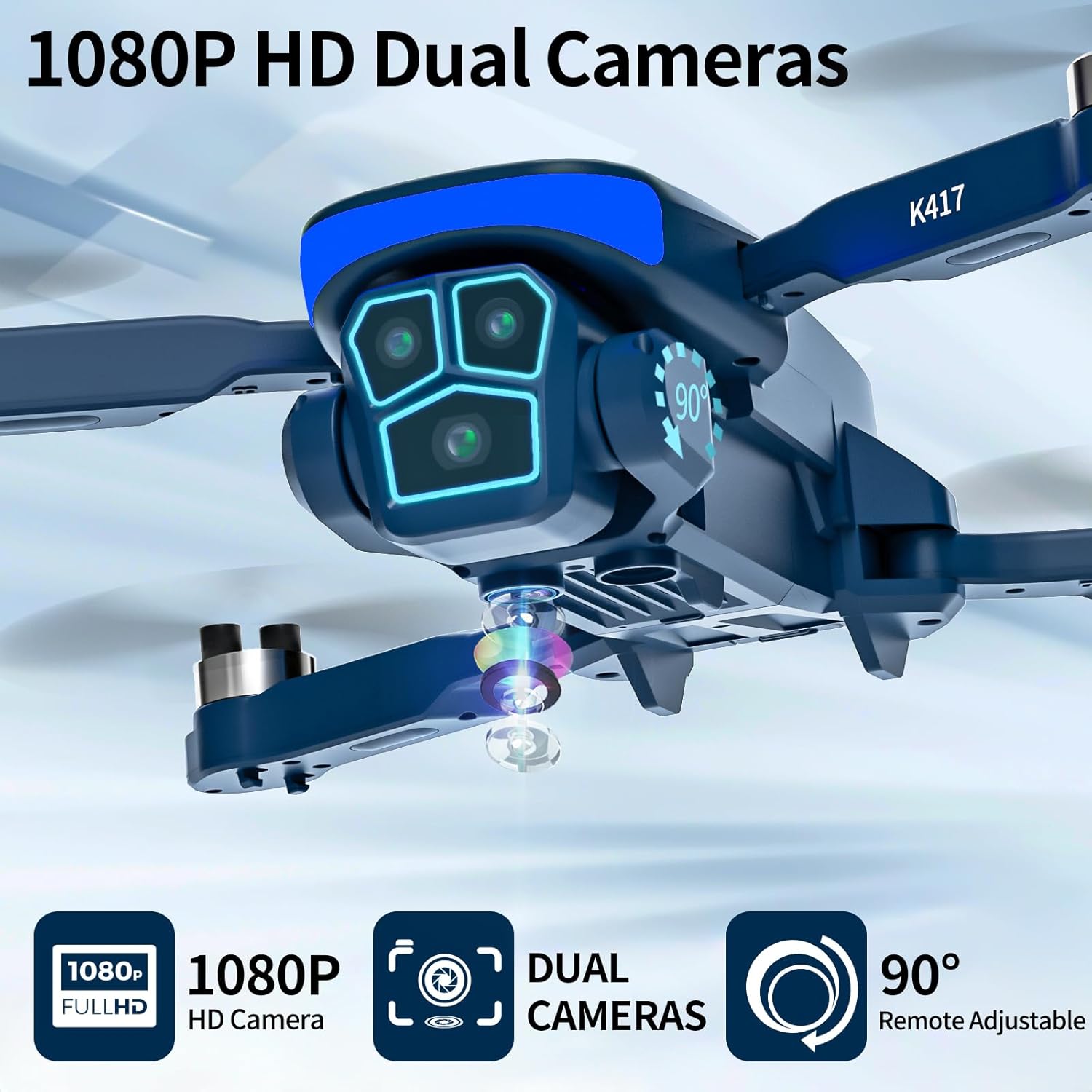
Image: K417 Drone's 1080P HD dual cameras.

Image: Detailed view of the 1080P camera.
6. Safety Guidelines
- Always operate the drone in open areas, away from people, animals, and obstacles.
- Ensure the drone battery is fully charged before each flight.
- The drone features 4 Levels of Wind Resistance, but avoid flying in strong winds to prevent loss of control.
- The flexible and soft ABS shell, along with propeller guards, provides Complete Protection against minor collisions.
- Do not fly the drone above 30 meters altitude at night, even with the LED lighting.
- This drone is suitable for children (beginner skill level). Adult supervision is recommended.
- Keep fingers and loose clothing away from rotating propellers.

Image: K417 Drone with complete protection.

Image: Drone flying, illustrating wind resistance.
7. Maintenance
- Cleaning: Use a soft, dry cloth to clean the drone body and camera lens. Avoid using harsh chemicals.
- Battery Care: Store the battery in a cool, dry place. Do not overcharge or over-discharge. If not used for extended periods, charge the battery to about 50% every three months.
- Propeller Replacement: If propellers are damaged, replace them immediately with new ones from the spare parts kit. Ensure correct 'A' and 'B' propeller placement.
- Storage: When not in use, fold the drone arms and store it in the provided carry case to protect it from dust and damage.
8. Troubleshooting
| Problem | Possible Cause | Solution |
|---|---|---|
| Drone does not power on. | Low or uncharged battery. | Charge the drone battery fully. Ensure it is correctly installed. |
| Drone does not respond to remote. | Not paired; remote batteries low. | Re-pair the drone and remote. Replace remote control batteries. |
| Uncontrolled flight/Drifting. | Improper calibration; strong wind. | Perform gyroscope calibration on a flat surface. Avoid flying in windy conditions. |
| Poor camera image/video quality. | Dirty lens; poor lighting; Wi-Fi interference. | Clean the camera lens. Fly in well-lit conditions. Ensure strong Wi-Fi signal. |
| Short flight time. | Battery not fully charged; aging battery. | Ensure battery is fully charged. Consider replacing the battery if it's old. |
9. Specifications
| Feature | Detail |
|---|---|
| Brand | karuisrc |
| Model Name | K417-D |
| Special Features | Gesture/VR Control, Auto Take-off/Landing, Night LED, Dual 90° Adjustable Camera |
| Age Range | Child (Beginner Skill Level) |
| Color | Blue |
| Video Recording Resolution | 1080p |
| Effective Still Resolution | 2 Megapixels |
| Connectivity Technology | Wi-Fi |
| Max Range | 30 Meters |
| Battery Composition | Lithium-ion |
| Flight Time | Up to 18 minutes |
| Image Format Supported | JPEG |
| Video Output Resolution | 1080 pixels |
| Optical Sensor Technology | CMOS |
| Media Type | SD (for storage, card not included) |
| Item Dimensions (L x W x H) | 22.8 x 17.6 x 7.5 cm |
10. Warranty and Support
For any questions, technical support, or warranty inquiries, please contact karuisrc customer service:
- Email: Karuisrc@gmail.com
- Phone: +44 7419 298225
Please have your model number (K417-D) and purchase information ready when contacting support.

Image: karuisrc customer support contact details.
Ask a question about this manual
Ask about setup, troubleshooting, compatibility, parts, safety, or missing instructions. Manuals+ will review the question and use this page’s manual context to help answer it.