
Introduction
The PLAUD NOTE is an advanced AI voice recorder designed for high-quality audio capture, intelligent transcription, and concise summarization. It features dual-mode recording, extensive language support, and seamless integration with the PLAUD app for enhanced productivity.
What's Included
The PLAUD NOTE package contains the following items:
- 1 PLAUD NOTE AI Voice Recorder
- 1 Black Magnetic Case
- 1 Magnetic Ring
- 1 Magnetic Charging Cable

Image: Contents of the PLAUD NOTE package, showing the PLAUD NOTE device, a dark blue magnetic case, a magnetic charging cable, and a magnetic ring.
Setup
Initial Charging
Before first use, fully charge your PLAUD NOTE using the provided magnetic charging cable. Connect the cable to the device and a compatible USB power source. The device has a continuous recording capacity of up to 30 hours on a single charge.
Device Activation and App Installation
To activate your PLAUD NOTE and access its full features, download and install the official PLAUD app on your smartphone. The app is available for iOS and Android devices. Upon activation, you will receive a free Starter Plan which includes 300 minutes of transcription per month.
- Download the PLAUD app from your device's app store.
- Open the app and follow the on-screen instructions to pair your PLAUD NOTE via Bluetooth.
- Complete the activation process within the app to enable AI transcription and summary services.

Image: The PLAUD NOTE device shown alongside a smartphone, illustrating the device's sleek design and its connection to the mobile application.
Operating Instructions
Dual-Mode Recording
The PLAUD NOTE features a dual-mode recording mechanism to capture audio effectively in different scenarios.
- Air Conduction Sensor: Used for capturing ambient sounds in environments like meetings, presentations, or general conversations.
- Vibration Conduction Sensor (VCS): Designed for clear recording of phone calls by capturing internal phone sounds. Attach the PLAUD NOTE to the back of your phone using the magnetic case or ring for optimal call recording.
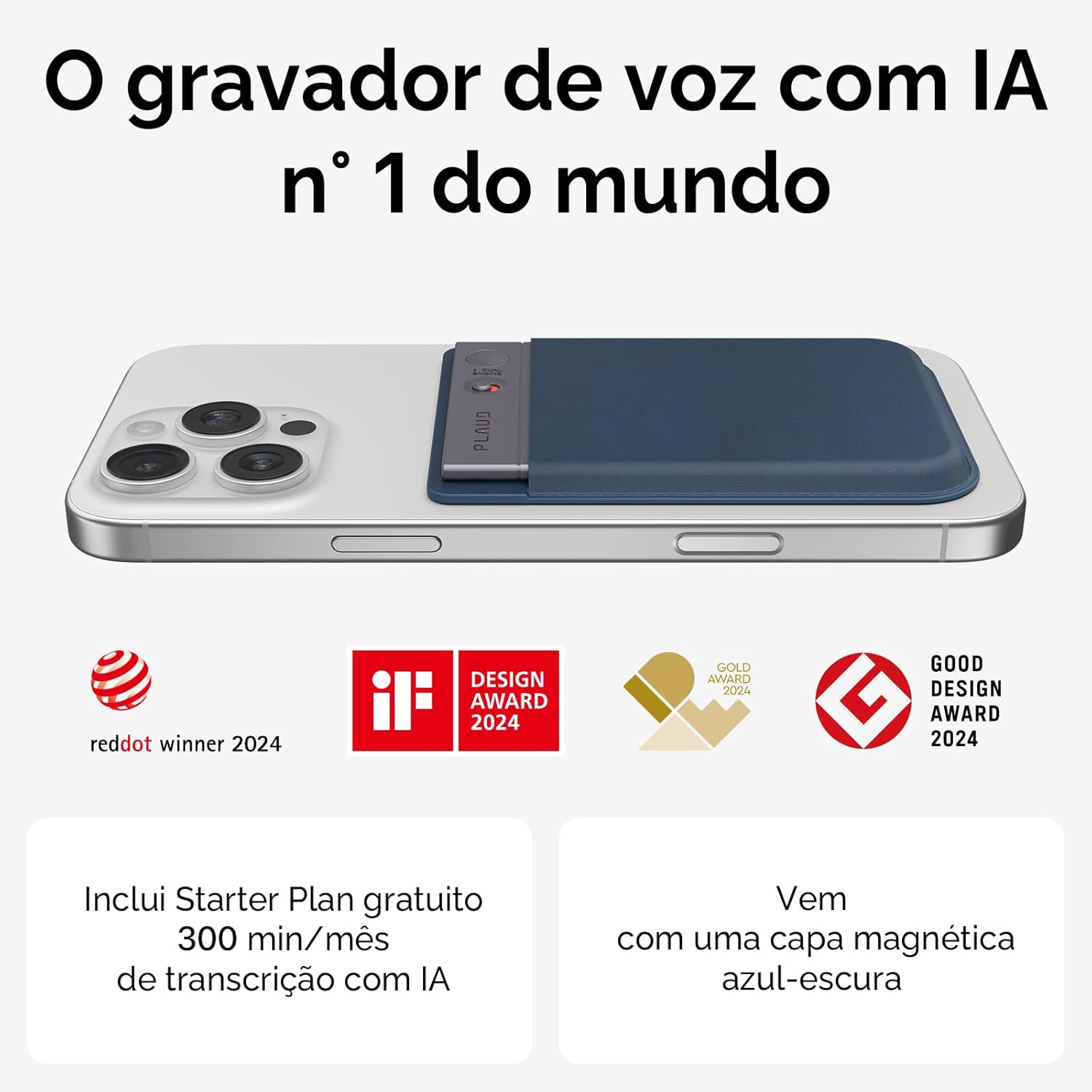
Image: A person holding a smartphone with the PLAUD NOTE magnetically attached, indicating its use for recording phone calls.
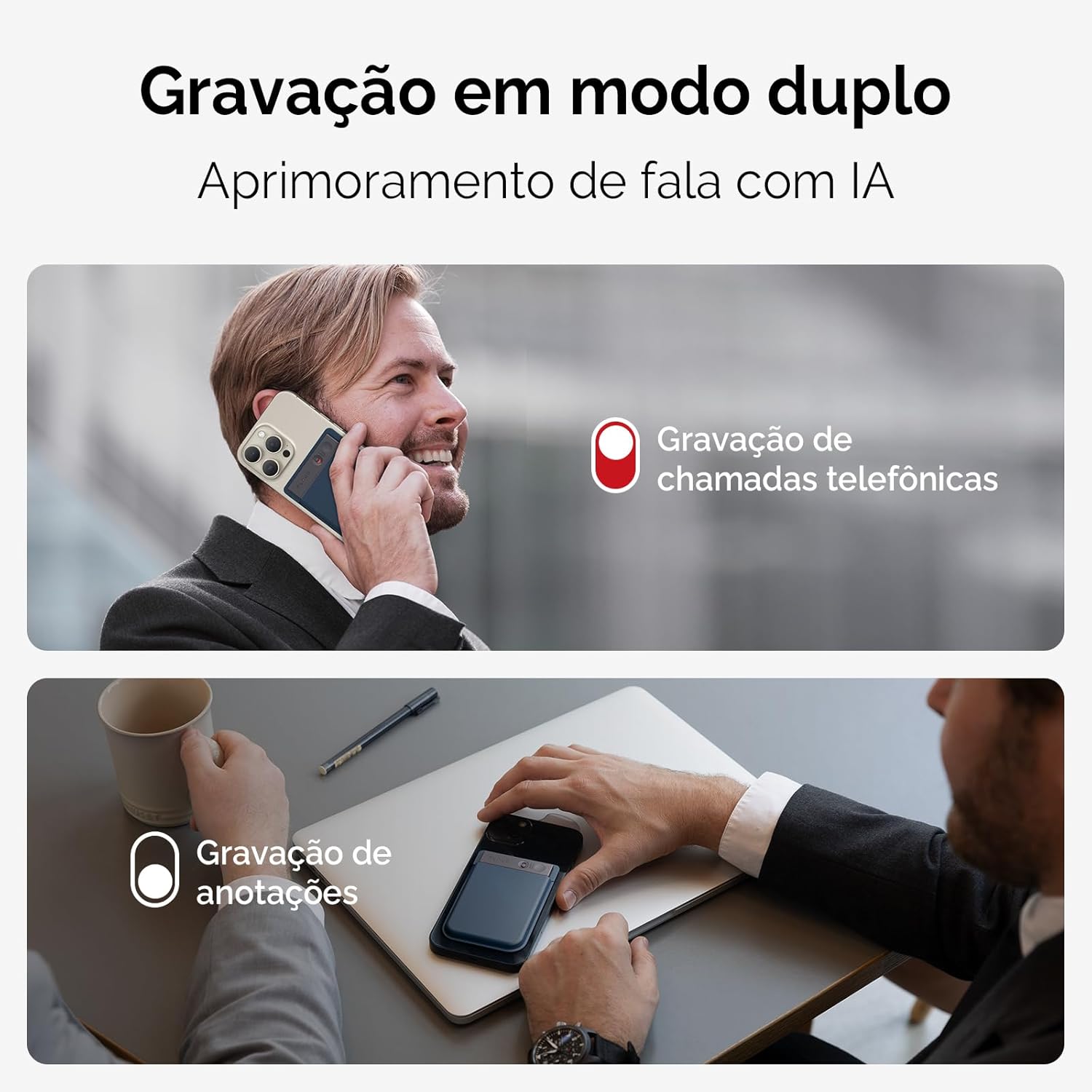
Image: The PLAUD NOTE device positioned on a desk during a meeting, demonstrating its capability for recording in-person conversations and notes.
Recording Process
To start recording, simply press the designated button on the PLAUD NOTE. The device is designed for one-touch recording. Ensure the device is positioned appropriately for the desired recording mode (e.g., attached to phone for calls, on a table for meetings).
Using the PLAUD App
The PLAUD app is central to managing your recordings and utilizing AI features:
- Transcription: The app provides fast and accurate transcriptions in 112 languages.
- Summarization: Generate summaries, meeting minutes, and to-do lists from your recordings using AI models (GPT-4.1, Claude 4.0, Gemini 2.5 Pro, o3-mini).
- Audio Editing: Trim audio, remove unwanted segments, and import external audio files.
- Speaker Labels: Visually distinguish different speakers in your recordings.
- Cloud Storage: Unlimited cloud storage for audio files, transcriptions, and summaries.

Image: A visual representation of the PLAUD app interface on a laptop and smartphone, highlighting its accessibility across multiple devices and its features for managing recordings, transcriptions, and summaries.
Maintenance
Cleaning
Wipe the PLAUD NOTE with a soft, dry cloth. Avoid using abrasive cleaners or solvents that could damage the device's aluminum alloy finish.
Storage
Store the device in a cool, dry place away from direct sunlight and extreme temperatures. When not in use, it is recommended to keep the device in its protective magnetic case.
Battery Care
To prolong battery life, avoid fully discharging the device frequently. Recharge the battery when the indicator suggests low power. The device uses a rechargeable battery (1 CR5 battery included).
Troubleshooting
| Problem | Possible Cause | Solution |
|---|---|---|
| Device not turning on | Low battery; Device malfunction | Charge the device fully. If problem persists, contact customer support. |
| Poor recording quality | Incorrect recording mode; Obstruction of microphone; Environmental noise | Ensure correct mode (Air Conduction for ambient, VCS for calls). Check for obstructions. Record in a quieter environment. |
| App not connecting to device | Bluetooth off; Device out of range; App not updated | Ensure Bluetooth is enabled on your phone. Keep device within range. Update the PLAUD app to the latest version. Restart both device and app. |
| Transcription issues (inaccurate/slow) | Poor audio quality; Internet connection issues; High background noise | Ensure clear audio recording. Check your internet connection. Minimize background noise during recording. |
Specifications
- Brand: PLAUD
- Model: NB-100
- Storage Capacity: 64 GB (up to 480 hours of recordings)
- Battery Life: Up to 30 hours continuous recording, 60 days standby
- Dimensions: 8.5 x 0.3 x 5.5 cm (0.12 inches thin)
- Weight: 30 g
- Connectivity: Bluetooth
- Microphone: Built-in, Dual-mode (Air Conduction, Vibration Conduction Sensor)
- Supported Languages for Transcription: 112
- Power Source: Battery powered (1 CR5 battery included, rechargeable)
- Compatibility: Smartphone (iOS, Android)
- Awards: IF Product Design Award 2024, Red Dot Winner 2024, Good Design Award 2024

Image: Three PLAUD NOTE devices in different finishes (dark grey, silver, and rose gold), emphasizing their ultra-thin aluminum alloy construction and compact size.
Warranty and Support
Warranty Information
The PLAUD NOTE comes with a 2-year manufacturer's warranty. This warranty covers defects in materials and workmanship under normal use. Please retain your proof of purchase for warranty claims.
Customer Support
For technical assistance, troubleshooting, or warranty inquiries, please contact PLAUD customer support. Refer to the PLAUD app or the official PLAUD website for contact details and further support resources.
Note on Subscription Plans: The PLAUD app offers a free Starter Plan (300 min/month transcription) and paid plans (Pro Plan, Unlimited Plan) for extended transcription and summary services. Details on pricing and features are available within the app or on the PLAUD website.
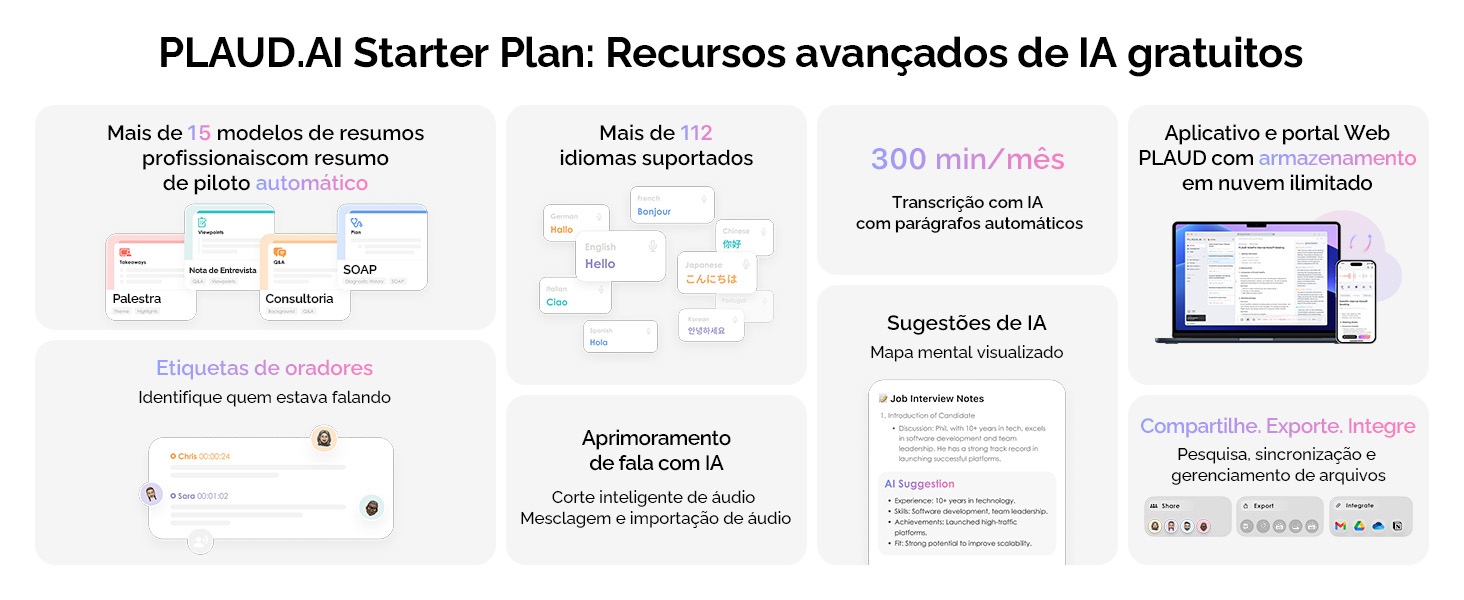
Image: A comparison table detailing the features and pricing of PLAUD.AI's Starter, Pro, and Unlimited subscription plans, including transcription minutes, model availability, and cloud storage.
Privacy and Data Security
PLAUD prioritizes user privacy. Data is encrypted locally, and cloud files are exclusive to you, with data processing only occurring with your authorization. The PLAUD app and Web portal offer unlimited cloud storage, protected by leading global cloud service providers (Google Cloud, AWS, Azure).

Image: A graphic illustrating PLAUD's commitment to privacy, showing icons for Google Cloud, AWS, and Azure, along with a shield and lock symbol, representing secure data handling and storage.
Additional Features and Benefits
- Compact and Powerful: Elegant 0.12-inch aluminum alloy frame, 64 GB storage for up to 480 hours of recordings.
- AI-Powered Productivity: Create professional summaries, meeting minutes, and action items with over 15 AI models.
- Wide Application: Ideal for recording interviews, lectures, discussions, and personal voice memos.

Image: A visual summary of the PLAUD NOTE's compact design and powerful features, including its thin profile, light weight, 30-hour continuous recording, 60-day standby, and 64GB local memory.

Image: A graphic highlighting the PLAUD NOTE's precise transcription features, such as support for 112 languages, speaker labeling, and automatic paragraph generation, with an image of people in a meeting.

Image: A graphic showcasing the PLAUD NOTE's professional summary capabilities, including access to over 15 models, AI suggestions, and an autopilot model, with an image of people in a business meeting.


