
1. Introduction
Thank you for purchasing the TROND LED Desk Lamp with Clamp, Model Halo 24W-C. This manual provides detailed instructions for the safe and efficient use of your new desk lamp. Please read this manual thoroughly before installation and operation, and retain it for future reference.
2. Safety Instructions
- Ensure the power adapter voltage matches your local power supply before connecting.
- Do not disassemble, repair, or modify the lamp yourself. Contact qualified service personnel for assistance.
- Avoid exposing the lamp to water or high humidity environments. This product is for indoor use only.
- Do not look directly into the LED light source for extended periods, as it may cause eye strain.
- Keep the lamp away from heat sources and direct sunlight to prevent damage.
- Ensure the clamp is securely fastened to a stable surface with a thickness of up to 2.56 inches to prevent the lamp from falling.
- Use only the provided power adapter.
3. Package Contents
Verify that all items are present in the package:
- TROND LED Desk Lamp (Halo 24W-C) x 1
- Remote Control x 1
- 12V/2A Power Adapter x 1
- Instruction Manual x 1
4. Product Overview
4.1 Components
The TROND LED Desk Lamp consists of the following main components:
- Dual LED Light Bars
- Adjustable Swing Arms with 5 Rotatable Joints
- Control Panel (Touch Controls)
- Desk Clamp with Non-slip Pad
- Power Port
4.2 Features
- Dimmable Lighting: 5 color temperatures (3200K-6500K) and 5 brightness levels (20%-100%).
- Wide Coverage: Extra-wide 29.55-inch light bar, suitable for monitors up to 26 inches tall.
- Flexible Adjustment: 5 rotatable joints, 360° rotating base, and 90° double lamp head opening.
- Control Options: Built-in touch control and wireless remote control.
- Timer Function: 45-minute auto-off timer.
- Memory Function: Restores last used brightness and color temperature settings.
- Eye-Caring: 108 high CRI (>97) LEDs provide soft, flicker-free, glare-free light, reducing blue light and eye fatigue.
- Energy Saving: LED technology reduces power consumption by 80% compared to incandescent lamps.
5. Setup
- Attach the Clamp: Securely fasten the desk clamp to the edge of your desk or workbench. Ensure the surface thickness is within the clamp's capacity (up to 2.56 inches). The non-slip pad should be positioned to protect your desk surface.
- Mount the Lamp: Insert the lamp's base into the clamp. Tighten any securing screws if present to ensure stability.
- Adjust Position: Utilize the rotatable joints and base to position the lamp over your workspace. The double lamp heads can open 90° for optimal light distribution.
- Connect Power: Plug the 12V/2A power adapter into the lamp's power port, then plug the adapter into a suitable wall outlet.

Figure 5.1: Lamp setup showing flexible adjustment and clamp attachment.

Figure 5.2: Detail of the sturdy clamp mechanism.
6. Operating Instructions
6.1 Touch Controls
The lamp features a touch-sensitive control panel located on the light bar. The functions are as follows:
- Power Button (⑁): Tap to turn the lamp ON or OFF.
- Color Temperature Button (M): Tap to cycle through 5 color temperatures (3200K, 4000K, 4800K, 5600K, 6500K).
- Brightness Up Button (+): Tap to increase brightness through 5 levels (20%, 40%, 60%, 80%, 100%).
- Brightness Down Button (-): Tap to decrease brightness through 5 levels.
- Timer Button (⏲): Tap to activate the 45-minute auto-off timer. The lamp will turn off automatically after 45 minutes.
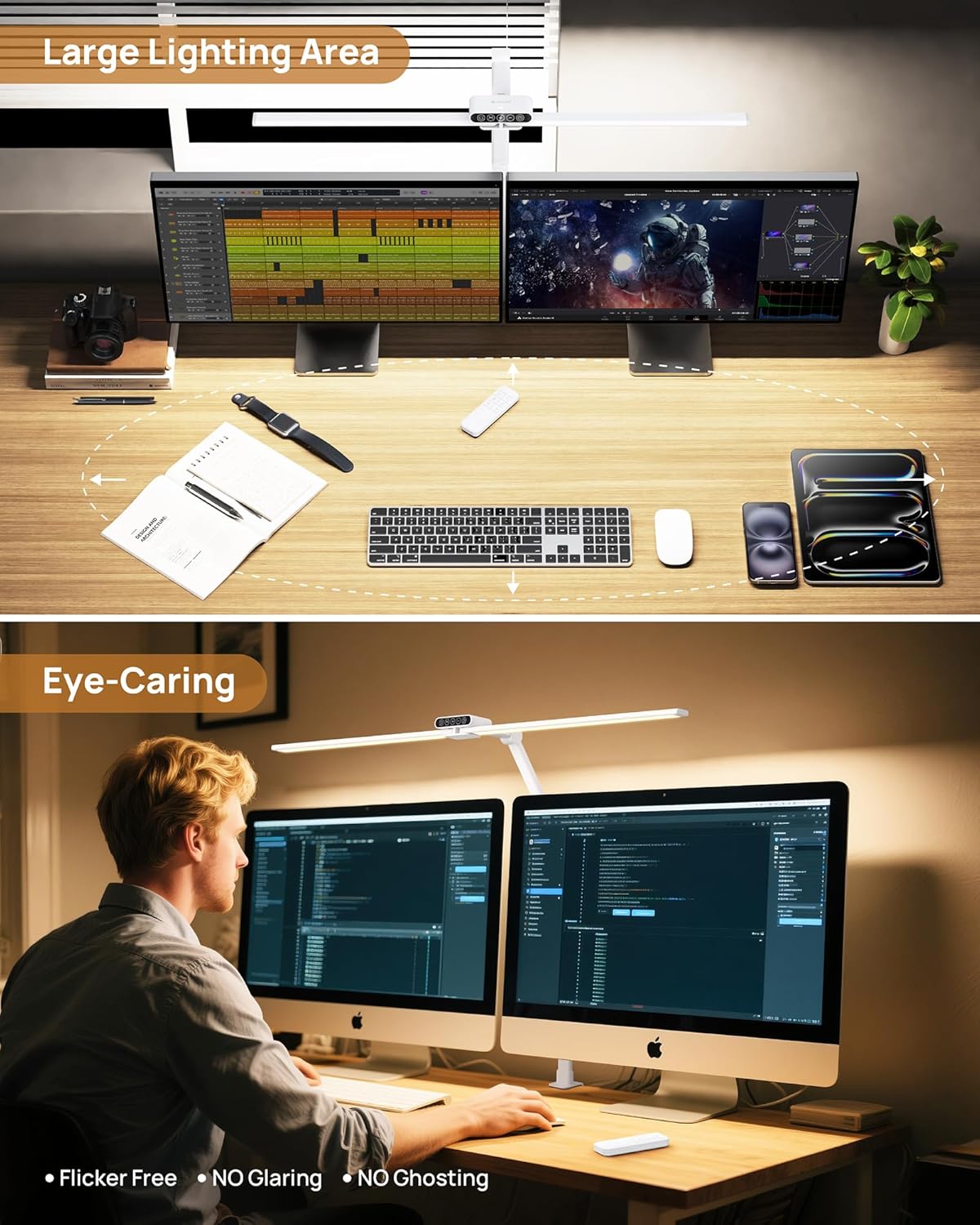
Figure 6.1: Overview of color modes and brightness levels.

Figure 6.2: Visual representation of color temperature settings.

Figure 6.3: Visual representation of brightness levels.
6.2 Remote Control
The included wireless remote control provides convenient access to all lamp functions from a distance. Ensure the remote has a working battery.
- Power Button: Turns the lamp ON or OFF.
- Color Temperature Button (M): Cycles through color temperatures.
- Brightness Up/Down Buttons: Adjusts brightness levels.
- Timer Button: Activates the 45-minute auto-off timer.
- Preset Buttons (e.g., Sun icon, Moon icon): May offer quick access to specific brightness/color temperature combinations. Refer to remote markings for exact functions.

Figure 6.4: Touch controls and remote control.
6.3 Memory Function
The lamp features a memory function. When the lamp is turned off and then back on, it will automatically restore the last used brightness and color temperature settings.
6.4 45-Minute Timer
Activate the 45-minute timer via the touch control panel or remote. The lamp will automatically switch off after 45 minutes, useful for reading before sleep or short work sessions.
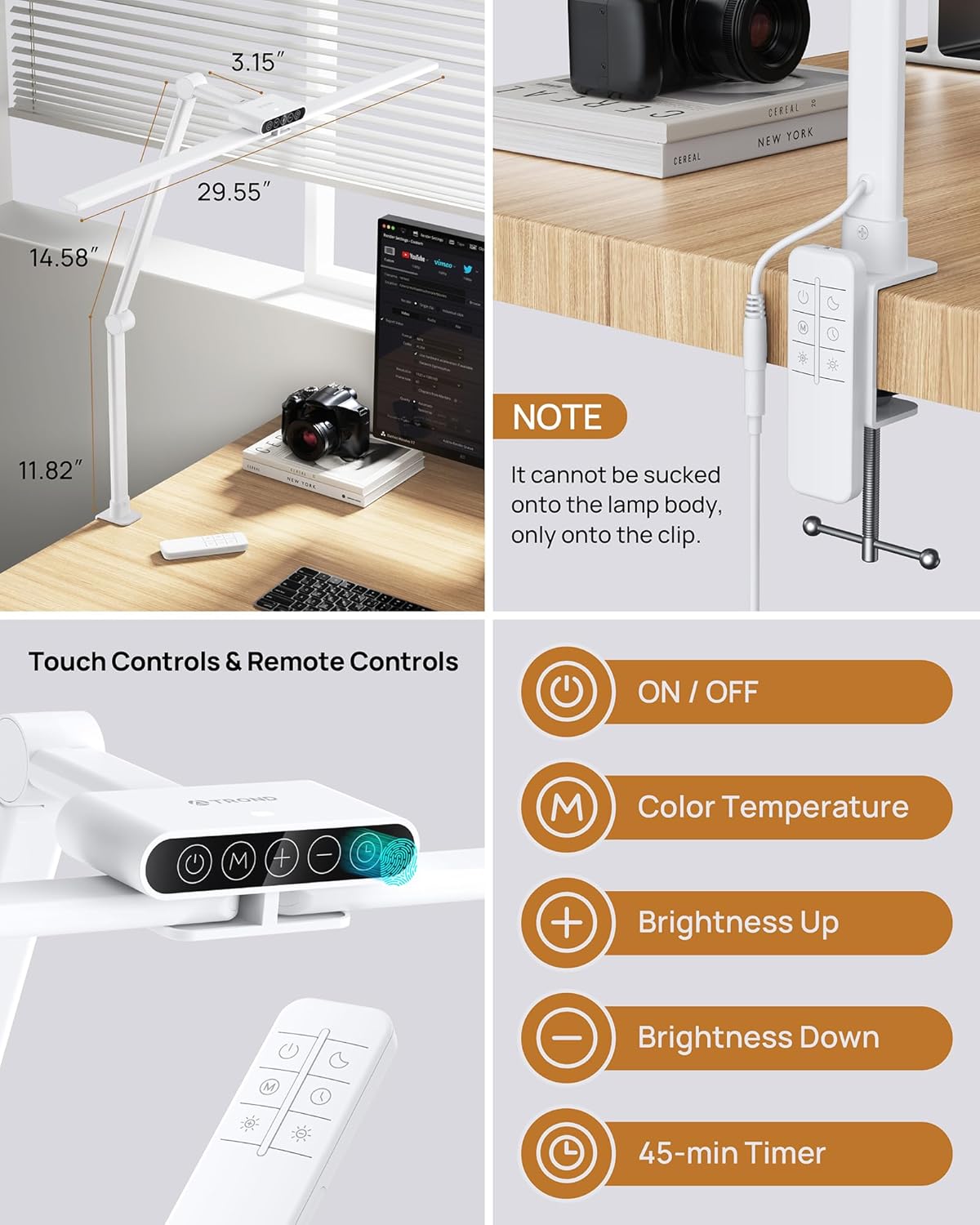
Figure 6.5: Illustration of the 45-minute timer mode.
Video 6.1: Demonstrates the TROND LED Clamp Desk Lamp's features, including adjustability and control options.
7. Maintenance
- Cleaning: Disconnect the power before cleaning. Use a soft, dry cloth to wipe the lamp. Do not use abrasive cleaners or solvents.
- Storage: If storing the lamp for an extended period, disconnect it from power and store it in a cool, dry place.
- Bulb Replacement: The LED light source is integrated and not user-replaceable.
8. Troubleshooting
| Problem | Possible Cause | Solution |
|---|---|---|
| Lamp does not turn on. | Power adapter not connected or faulty. Outlet not working. | Ensure the power adapter is securely plugged into the lamp and a working wall outlet. Test the outlet with another device. |
| Remote control not working. | Remote battery is dead or incorrectly inserted. Obstruction between remote and lamp. | Replace the remote control battery. Ensure there are no obstructions blocking the signal. |
| Light flickers or changes intensity unexpectedly. | Unstable power supply. Internal fault. | Try plugging the lamp into a different power outlet. If the issue persists, contact customer service. |
9. Specifications
| Feature | Detail |
|---|---|
| Model Number | Halo 24W-C |
| Brand | TROND |
| Light Source Type | LED (108 LEDs) |
| Wattage | 24 watts |
| Voltage | 125 volts |
| Color Temperatures | 5 levels (3200K-6500K) |
| Brightness Levels | 5 levels (20%-100%) |
| Product Dimensions | 1.97"D x 29.55"W x 29.55"H |
| Item Weight | 1.6 pounds |
| Mounting Type | Clip On (max 2.56" desk thickness) |
| Control Method | Touch, Remote Control |
| Additional Features | Adjustable Arm, Timer, Memory Function, Eye-Caring (CRI>97) |
| Material | Acrylonitrile Butadiene Styrene, Metal |
| Indoor/Outdoor Use | Indoor |
10. Warranty and Support
TROND provides an 18-month warranty service for this product, along with a 30-day money-back guarantee. If you encounter any issues or have questions regarding your TROND LED Desk Lamp, please contact TROND customer service for assistance.
Contact Information: Please refer to the TROND official website or the product packaging for the most current customer support contact details.
