
1. Introduction
The Snom M400 DECT Single-Cell Base Station is designed to provide robust and reliable wireless telephony for business environments. This base station supports up to 20 SIP accounts and allows for up to 10 parallel calls, offering advanced features such as TLS encryption, wideband audio (HD voice), and Over-The-Air (OTA) updates. It is engineered for easy deployment and remote management, making it an ideal solution for Cloud and VoIP PBX partners.
2. Package Contents
Please verify that all items listed below are present in your package. If any items are missing or damaged, please contact your vendor immediately.
- Snom M400 DECT Single-Cell Base Station
- Power Adapter
- Ethernet Cable
- Wall Mounting Kit
3. Safety Information
Read these safety instructions carefully before using the device. Failure to follow these instructions may result in fire, electric shock, or other injuries.
- Power Source: Use only the provided power adapter or a Power over Ethernet (PoE) source that complies with IEEE 802.3af/at standards.
- Placement: Install the device in a dry, indoor environment. Avoid exposure to direct sunlight, extreme temperatures, humidity, or dust. Ensure adequate ventilation.
- Cleaning: Disconnect the device from power before cleaning. Use a soft, dry cloth. Do not use liquid or aerosol cleaners.
- Repairs: Do not attempt to open or repair the device yourself. Refer all servicing to qualified personnel.
- Interference: Keep the device away from other electronic equipment that may cause interference.
4. Setup
4.1 Physical Installation
The Snom M400 base station can be placed on a flat surface or wall-mounted.
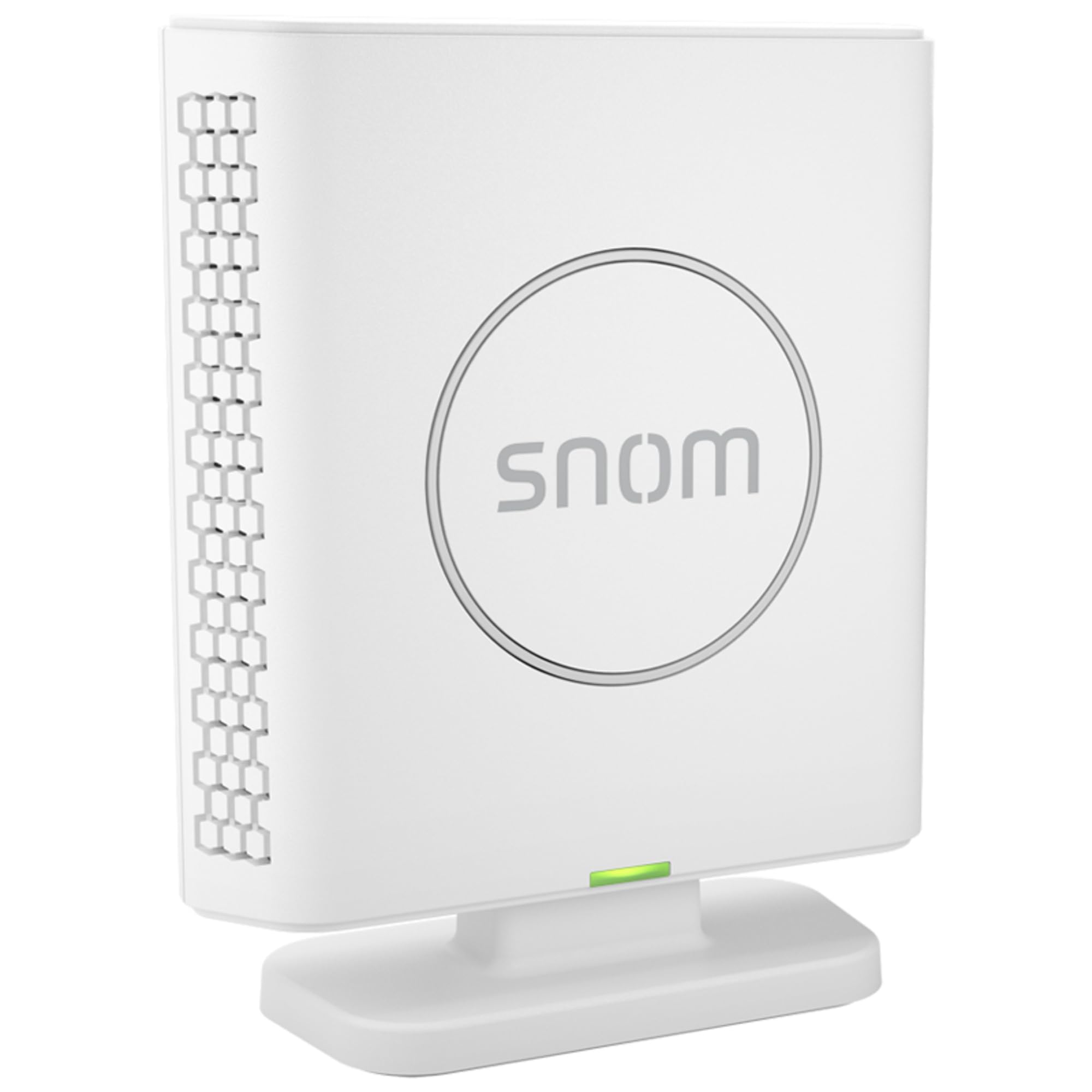
Image 1: Front view of the Snom M400 DECT Single-Cell Base Station, showing its compact design and indicator lights.
- Desktop Placement: Place the base station on a stable, flat surface, ensuring it is not obstructed.
- Wall Mounting: Use the provided wall mounting kit. Mark the desired drilling points, drill holes, insert anchors, and secure the base station using screws. Ensure the base station is mounted securely.
4.2 Power and Network Connection
The M400 can be powered via Power over Ethernet (PoE) or with the included power adapter.
- Ethernet Connection: Connect one end of the Ethernet cable to the LAN port on the M400 and the other end to your network switch or router.
- Power Connection (if not using PoE): Connect the power adapter to the power port on the M400 and then plug it into a power outlet. If your network switch provides PoE, a separate power adapter is not required.
- Power On: The base station will power on automatically. Observe the indicator lights for status.
4.3 Initial Configuration and Handset Registration
The M400 supports zero-touch deployment for easy setup with compatible Cloud and VoIP PBX systems. For manual configuration:
- Access Web Interface: Obtain the IP address of the M400 (refer to your network's DHCP server or use a network scanner). Enter the IP address into a web browser on a computer connected to the same network.
- Login: Enter the default administrator username and password (refer to Snom documentation for default credentials).
- Network Settings: Configure network settings if necessary (e.g., static IP, DNS).
- SIP Account Setup: Add and configure up to 20 SIP accounts as provided by your VoIP service provider.
- Handset Registration: Follow the instructions in your Snom DECT handset's manual to register it with the M400 base station. The M400 supports up to 20 handsets.
5. Operating the M400 Base Station
Once configured and handsets are registered, the M400 base station facilitates wireless communication.
- Call Handling: Registered handsets can make and receive calls through the base station. The M400 supports up to 10 parallel calls.
- Directory: Access the central directory configured on the base station from your registered handsets.
- Wideband Audio (HD Voice): Enjoy clear call quality with supported handsets and network configurations.
- OTA Updates: The M400 supports Over-The-Air firmware updates, ensuring your system remains up-to-date with the latest features and security enhancements.
6. Maintenance
Regular maintenance ensures optimal performance and longevity of your Snom M400 base station.
- Cleaning: Periodically wipe the exterior of the base station with a soft, dry, anti-static cloth. Do not use harsh chemicals or abrasive materials.
- Firmware Updates: Regularly check for and apply firmware updates. The M400 supports OTA updates, which can be managed through the web interface or your provisioning system. Updates often include performance improvements, bug fixes, and security enhancements.
- Environmental Check: Ensure the operating environment remains within recommended temperature and humidity ranges.
7. Troubleshooting
This section addresses common issues you might encounter with your Snom M400 base station.
- No Power:
- Check if the power adapter is securely connected to the base station and a working power outlet.
- If using PoE, ensure the Ethernet cable is connected to a PoE-enabled port on your switch and that PoE is active.
- No Network Connection:
- Verify the Ethernet cable is securely connected to both the M400 and the network switch/router.
- Check network switch/router status.
- Confirm network settings (IP address, subnet mask, gateway, DNS) are correct via the web interface.
- Handsets Cannot Register:
- Ensure the M400 is powered on and connected to the network.
- Check if the maximum number of handsets (20) has been reached.
- Verify the registration process on the handset is being followed correctly.
- Ensure the base station is not in a restricted registration mode.
- Poor Call Quality:
- Check network bandwidth and latency.
- Ensure the base station is placed optimally, away from sources of interference.
- Update firmware on both the base station and handsets.
- Web Interface Inaccessible:
- Verify the IP address of the M400.
- Ensure your computer is on the same network segment as the M400.
- Try clearing your browser's cache or using a different browser.
If issues persist, consult the Snom support website or contact your service provider.
8. Specifications
- Model: M400
- Product Type: DECT Single-Cell Base Station
- Brand: Snom
- Connectivity: Ethernet (PoE support)
- Handset Support: Up to 20 handsets
- Parallel Calls: Up to 10
- SIP Accounts: Up to 20
- Audio: Wideband audio (HD voice)
- Security: TLS encryption
- Updates: OTA (Over-The-Air) Updates
- Mounting: Wall mountable
- Dimensions (Package): 5.8 x 5.4 x 1.8 inches
- Weight (Item): 11.2 ounces
- UPC: 811819013743
- Date First Available: January 17, 2025
9. Warranty and Support
The Snom M400 DECT Single-Cell Base Station is manufactured by Snom. For warranty information, technical support, and additional resources, please visit the official Snom website or contact your authorized Snom reseller.
Snom Official Website: www.snom.com
Please retain your proof of purchase for warranty claims.


