
1. Introduction
This manual provides detailed instructions for the assembly, operation, and maintenance of your 5Rcom TF1404- TV Stand. Please read this manual thoroughly before installation and retain it for future reference. This TV stand is designed for 27-60 inch flat and curved televisions weighing up to 40kg (88 lbs).

Image 1.1: The 5Rcom TF1404- TV Stand in beige, without a shelf, designed for mobile use.
2. Safety Information
WARNING: Failure to follow these safety instructions may result in property damage, serious injury, or death.
- Do not exceed the maximum load capacity of 40kg (88 lbs).
- Ensure your TV's VESA pattern is compatible (Min: 100x100mm, Max: 400x400mm).
- Always ensure the wheels are locked when the stand is stationary to prevent accidental movement.
- Distribute the TV's weight evenly.
- Keep children and pets away during assembly. Small parts can be a choking hazard.
- Use only the provided hardware. Do not substitute parts.
- If any parts are missing or damaged, contact customer support immediately.
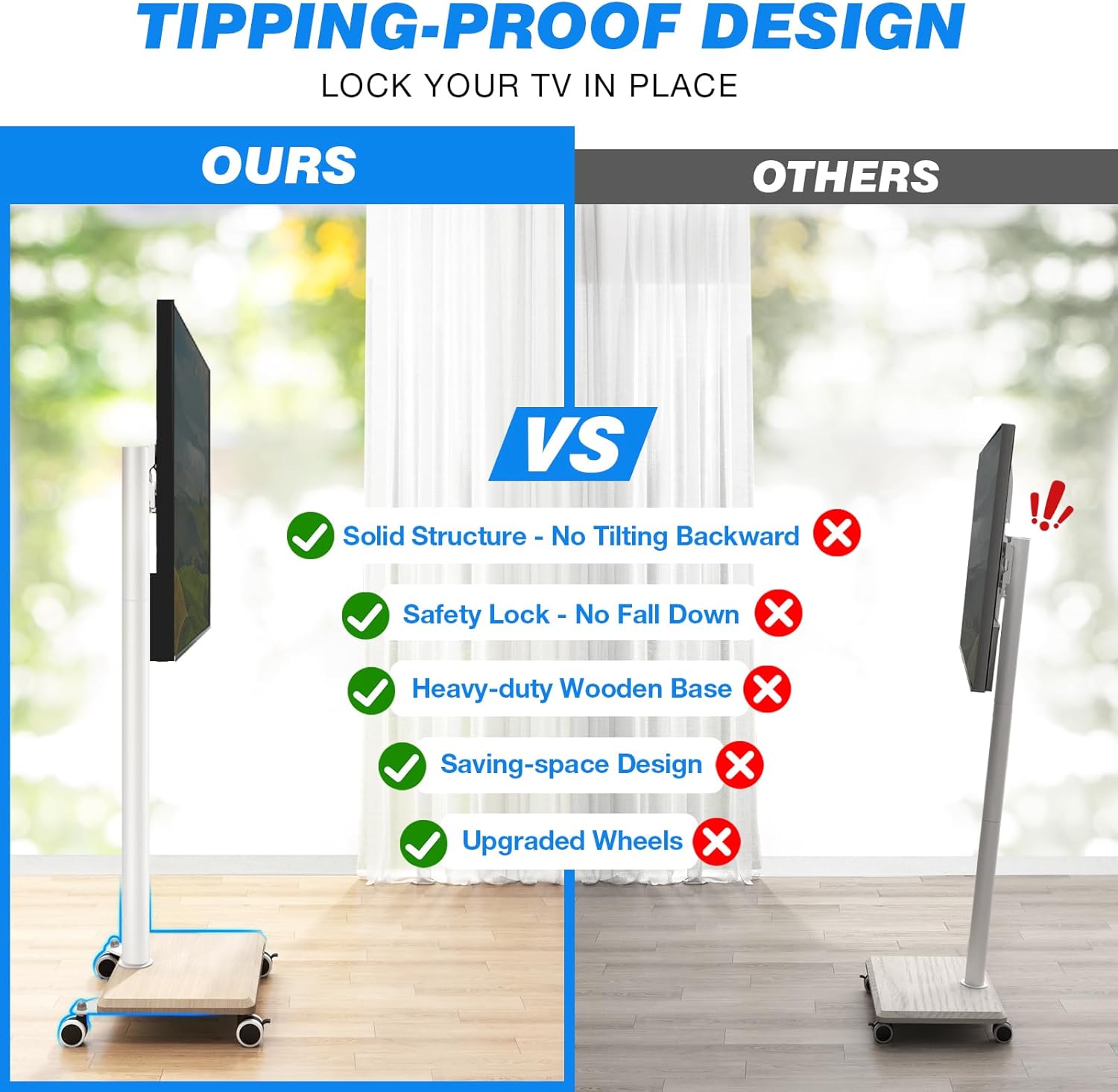
Image 2.1: Illustration highlighting the stable and tipping-proof design of the 5Rcom TV stand, featuring a solid structure, safety lock, and heavy-duty wooden base.
3. Package Contents
Verify that all components are present and undamaged before beginning assembly. If any parts are missing or defective, please contact 5Rcom customer service.
- Main Support Column
- Wooden Base with Wheels
- TV Mounting Brackets (Left & Right)
- VESA Adapter Plates (if needed for larger VESA patterns)
- Cable Management Clips
- Security Lock Mechanism
- Hardware Kit (screws, washers, spacers for TV mounting)
- Assembly Tools (e.g., Allen wrench, spanner)
- Instruction Manual
4. Setup and Assembly Instructions
Follow these steps carefully for proper assembly. It is recommended to have two people for certain steps, especially when mounting the TV.
- Attach Wheels to Base: Secure the four 360° swivel wheels to the wooden base using the provided screws. Ensure two of the wheels have locking mechanisms and are positioned at the front for easy access.
- Mount Support Column: Attach the main support column to the wooden base. Align the holes and fasten securely with the designated bolts.
- Prepare TV Mounting Brackets: Attach the vertical TV mounting brackets to the back of your television. Select the correct screws, washers, and spacers from the hardware kit that fit your TV's VESA holes. Ensure the brackets are level and securely tightened.
- Hang TV on Stand: With assistance, carefully lift the TV and hook the mounting brackets onto the main support column. Ensure the brackets are properly seated on the column's hooks.
- Secure TV with Safety Lock: Once the TV is hung, engage the security lock mechanism at the bottom of the mounting brackets to prevent the TV from accidentally lifting off the stand.
- Organize Cables: Use the provided cable management clips to route and secure power and HDMI cables along the main support column for a tidy appearance.

Image 4.1: Details of the stable wooden base, cable management clips, and the safety lock mechanism for securing the TV.
5. Operating Instructions
5.1 Moving the TV Stand
To move the TV stand, ensure the TV is securely mounted and all cables are managed to prevent snagging. Unlock the wheels by flipping the locking levers upwards. Gently push the stand to its desired location. Once in position, lock the wheels by flipping the levers downwards to prevent unintended movement.
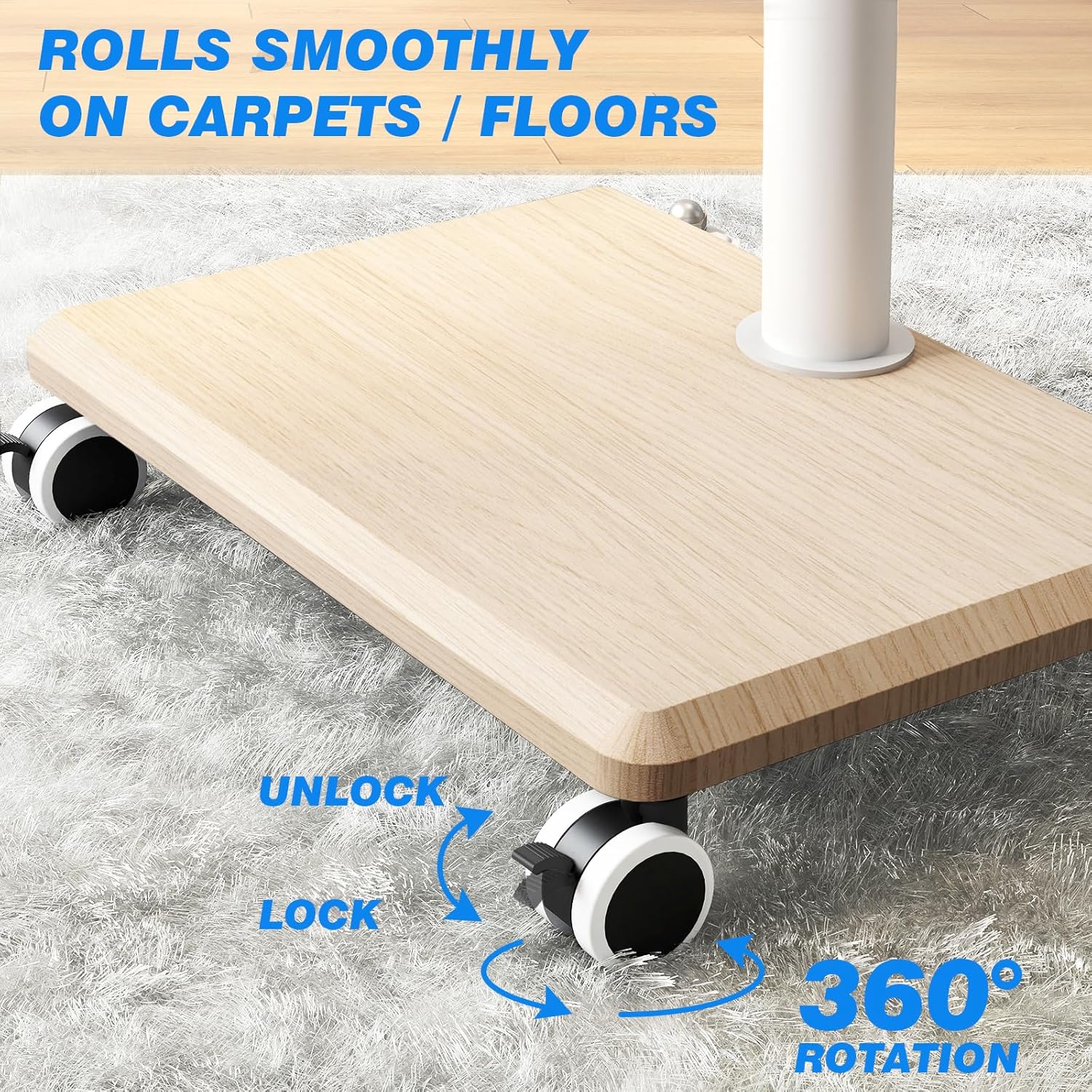
Image 5.1: The 360° rotating wheels with clear lock and unlock indicators for easy mobility and stability.
5.2 Adjusting TV Height
The TV stand offers three height adjustment levels, ranging from 49.5 inches to 52 inches. To adjust the height, carefully loosen the securing bolts on the main support column that hold the TV mounting plate. With assistance, raise or lower the TV to the desired height, then re-tighten the bolts securely to fix the TV in place.

Image 5.2: Visual representation of the TV stand's height adjustment feature, allowing for optimal eye-level viewing.
5.3 Swiveling the TV
The TV stand features a ±35° swivel function, allowing for a total of 70° of rotation. To swivel the TV, gently grasp the sides of the television and rotate it to the left or right until the desired viewing angle is achieved. No locking mechanism is required for the swivel function.

Image 5.3: Illustration demonstrating the ±35° swivel capability of the TV stand for optimal viewing angles.
6. Maintenance
- Cleaning: Wipe the stand with a soft, dry cloth. For stubborn marks, a slightly damp cloth can be used, followed by immediate drying. Avoid harsh chemicals or abrasive cleaners.
- Hardware Check: Periodically check all screws and bolts to ensure they remain tight. Re-tighten if necessary to maintain stability.
- Wheel Inspection: Ensure wheels are free of debris and roll smoothly. Clean any accumulated dust or hair from the wheel axles.
7. Troubleshooting
- TV is not level:
Check that the TV mounting brackets are installed evenly on the back of the TV. Ensure the main support column is securely fastened to the base and that the TV is properly seated on the column's hooks. Adjust if necessary. - Stand is wobbly:
Verify that all assembly bolts and screws are fully tightened. Ensure the stand is on a flat, stable surface. If on carpet, ensure the wheels are not sinking unevenly. - Wheels not rolling smoothly:
Check for debris (e.g., hair, lint) caught in the wheels. Clean the wheels thoroughly. Ensure the wheel locking mechanisms are disengaged. - TV cannot be swiveled:
Ensure no cables are obstructing the TV's movement. The swivel mechanism should move freely. Do not force the TV beyond its ±35° range.
8. Specifications
| Model Number | TF1404- |
| Compatible TV Sizes | 27 - 60 inches |
| Maximum Load Capacity | 40 kg (88 lbs) |
| VESA Compatibility | 100x100mm, 200x100mm, 200x200mm, 300x200mm, 300x300mm, 400x200mm, 400x300mm, 400x400mm |
| Height Adjustment | 49.5 inches to 52 inches (3 levels) |
| Swivel Angle | ±35° (70° total) |
| Material | Metal (column), Wood (base) |
| Color | Beige |

Image 8.1: Visual guide to TV compatibility, including screen size range, maximum load, and VESA mounting standards.

Image 8.2: Further details on TV compatibility, including VESA patterns and the dimensions of the stand's wooden base.
9. Warranty and Support
This 5Rcom TV Stand comes with a 2-year product warranty from the date of purchase. This warranty covers manufacturing defects and material flaws under normal use.
For warranty claims, technical assistance, or missing parts, please contact 5Rcom customer support through the retailer where the product was purchased or visit the official 5Rcom website for contact information. Please have your model number (TF1404-) and proof of purchase ready when contacting support.
