
1. Introduction
This manual provides essential information for the safe and efficient operation of your E GATE Atom 4X Android 13 Projector, along with the included 24W Soundbar and TWS Earbuds. Please read these instructions thoroughly before using the product to ensure optimal performance and longevity. Keep this manual for future reference.
2. What's in the Box
- 1x Atom 4X Projector
- 1x C222 Soundbar
- 1x C9 Earbud
- 1x Power Cable
- 1x Remote Control
- 1x User Manual with Warranty Card
3. Product Overview
The E GATE Atom 4X is a versatile Android 13 projector designed for a comprehensive entertainment experience. It features a 1080p native resolution, automatic focus and keystone correction, and robust connectivity options. The package includes a 24W Bluetooth Soundbar and TWS earbuds for enhanced audio.
Official product overview video for the E GATE Atom 4X Projector, showcasing its features and included accessories.
3.1. Projector Features
- Native 1080p Resolution with 4K Support: Delivers clear and sharp images.
- HDR+HLG Support: Enhances contrast and color accuracy for a more dynamic viewing experience.
- 400 ISO Lumens: Provides sufficient brightness for various viewing environments.
- Automatic Focus and Keystone Correction: Ensures a perfectly aligned and sharp image instantly.
- Max Screen Size 300 inches (762cm): Capable of projecting a large display.
- Android 13 OS with Amlogic T950S Chip: Offers smart TV functionality with access to 9000+ apps like Netflix, Prime Video, and YouTube.
- Dual Band WiFi6 & Bluetooth 5.0: Provides fast and stable wireless connectivity.
- 270° Rotatable Design: Allows projection onto walls or ceilings from various angles.
- 60,000 Hour Lamp Life: Ensures long-term use without frequent lamp replacement.

Image: Overview of the E GATE Atom 4X Projector's main features and specifications.

Image: The projector's built-in Android 13 operating system, showcasing access to numerous streaming applications.

Image: Illustration of the projector's fully automatic AI-powered focus and keystone correction for perfect image alignment.

Image: The portable design of the E GATE Atom 4X Projector, suitable for use in various locations.
3.2. 24W Bluetooth Soundbar (C222)
The included 24W Bluetooth Soundbar provides powerful and immersive audio, complementing the projector's visual performance. It features ambient LED lighting and 2.0 channel sound.
- 24W Output: Delivers rich and clear sound.
- Bluetooth Connectivity: Easily connects wirelessly to the projector or other devices.
- Ambient LED Lighting: Enhances the viewing atmosphere.
- 3600 mAh Battery: Offers extended playtime (up to 24 hours at 50% volume).

Image: The 24W Bluetooth Soundbar with its ambient LED lighting feature.
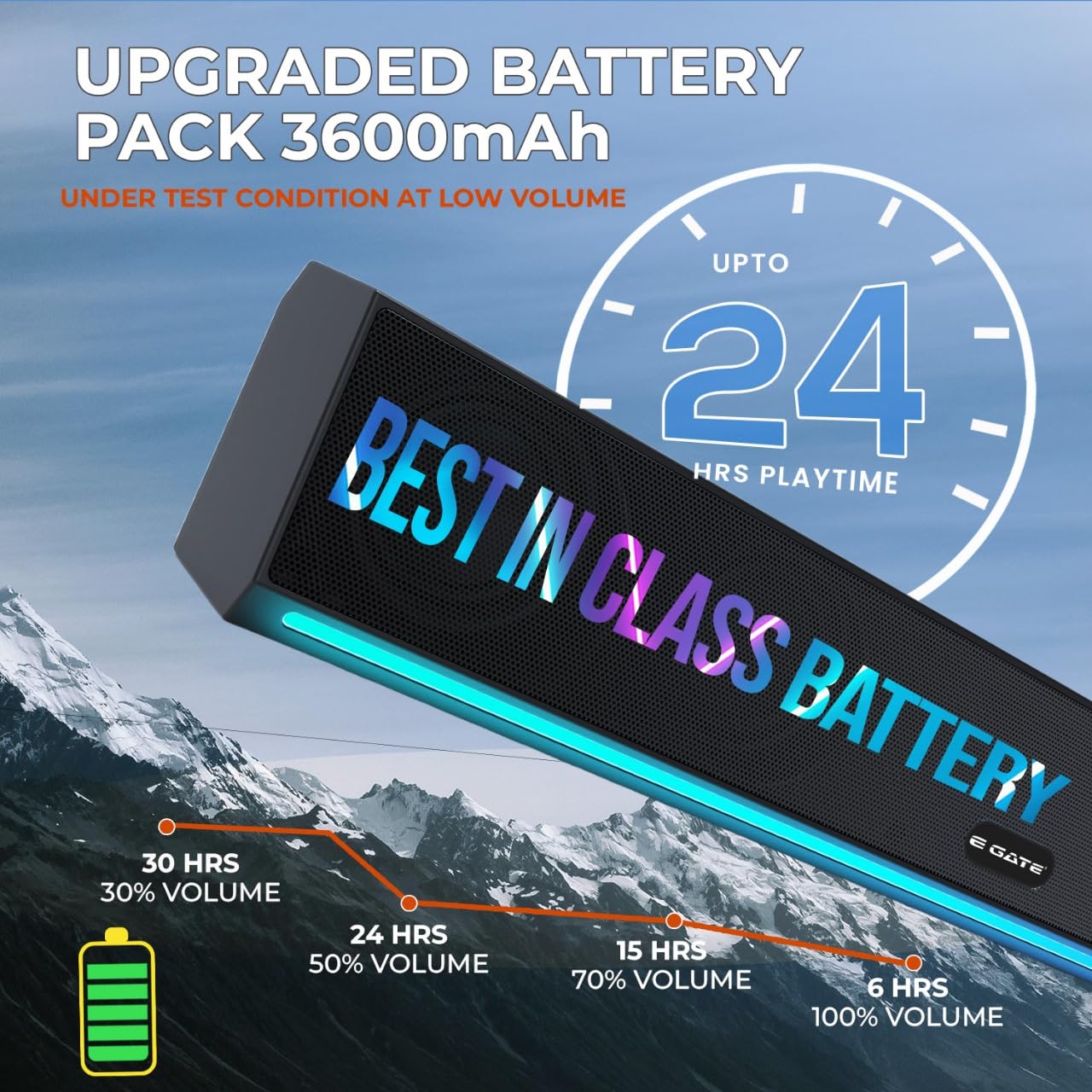
Image: Battery performance details for the 24W Bluetooth Soundbar, indicating playtime at various volume levels.
3.3. TWS Earbuds (C9)
The C9 TWS Earbuds provide a personal audio experience with clear sound and convenient features.
- 13mm Dynamic Drivers: For quality audio output.
- Up to 33 Hours Playtime: Extended listening with the charging case.
- IPX4 Water Resistance: Suitable for light splashes and sweat.
- Voice Assistance: Compatible with
Related Documents - Atom 4X (Ei9027)

E GATE Projector User Manual: Setup, Operation, and Maintenance
Comprehensive user manual for the E GATE projector, covering safety notices, product overview, remote control functions, power and connection instructions, maintenance tips, troubleshooting, and warranty information.
Egate i9 Pro Projector User Manual
User manual for the Egate i9 Pro projector, covering setup, operation, maintenance, and troubleshooting.
E GATE Projector User Manual: Setup, Connections, Maintenance, and Troubleshooting
Comprehensive user manual for E GATE projectors, covering setup, connections, maintenance, troubleshooting, and warranty information. Learn how to connect devices, optimize performance, and care for your projector.
Egate Smart Projector User Manual
User manual for Egate smart projector, covering setup, screen mirroring, maintenance, troubleshooting, and warranty information.Ask a question about this manual
Ask about setup, troubleshooting, compatibility, parts, safety, or missing instructions. Manuals+ will review the question and use this page’s manual context to help answer it.