
1. Introduction
Thank you for choosing the JISULIFE Life2S Stroller Fan. This portable, rechargeable fan is designed for convenience and comfort, featuring a flexible tripod, automatic oscillation, adjustable fan speeds, and an integrated ring light. Please read this manual thoroughly before use to ensure proper operation and maintenance.
2. Safety Information
- Keep the fan away from water and moisture.
- Do not insert fingers or foreign objects into the fan grille.
- Do not disassemble, repair, or modify the product yourself. Contact customer support if service is required.
- Keep out of reach of small children when not in use or unsupervised.
- Use only the provided charging cable or a certified equivalent.
- Avoid exposing the battery to extreme temperatures or direct sunlight.
3. Package Contents
The package should contain the following items:
- JISULIFE Life2S Stroller Fan
- USB Charging Cable
- User Manual
4. Product Overview
Familiarize yourself with the components of your JISULIFE Life2S Stroller Fan.
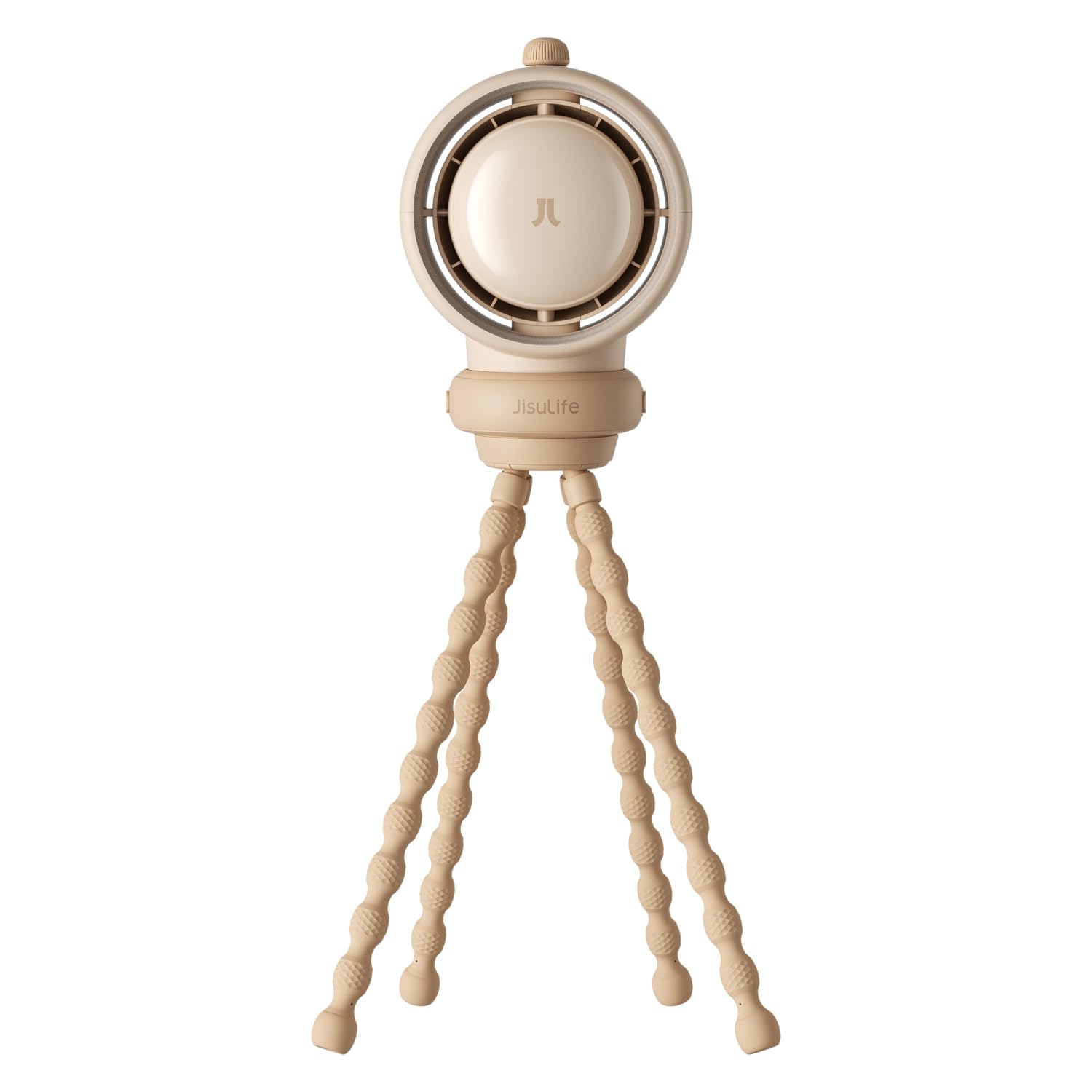
Figure 4.1: Front view of the JISULIFE Life2S Stroller Fan, showcasing the fan head and flexible tripod.
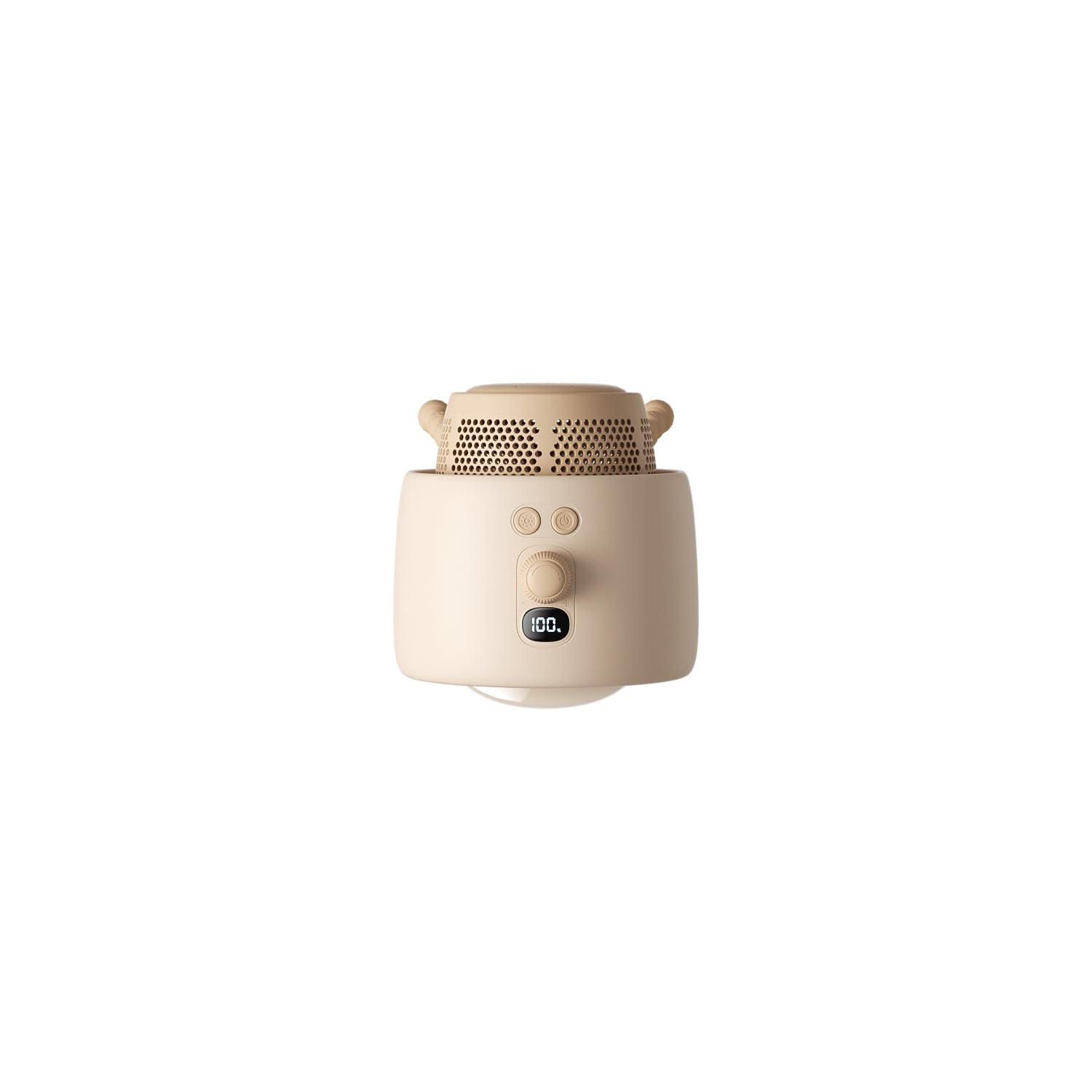
Figure 4.2: Top view of the fan head, showing the digital display for speed indication.
- Fan Head: Contains the bladeless fan and ring light.
- Flexible Tripod: Allows for versatile mounting and positioning on strollers, cribs, or desks.
- Control Buttons: For power, speed adjustment, oscillation, and ring light control.
- Digital Display: Shows current fan speed (0-100).
- Charging Port: USB-C port for recharging the internal battery.
- Travel Warning Light: Integrated red lights for enhanced visibility during night-time use.
5. Setup
- Initial Charge: Before first use, fully charge the fan using the provided USB cable. Connect the cable to the fan's charging port and a suitable USB power adapter (not included). The charging indicator will show progress. A full charge takes approximately 4 hours.
- Positioning: Utilize the flexible tripod legs to securely attach the fan to a stroller handle, crib rail, car seat, or stand it on a flat surface. The legs can be bent and wrapped around various objects.
- Manual Adjustment: The fan head can be manually adjusted 240° to direct airflow precisely where needed.
6. Operating Instructions
6.1 Power On/Off
- Press and hold the Power button for 2 seconds to turn the fan on or off.
6.2 Adjusting Fan Speed
- Once powered on, rotate the dial to adjust the fan speed. The digital display will show the current speed level from 0 to 100.
- There are 100 adjustable speed levels to customize airflow.
6.3 Automatic Oscillation
- Press the Oscillation button (usually indicated by a circular arrow icon) to activate the 50° automatic oscillation feature.
- Press the button again to stop oscillation.
6.4 Ring Light Operation
- Press the Light button (usually indicated by a light bulb icon) to cycle through the 3 levels of brightness for the integrated ring light.
- Press repeatedly to adjust brightness or turn off the light.
6.5 Dual Mode Travel Warning Light

Figure 6.1: Close-up view of the dual mode travel warning light.
- The fan features a dual-mode travel warning light for night-time safety. Refer to the product diagram for its location.
- Specific controls for this light may be integrated with the main light button or a separate button. Consult the product's physical markings for exact operation.
6.6 Air Purification Filter

Figure 6.2: The fan includes an air purification filter, designed to filter 99% of dust and pollutants.
- The fan is equipped with a 99% air purification filter to provide cleaner air. This feature operates automatically when the fan is running.
- Regular cleaning or replacement of the filter may be required for optimal performance. Refer to the maintenance section for details.
7. Maintenance
- Cleaning: Use a soft, dry cloth to wipe the exterior of the fan. Do not use abrasive cleaners or immerse the fan in water. For the fan grille, use a soft brush or compressed air to remove dust.
- Filter Maintenance: Periodically check the air purification filter for dust buildup. If the filter is removable, clean it according to manufacturer instructions or replace it if necessary.
- Storage: When not in use for extended periods, store the fan in a cool, dry place. Ensure the battery is partially charged (around 50%) before storage to prolong its lifespan.
8. Troubleshooting
| Problem | Possible Cause | Solution |
|---|---|---|
| Fan does not turn on. | Battery is depleted. | Charge the fan for at least 4 hours. |
| Weak airflow. | Low battery or clogged filter. | Recharge the fan. Clean or replace the air purification filter. |
| Fan does not oscillate. | Oscillation feature not activated. | Press the Oscillation button to activate. |
| Ring light not working. | Light feature not activated or battery low. | Press the Light button to cycle through brightness levels. Recharge the fan. |
9. Specifications
- Model: Life2S
- Battery Capacity: 5000mAh Lithium Ion
- Working Time: 2 to 10 hours (depending on speed and features used)
- Charging Time: Approximately 4 hours
- Fan Speed Levels: 100
- Oscillation: 50° Automatic, 240° Manual Adjustment
- Ring Light: 3 Levels
- Air Purification: 99% filter efficiency
- Product Dimensions: 12.8 x 6.1 x 40 cm
- Item Weight: 575 g
10. Warranty and Support
For warranty information and customer support, please refer to the warranty card included with your product or contact the retailer where the product was purchased. You may also reach out to the importer for service and support:
Importer: AGELESS DIGITAL TECHNOLOGIES PRIVATE LIMITED
D-88 SECTOR-6 NOIDA GAUTAM BUDDHA NAGAR 201301
Contact: 0120 4456045, 0120 4770072, 0120 4852751
Service & Support: 011-40110569