
Introduction
Get ready for high-octane excitement with the Sharper Image® Motor Battles RC Team Battle Racers Navy and Orange. These innovative remote-controlled cars are tailored for exhilarating head-to-head combat. Players strategically deactivate each other's vehicles by targeting the impact sensors, with each car enduring up to three hits before elimination. Hits are conveniently tracked via LED lights on each vehicle's rear, adding a visual thrill to the competition. Easily choose your team with the color-changing LED lights, enhancing team identification and unity. Expand the battlefield by combining sets to form up to four teams with an unlimited number of players, maximizing the strategic depth and engagement. Featuring intuitive controls and a robust design, these RC battle racers are the perfect choice for anyone eager to inject some competitive spirit and fun into their game sessions.
What's Included
- 2 x RC Battle Racers (Navy and Orange)
- 2 x Remote Controllers
- Rechargeable AA Batteries (3 per vehicle, included)
- USB Charging Cable
- Small Phillips Head Screwdriver (for controller battery compartment)

Image: The product box displaying the two RC battle racers, controllers, and key features.
For a quick overview, scan this QR code: Product Overview Video
Setup
1. Battery Installation (Vehicles)
- Locate the battery compartment on the underside of each RC racer.
- Carefully open the compartment.
- Insert the included rechargeable AA batteries, ensuring correct polarity (+/-).
- Close the battery compartment securely.
- Use the provided USB charging cable to fully charge the vehicle batteries before first use. A full charge typically takes 60-90 minutes.
2. Battery Installation (Controllers)
- Locate the battery compartment on the back of each remote controller.
- Use the provided Phillips head screwdriver to open the compartment.
- Insert 3 AA batteries (not included) into each controller, observing correct polarity.
- Securely close the battery compartment and fasten the screw.
3. Pairing the Racers and Controllers
- Ensure both the RC racer and its corresponding controller are turned OFF.
- Turn ON the RC racer. The LED indicator on the racer will blink.
- Turn ON the remote controller. The LED indicator on the controller will blink.
- Press any button on the controller. The LED indicators on both the racer and controller should become solid, indicating successful pairing.
- Repeat this process for the second racer and controller.

Image: The Navy and Orange RC battle racers with their respective remote controllers, ready for setup.
Operating Instructions
Basic Controls
- Forward/Backward: Use the left joystick to move the racer forward or backward.
- Turn Left/Right: Use the right joystick to steer the racer left or right.
- Turbo Button: Press the designated 'Turbo' button on the controller for a temporary speed boost.
- Sound Effects: Racers feature realistic sound effects during play.
Video: Demonstration of remote control bumper cars, showcasing basic movement and battle actions.
Battle Mode
Engage in head-to-head combat by targeting your opponent's impact sensors. Each racer is equipped with multi-point impact sensors. When a racer is hit, one of its three rear LED indicator lights will turn off. After three hits, the racer is eliminated from the game.

Image: Close-up view of the RC battle racers highlighting the multi-point impact sensors and the three LED damage indicators.
Video: A short clip demonstrating the remote-controlled cars engaging in battle, showing hits and eliminations.
Team Play
The racers feature color-changing LED lights, allowing you to easily select and identify your team. Combine multiple sets of Sharper Image Motor Battles RC Team Battle Racers to create larger battles with up to four teams and an unlimited number of players.

Image: An aerial view illustrating four different colored RC battle racers, representing various teams for expanded gameplay.
Advanced Features
- Turbo Button: Activate for a burst of speed to outmaneuver opponents.
- Multi-Point Impact Sensors: Strategically placed sensors ensure fair and exciting combat.
- Sound Effects: Enhance the battle experience with dynamic audio.
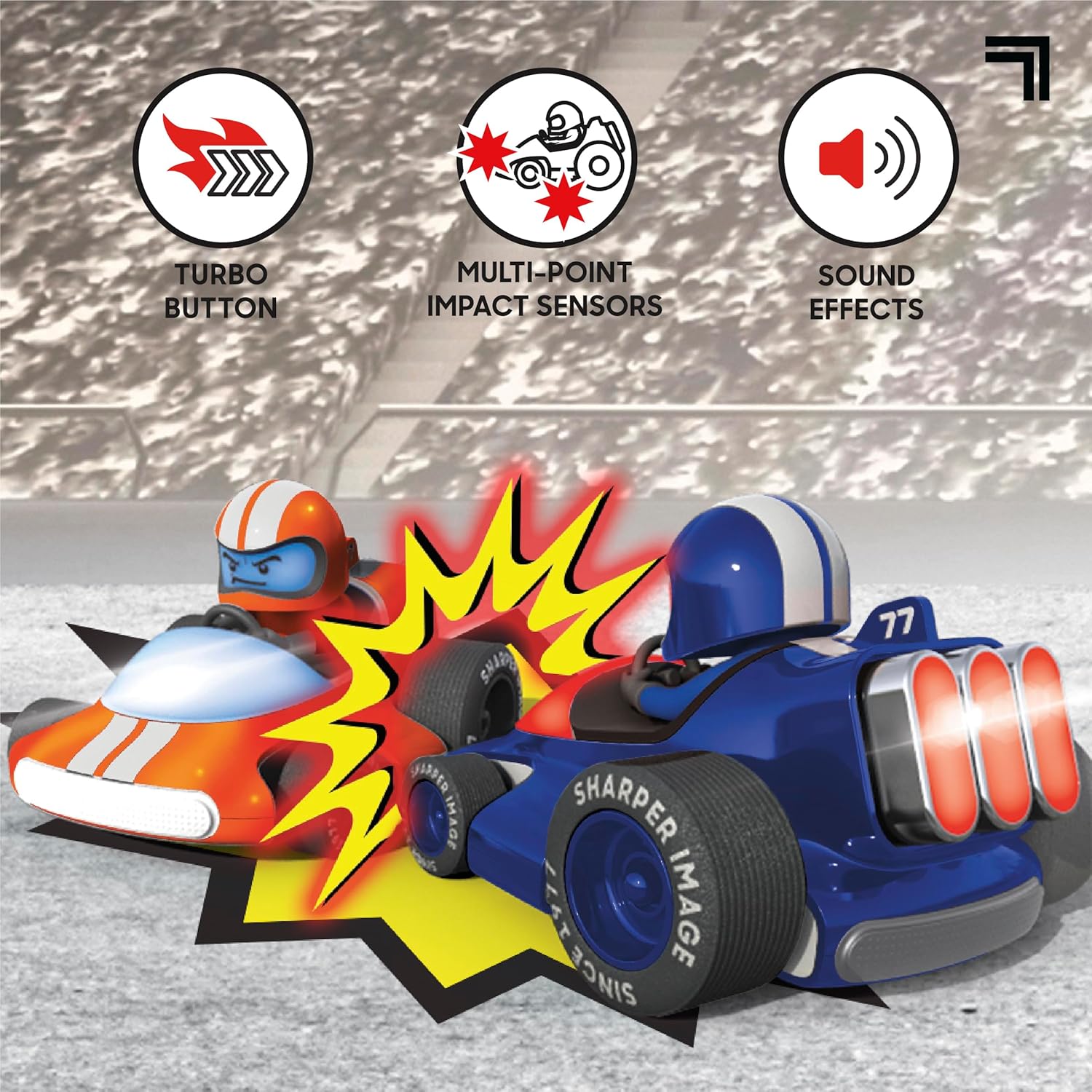
Image: A dynamic shot of the RC battle racers, emphasizing the Turbo button, multi-point impact sensors, and sound effects features.
Video: A demonstration of remote control bumper cars performing various maneuvers and engaging in playful combat.
Maintenance
- Cleaning: Wipe the racers and controllers with a dry, soft cloth. Do not immerse in water.
- Storage: Store the product in a cool, dry place away from direct sunlight when not in use. Remove batteries from controllers if storing for extended periods.
- Battery Care: Always fully charge the vehicle batteries before and after use to prolong their lifespan.
Troubleshooting
- Racer not responding: Ensure both the racer and controller are turned ON and properly paired. Check controller batteries and vehicle battery charge.
- Racer not moving: Verify that the vehicle battery is charged and correctly installed. Check for any obstructions in the wheels.
- LED indicators not working: If the rear LED indicators are not functioning correctly after a hit, ensure the impact sensors are clean and unobstructed.
- Short play time: Ensure vehicle batteries are fully charged. Battery performance may decrease over time with repeated use.
Specifications
| Feature | Detail |
|---|---|
| Model Number | 1216027570 |
| Product Dimensions | 38.1 x 20.32 x 17.78 cm; 1.22 kg |
| Recommended Age | 6 years and up |
| Vehicle Power Source | Rechargeable AA batteries (included) |
| Controller Power Source | AA batteries (not included) |
| Control Frequency | 2.4 GHz (Long-range wireless control up to 100 feet) |
| Material Type | Acrylonitrile Butadiene Styrene (ABS), Electronic Parts, Metal, Polyphenylene Oxide, Thermoplastic Polyurethane |
| Number of Players | Unlimited (with multiple sets) |
Safety Information
- WARNING! Not suitable for children under 3 years. Small Parts. Choking hazard.
- Colors and styles may vary.
- Keep packaging for future reference.
- WARNING: This toy produces flashes that may trigger epilepsy in sensitized individuals.
- Adult supervision is recommended during play and battery installation.
Warranty and Support
For warranty information and customer support, please refer to the product packaging or contact Sharper Image customer service directly. Details are typically available on the manufacturer's official website or through the retailer where the product was purchased.

