
1. Introduction
This manual provides essential instructions for the safe and effective use of your Fujifilm INSTAX Wide Evo Instant Film Camera. Please read this manual thoroughly before use and retain it for future reference.
The INSTAX Wide Evo is a hybrid instant camera that combines digital imaging with instant film printing, offering a wide range of creative options and the ability to select and print images.
2. Package Contents
Verify that all items are present in your package:
- Fujifilm INSTAX Wide Evo Camera Body
- Shoulder Strap
- Lens Cap
- USB Type C Cable (for charging)
- Quick Start Guide
- Rechargeable Battery (pre-installed or included)
Note: INSTAX WIDE instant film and a Micro SD card are sold separately and are required for full functionality.
3. Camera Parts and Functions

Figure 3.1: Front View. Shows the lens, flash, shutter buttons, and "instax Wide Evo" branding.

Figure 3.2: Rear View. Displays the 3.5-inch LCD monitor and control buttons for navigation and playback.
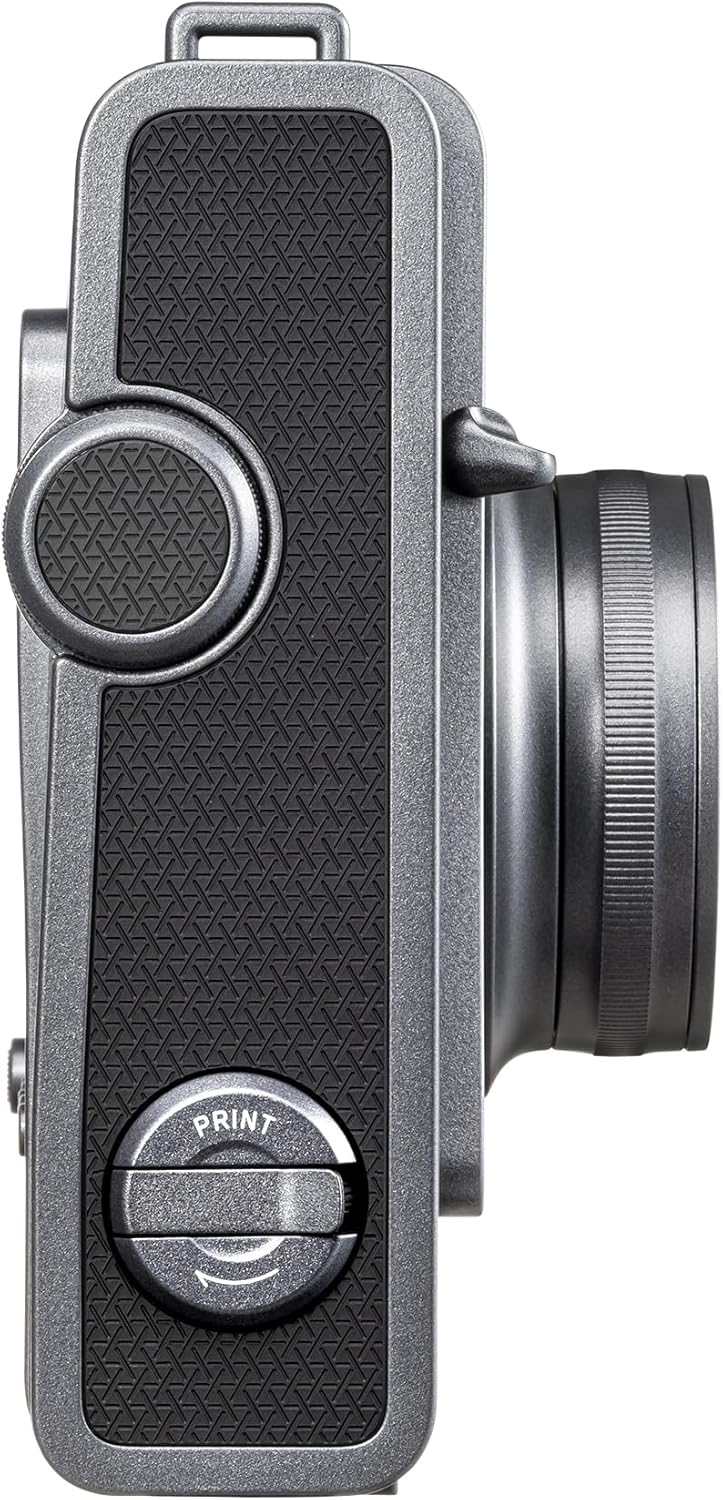
Figure 3.3: Right Side View. Features the manual print crank for ejecting film.

Figure 3.4: Left Side View. Shows the power ON/OFF dial and other controls.
3.1 Front Panel
- Lens: 16mm F2.4 lens with focus range from 0.1m to infinity.
- Flash: For illuminating subjects in low light.
- Shutter Buttons: Primary button for capturing images.
- Wide Angle Switch: Activates or deactivates the wide-angle mode.
3.2 Rear Panel
- 3.5" LCD Monitor: Displays live view, captured images, and menu options.
- Control Buttons: Play, Delete, Back, Menu/OK, and directional buttons for navigation.
3.3 Side and Top Panels
- Print Crank: Manually ejects the printed instant film.
- Power Dial: Turns the camera ON or OFF.
- Film Ejection Slot: Where printed INSTAX Wide film emerges.
- USB Type C Port: For charging the camera's internal battery.
- Micro SD Card Slot: For expanding storage (card sold separately).
4. Setup
4.1 Charging the Battery
- Connect the supplied USB Type C cable to the camera's USB port.
- Connect the other end of the cable to a USB power adapter (not included) or a computer's USB port.
- The charging indicator will illuminate. Charging is complete when the indicator turns off.
4.2 Inserting INSTAX WIDE Film
- Ensure the camera is powered off.
- Open the film compartment cover on the back of the camera.
- Align the yellow mark on the film pack with the yellow mark on the camera.
- Insert the film pack straight into the compartment. Do not press down on the film pack.
- Close the film compartment cover securely. The camera will automatically eject the black film cover sheet.
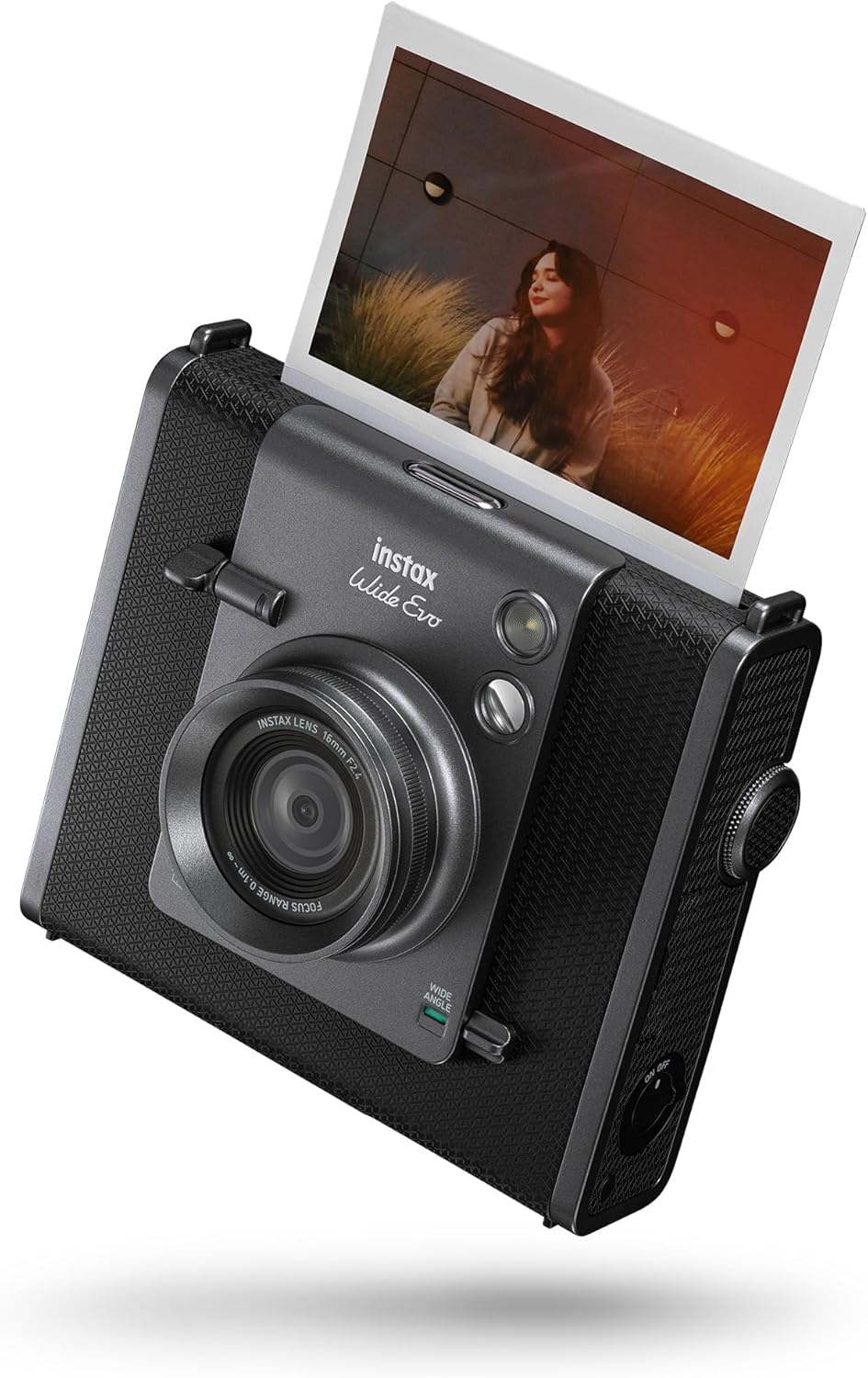
Figure 4.1: Film Ejection. The camera ejects a printed INSTAX Wide photo.
4.3 Inserting a Micro SD Card (Optional)
A Micro SD card (sold separately) is recommended for storing a larger number of images. Locate the Micro SD card slot, usually under a small cover on the side of the camera. Insert the card with the contacts facing down until it clicks into place.
5. Operating Instructions
5.1 Powering On/Off
Rotate the Power Dial on the side of the camera to the "ON" position to power on. Rotate it to "OFF" to power off.
5.2 Taking Photos
- Power on the camera. The LCD monitor will display the live view.
- Frame your shot using the LCD monitor.
- Adjust lens effects and film effects using the dials and menu options. The camera offers 10 lens effects and 10 film effects, plus degree control.
- Press the Shutter Button to capture the image. The image will be saved digitally.

Figure 5.1: Adjusting Lens Effects. Users can twist the lens to apply various lens effects.
5.3 Printing Photos
- After capturing an image, it will be displayed on the LCD.
- Use the control buttons to navigate through your saved images.
- Once you have selected the desired image, activate the Print Crank on the side of the camera.
- The camera will print the selected image onto INSTAX WIDE instant film.
5.4 Using the INSTAX WIDE Evo Smartphone App
The camera can connect to your smartphone via Bluetooth using the free INSTAX WIDE Evo Smartphone App. This app allows for:
- Remote Shooting: Control the camera remotely from your smartphone.
- Image Transfer: Save your favorite instax framed shots to your smartphone's camera roll.
- Discover Feed: Explore creative ideas and inspiration within the app.

Figure 5.2: Smartphone App Integration. The INSTAX WIDE Evo app enables remote control and image transfer.
6. Maintenance
6.1 Cleaning the Camera
- Use a soft, dry cloth to clean the camera body.
- For the lens, use a lens cleaning cloth and lens cleaning solution specifically designed for camera optics.
- Do not use abrasive cleaners or solvents.
6.2 Storage
- Store the camera in a cool, dry place away from direct sunlight and extreme temperatures.
- Remove the film pack if the camera will not be used for an extended period.
- Ensure the lens cap is on when not in use to protect the lens.
7. Troubleshooting
7.1 Common Issues and Solutions
| Problem | Possible Cause | Solution |
|---|---|---|
| Camera does not power on. | Battery is depleted. | Charge the battery using the supplied USB Type C cable. |
| Film does not eject. | No film or film pack incorrectly inserted. | Check if film is loaded correctly. Ensure the film compartment is closed. |
| Printed photos are too dark/light. | Incorrect exposure settings or lighting conditions. | Adjust exposure compensation in the camera menu. Use flash in low light. |
| Cannot connect to smartphone app. | Bluetooth is off or app is not updated. | Ensure Bluetooth is enabled on both devices. Update the INSTAX WIDE Evo app to the latest version. |
If issues persist, please contact Fujifilm customer support.
8. Specifications
| Feature | Detail |
|---|---|
| Model Name | INSTAX Wide Evo |
| Model Number | 16840957 |
| Dimensions (L x W x H) | 4.92 x 2.47 x 5.46 inches |
| Weight | 1.08 pounds (0.49 kg) |
| Film Format | INSTAX Wide |
| Image Sensor | 16 Megapixel |
| Lens | 16mm F2.4 |
| Shutter Speed | 1/4 seconds to 1/8000 seconds |
| LCD Monitor | 3.5 inches |
| Connectivity | Bluetooth (with INSTAX WIDE EVO app) |
| Storage | Internal memory, Micro SD card slot (card sold separately) |
| Power Source | Rechargeable battery (charged via USB Type C) |
9. Warranty and Support
9.1 Limited Warranty
This product comes with a 1 Year Limited Warranty from the date of purchase. Please refer to the warranty card included in your package for full terms and conditions. Keep your proof of purchase for warranty claims.
9.2 Customer Support
For technical assistance, troubleshooting, or warranty inquiries, please visit the official Fujifilm support website or contact their customer service department. Contact information can typically be found on the Fujifilm website or in the Quick Start Guide.
You can visit the Fujifilm Store on Amazon for more product information and accessories.


