
OPPO Oppo A5 Pro
Oppo A5 Pro User Manual
Model: OPPO A5 Pro 5G 8/256 Olive Green
Introduction
This manual provides essential information for the safe and efficient use of your Oppo A5 Pro smartphone. Please read it carefully before operating the device.
The Oppo A5 Pro is a 5G smartphone featuring an Octa-core processor, 8GB of RAM, and 256GB of internal storage, expandable via microSDXC. It operates on Android 15 and is equipped with a 5800 mAh non-removable battery.
Product Overview

Figure 1: Front and back view of the Oppo A5 Pro smartphone in Olive Green.

Figure 2: Side view of the Oppo A5 Pro, highlighting its slim profile and button placement.

Figure 3: Physical dimensions of the Oppo A5 Pro: 164.82 mm height, 75.73 mm width, and 7.76 mm thickness. The device weighs 194 grams.
Setup
1. Unboxing and Initial Inspection
Upon receiving your Oppo A5 Pro, carefully open the packaging and verify that all components are present. The standard package includes the Oppo A5 Pro smartphone and a USB Cable.
- Oppo A5 Pro Smartphone
- USB Cable
2. Inserting SIM Cards and microSD Card
The Oppo A5 Pro supports Dual-SIM functionality and a microSDXC card for expandable storage.
- Locate the SIM card tray on the side of the device.
- Insert the SIM ejector tool (not included, typically comes with the phone) into the small hole next to the tray to open it.
- Carefully pull out the tray.
- Place your Nano-SIM cards into the designated slots (SIM 1 and SIM 2).
- If using, insert a microSDXC card into its dedicated slot.
- Gently push the tray back into the device until it clicks into place.
3. Initial Power On and Setup Wizard
To power on your device for the first time:
- Press and hold the Power button (located on the right side) until the OPPO logo appears.
- Follow the on-screen instructions of the setup wizard to select your language, connect to Wi-Fi, sign in to your Google account, and set up security features like the fingerprint sensor.
Operating
1. Basic Navigation
- Power Button: Press to wake/sleep the screen. Press and hold to power off or restart.
- Volume Buttons: Adjust media volume, call volume, or notification volume.
- Touchscreen Gestures: Swipe, tap, pinch-to-zoom for navigation and interaction.
2. Camera Usage
The Oppo A5 Pro features a versatile camera system.

Figure 4: Camera specifications: Front camera 8MP, Primary rear camera 50MP, Depth sensor 2MP.
- Open the Camera app from the home screen or app drawer.
- Tap the shutter button to take a photo.
- Switch between photo, video, and other modes (e.g., Portrait, Night) by swiping across the screen.
- Tap the camera switch icon to toggle between the front (8MP) and rear (50MP primary, 2MP depth) cameras.
3. Battery and Charging
The Oppo A5 Pro is equipped with a 5800 mAh battery for extended usage.

Figure 5: The Oppo A5 Pro features a 5800mAh long-lasting battery.

Figure 6: The device supports 45W SUPERVOOC™ fast charging technology.
- Connect the provided USB cable to the phone's USB-C port and the other end to a compatible power adapter (not included) or computer.
- For optimal charging speed, use a 45W SUPERVOOC™ compatible charger.
- Avoid using the device while charging for prolonged periods to prevent overheating.
4. Storage and RAM Management
The Oppo A5 Pro comes with 256GB of internal storage and 8GB of RAM, with options for RAM expansion.
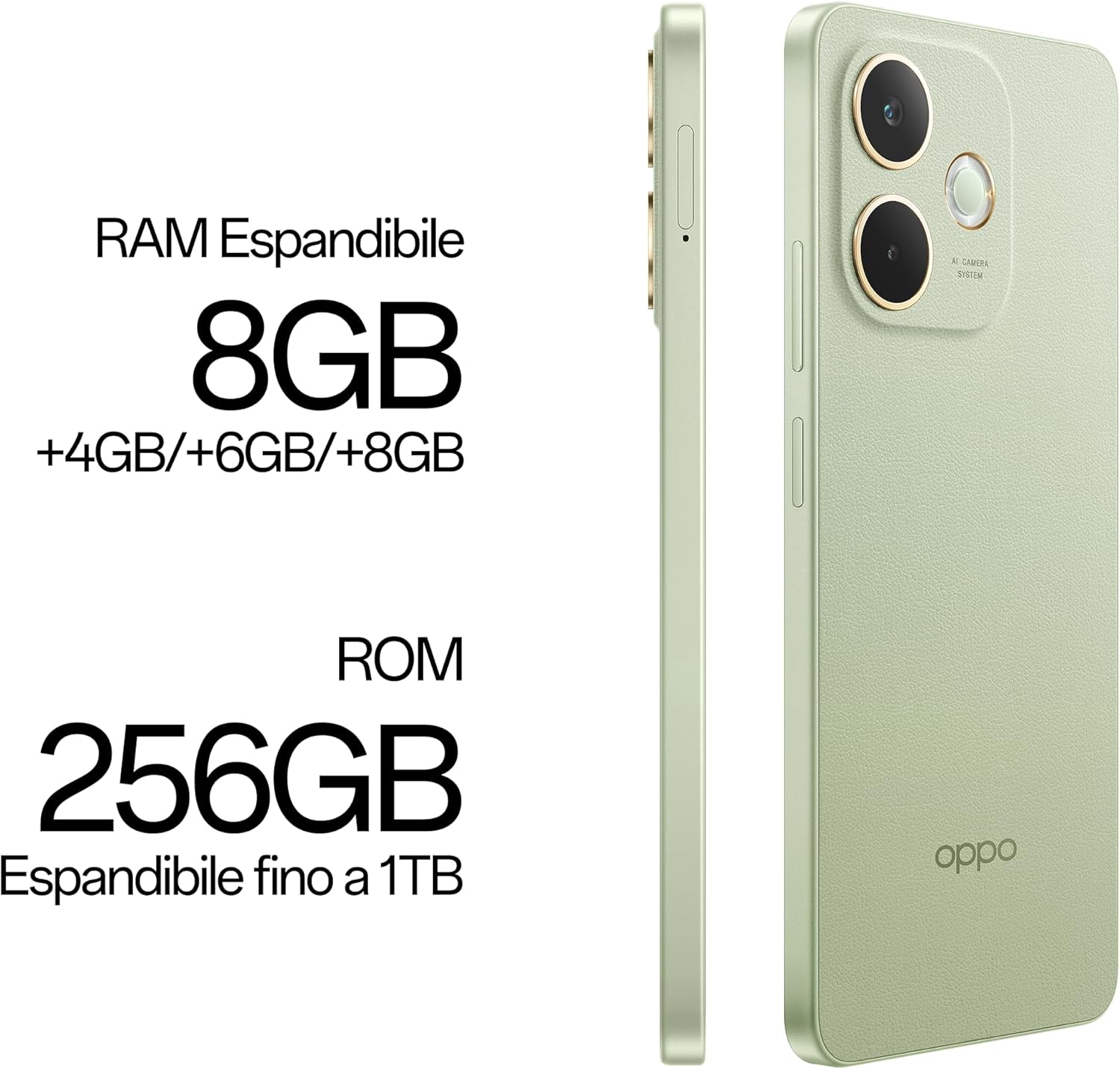
Figure 7: The Oppo A5 Pro features 8GB of expandable RAM (+4GB/+6GB/+8GB) and 256GB of ROM, expandable up to 1TB via microSDXC.
- To check storage usage, go to Settings > Storage.
- To manage RAM, go to Settings > About device > RAM to enable or adjust RAM expansion.
- Regularly clear cache and unnecessary files to maintain performance.
Maintenance
1. Software Updates
Keep your device's software updated to ensure optimal performance and security.
- Go to Settings > About device > Up to date to check for and install available updates.
- Ensure your device is connected to Wi-Fi and has sufficient battery charge before performing updates.
2. Cleaning Your Device
To clean the exterior of your Oppo A5 Pro:
- Use a soft, lint-free cloth to wipe the screen and back panel.
- For stubborn smudges, slightly dampen the cloth with water or a screen cleaner.
- Avoid using harsh chemicals, abrasive materials, or excessive moisture.
3. Battery Care
- Avoid exposing the device to extreme temperatures.
- Do not fully discharge the battery regularly; try to keep it between 20% and 80%.
- If the device will not be used for an extended period, charge it to about 50% before storing.
Troubleshooting
1. Device Not Powering On
- Ensure the battery is charged. Connect the device to a charger and wait a few minutes before attempting to power on.
- Press and hold the Power button for at least 10-15 seconds to force a restart.
2. Network Connectivity Issues
- Verify that your SIM card is correctly inserted and active.
- Check your network settings (Settings > Mobile network) to ensure data roaming is enabled if necessary.
- Restart the device.
- Contact your network provider to confirm compatibility with the device's supported bands (GSM, WCDMA, LTE, 5G).
3. Apps Crashing or Freezing
- Clear the cache and data of the problematic app (Settings > Apps > [App Name] > Storage > Clear cache/Clear data).
- Update the app to its latest version from the Google Play Store.
- If the issue persists, uninstall and reinstall the app.
4. Fingerprint Sensor Not Working
- Ensure your finger is clean and dry.
- Re-register your fingerprints in Settings > Password & security > Fingerprint.
- Ensure the fingerprint sensor area is clean and free of obstructions.
Specifications
| Feature | Detail |
|---|---|
| Model Name | Oppo A5 Pro |
| Operating System | Android 15 |
| Processor | Mediatek Dimensity 6300 (6 nm), Octa-core (2x2.4 GHz Cortex-A76 & 6x2.0 GHz Cortex-A55) |
| Display | 6.67 inches IPS LCD, 720 x 1604 pixels |
| RAM | 8GB (expandable) |
| Internal Storage | 256GB (expandable via microSDXC up to 1TB) |
| Rear Camera | 50 MP (wide), 8 MP (wide) |
| Front Camera | 8 MP |
| Battery Capacity | 5800 mAh (non-removable) |
| Charging | 45W SUPERVOOC™ |
| Connectivity | 5G, Wi-Fi, Bluetooth, GPS |
| SIM Type | Dual Nano-SIM |
| Dimensions (H x W x T) | 164.82 mm x 75.73 mm x 7.76 mm |
| Weight | 194 grams (6.8 ounces) |
| Special Features | Fingerprint sensor, 3.5 mm Audio Jack |
Warranty and Support
For warranty information and technical support, please refer to the official OPPO website or contact their customer service. Keep your proof of purchase for warranty claims.
- Official Website: www.oppo.com (Please check the regional website for specific support details)
- Customer Service: Refer to the contact information provided in your region's official OPPO support page.
Note: This smartphone is not compatible/will not work with any CDMA Networks including: VERIZON, SPRINT, US CELLULAR. Please check with your network provider for 3G or 4G/LTE compatibility check before you purchase.
Related documentsOppo A5 Pro


Ask a question about this manual
Ask about setup, troubleshooting, compatibility, parts, safety, or missing instructions. Manuals+ will review the question and use this page’s manual context to help answer it.