
OPPO OPPO A5 Pro 5G 8/256 Black Brown
Oppo A5 Pro Dual-SIM 256GB ROM + 8GB RAM (GSM Only|No CDMA) Factory Unlocked 5G Smartphone (Mocha Brown) - International Version User Manual
Model: OPPO A5 Pro 5G 8/256 Black Brown | Brand: OPPO
1. Introduction
This manual provides comprehensive instructions for the safe and efficient use of your Oppo A5 Pro Dual-SIM 256GB ROM + 8GB RAM (GSM Only|No CDMA) Factory Unlocked 5G Smartphone (Mocha Brown) - International Version. Please read this manual thoroughly before operating the device and retain it for future reference.
The Oppo A5 Pro is a state-of-the-art 5G smartphone designed for high performance and connectivity. It features a powerful Octa-core processor, ample storage, and a high-resolution display.
2. Product Overview and Components
Familiarize yourself with the key components of your device.
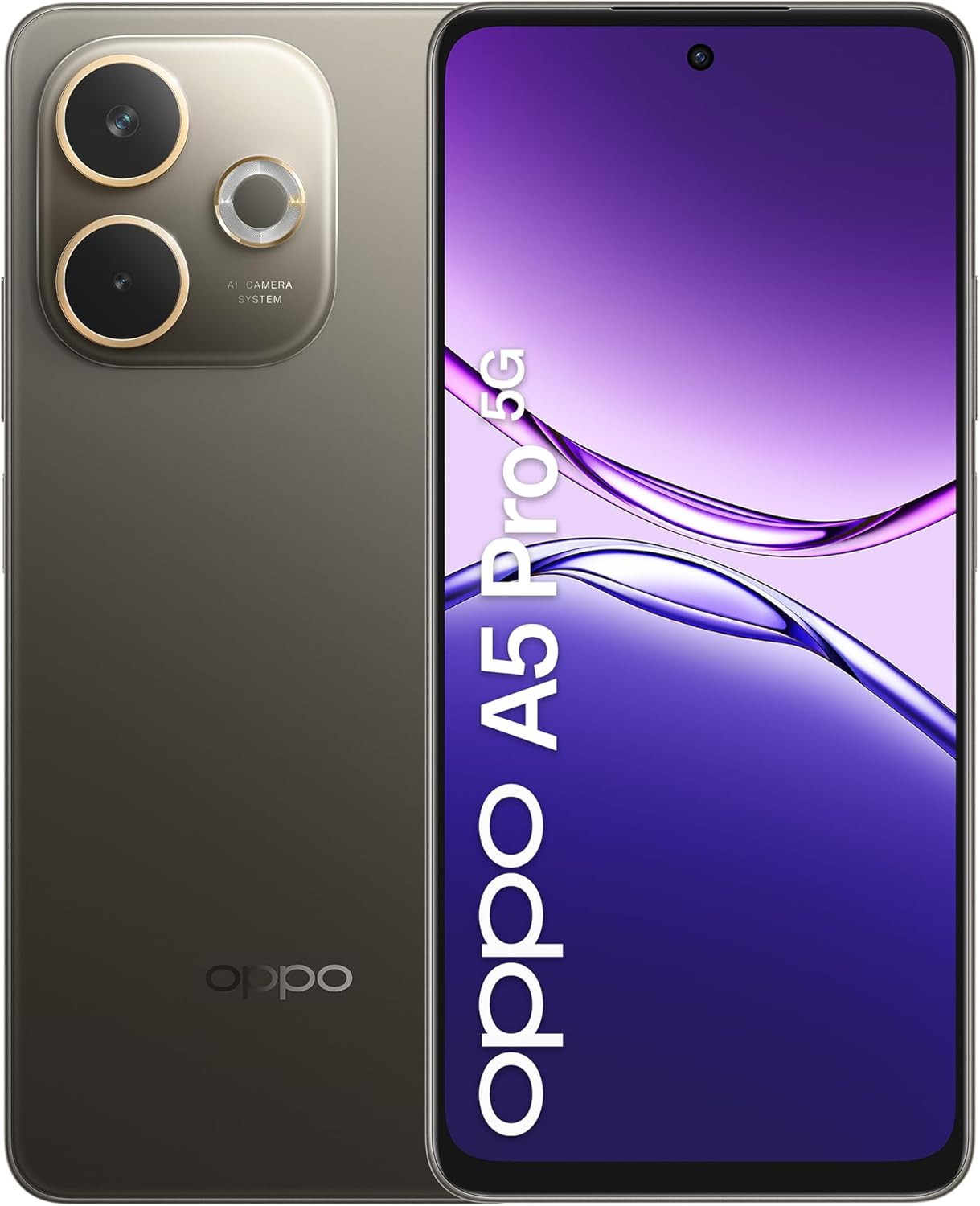
Figure 2.1: Front and back view of the Oppo A5 Pro 5G Smartphone, showcasing the display and the rear camera module.

Figure 2.2: Side view of the Oppo A5 Pro 5G Smartphone, highlighting the slim profile and button placement.
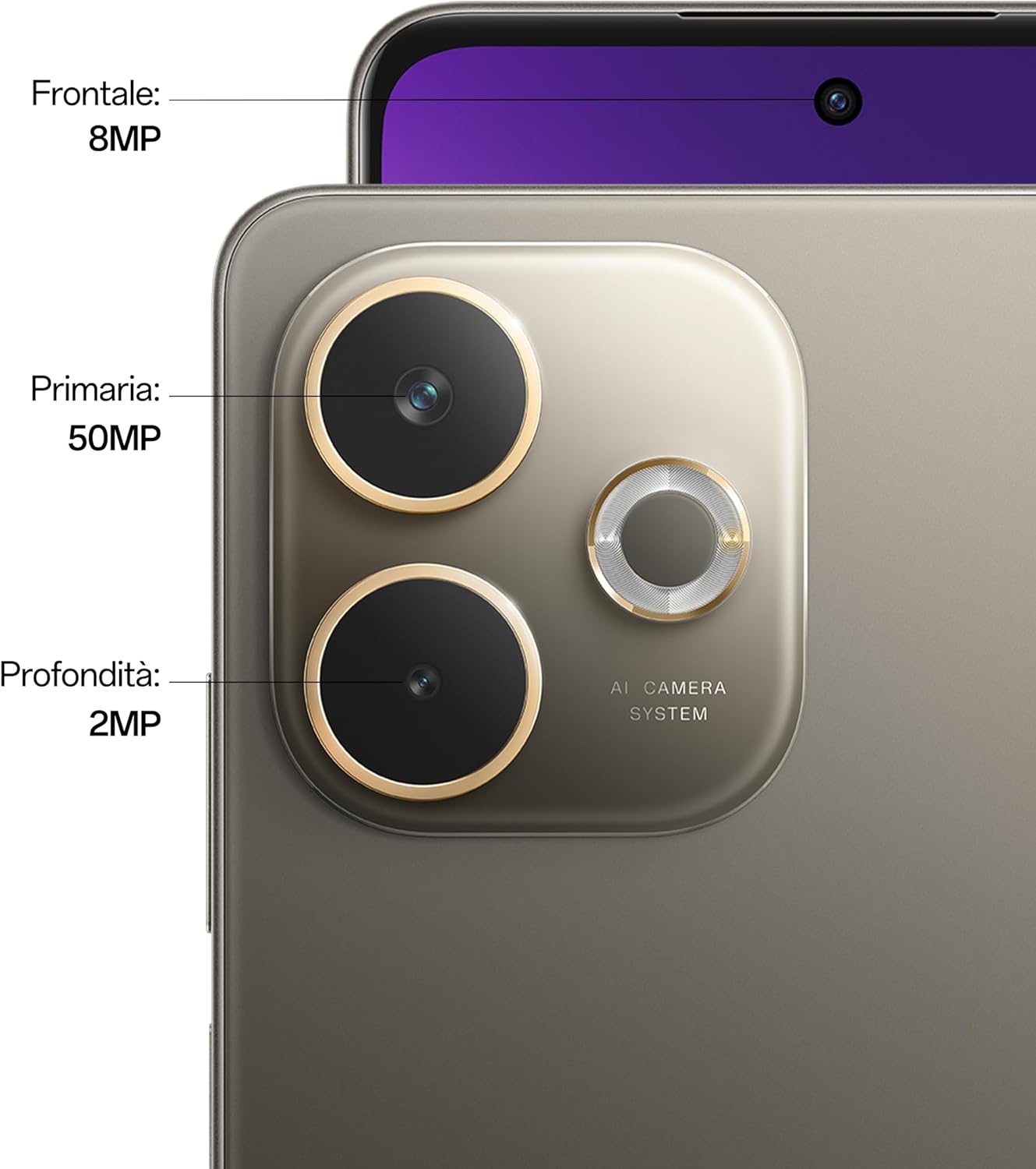
Figure 2.3: Detailed view of the Oppo A5 Pro 5G camera system, indicating the 50MP primary camera, 8MP wide camera, and 2MP depth sensor, along with the 8MP front camera.
3. Setup Guide
3.1 Inserting SIM Cards and MicroSD Card
The Oppo A5 Pro supports Dual-SIM functionality and expandable storage via microSDXC.
- Locate the SIM card tray on the side of the device.
- Insert the SIM ejector tool into the small hole next to the tray and push gently until the tray pops out.
- Place your Nano-SIM cards into the designated slots (SIM1 and SIM2). Ensure the gold contacts are facing down.
- If using a microSD card for expanded storage, place it into the dedicated microSD slot.
- Carefully push the tray back into the device until it is flush with the side.
3.2 Initial Power On and Setup Wizard
- Press and hold the Power button (located on the right side) until the OPPO logo appears.
- Follow the on-screen instructions to complete the initial setup, including language selection, Wi-Fi connection, Google account sign-in, and security settings (fingerprint, PIN, pattern).
4. Operating Your Device
4.1 Basic Navigation
- Touchscreen Gestures: Tap, swipe, pinch-to-zoom are standard Android gestures.
- Power Button: Press to wake/sleep the screen. Press and hold to power off or restart.
- Volume Buttons: Adjust media volume, call volume, and notification volume.
- Fingerprint Sensor: Located on the side, use for quick unlocking and authentication.
4.2 Camera Usage
The Oppo A5 Pro features a 50 MP primary camera and an 8 MP wide camera.
- Open the Camera application from your home screen or app drawer.
- Select your desired mode (Photo, Video, Portrait, Night, etc.).
- Tap the shutter button to capture a photo or start/stop video recording.
- Use the zoom gestures (pinch-to-zoom) or switch between lenses if available.
4.3 Battery Management
The device is equipped with a 5800 mAh non-removable battery.
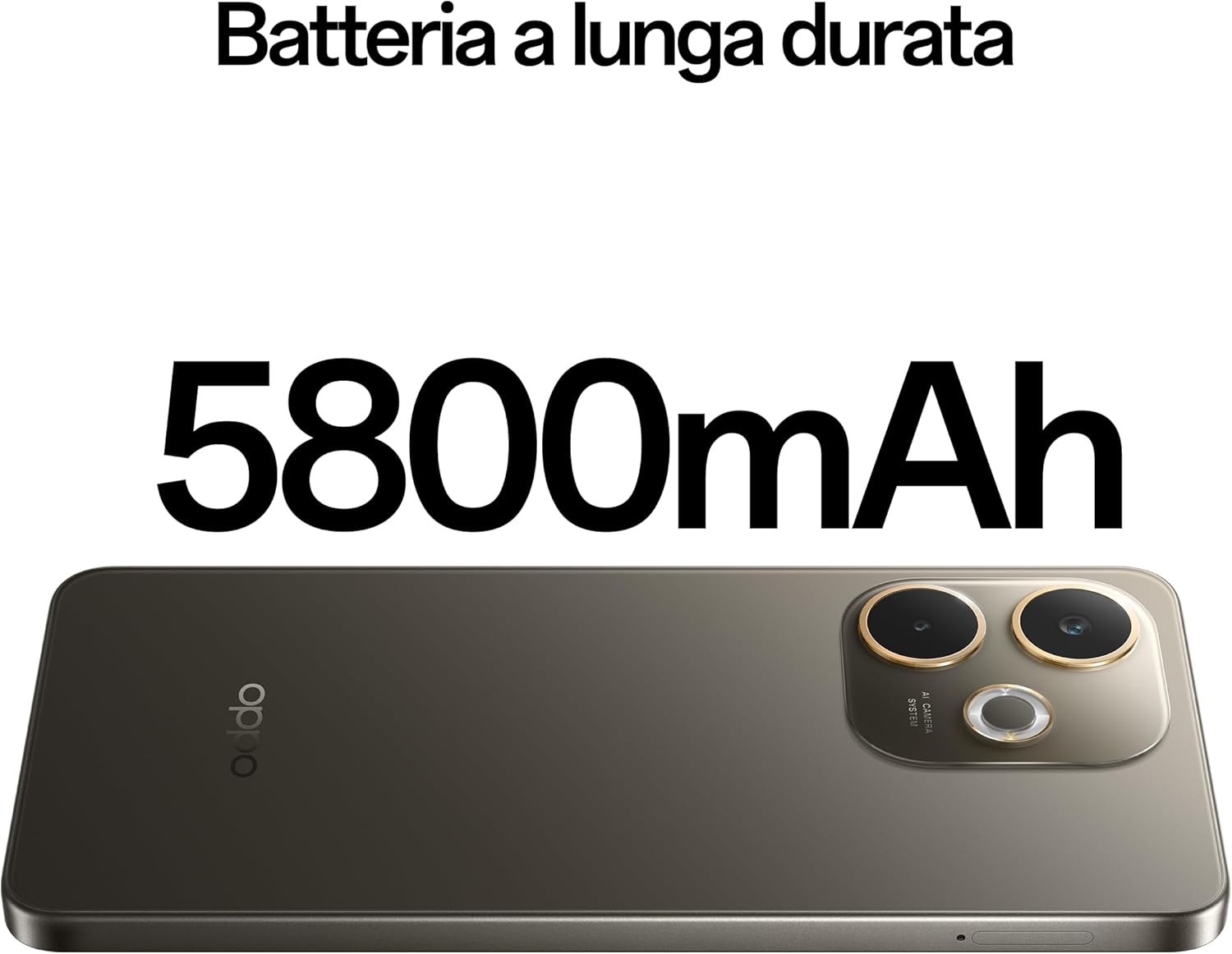
Figure 4.1: Illustration of the Oppo A5 Pro 5G highlighting its 5800mAh battery capacity, indicating long-lasting power.

Figure 4.2: Image showing the bottom of the Oppo A5 Pro 5G with a USB-C cable connected, illustrating the 45W SUPERVOOC fast charging capability.
- To charge, connect the provided USB cable to the device's USB-C port and a compatible power adapter.
- For optimal battery life, avoid extreme temperatures and use only OPPO-approved chargers and cables.
- Enable battery saver mode in settings to extend usage time when needed.
5. Maintenance and Care
- Cleaning: Use a soft, lint-free cloth to clean the screen and body. Avoid harsh chemicals.
- Software Updates: Regularly check for and install system updates to ensure optimal performance and security. Go to Settings > About Phone > Software Update.
- Storage Management: Periodically clear cache, delete unnecessary files, and uninstall unused apps to free up storage. The device has 256GB internal storage, expandable via microSDXC.
- Backup: Regularly back up your important data to a cloud service or computer to prevent data loss.
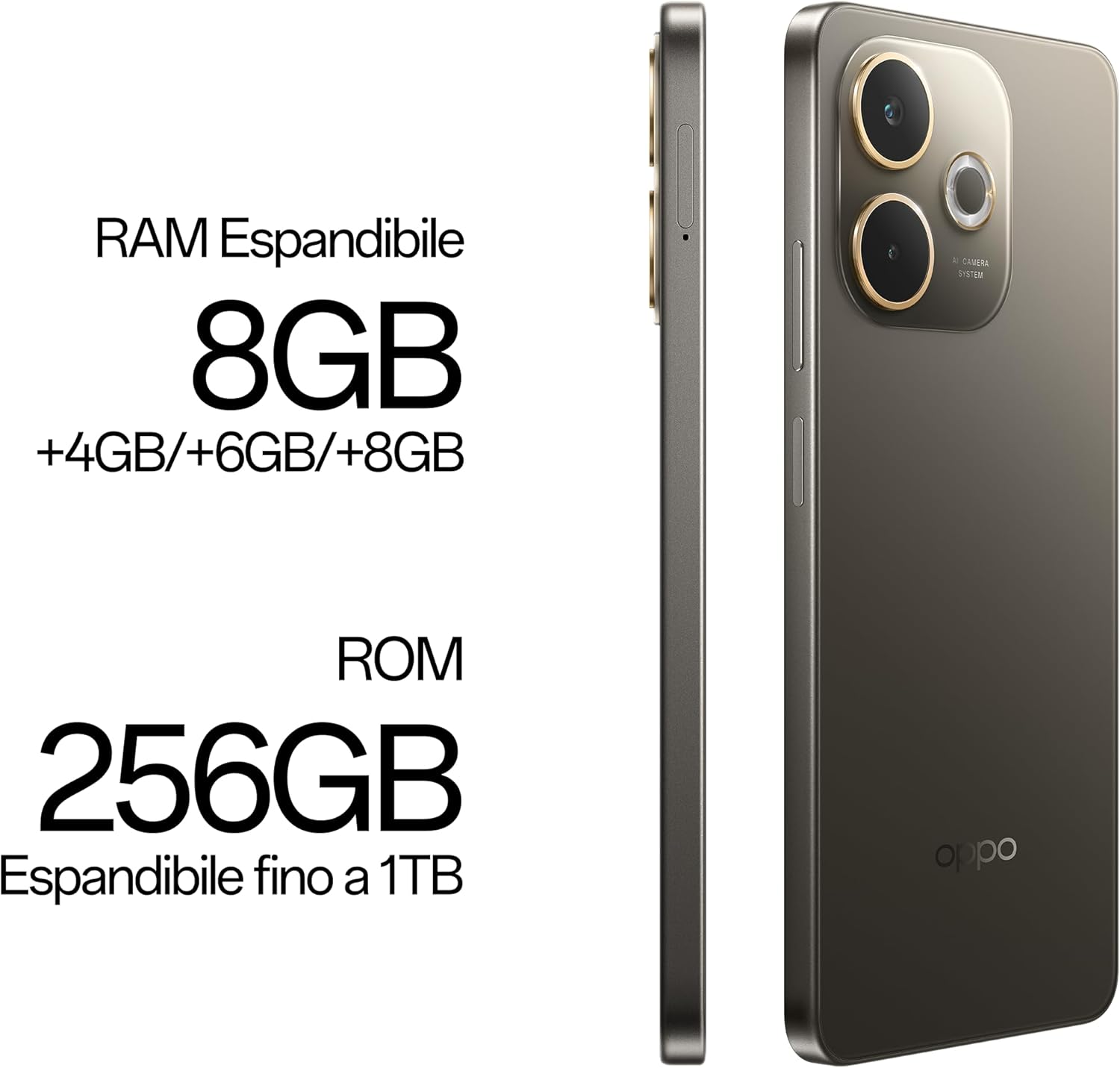
Figure 5.1: Visual representation of the Oppo A5 Pro 5G's memory specifications, indicating 8GB of RAM (expandable by +4GB/+6GB/+8GB) and 256GB of ROM (expandable up to 1TB).
6. Troubleshooting
| Problem | Possible Cause | Solution |
|---|---|---|
| Device not powering on | Low battery; System crash | Charge the device for at least 30 minutes. Press and hold the Power button for 10-15 seconds to force restart. |
| Apps crashing or freezing | Insufficient RAM; App bug; Outdated software | Close background apps. Clear app cache (Settings > Apps > [App Name] > Storage > Clear Cache). Update the app or system software. |
| Poor network connectivity | SIM card issue; Network settings; Out of coverage | Ensure SIM card is correctly inserted. Toggle Airplane Mode on/off. Reset network settings (Settings > System > Reset options > Reset Wi-Fi, mobile & Bluetooth). Contact your network provider. |
| Fingerprint sensor not working | Dirty sensor; Incorrect registration; Software glitch | Clean the sensor. Re-register your fingerprints. Restart the device. |
7. Technical Specifications
| Feature | Detail |
|---|---|
| Model Name | Oppo A5 Pro |
| Model Number | OPPO A5 Pro 5G 8/256 Black Brown |
| Operating System | Android 15 |
| Processor | Mediatek Dimensity 6300 (6 nm), Octa-core (2x2.4 GHz Cortex-A76 & 6x2.0 GHz Cortex-A55) |
| RAM | 8GB |
| Internal Storage | 256GB |
| Expandable Storage | microSDXC (up to 1TB) |
| Display | 6.67 inches, IPS LCD, 720 x 1604 pixels |
| Rear Camera | 50 MP, f/1.8, (wide), PDAF; 8 MP, f/2.0, (wide) |
| Front Camera | 8MP |
| Battery | 5800 mAh, non-removable |
| Charging | 45W SUPERVOOC |
| Connectivity | 2G, 3G, 4G, 5G (Dual-SIM) |
| Dimensions | 164.82 mm x 75.73 mm x 7.76 mm |
| Weight | 194 Grams (6.8 ounces) |
| Special Features | Fingerprint sensor |
| What's in the box | USB Cable |

Figure 7.1: Diagram illustrating the physical dimensions (height: 164.82 mm, width: 75.73 mm, thickness: 7.76 mm) and weight (194g) of the Oppo A5 Pro 5G Smartphone.
8. Warranty and Support
For warranty information and customer support, please refer to the official OPPO website or contact their customer service directly. Keep your proof of purchase for warranty claims.
Important Note for USA Buyers: This smartphone is not compatible with CDMA networks, including VERIZON, SPRINT, and US CELLULAR. Please verify network compatibility with your provider before purchase.
Related documentsOPPO A5 Pro 5G 8/256 Black Brown


Ask a question about this manual
Ask about setup, troubleshooting, compatibility, parts, safety, or missing instructions. Manuals+ will review the question and use this page’s manual context to help answer it.