
1. Introduction
This manual provides detailed instructions for the assembly, operation, and maintenance of your CubiCubi 120x60cm RGB Gaming Desk. Designed for both gaming and home office use, this desk features dynamic RGB lighting, a sturdy Z-frame, and a spacious, durable desktop. Please read this manual thoroughly before assembly and use to ensure proper function and longevity of your product.

The CubiCubi Gaming Desk with LED Lights integrated into a modern gaming setup.
2. Safety Information
- Always assemble the desk carefully, following the provided instructions.
- Do not exceed the maximum weight limit of 60 kg (132 lbs).
- Ensure the desk is stable and properly anchored to the floor to prevent tipping.
- Keep the desk area clear of obstacles to prevent accidents.
- Avoid placing hot items directly on the desktop without protective coasters.
- Keep liquids away from electrical components, especially the RGB lighting system.
3. Package Contents
The package includes all necessary tools and hardware for assembly. Please verify all components are present before beginning assembly:
- Desktop surface (Carbon Fiber Texture)
- Z-shaped metal legs (Alloy Steel)
- Cross-bracing structure components
- RGB LED light strips and controller
- Cable grommet
- Adjustable feet
- Assembly screws and tools (e.g., Allen wrench)
- Instruction manual
4. Setup & Assembly
Assembly is straightforward and can be completed quickly by following the included instructions. It is recommended to have a second person assist during certain steps for ease and safety.
- Unpack Components: Carefully remove all parts from the packaging and lay them out on a clean, soft surface to prevent scratches. Verify all parts against the parts list in the included manual.
- Assemble Z-Frame: Attach the Z-shaped metal legs to the cross-bracing structure using the provided screws. Ensure all connections are secure but do not overtighten initially.
- Attach Desktop: Carefully place the desktop surface onto the assembled frame. Align the pre-drilled holes on the desktop with the frame and secure with screws. Tighten all screws firmly once aligned.
- Install Adjustable Feet: Screw the adjustable feet into the bottom of the desk legs. These can be adjusted later to ensure stability on uneven surfaces.
- Install RGB LED Lights: Follow the specific instructions provided with the RGB lighting kit to attach the LED strips to the designated areas of the desk. Connect the controller as instructed.
- Insert Cable Grommet: Place the cable grommet into the pre-cut hole on the desktop for cable management.

The Z-frame design provides sturdy support and stability for the desk.
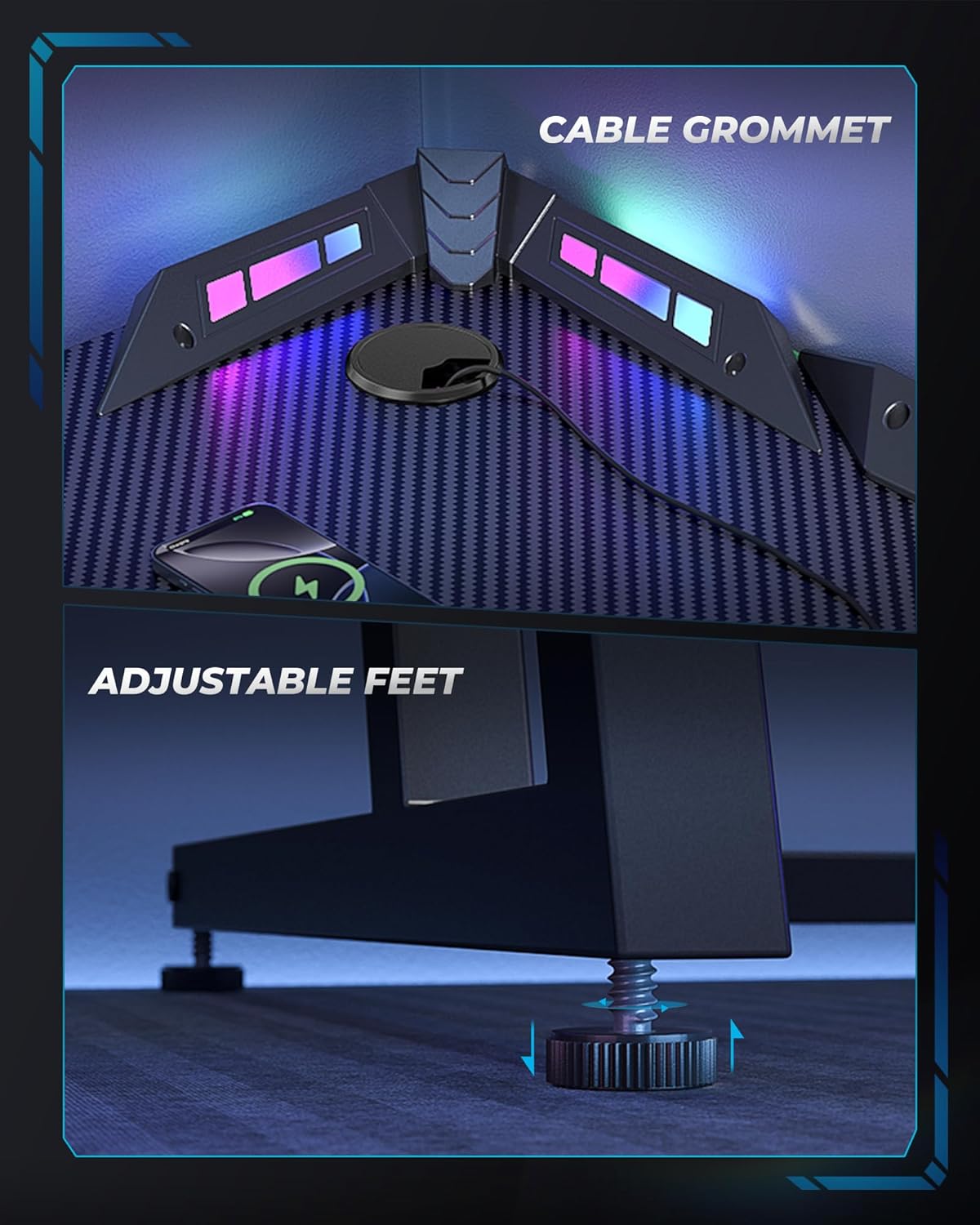
Close-up view of the cable grommet for tidy cable management and adjustable feet for stability.
5. Operating Instructions
5.1. Dynamic RGB Lighting
The integrated RGB LED lights offer three different modes for customization:
- Single Mode: Displays a static color.
- Rhythm Mode: Cycles through colors with various patterns.
- Music Mode: Lights react to audio input, creating a dynamic visual experience.
Use the included remote control to switch between modes, adjust color, speed, and brightness settings to match your preference and create an immersive environment.
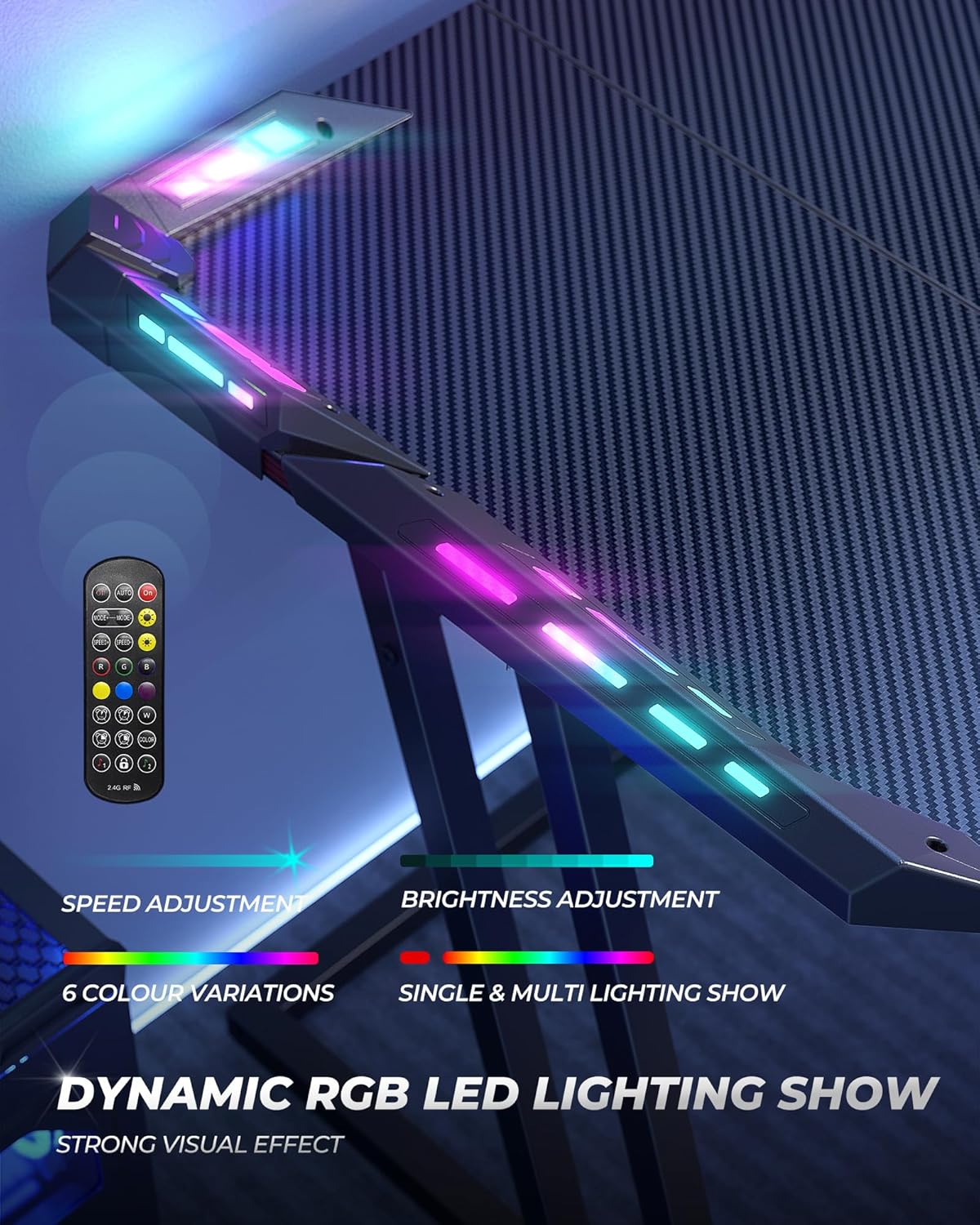
Detailed view of the RGB LED lighting and the remote control for customization.
5.2. Cable Management
Utilize the integrated wire hole (cable grommet) on the desktop to route and organize your charging cables and other peripheral wires. This helps maintain a tidy and clutter-free workspace.
5.3. Adjustable Feet
The adjustable feet allow you to fine-tune the desk's height and level it on uneven floors, ensuring maximum stability and preventing wobbling.
6. Maintenance
6.1. Cleaning the Desktop
The carbon fiber texture desktop is designed to be waterproof, sweat-proof, and scratch-resistant. For general cleaning, wipe the surface with a soft, damp cloth. For tougher stains, a mild soap solution can be used, followed by wiping dry immediately.
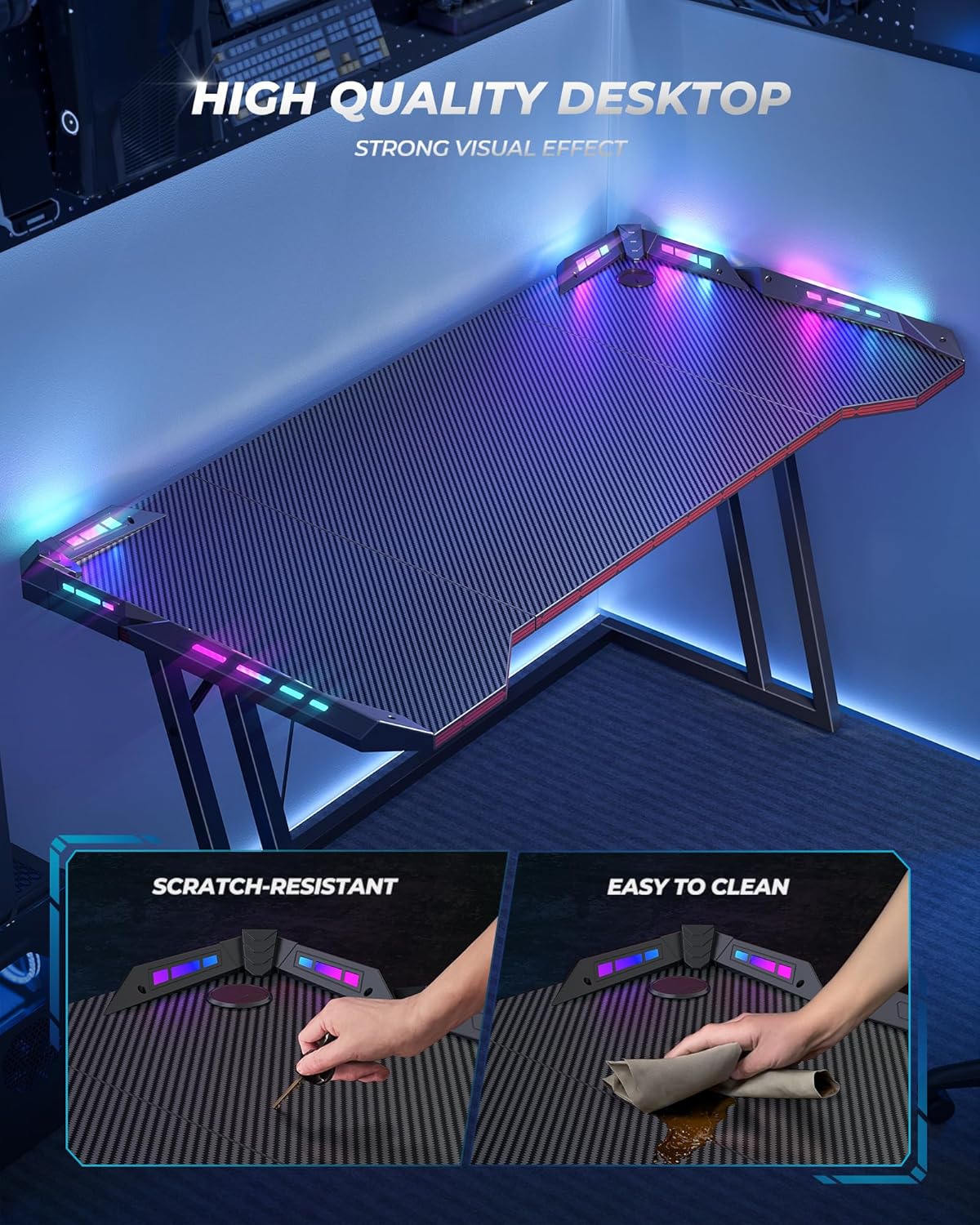
The desktop is designed for durability, resisting scratches and being easy to clean.
6.2. Frame Care
The alloy steel frame can be cleaned with a damp cloth. Avoid using abrasive cleaners or harsh chemicals that may damage the finish.
6.3. RGB Light Maintenance
Ensure the RGB light strips and controller are kept dry. If any part of the lighting system malfunctions, contact customer support for assistance. Do not attempt to repair electrical components yourself.
7. Troubleshooting
- Desk Wobbles: Adjust the individual feet at the bottom of the desk legs until the desk is stable on your floor surface. Ensure all assembly screws are tightened.
- RGB Lights Not Working: Check that the power cable for the RGB controller is securely plugged in. Ensure the remote control batteries are functional. If issues persist, refer to the specific RGB light manual or contact customer support.
- Missing Parts: If any parts are missing upon unpacking, please contact CubiCubi customer support immediately for replacement.
8. Specifications
| Feature | Detail |
|---|---|
| Brand | CubiCubi |
| Model | B0F3JK8N6N |
| Dimensions (D x W x H) | 23.62"D x 47.24"W x 29.53"H (60cm x 120cm x 75cm) |
| Color | Black |
| Material | Alloy Steel (Base), Wood (Top) |
| Special Feature | RGB Lighting with Multiple Modes, Cable Management Hole, Adjustable Feet |
| Maximum Weight Recommendation | 60 Kilograms (132 lbs) |
| Assembly Required | Yes (Tools and instructions included) |
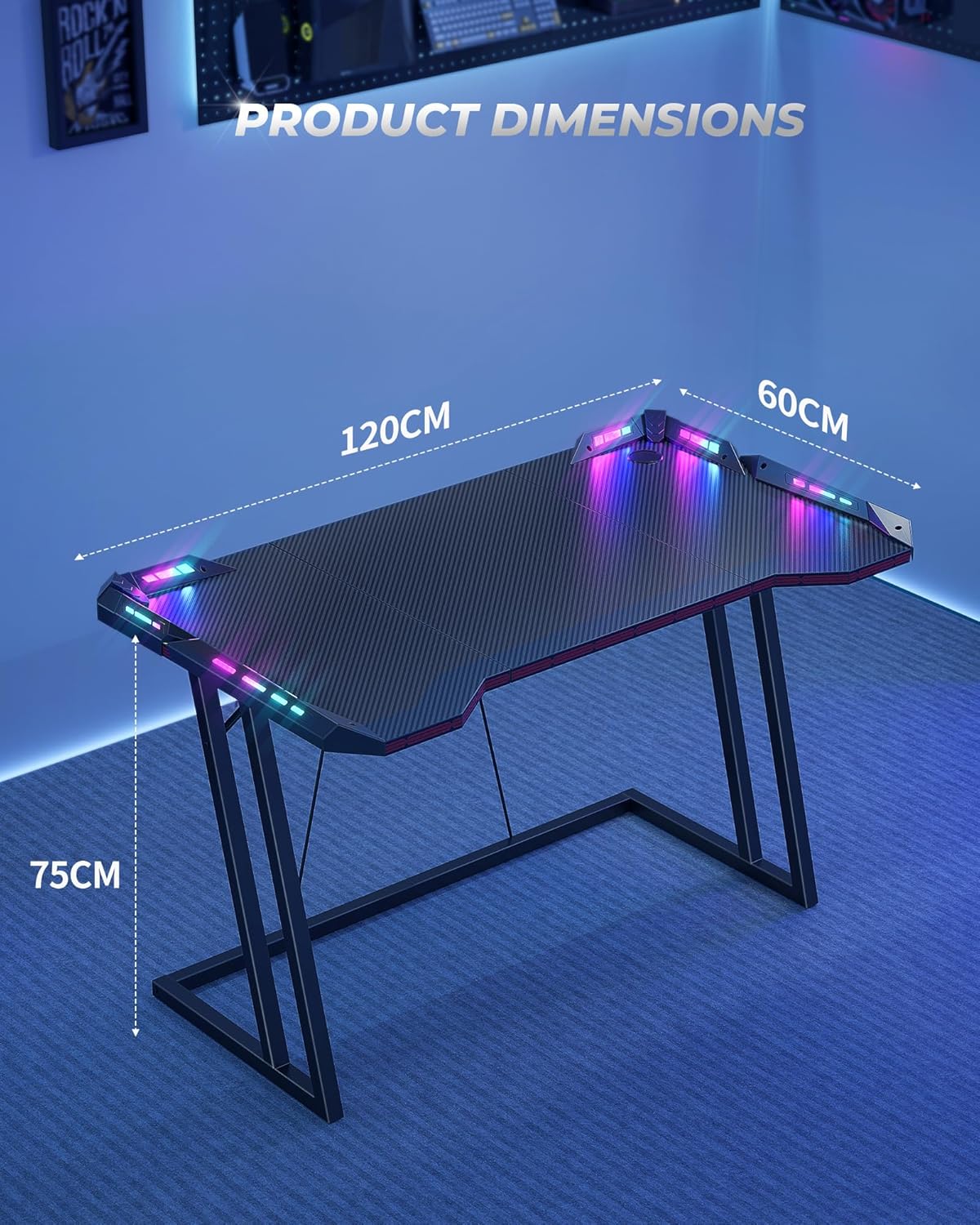
Key dimensions of the CubiCubi Gaming Desk.
9. Warranty & Support
CubiCubi is committed to providing high-quality products. For any issues regarding assembly, missing parts, or product defects, please contact CubiCubi customer support. Refer to your purchase documentation for specific warranty details and contact information.
For further assistance, please visit the official CubiCubi store or contact their customer service department.