
HOUROM 6-Drawer Dresser (B0F3JG8PB1)
HOUROM Farmhouse 6-Drawer Dresser User Manual
Model: 6-Drawer (ASIN: B0F3JG8PB1)
Introduction
Thank you for choosing the HOUROM Farmhouse 6-Drawer Dresser. This manual provides essential information for the assembly, operation, maintenance, and troubleshooting of your new dresser. Please read it thoroughly before beginning assembly and retain it for future reference.
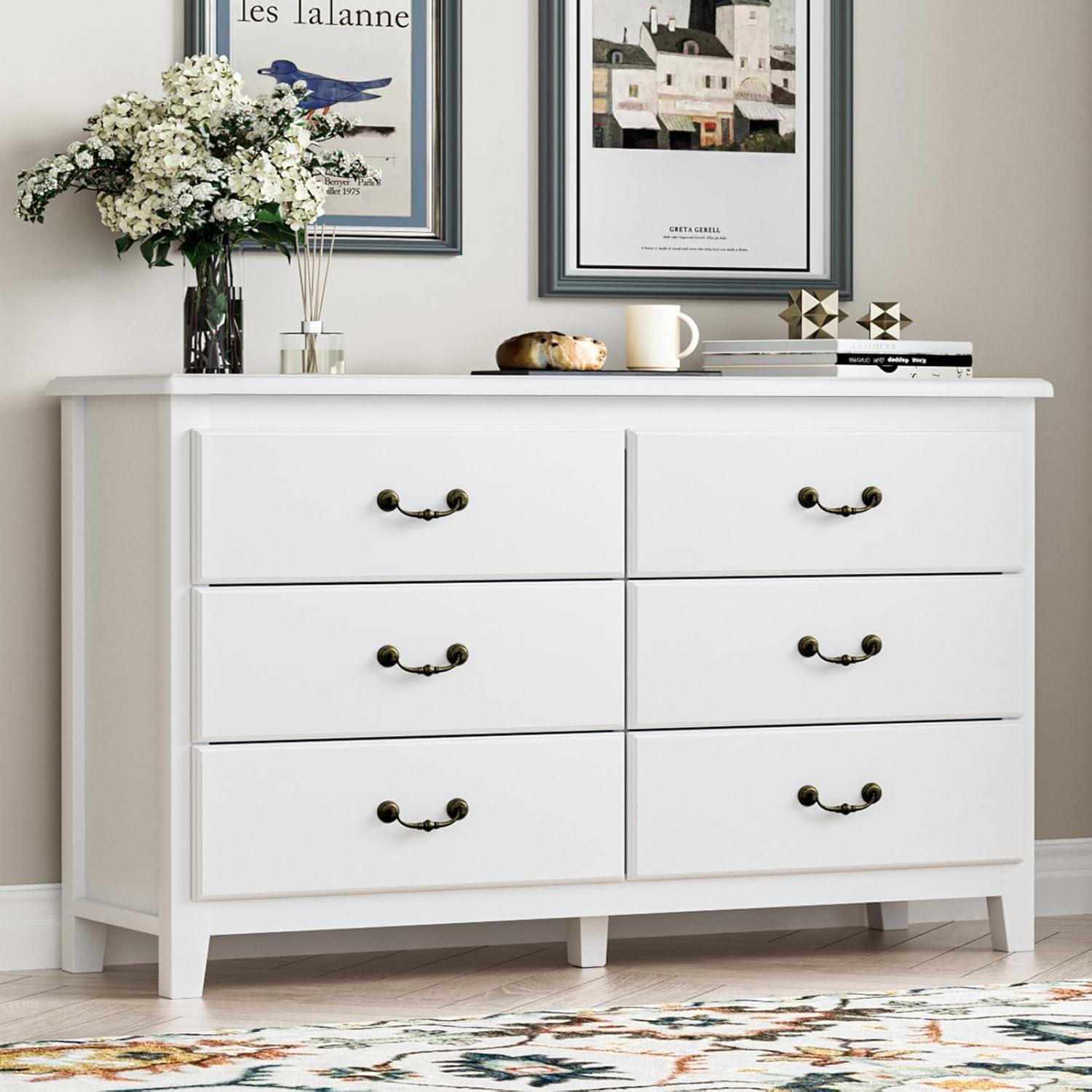
Image: The HOUROM Farmhouse 6-Drawer Dresser, a white dresser with six drawers and antique handles, positioned in a room with decorative elements.
Product Specifications
| Brand | HOUROM |
| Model | 6-Drawer Dresser |
| ASIN | B0F3JG8PB1 |
| Color | White |
| Product Dimensions (D x W x H) | 15.7" x 47.2" x 30.7" |
| Mounting Type | Floor Mount |
| Special Feature | Anti-tipping device included |
| Assembly Required | Yes |
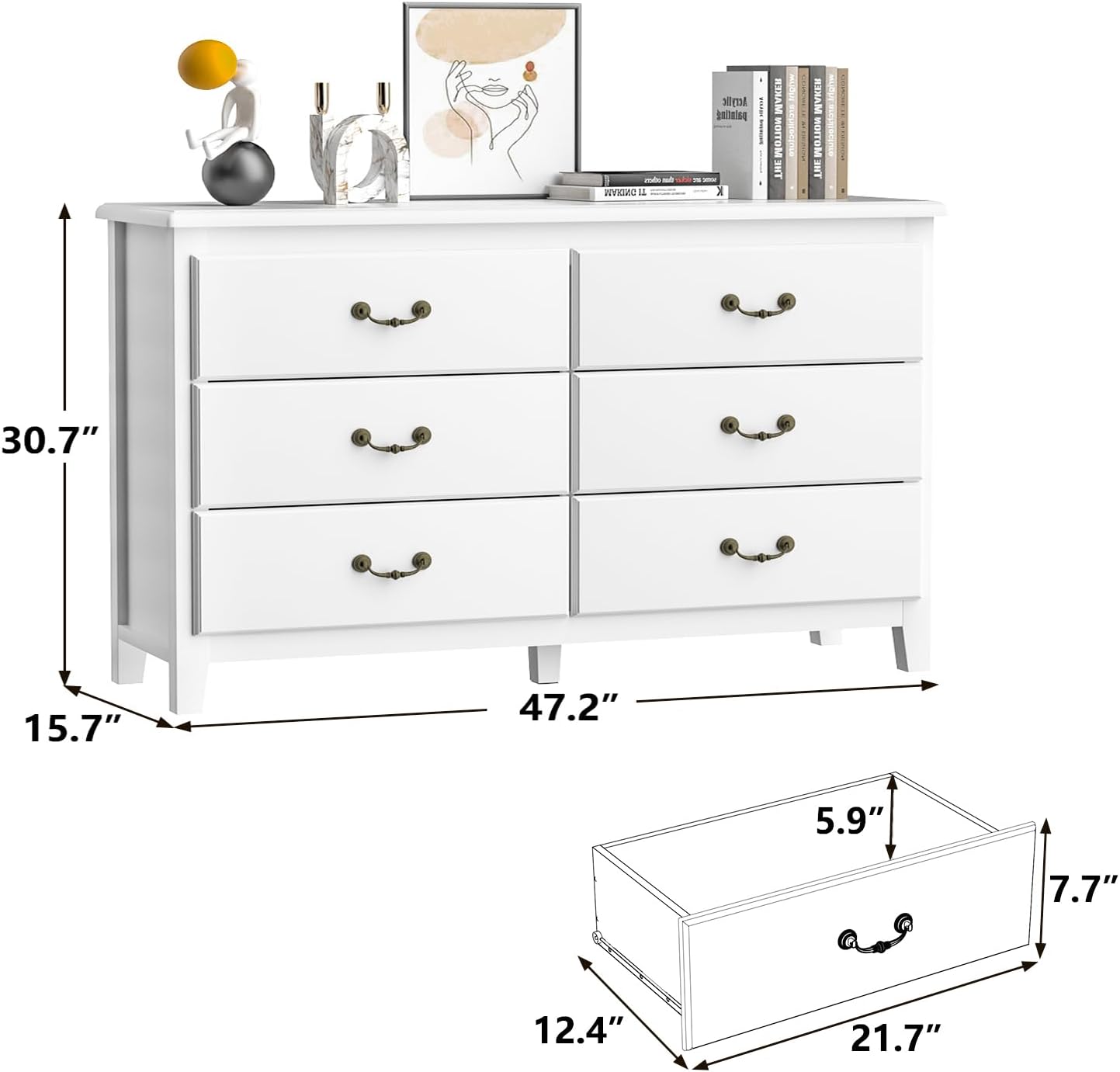
Image: Diagram illustrating the dimensions of the dresser: 30.7 inches high, 47.2 inches wide, and 15.7 inches deep. Individual drawer dimensions are also shown.
Setup and Assembly
The HOUROM 6-Drawer Dresser requires assembly. Please follow the instructions provided in the packaging carefully. It is recommended to assemble the dresser on a soft, clean surface to prevent scratches.
Before You Begin:
- Verify all parts are present and undamaged by comparing them with the parts list in your assembly guide.
- Ensure you have the necessary tools (e.g., screwdriver, hammer) as specified in the assembly guide.
- Clear a spacious area for assembly.
Assembly Tips:
- Follow the step-by-step instructions in the included manual.
- Do not overtighten screws to avoid damaging the wood.
- For optimal stability and safety, ensure all connections are secure.
Anti-Tipping Device Installation:
For safety, especially in homes with children or pets, it is crucial to install the included anti-tipping device. This device secures the dresser to the wall, preventing accidental tipping.
- Locate the anti-tipping strap and hardware in the packaging.
- Position the dresser in its desired location.
- Attach one end of the strap to the back of the dresser using the provided screws.
- Mark the wall where the other end of the strap will attach, ensuring the strap is taut.
- Drill a pilot hole in the wall (if necessary, depending on wall material) and secure the other end of the strap to the wall using the appropriate anchor and screw.
- Ensure the dresser is stable and securely anchored.

Image: An illustration demonstrating the proper installation of the anti-tipping device, showing how it secures the dresser to the wall to prevent hazards.
Operating Instructions
The HOUROM 6-Drawer Dresser is designed for convenient storage and organization. Its six deep drawers provide ample space for various items.
Drawer Usage:
- Opening and Closing: The drawers are equipped with smooth metal glides for quiet operation. Pull the antique handles gently to open and push firmly to close.
- Weight Capacity: Avoid overloading drawers. Distribute weight evenly to ensure smooth operation and prevent damage to the glides. The dresser top has a weight capacity suitable for decor, lamps, or small appliances.
- Storage: Utilize the spacious drawers for folded clothes, bedding, toys, kitchen essentials, or other household items.

Image: The HOUROM 6-Drawer Dresser with several drawers partially open, revealing neatly folded clothes and demonstrating its large storage capacity.

Image: A composite image highlighting key features: smooth drawer slides, ample storage space within drawers, vintage gold handles, and the secure anti-tipping latch.
Care and Maintenance
Proper care will extend the life and maintain the appearance of your HOUROM dresser.
Cleaning:
- Wipe surfaces with a soft, damp cloth.
- Avoid using harsh chemicals, abrasive cleaners, or polishes that may damage the finish.
- Promptly wipe up spills to prevent staining.
General Care:
- Keep the dresser away from direct sunlight and extreme temperature changes to prevent warping or fading.
- Periodically check and tighten all screws and fasteners to ensure stability.
- Do not place hot items directly on the surface; use coasters or protective pads.
Troubleshooting
If you encounter any issues with your dresser, refer to the following common problems and solutions:
| Problem | Possible Cause | Solution |
|---|---|---|
| Drawers do not slide smoothly. | Overloaded drawer, debris in glides, loose screws on glides. | Reduce drawer contents. Clean glides. Tighten screws on drawer glides and drawer box. |
| Dresser feels wobbly or unstable. | Loose assembly screws, uneven floor, anti-tipping device not installed or loose. | Check and tighten all assembly screws. Ensure the dresser is on a level surface. Install or re-secure the anti-tipping device to the wall. |
| Drawer front detaches. | Screws securing the drawer front are loose or stripped. | Re-attach the drawer front, ensuring screws are properly aligned and tightened. If stripped, use wood glue or larger screws (with caution). |
Warranty and Support
HOUROM stands behind the quality of its products. For specific warranty information, please refer to the documentation included with your purchase or contact HOUROM customer support directly. Keep your purchase receipt as proof of purchase.
If you require assistance with assembly, missing parts, or have any questions not covered in this manual, please contact HOUROM customer service through the retailer where you purchased the product or visit the official HOUROM website for support contact details.
Note: Damage resulting from improper assembly, misuse, or neglect is not covered under warranty.
Ask a question about this manual
Ask about setup, troubleshooting, compatibility, parts, safety, or missing instructions. Manuals+ will review the question and use this page’s manual context to help answer it.