
Introduction
Thank you for choosing the WILKIEE Wireless Stainless Steel Cat Fountain. This advanced pet water dispenser is designed to provide fresh, filtered water for your cats and small dogs, promoting their health and hydration. Featuring a 4.1L capacity, a 4000mAh battery for wireless operation, and three intelligent modes (sensor, timed, continuous), this fountain offers convenience and quiet operation. Please read this manual carefully before use to ensure proper setup, operation, and maintenance.
Product Components
Carefully unpack the box and ensure all components are present. If any parts are missing or damaged, please contact customer support.
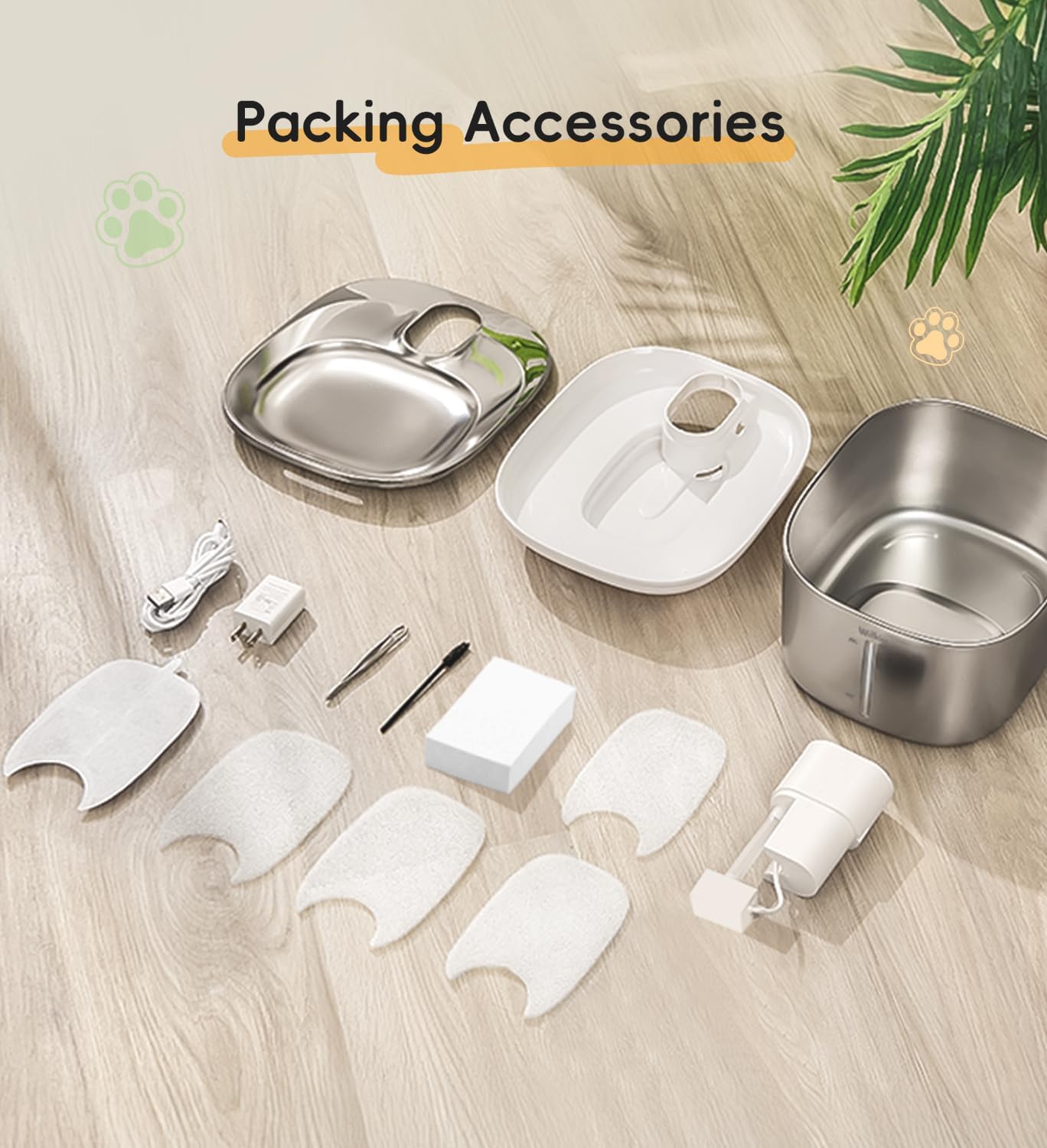
Image: All components included in the WILKIEE Cat Fountain package.
- Stainless Steel Water Bowl (4.1L capacity)
- Wireless Pump Unit with Control Panel
- Filter Tray
- Multi-layer Filter (e.g., KDF, Activated Carbon, Ionic Resin, Maifan Stone, Tourmaline, Acupuncture Cotton)
- Sponge Filter (pre-filter)
- USB-C Charging Cable
- Power Adapter
- User Manual
Specifications
| Model Number | WK00F10-EU-WT |
| Capacity | 4.1 Liters (138 fl oz) |
| Material | 304 Food-Grade Stainless Steel |
| Power Source | Battery Powered (4000mAh Lithium-ion) |
| Dimensions (L x W x H) | 27.6 x 22.6 x 14.6 cm |
| Weight | 1.47 kg |
| Noise Level | Approximately 25dB |
| Pet Type | Cats, Small Dogs |

Image: Product dimensions.
Setup Instructions
1. Initial Cleaning
Before first use, thoroughly clean all parts of the fountain (stainless steel bowl, filter tray, pump unit) with mild soap and water. Rinse thoroughly to remove any soap residue. The stainless steel bowl and filter tray are dishwasher safe.

Image: Easy cleaning, showing dishwasher compatibility and hand washing.
2. Filter Installation
- Rinse the new multi-layer filter and sponge filter under running water for a few minutes to remove any loose carbon dust.
- Place the sponge filter into the designated slot in the filter tray.
- Insert the multi-layer filter into the filter tray, ensuring it sits securely.
- Place the assembled filter tray onto the stainless steel bowl.

Image: 6-stage advanced filtration system.
3. Filling with Water
Fill the stainless steel bowl with water up to the MAX line indicated on the side. Do not overfill. Ensure the water level is above the MIN line for proper pump operation.

Image: Water level indicator (MAX/MIN).
4. Powering On
Place the wireless pump unit onto the filter tray, ensuring it is properly seated. The fountain is battery-powered and can be placed anywhere. Press the power button on the pump unit to turn it on. The indicator light will illuminate.
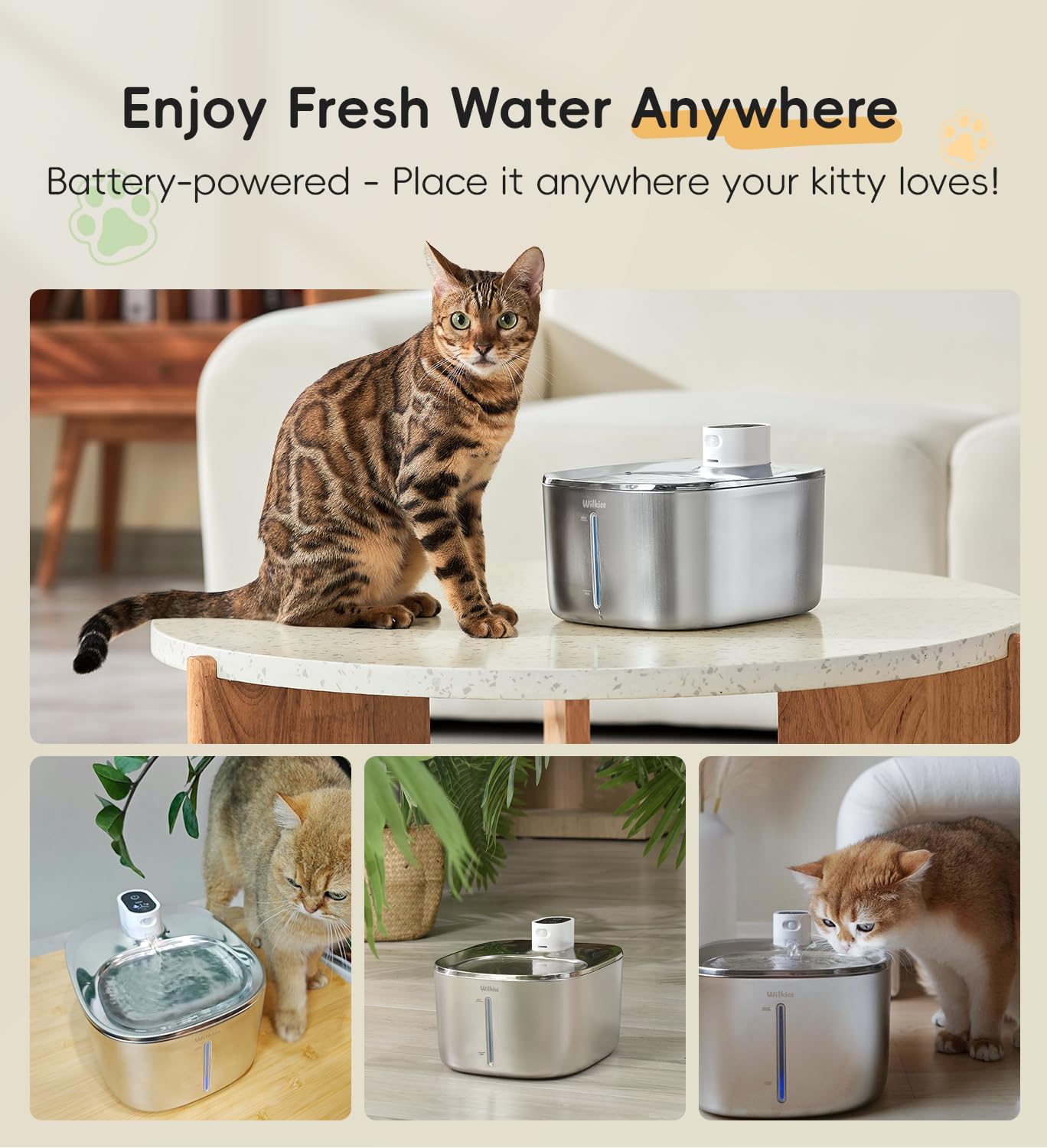
Image: Wireless design allows placement anywhere.
Operating Modes
The WILKIEE Cat Fountain offers three operating modes to suit your pet's needs and conserve battery life. Use the mode button on the pump unit to cycle through the modes.
- Sensor Mode: The fountain dispenses water when a pet is detected within a certain range (e.g., 2.5 meters). This mode conserves battery and ensures fresh water when needed.
- Timed Mode: The fountain dispenses water at set intervals (e.g., every hour for a few minutes). This provides regular hydration without constant operation.
- Continuous Mode: The fountain runs continuously, providing a constant flow of water. This mode is ideal for pets who prefer a constant stream or during periods of high activity. Note that this mode will consume battery faster.
Maintenance
1. Regular Cleaning
To maintain hygiene and prolong the life of your fountain, clean all components weekly. The stainless steel bowl and filter tray can be washed in a dishwasher or by hand with mild soap. The pump unit should be cleaned by hand, ensuring no water enters the charging port.
2. Filter Replacement
Replace the multi-layer filter every 2-4 weeks, depending on water quality and the number of pets using the fountain. Replace the sponge filter every 1-2 months. Regular filter replacement ensures optimal water quality and prevents pump clogging.
3. Battery Charging
The fountain is equipped with a 4000mAh lithium-ion battery, providing up to 60 days of use on a single charge in sensor mode. When the battery indicator light turns red or flashes, it's time to recharge. Connect the USB-C charging cable to the pump unit and plug the adapter into a power outlet. A full charge typically takes several hours. The indicator light will change to green when fully charged.

Image: Charging the 4000mAh battery for extended use.
Troubleshooting
| Problem | Possible Cause | Solution |
|---|---|---|
| Fountain not dispensing water. | Low water level, clogged filter, low battery, pump not properly seated. | Refill water to MAX line. Clean or replace filter. Charge battery. Ensure pump unit is correctly placed. |
| Fountain is noisy. | Low water level, dirty pump, foreign object in pump. | Refill water. Disassemble and clean the pump thoroughly. Remove any debris. |
| Water tastes or smells bad. | Old water, dirty fountain, expired filter. | Change water. Clean all fountain components. Replace filter. |
| Sensor mode not working. | Sensor obstructed, low battery, incorrect mode selected. | Ensure sensor is clear. Charge battery. Verify fountain is in sensor mode. |
Safety Information
- For indoor use only.
- Do not allow pets to chew on the charging cable.
- Keep the charging port dry at all times.
- Always unplug the fountain before cleaning or performing maintenance.
- Use only original WILKIEE replacement filters and parts.
- Supervise young children around the pet fountain.
- Do not use with liquids other than water.
Warranty and Support
WILKIEE products come with a standard manufacturer's warranty. For detailed warranty information, product support, or to purchase replacement parts and filters, please visit the official WILKIEE website or contact our customer service team. You can often find links to replacement filters on the product's purchase page.
Note: The manufacturer, NEW-BUND TECHNOLOGY CO., LIMITED, is committed to providing high-quality products.