
1. Introduction
This manual provides essential information for the safe and effective operation of your FLYCOLOR QIDI 570 RC Airplane. The QIDI 570 is a versatile 2.4GHz 6-channel remote control glider featuring three distinct flight models, brushless motors, and vertical takeoff capabilities. Please read this manual thoroughly before assembly and operation to ensure proper use and to prevent damage or injury.
2. What's in the Box
Carefully unpack all components and verify that all items are present. If any parts are missing or damaged, please contact customer support.
- Remote controlled airplane (QIDI-570) x 1
- Remote control x 1
- 7.4V 1000mAh Lithium battery x 2
- Charging cable x 1
- Propeller x 2
- Screwdriver x 1
- Instruction manual x 1
Note: 4 AA dry batteries for the remote control are not included.
3. Product Features
- Flight Control System: Equipped with two new receiver conversion sockets. A 5V socket is suitable for FUTABA (S-BUS) and other receivers with S-BUS ports. A 3V socket is used for DSM receivers.
- Brushless DC Motor: Features a brushless DC motor and driver, significantly reducing friction for smooth operation and lower noise levels.
- 2.4GHz Remote Control System: Allows multiple aircraft to fly simultaneously without interference.
- Three-axis Vector Variable Dynamics: Enhances flight stability and control.
- Durable EPP Material: Constructed from EPP material for improved resilience.
- Integrated Lighting: Features cool lighting for enhanced visibility and aesthetic appeal.

Figure 3.1: Key features of the QIDI 570 RC Airplane.
4. Specifications
| Specification | Detail |
|---|---|
| Product Name | QIDI-570 Remote Control Eight Channel Glider (Brushless Version) |
| Body Battery | 7.4V 1000mAh Lithium battery |
| Battery Life | Approximately 14 minutes |
| Charging Time | Approximately 45 minutes |
| Remote Control Distance | Approximately 200 meters |
| Equipment Configuration | 15 series brushless motor, 2g plastic digital servo, 2g metal digital servo, 3-inch blade |
| Remote Control Power | 4 x AA dry batteries (not included) |
| Material | EPP material |
| Takeoff Weight | 180g (containing battery) |
| Wingspan | 32cm |
| Fuselage Length | 35cm |
| Voltage Range | 7.4V (Lithium battery) |
| Continuous Flight Time | 10-14 minutes |
| Product Dimensions | 14 x 12.4 x 2 inches |
| Item Weight | 1.5 pounds |
| Recommended Age | 15 years and up |

Figure 4.1: QIDI 570 RC Airplane dimensions.
5. Setup and Assembly
5.1 Battery Installation and Charging
- Insert 4 AA batteries (not included) into the remote control, observing correct polarity.
- Connect the provided lithium battery to the charging cable.
- Connect the charging cable to a suitable USB power source. The charging indicator will show charging status.
- Allow approximately 45 minutes for a full charge. Do not overcharge the battery.
- Once charged, carefully connect the battery to the aircraft's battery compartment. Ensure a secure connection.
5.2 Aircraft Assembly
The QIDI 570 RC Airplane typically comes pre-assembled. However, ensure all propellers are securely attached and free from damage. Verify that the wings and tail fins are firmly in place. Use the provided screwdriver if any minor adjustments or tightening are needed.
5.3 Binding the Remote Control
- Turn on the remote control.
- Connect the aircraft battery. The aircraft's indicator lights will flash.
- Move the throttle stick (left stick) to its lowest position, then to its highest position, and back to the lowest position.
- The aircraft's indicator lights will become solid, indicating successful binding.

Figure 5.1: QIDI 570 RC Airplane with 2.4GHz Remote Control System.
6. Operating Instructions
The QIDI 570 offers multiple flight modes for varied experiences. Always operate in an open area free from obstacles, people, and animals.
6.1 Pre-Flight Check
- Ensure batteries in both the aircraft and remote control are fully charged.
- Verify all propellers are securely attached and undamaged.
- Check for any loose parts or damage to the aircraft body.
- Confirm successful binding between the aircraft and remote control.
6.2 Flight Modes
The QIDI 570 supports 3 flight models, including vertical takeoff and fixed-wing flight. Refer to the remote control's specific buttons for switching between modes.
Vertical Takeoff Mode
In this mode, the aircraft operates like a multi-rotor drone, allowing for vertical ascent and descent. This is ideal for confined spaces or initial liftoff.
- Place the aircraft on a flat, level surface.
- Slowly increase the throttle to lift off vertically.
- Use the directional sticks to control movement.
Fixed-Wing Flight Mode
Once airborne, the aircraft can transition to fixed-wing mode for traditional airplane flight, offering higher speeds and gliding capabilities.
- While in vertical flight, activate the fixed-wing mode switch on the remote control.
- The propellers will reorient, and the aircraft will transition to forward flight.
- Control pitch, roll, and yaw using the remote control sticks.
6.3 Landing
To land, transition back to vertical takeoff mode if desired, or perform a controlled glide landing in fixed-wing mode. Reduce throttle gradually to descend.
Video 6.1: Demonstration of the QIDI 570 RC Airplane's flight capabilities, including vertical takeoff and fixed-wing flight, showcasing its versatility and maneuverability.
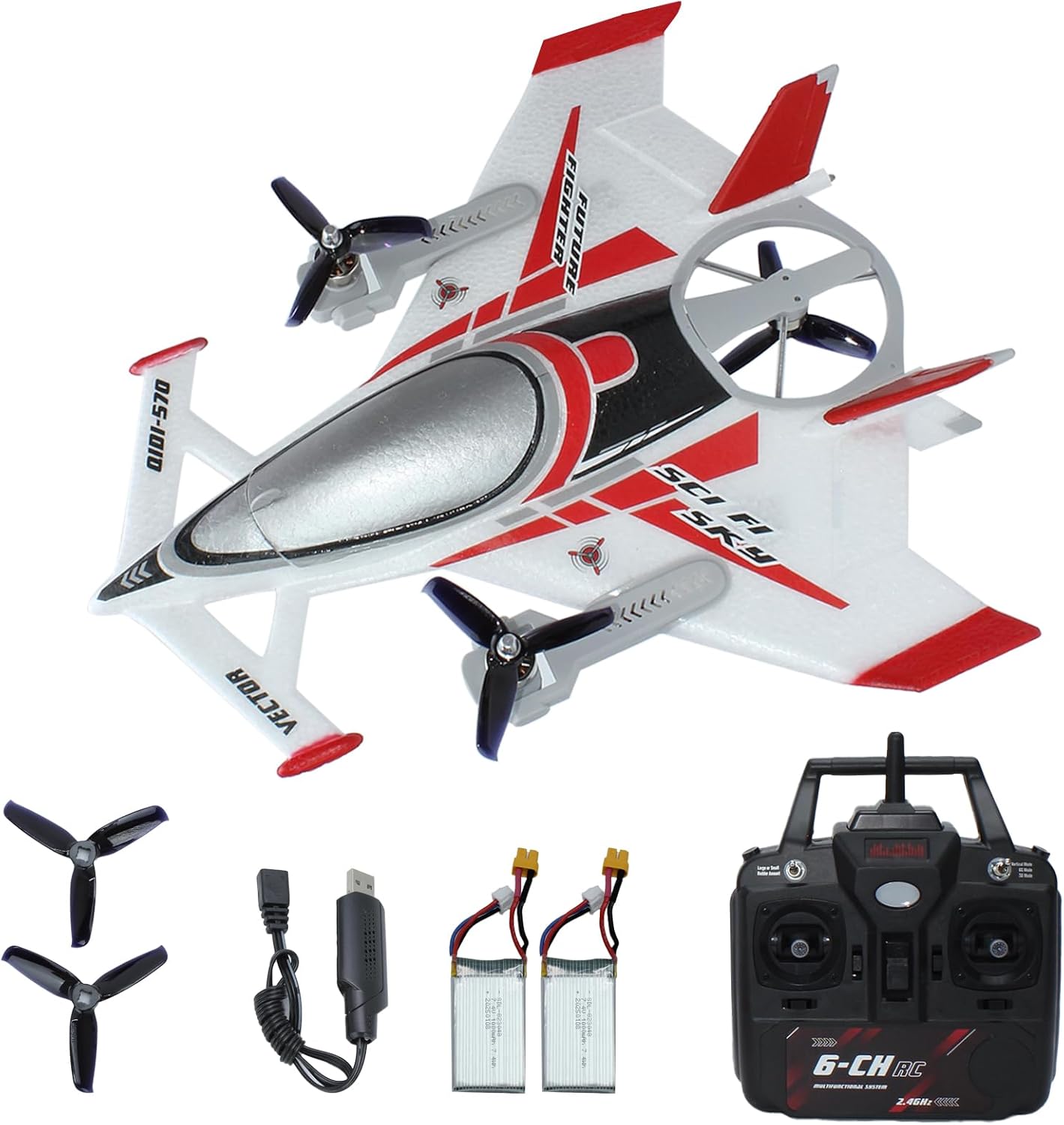
Figure 6.1: The QIDI 570 RC Airplane in flight.
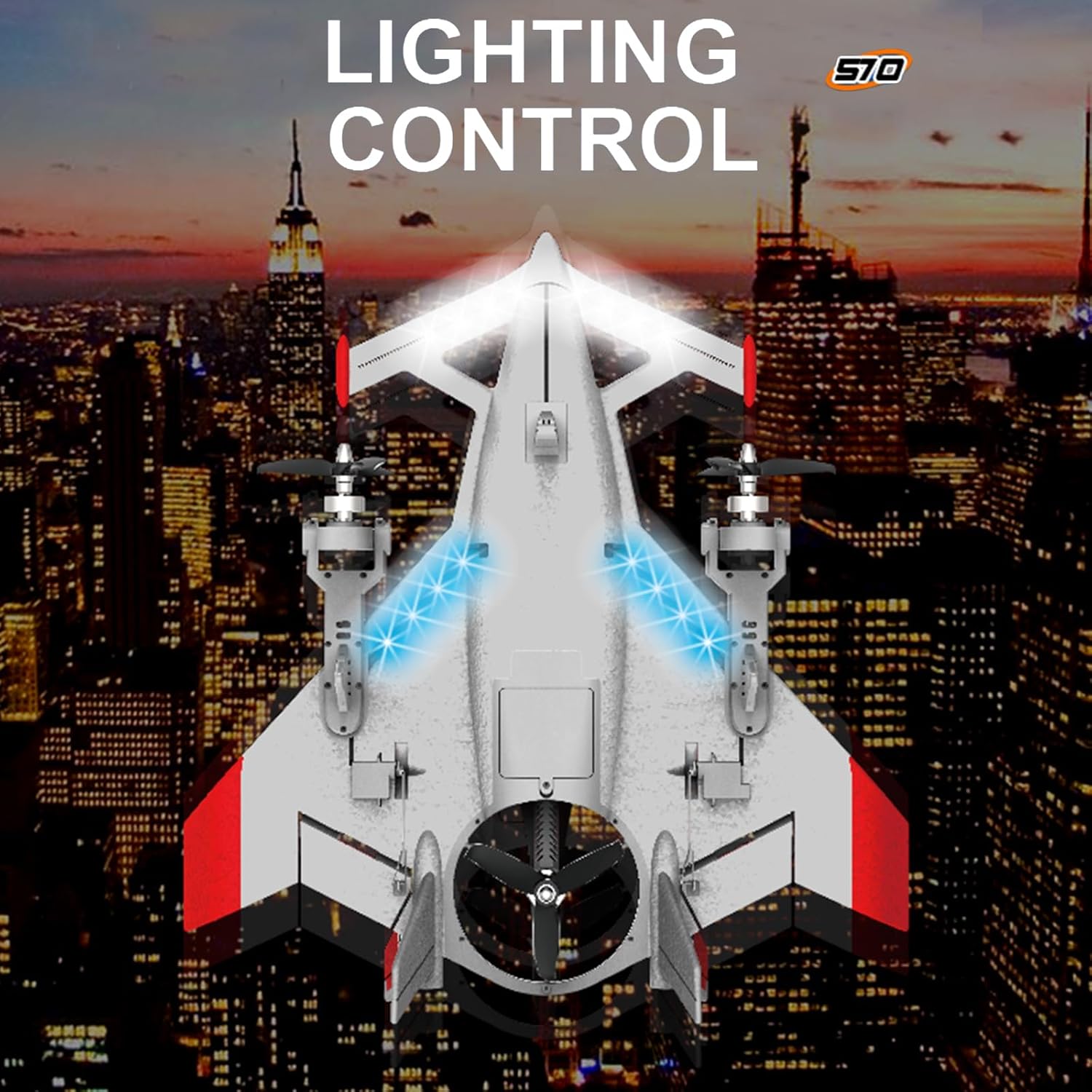
Figure 6.2: QIDI 570 RC Airplane with activated lighting.

Figure 6.3: QIDI 570 RC Airplane showcasing its power system.

Figure 6.4: QIDI 570 RC Airplane design for stability.
7. Maintenance
7.1 Propeller Care and Replacement
- Regularly inspect propellers for cracks, bends, or chips. Damaged propellers can affect flight performance and safety.
- To replace a propeller, carefully remove the old one and install a new one, ensuring it is oriented correctly and securely fastened.
7.2 Battery Storage
- Store lithium batteries in a cool, dry place away from direct sunlight and extreme temperatures.
- For long-term storage, charge batteries to approximately 50% capacity.
- Never store fully charged or completely depleted batteries for extended periods.
7.3 Cleaning
Wipe the aircraft body with a soft, dry cloth. Avoid using harsh chemicals or solvents that could damage the EPP material or electronic components.
8. Troubleshooting
8.1 Aircraft Does Not Respond to Remote Control
- Ensure both the aircraft and remote control batteries are charged.
- Re-perform the binding procedure (Section 5.3).
- Check for any obstructions or damage to the remote control's antenna.
8.2 Short Flight Time
- Ensure the aircraft battery is fully charged before each flight.
- Check for damaged propellers or motors that might be drawing excessive power.
- Environmental factors like strong winds can reduce flight time.
8.3 Aircraft Flies Unevenly or Drifts
- Check for bent or damaged propellers and replace if necessary.
- Ensure the aircraft is placed on a flat surface during power-on for proper gyroscope calibration.
- Adjust trim settings on the remote control to correct minor drifts.
9. Safety Guidelines
- Age Recommendation: This product is recommended for users aged 15 years and up.
- Flight Environment: Always fly in open, unobstructed areas, away from people, buildings, trees, and power lines. Avoid flying near airports or restricted airspace.
- Weather Conditions: Do not fly in strong winds, rain, snow, or other adverse weather conditions.
- Battery Safety: Use only the specified batteries and charging equipment. Do not puncture, disassemble, or expose batteries to extreme heat. Always supervise battery charging.
- Propeller Safety: Keep hands, face, and loose clothing away from rotating propellers.
- Visual Line of Sight: Always maintain visual line of sight with the aircraft during flight.
- Respect Privacy: Be mindful of privacy when operating the aircraft, especially near residential areas.
- Product Damage: This product is an actual aircraft. While it flies, like other aircraft, it can be damaged by contact or collision with a fixed object. The product does not cover accidental or collision damage. Enjoy but fly safely!
10. Warranty and Support
10.1 Return Policy
This product is eligible for a 30-day return for refund or replacement. Please refer to your retailer's specific return policy for detailed terms and conditions.
10.2 Protection Plans
Optional protection plans are available for purchase to cover potential damages beyond the standard return policy. These include:
- 2-Year Protection Plan
- 3-Year Protection Plan
- Complete Protect + Norton 360 (monthly billing, covers eligible past & future purchases)
For more details on these plans, please consult your retailer or the plan provider.
10.3 Customer Support
For technical assistance, missing parts, or warranty inquiries, please contact FLYCOLOR customer support through your purchase platform or the official FLYCOLOR website.


