
1. Introduction
The BUBLUE Bubot 700 C10 is a state-of-the-art cordless robotic pool cleaner designed for efficient and comprehensive cleaning of inground pools up to 861 Sq.Ft. Featuring advanced Bluehole Technology with triple motors, smart navigation, and convenient APP control, it ensures a pristine pool environment with minimal effort. This manual provides essential information for setting up, operating, maintaining, and troubleshooting your Bubot 700 C10 to ensure optimal performance and longevity.
2. Product Features
- Superior Suction with Bluehole™ Technology: Equipped with a triple motor system and ultra-fine filtration, the Bubot 700 effectively removes sand, leaves, and stubborn dirt.
- 4-in-1 Cleaning & Wall Climbing Mastery: Offers Floor Only, Wall Only, and Auto Mode cleaning. Dual drive system, roller scrubbing brushes, and tank-like tracks enable smooth wall climbing, precise waterline scrubbing, and obstacle handling.
- Smart APP Control: Connect via Bluetooth or WiFi to monitor real-time status, choose cleaning modes, adjust duration, and customize path width. Supports OTA updates.
- AI Powered Navigation & Self Parking: Bluesonic Path Tech intelligently maps your pool for maximum coverage (N-shape for walls, S-shape for floors). Automatically parks at the pool's edge when the battery is low for easy retrieval.
- Extended Runtime & Durability: Provides up to 140 minutes of continuous cleaning on a single charge. Constructed with UV-resistant materials and rigorously tested for durability across all pool types and materials.
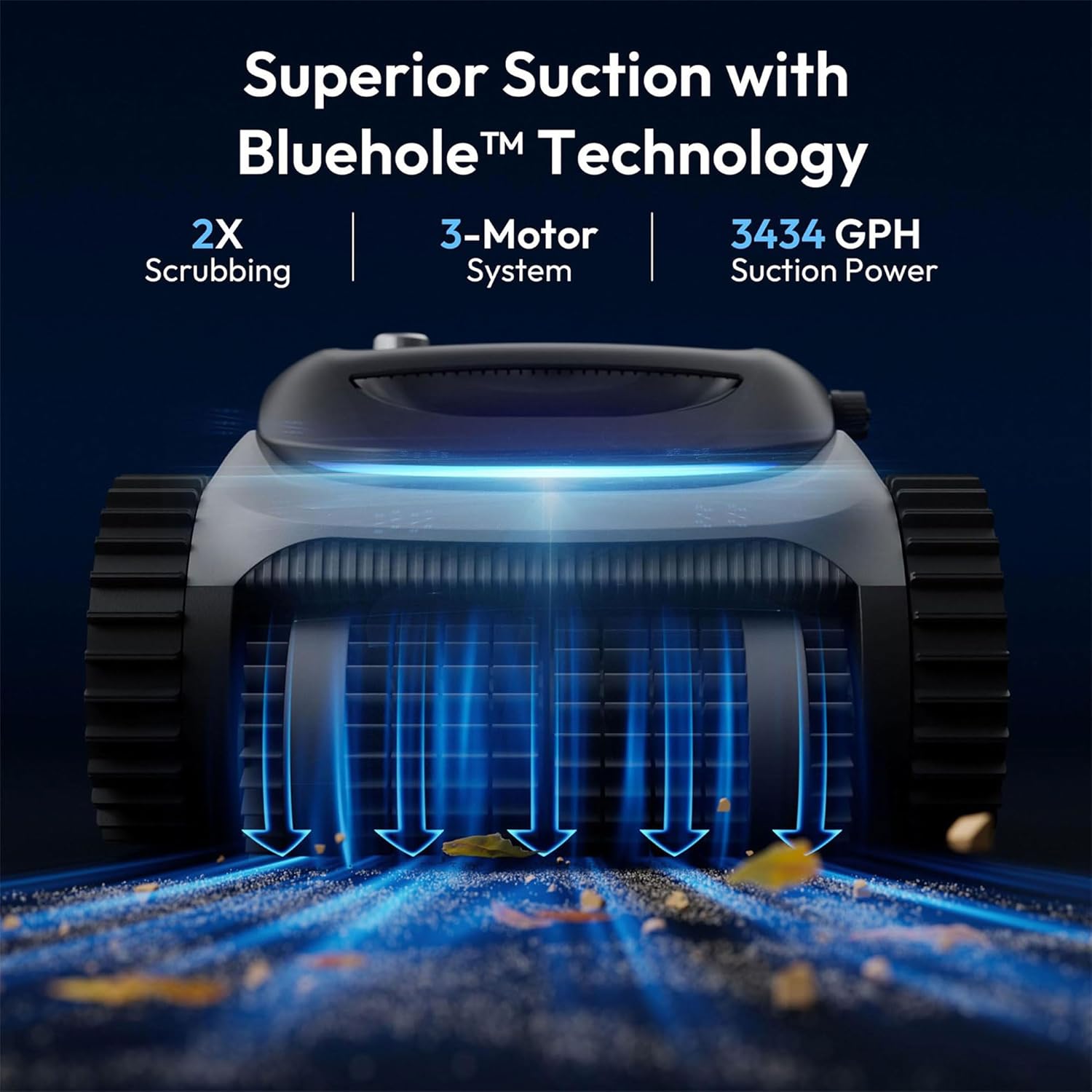
Figure 2.1: Superior Suction with Bluehole Technology.
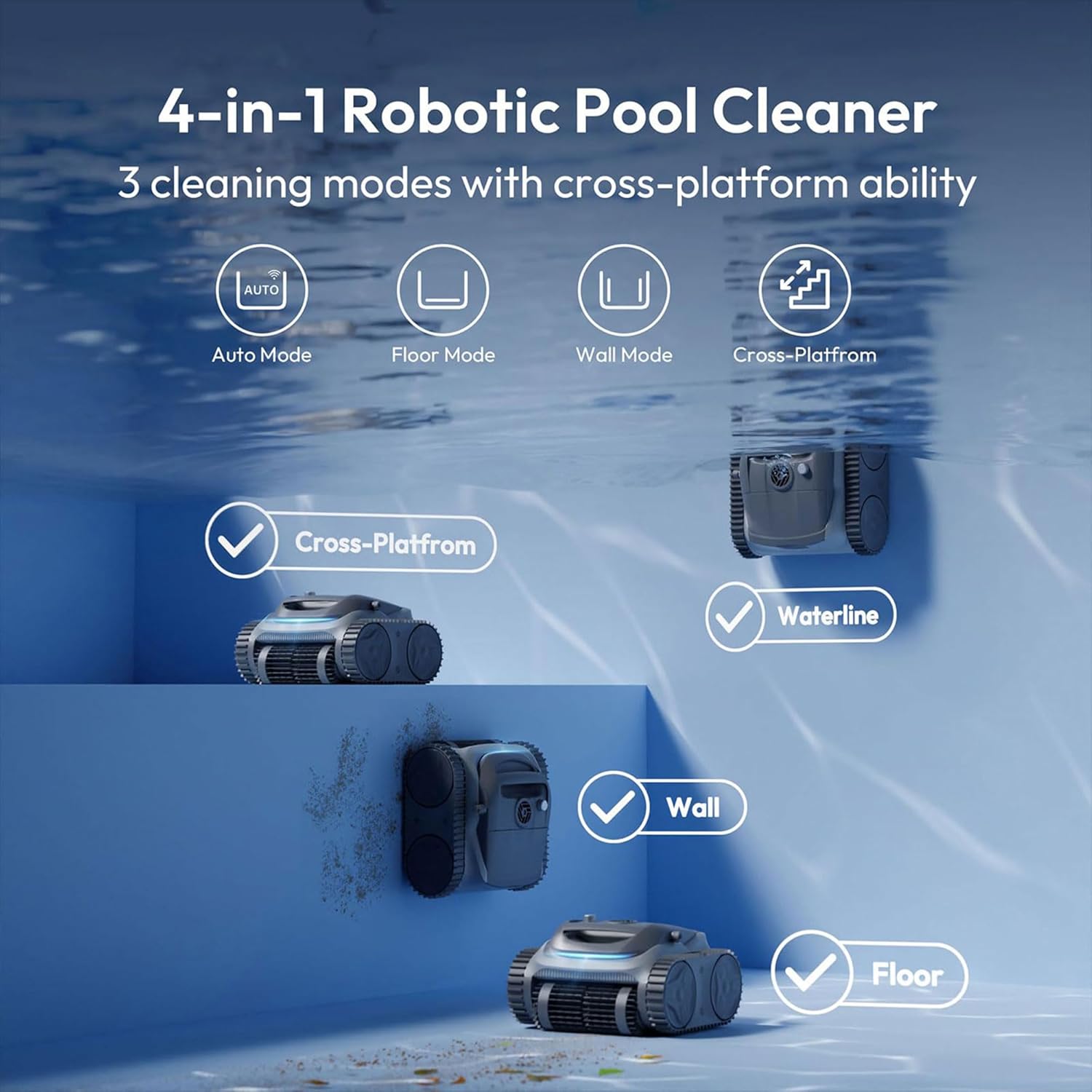
Figure 2.2: 4-in-1 Cleaning Modes and Wall Climbing.
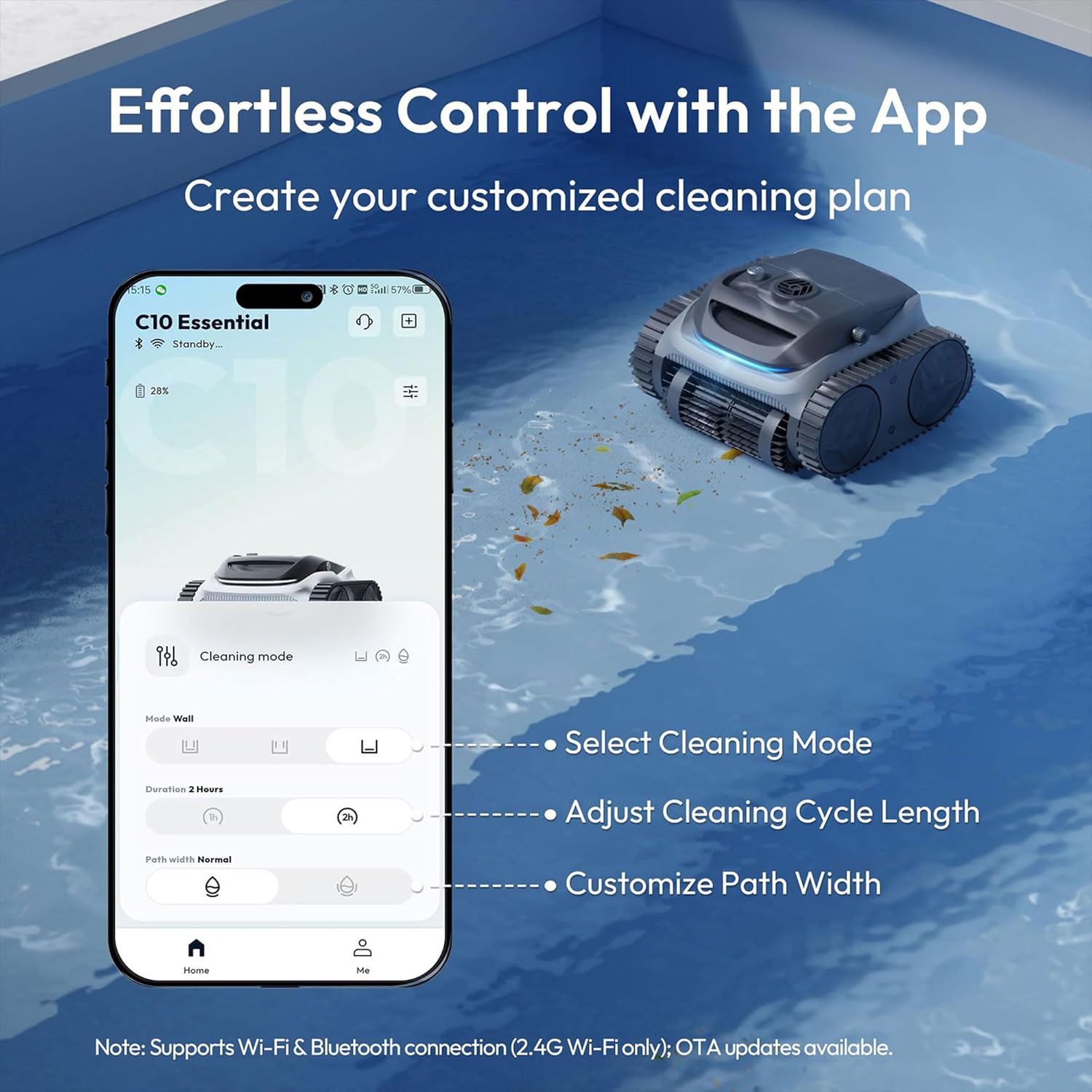
Figure 2.3: Effortless Control with the BUBLUE App.
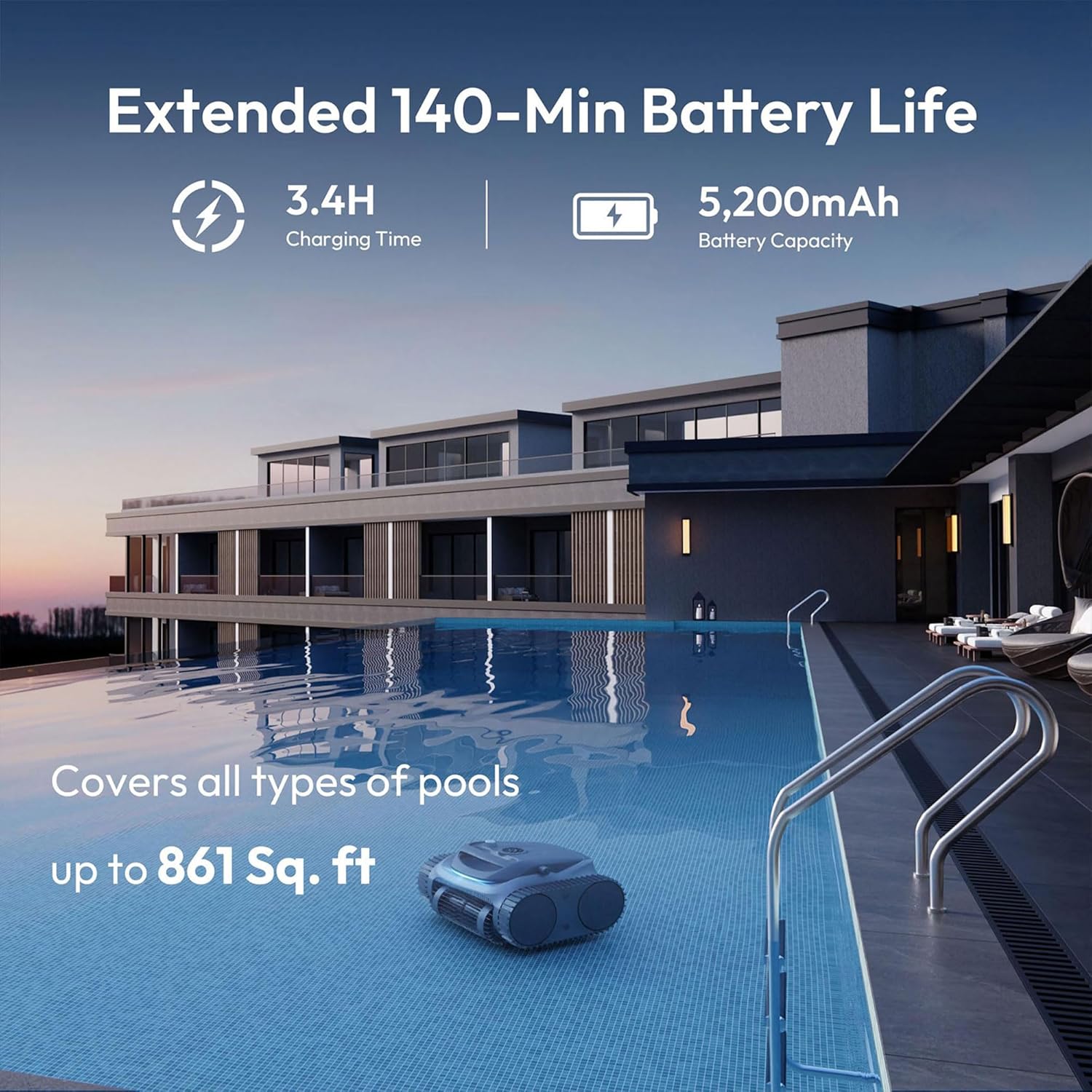
Figure 2.4: Extended Battery Life and Pool Coverage.
3. What's Included
Upon unboxing your BUBLUE Bubot 700 C10, you will find the following components:
- 1x Bubot 700 C10 Robotic Pool Cleaner
- 1x Power Adapter/Charger
- 1x Retrieval Hook (for use with a standard pool pole)
- 1x User Manual

Figure 3.1: Included Components.
4. Setup
- Initial Charge: Before first use, fully charge the Bubot 700 C10. Locate the charging port on the side of the unit. Unscrew the protective cap and securely connect the provided charger. Plug the charger into a standard two-prong wall outlet. A full charge takes approximately 3.4 hours.
- Secure Charging Port: Once charging is complete, disconnect the charger and firmly screw the protective cap back onto the charging port to ensure a watertight seal. This prevents water ingress during operation and helps maintain the longevity of the charging contacts.
5. Operating Instructions
- Select Cleaning Mode: On the top of the unit, rotate the dial to select your desired cleaning mode:
- Auto Mode: The cleaner intelligently navigates both the pool floor and walls, optimizing its path based on battery level and pool layout.
- Floor Only Mode: The cleaner focuses solely on cleaning the pool floor.
- Wall Only Mode: The cleaner focuses on climbing and scrubbing the pool walls and waterline.
- Deployment: Gently lower the Bubot 700 C10 into the pool. Ensure it is fully submerged and air bubbles have escaped before releasing it. The unit will automatically begin its cleaning cycle based on the selected mode.
- Smart Navigation: The cleaner utilizes Bluesonic Path Tech for efficient coverage, adapting its path (N-shape for walls, S-shape for floors) to clean thoroughly.
- Self-Parking: When the battery runs low, the Bubot 700 C10 will automatically navigate to the nearest pool wall and park itself for easy retrieval.
Video 5.1: Official product video demonstrating the Bubot 700 C10 in operation, showcasing its cleaning capabilities and features.
6. Maintenance
- Retrieval: Once the cleaning cycle is complete or the unit self-parks, use the provided retrieval hook (attached to a standard pool pole) to gently lift the cleaner out of the water. Allow excess water to drain.
- Filter Cleaning: Open the transparent lid on the top of the unit. Locate the filter basket inside. Lift the filter basket out using its handle. Open the bottom latch of the filter basket to release collected debris. Rinse the filter mesh thoroughly with clean water to remove all dirt and particles.
- Reassembly: Close the filter basket latch, ensuring it clicks securely. Place the clean filter basket back into the unit and close the transparent lid.

Figure 6.1: Easy Maintenance - Rinsing the Filter.
7. Troubleshooting
- Cleaner not moving or stopping prematurely: Check battery level and ensure the unit is fully charged. Verify that the filter basket is not clogged with excessive debris, which can impede movement.
- Reduced suction or cleaning performance: Clean the filter basket thoroughly. Inspect the brushes and tracks for any obstructions or damage.
- Unit not climbing walls effectively: Ensure the pool walls are free from excessive algae or slippery buildup. Clean the unit's tracks and brushes.
8. Specifications
| Specification | Value |
|---|---|
| Model Number | Bubot 700 |
| Power Source | Battery Powered |
| Item Weight | 25 Pounds |
| Control Method | App |
| Voltage | 18.25 Volts |
| Charging Time | 3.4 Hours |
| Product Dimensions | 18.11"L x 12.99"W x 17.32"H |
| Material | Plastic |
9. Warranty and Customer Support
The Bubot 700 C10 Robotic Pool Cleaner comes with a 2-year warranty. Your satisfaction is our priority. For any questions, technical assistance, or warranty claims, please do not hesitate to contact our dedicated customer service team. Refer to the contact information provided on the product packaging or the official BUBLUE website.