
1. Introduction
Welcome to the Btootos A90 Pro Wireless Earbuds user manual. These earbuds are designed to provide a high-quality audio experience with advanced features for daily use, sports, and communication. Please read this manual carefully to ensure proper usage and to maximize the lifespan of your device.
Key Features:
- Advanced Bluetooth 5.4 Technology: Ensures stable and fast connections with low latency.
- ENC Noise Reduction: Enhances call clarity by filtering out background noise.
- LED Power Display: Provides real-time battery status for the charging case and earbuds.
- Extended Battery Life: Up to 36 hours of total playtime with the charging case.
- IP7 Waterproof Design: Offers protection against sweat and rain, suitable for various activities.
- Smart Touch Controls: Easy management of music, calls, and voice assistant.
2. What's in the Box
Verify that all the following items are included in your package:
- A90 Pro Wireless Earbuds (L/R)
- Portable Charging Box
- Silicone Earplugs (S / M / L)
- USB-C Charging Cable
- User Manual
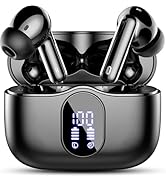
Image: Package contents of the Btootos A90 Pro Wireless Earbuds.
3. Product Overview
Familiarize yourself with the components of your Btootos A90 Pro Wireless Earbuds.

Image: Btootos A90 Pro Wireless Earbuds in their charging case.

Image: Close-up of a single Btootos A90 Pro Wireless Earbud.

Image: Internal components and driver unit of the A90 Pro earbud.
4. Setup and Pairing
Follow these steps to set up and pair your Btootos A90 Pro Wireless Earbuds with your device.
Automatic Pairing:
- Take both earbuds out of the charging case. They will automatically power on and enter pairing mode.
- If the earbuds are not connected to any device for more than 5 seconds, they will automatically enter pairing mode.
Connecting to Your Device:
- Enable Bluetooth on your phone or other device.
- Search for "A90 Pro" in the list of available devices and select it to connect.
- A voice prompt "Connected" will confirm successful pairing.

Image: One-Step Pairing process for A90 Pro Earbuds.
Video: Demonstrating the Bluetooth 5.4 connection process and features of the Btootos A90 Pro Wireless Earbuds.
5. Operating Instructions (Touch Controls)
The Btootos A90 Pro earbuds feature intuitive touch controls on each earbud for easy management of audio and calls.
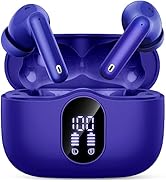
Image: Touch control functions for the A90 Pro Earbuds.
Music Playback:
- Play/Pause: Tap once on either earbud.
- Next Track: Quick tap three times on the right earbud.
- Previous Track: Quick tap three times on the left earbud.
- Volume Up: Tap and hold the right earbud.
- Volume Down: Tap and hold the left earbud.
Call Management:
- Answer Call: Tap once on either earbud.
- Hang Up: Press and hold either earbud for 2 seconds.
- Reject Incoming Call: Press and hold either earbud for 2 seconds.
Voice Assistant:
- Activate: Tap twice on either earbud.
6. Charging
The Btootos A90 Pro earbuds and charging case offer extended battery life for prolonged listening.
Battery Life:
- Earbuds: Up to 6-8 hours on a single charge.
- With Charging Case: Up to 36 hours of total playtime.
Charging the Earbuds and Case:
- Place the earbuds into the charging case. Ensure they are properly seated.
- Connect the provided USB-C charging cable to the charging port on the case and a power source.
- The LED display on the charging case will show the current battery percentage of the case and individual earbuds.
- A full charge for the earbuds takes approximately 1.5 hours.

Image: Battery life and charging details for A90 Pro Earbuds.
Video: Demonstrating the LED display on the charging case for Btootos A90 Pro Earbuds.
7. Comfort and Fit
The Btootos A90 Pro earbuds are designed for ergonomic comfort and a secure fit, ensuring they stay in place during various activities.
Optimizing Your Fit:
- The earbuds come with three sizes of silicone earplugs (S, M, L). Experiment with different sizes to find the most comfortable and secure fit for your ears.
- A proper fit is crucial for optimal sound quality and noise isolation.

Image: Comfortable design and ear tip options for A90 Pro Earbuds.
8. Water Resistance
The Btootos A90 Pro earbuds feature an IP7 waterproof rating, making them resistant to sweat and rain. This allows you to enjoy your music during workouts, outdoor activities, or in light rain without worry.
Important Notes:
- The IP7 rating protects against immersion in water up to 1 meter for 30 minutes.
- Not suitable for swimming or prolonged submersion.
- Ensure the earbuds are dry before placing them back into the charging case to prevent damage.

Image: Btootos A90 Pro Earbuds demonstrating IP7 water resistance.
9. Noise Cancellation
Experience enhanced audio clarity with the Btootos A90 Pro's noise cancellation features.
ENC Call Noise Reduction:
- The earbuds utilize ENC (Environmental Noise Cancellation) technology to reduce ambient noise during calls, ensuring your voice is heard clearly.
Passive Noise Cancellation & Sound Isolation:
- The ergonomic in-ear design and soft silicone earplugs provide passive noise cancellation, blocking out external sounds for an immersive listening experience.

Image: ENC Noise Reduction technology in A90 Pro Earbuds.
Video: Highlighting the noise-cancelling features of the Btootos A90 Pro Earbuds for clear calls and audio.
10. Specifications
Detailed technical specifications for the Btootos A90 Pro Wireless Earbuds.
| Feature | Specification |
|---|---|
| Model Name | A90 Pro |
| Bluetooth Version | 5.4 |
| Bluetooth Range | 15 Meters |
| Noise Control | Passive Noise Cancellation, Sound Isolation |
| Audio Driver Type | Dynamic Driver |
| Audio Driver Size | 14.2 Millimeters |
| Battery Life (Earbuds) | 6-8 Hours |
| Total Playtime (with Case) | Up to 36 Hours |
| Charging Time | 1.5 Hours (for earbuds) |
| Charging Port | USB-C |
| Water Resistance Level | IP7 Waterproof |
| Control Type | Touch Control |
| Material | Acrylonitrile Butadiene Styrene (ABS) |
| Item Weight | 3.52 ounces (0.1 Kilograms) |
| Ear Placement | In Ear |
| Impedance | 32 Ohms |
11. Maintenance
Proper maintenance ensures the longevity and optimal performance of your earbuds.
Cleaning:
- Regularly clean the earbuds and charging case with a soft, dry, lint-free cloth.
- Remove ear tips and clean them with mild soap and water, then dry thoroughly before reattaching.
- Avoid using abrasive materials or harsh chemicals.
Storage:
- Store the earbuds in their charging case when not in use to protect them and keep them charged.
- Keep the device in a cool, dry place, away from extreme temperatures and direct sunlight.
12. Troubleshooting
If you encounter any issues with your earbuds, refer to the following common problems and solutions:
Earbuds Not Pairing:
- Ensure both earbuds are out of the charging case and powered on.
- Turn off and on your device's Bluetooth, then try searching for "A90 Pro" again.
- If the issue persists, reset the earbuds (refer to the full user manual for specific reset instructions).
No Sound or Low Volume:
- Check the volume levels on both your device and the earbuds.
- Ensure the earbuds are properly seated in your ears.
- Verify that the earbuds are connected to your device.
Charging Issues:
- Ensure the charging cable is securely connected to both the case and the power source.
- Check the LED display on the case for charging status.
- Use the provided USB-C cable for optimal charging.
13. Warranty and Support
Btootos provides a 30-day refund/replacement policy for this product. For any warranty claims or technical support, please contact the seller or refer to the official Btootos brand store.
Contact Information:
- Manufacturer: Shenzhen Enle Industry Co.,Ltd
- Btootos Brand Store: Visit Btootos Store on Amazon