
1. Introduction
Thank you for choosing the Pinmoco LED Nightstand with Charging Station. This manual provides essential information for the safe and efficient assembly, operation, and maintenance of your new nightstand. Please read these instructions carefully before use and retain them for future reference.
2. Safety Information
- Ensure all components are present and undamaged before assembly. Do not use if any parts are missing or broken.
- Assemble the nightstand on a soft, clean surface to prevent scratches.
- Do not overtighten screws during assembly, as this may damage the material.
- Keep small parts away from children during assembly to avoid choking hazards.
- Do not exceed the recommended weight capacity for the top surface (88 lbs), drawer (20 lbs), or open shelf (30 lbs).
- Ensure the nightstand is placed on a stable, level surface to prevent tipping.
- Keep electrical components (LED strip, charging station) away from water or excessive moisture.
3. Package Contents
Verify that all the following components are included in your package:
- Nightstand panels and hardware
- Drawer components
- Metal legs with anti-slip rubber pads
- LED strip with button control
- USB and Type-C charging station components
- Assembly Guide
4. Setup and Assembly
An detailed assembly guide is included in your package. Please follow the step-by-step instructions provided in the separate assembly guide for proper construction of your Pinmoco LED Nightstand. Ensure all screws are securely fastened before use.

5. Operating Instructions
5.1. LED Lighting
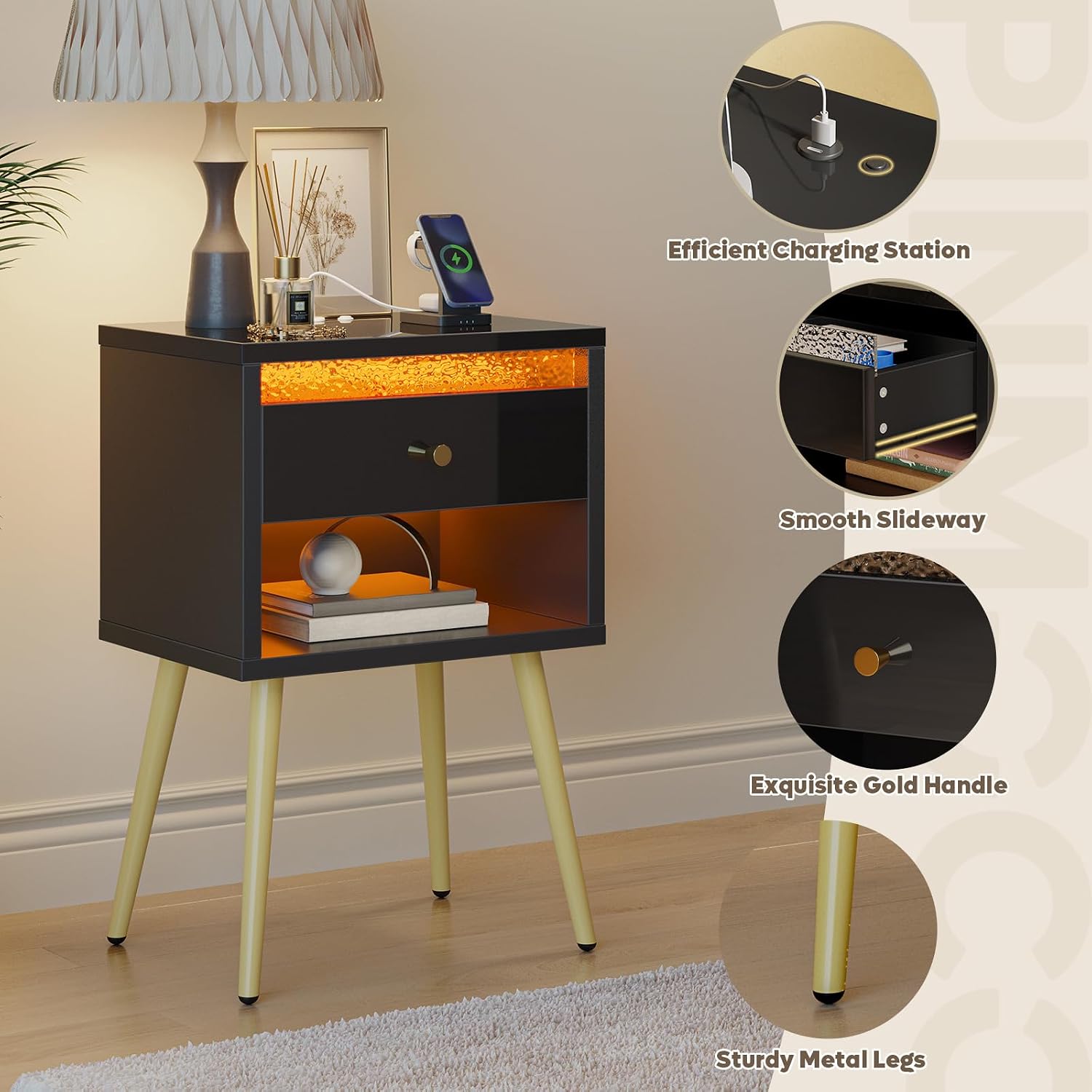
The LED strip can be installed in two locations: inside the drawer or at the bottom of the cabinet. Choose the installation method that best suits your preference for ambient or internal lighting. The LED lighting is controlled by an easy-access button located on the top surface of the nightstand.

5.2. Charging Station
The integrated charging station includes one USB port and one Type-C port, allowing convenient charging of your mobile devices directly from the nightstand. Simply plug your device's charging cable into the appropriate port on the top surface.
5.3. Storage
The nightstand features a smooth-gliding drawer and an open storage shelf, providing ample space for books, personal items, and decorative accents. The drawer's front panel has a high-gloss finish and a unique water ripple design for aesthetic appeal.

5.4. Cable Management
The nightstand includes a convenient cable management system to keep charging cables tidy and out of sight, maintaining a clean and organized appearance.
6. Maintenance
6.1. Cleaning
- Wipe surfaces with a soft, damp cloth. Avoid abrasive cleaners or harsh chemicals that may damage the finish.
- For the high-gloss panels, use a non-abrasive cleaner specifically designed for glossy surfaces to maintain shine.
- Regularly dust the nightstand to prevent buildup.
6.2. Care
- Avoid placing hot items directly on the surface; use coasters or protective pads.
- Protect from direct sunlight and extreme temperature changes to prevent warping or fading.
- Periodically check and tighten all screws to ensure stability.
7. Troubleshooting
- LED Light Not Working: Check if the power cable is securely connected. Ensure the LED button on the top surface is pressed. If issues persist, contact customer support.
- Charging Station Not Working: Verify that the nightstand is properly powered. Ensure your device's charging cable is fully inserted into the USB or Type-C port. Test with a different device or cable to rule out device-specific issues.
- Drawer Sticks or Does Not Close Smoothly: Check for any obstructions in the drawer slides. Ensure the drawer slides are properly aligned and lubricated if necessary.
- Nightstand is Unstable: Confirm that all assembly screws are tightened. Ensure the nightstand is placed on a flat, level surface. Adjust the anti-slip rubber pads on the metal legs if needed.
8. Specifications
| Feature | Detail |
|---|---|
| Brand | Pinmoco |
| Model Name | B200980N-YBLK |
| Product Dimensions (D x W x H) | 11.81"D x 15.75"W x 23.62"H |
| Item Weight | 29.32 Pounds |
| Frame Material | Wood (P2-grade particle board) |
| Top Material Type | Wood |
| Color | Black |
| Shape | Square |
| Required Assembly | Yes |
| Charging Ports | 1x USB, 1x Type-C |
| Included Components | Assembly Guide |
| Global Trade Identification Number (GTIN) | 00810187170829 |
9. Warranty and Support
For warranty information or technical support, please refer to the documentation included with your purchase or contact Pinmoco customer service directly. Keep your purchase receipt for warranty claims.
10. Product in Use


