
MiBOXER MG5-06F-ZL & MG5-12F-ZL
MiBOXER MG5-12F-ZL RGB+CCT Foldable Magnetic Grille Light User Manual
Models: MG5-06F-ZL & MG5-12F-ZL
1. Introduction
This manual provides detailed instructions for the installation, operation, and maintenance of your MiBOXER MG5-06F-ZL or MG5-12F-ZL RGB+CCT Foldable Magnetic Grille Light. This intelligent lighting solution offers dynamic and flexible illumination for various indoor environments. Please read this manual thoroughly before use to ensure proper functionality and safety.
2. Safety Information
- Ensure the power supply is disconnected before installation or maintenance.
- Installation should be performed by a qualified electrician or in accordance with local electrical codes.
- Do not operate the light in wet or damp conditions.
- Avoid direct eye exposure to the light source when illuminated.
- Do not disassemble or modify the product, as this will void the warranty and may cause electrical hazards.
- Keep the product away from children.
3. Product Overview
3.1 Key Features
- Dual-Mode Wireless Control: Supports both Zigbee 3.0 and 2.4GHz RF for broad compatibility with smart home ecosystems and MiBOXER remotes.
- RGB+CCT Lighting: Offers 16 million colors and tunable white temperature (2700K–6500K) for personalized illumination.
- Foldable Design: Adjustable beam angle with a foldable head for targeted accent lighting or ambient glow.
- Magnetic Track Mounting: Instantly attachable to 48V magnetic track systems without the need for tools.
- Smart Control: App and voice control (via compatible Zigbee gateway) with scene, group, and schedule functions.
- Energy-Efficient & Compact: Powerful output in a slim, low-profile body.
3.2 What's in the Box
Upon unpacking, verify that all components are present and undamaged:
- 1 x MiBOXER MG5-06F-ZL or MG5-12F-ZL Foldable Magnetic Grille Light
Note: Magnetic track system, Zigbee gateway, and 2.4G RF remote control are sold separately.

Figure 1: MiBOXER MG5-12F-ZL Foldable Magnetic Grille Light (Unfolded)

Figure 2: MiBOXER MG5-12F-ZL Foldable Magnetic Grille Light (Folded)
4. Setup and Installation
4.1 Magnetic Track Installation
- Ensure the 48V magnetic track system is properly installed and powered off.
- Align the magnetic base of the grille light with the track.
- Gently place the light onto the track. The strong magnets will secure it in place.
- Verify that the security clips on both sides are engaged for dual protection.
- The light can be moved freely along the track to adjust its position.

Figure 3: Magnetic Track Installation

Figure 4: Dual Lock and Movement on Track
4.2 Zigbee 3.0 Pairing (Requires Zigbee Gateway)
- Power on the magnetic track system.
- Ensure your Zigbee gateway (e.g., Tuya Smart gateway) is powered on and connected to your network.
- Open your smart home app (e.g., Tuya Smart app) and initiate the device discovery or pairing process.
- The light should automatically enter pairing mode when first powered on. If not, power cycle the light (turn off and on) a few times until it blinks, indicating pairing mode.
- Once discovered, follow the app's instructions to add the light to your smart home system.

Figure 5: Tuya Smart App Control Interface
4.3 2.4G RF Remote Control Pairing (Optional)
- Ensure the light is powered on.
- On your Mi-Light / MiBoxer 2.4GHz remote control, press and hold the "ON" button for the desired zone within 3 seconds of powering on the light.
- The light will blink several times to confirm successful pairing.
- To unpair, press and hold the "OFF" button for the desired zone within 3 seconds of powering on the light. The light will blink rapidly to confirm unpairing.
5. Operating Instructions
5.1 Basic Control (via App or Remote)
- Power On/Off: Use the designated power button on your remote or within the smart app.
- Brightness Adjustment: Adjust the light intensity using the brightness slider or buttons.
- Color Temperature Adjustment: Change the white light from warm white (2700K) to cool white (6500K).
- Color Selection: Choose from 16 million RGB colors using the color wheel in the app or dedicated color buttons on the remote.
5.2 Foldable Head Adjustment
The grille light features a foldable design, allowing you to adjust the direction of the light output. Gently pivot the light head to achieve your desired beam angle for accent lighting or general illumination.

Figure 6: Foldable Head Mechanism
5.3 Advanced App Functions (with Zigbee Gateway)
When connected to a Zigbee gateway and controlled via a smart app (e.g., Tuya Smart), you can access advanced features:
- Scene Customization: Create and save custom lighting scenes for different moods or activities.
- Music Rhythm: Synchronize light effects with music.
- Do Not Disturb Mode: Prevent automatic light activation during specific times.
- Timing Setting: Schedule lights to turn on/off at specific times.
- Device Sharing: Share control of the light with family members.
- Tap-to-Run & Automation: Set up automated actions based on triggers (e.g., turn on when motion is detected).
6. Maintenance
- Cleaning: Disconnect power before cleaning. Use a soft, dry cloth to wipe the surface of the light. Do not use abrasive cleaners or solvents.
- Inspection: Periodically check the magnetic connection and track for any signs of wear or damage.
- No User-Serviceable Parts: The LED light source is integrated and not user-replaceable. Do not attempt to open the fixture.
7. Troubleshooting
| Problem | Possible Cause | Solution |
|---|---|---|
| Light does not turn on. | No power to the track; loose connection; faulty light. | Check power supply to the track. Ensure the light is securely seated on the magnetic track. Test with another light if available. |
| Cannot pair with Zigbee gateway. | Light not in pairing mode; gateway too far; interference. | Power cycle the light to re-enter pairing mode. Ensure the light is within range of the Zigbee gateway. Check for other 2.4GHz devices causing interference. |
| Cannot pair with 2.4G RF remote. | Incorrect pairing procedure; remote battery low. | Repeat the pairing steps carefully (Section 4.3). Replace remote batteries if necessary. |
| Colors or brightness not responding. | Connectivity issue; app/remote malfunction. | Check Zigbee/RF connection. Restart the app or replace remote batteries. Power cycle the light. |
8. Specifications
| Parameter | Value |
|---|---|
| Model Numbers | MG5-06F-ZL (6W), MG5-12F-ZL (12W) |
| Power | 6W / 12W (depending on model) |
| Light Source Type | LED |
| Color Type | RGB+CCT (16 Million Colors + Tunable White) |
| Color Temperature | 2700K - 6500K |
| Control Protocols | Zigbee 3.0, 2.4G RF |
| Zigbee Control Distance | 50m (open area) |
| 2.4G RF Remote Control Distance | 25m |
| Power Source | Corded Electric (48V Magnetic Track System) |
| Material | Plastic |
| Product Dimensions (MG5-12F-ZL) | 4.5"L x 3"W x 2.4"H (approx. 114mm L x 76mm W x 61mm H) |
| Manufacturer | Miboxer |
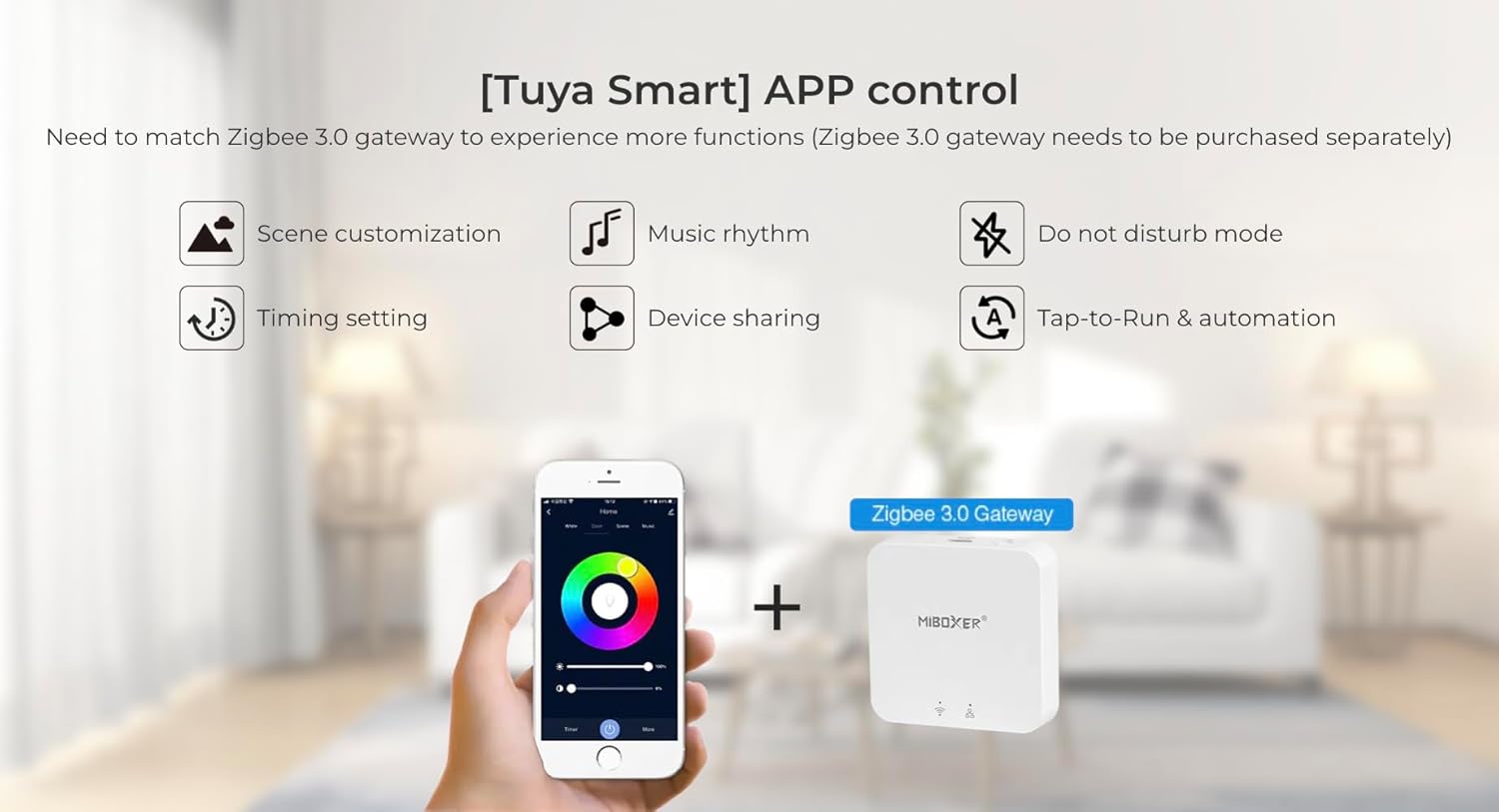
Figure 7: Product Dimensions Diagram

Figure 8: EU Energy Label for MG5-12F-ZL. For more details, visit https://eprel.ec.europa.eu/qr/1204626
9. Warranty and Support
This product comes with a standard manufacturer's warranty. For specific warranty terms and conditions, please refer to the documentation provided with your purchase or contact your retailer. For technical support or inquiries, please visit the official MiBOXER website or contact their customer service department.
Note: Warranty may be voided by improper installation, unauthorized modifications, or misuse of the product.
Related documentsMG5-06F-ZL & MG5-12F-ZL


Ask a question about this manual
Ask about setup, troubleshooting, compatibility, parts, safety, or missing instructions. Manuals+ will review the question and use this page’s manual context to help answer it.