
Bell+Howell 6140
CannonX 14" Low Profile Ceiling Fan with Lights and Remote
Model: 6140 | Brand: Bell+Howell
Introduction
Thank you for choosing the CannonX 14" Low Profile Ceiling Fan with Lights. This modern fandelier is designed to provide efficient air circulation and versatile lighting in various indoor spaces, including bedrooms, living rooms, kitchens, and more. Its compact, flush-mount design makes it ideal for rooms with low ceilings. This manual provides detailed instructions for safe installation, operation, and maintenance of your new ceiling fan.
Important Safety Information
Please read all instructions carefully before installation and use. Failure to follow these instructions may result in electric shock, fire, or serious personal injury.
- Always disconnect power at the circuit breaker before installing, cleaning, or servicing the fan.
- Ensure all electrical connections comply with local codes and ordinances. If you are unsure, consult a qualified electrician.
- The fan must be mounted to a structurally sound ceiling outlet box capable of supporting the fan's weight.
- Do not operate the fan if any part is damaged.
- Keep hands, hair, and clothing away from the fan blades during operation.
What's in the Box
Verify that all components are present before beginning installation:
- 1x CannonX Ceiling Fan
- 1x Remote Control
- Quick Start Instructions

Image: The CannonX Ceiling Fan, its packaging, and the included remote control.
Setup and Installation
The CannonX fan is designed for easy installation into most existing light mounting boxes. Follow these steps for a smooth setup:
- Prepare the Installation Area: Ensure power is disconnected at the circuit breaker. Remove any existing light fixtures from the ceiling outlet box.
- Mount the Fan: Connect the fan's wiring to the corresponding wires in the ceiling outlet box (refer to the Quick Start Instructions for detailed wiring diagrams). Secure the CannonX fan base to the ceiling outlet box using the provided screws.
- Restore Power: Once the fan is securely mounted and wired, restore power at the circuit breaker.

Image: A person removing an existing light fixture from the ceiling, preparing for the new fan installation.

Image: A person securing the CannonX ceiling fan to the ceiling, demonstrating the flush mount design.
Operating Instructions
Your CannonX ceiling fan comes with a multi-function remote control for convenient operation.
Remote Control Functions
The remote allows you to control all features of your fan:
- Power On/Off: Turn the fan and light on or off.
- Fan Speed Adjustment: Choose from 6 adjustable fan speeds to customize airflow.
- Light Mode Selection: Cycle through 3 lighting modes (3500K Warm, 4500K Day, 5500K Cool) to set the desired ambiance.
- Blade Reversibility: Switch between forward mode for cooling airflow in summer and reverse mode for circulating warm air in winter.
- Sleep Timer: Utilize the built-in timer (2-hour or 4-hour options) to automatically turn off the fan and light.

Image: Visual representation of the 6 fan speeds, suggesting optimal speeds for relaxing, working, and exercising.

Image: The fan's integrated light displaying its three adjustable color temperatures: Warm (3500K), Day (4500K), and Cool (6500K).

Image: An illustration demonstrating the fan's reversible motor, showing airflow patterns for cooling in summer and warming in winter.
Product Features Overview
The CannonX fan incorporates advanced features for optimal performance:
- Vortex Technology: Provides powerful airflow despite its compact size.
- 360° LED Light: Delivers bright, even illumination throughout the room.
- Quiet Performance: Operates at less than 35 decibels, making it ideal for bedrooms and quiet spaces.

Image: A close-up view highlighting the fan's 360-degree light design, emphasizing its ability to fill the entire room with light.
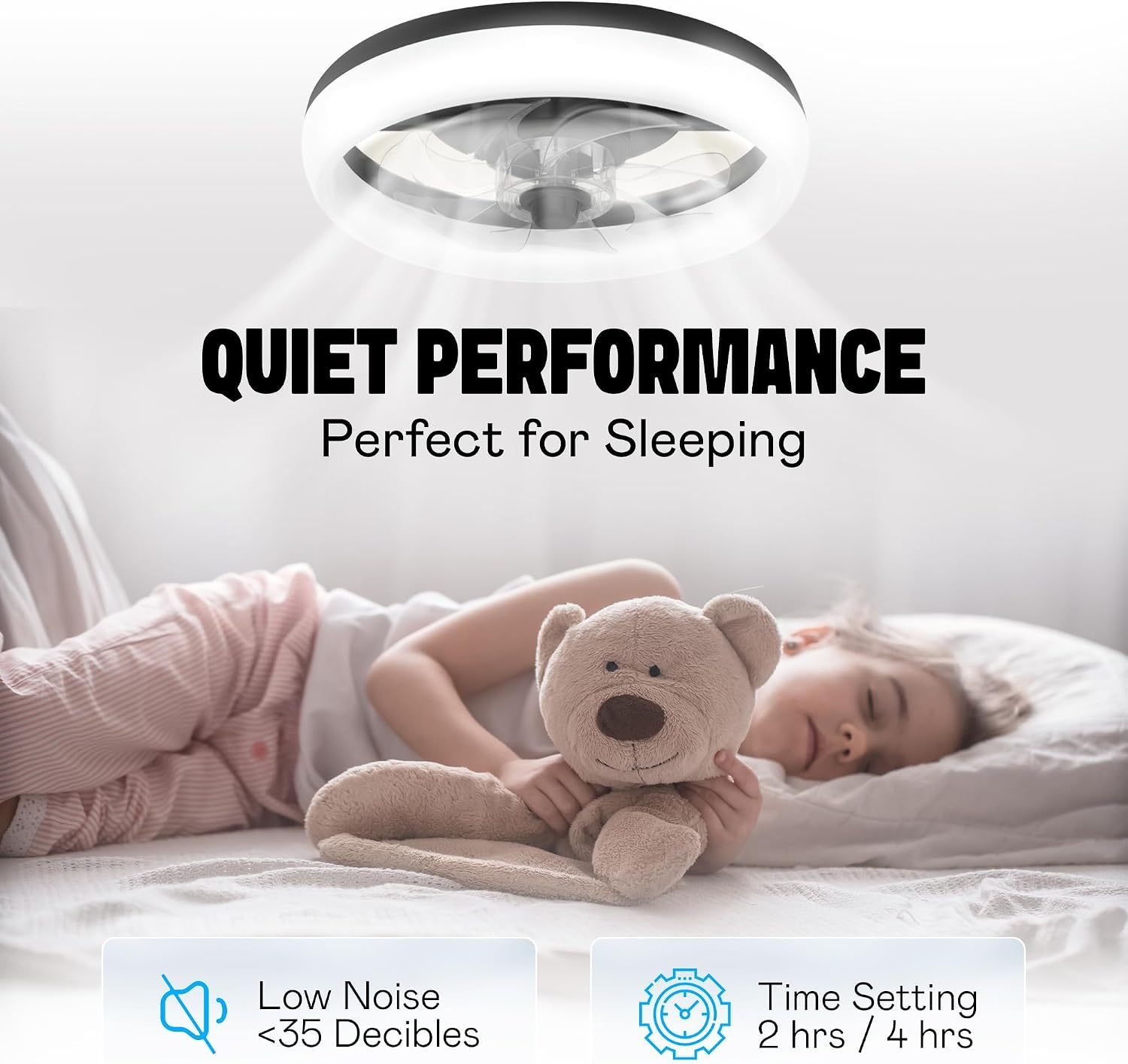
Image: A child sleeping soundly under the fan, illustrating its quiet operation and suitability for bedrooms.
Product Video
Video: An official product video demonstrating the features and benefits of the CannonX Ceiling Fan with Light, including its compact design, powerful airflow, and easy installation.
Maintenance
Regular maintenance ensures optimal performance and longevity of your CannonX ceiling fan.
- Cleaning: Use a soft, damp cloth to wipe down the fan and light housing. Do not use abrasive cleaners or solvents. Ensure power is off before cleaning.
- Connections: Periodically check all electrical connections to ensure they are secure.
- LED Light: The integrated LED light source is designed for long-term use and does not require bulb replacement.
Troubleshooting
If you encounter issues with your CannonX ceiling fan, refer to the following common problems and solutions:
| Problem | Possible Cause | Solution |
|---|---|---|
| Fan does not turn on. | No power to the fan; loose wiring; remote control battery low. | Check circuit breaker. Ensure all wiring connections are secure. Replace remote control batteries. |
| Light does not turn on. | Loose wiring; light mode not selected. | Check wiring connections. Press the light button on the remote to cycle through modes. |
| Remote control not responding. | Batteries are dead or incorrectly inserted; remote not paired. | Replace batteries, ensuring correct polarity. Refer to Quick Start Instructions for remote pairing procedure. |
| Fan makes unusual noise. | Loose mounting screws; obstruction. | Ensure fan is securely mounted to the ceiling box. Check for any objects obstructing the fan blades. |
Specifications
| Brand | Bell+Howell |
| Model Name | 6410 |
| Item Model Number | 6140 |
| Product Dimensions | 14"L x 14"W x 3"H |
| Item Weight | 6.03 pounds |
| Material | Acrylonitrile Butadiene Styrene |
| Color | Black |
| Light Color | Warm, Natural, Light (3500K-5500K) |
| Number of Light Sources | 1 (Integrated LED) |
| Control Method | Remote |
| Installation Type | Flush Mount |
| Power Source | Corded Electric |
| Certification | ETL Certified |
Warranty and Support
For warranty information and customer support, please refer to the documentation included with your product or visit the official Bell+Howell website. Keep your purchase receipt for warranty claims.
Related documents6140

Ask a question about this manual
Ask about setup, troubleshooting, compatibility, parts, safety, or missing instructions. Manuals+ will review the question and use this page’s manual context to help answer it.