
ANCEL FX6000
ANCEL FX6000 Elite OBD2 Scanner Instruction Manual
Model: FX6000 | Brand: ANCEL
Introduction
The ANCEL FX6000 Elite is a bidirectional scan tool designed for comprehensive vehicle diagnostics and maintenance. It offers advanced capabilities for ABS, SRS, Transmission, and Engine systems, along with various reset services and extensive vehicle coverage. This manual provides detailed instructions for setting up, operating, and maintaining your device to ensure optimal performance.

The ANCEL FX6000 Elite OBD2 Scanner, showcasing its main interface and key features like 4-system diagnostics, 7+ reset services, bidirectional control, Auto-VIN, FCA & CAN-FD support, and free Wi-Fi updates.
What's in the Box
Upon unboxing your ANCEL FX6000 Elite, please verify that all the following components are included:
- 1 x ANCEL FX6000 OBD2 Scanner
- 1 x Diagnostic Cable
- 1 x USB Cable
- 1 x User Manual
- 1 x EVA Storage Bag

All components included in the ANCEL FX6000 Elite package.
Setup
Before initial use, it is recommended to fully charge the device and update its software for the best user experience and access to the latest features and vehicle compatibility.
- Charging: Recharge the device for 2-3 hours using the provided USB cable.
- Power On: Press and hold the power button to turn on the scanner.
- Wi-Fi Connection: Navigate to 'Settings' and connect to a stable Wi-Fi network.
- Software Update: Go to 'Update' and perform a one-tap update. Lifetime upgrades are included with no registration or hidden costs.
- Vehicle Connection: Connect the diagnostic cable to the vehicle's 12V OBD-II diagnostic socket. Ensure the vehicle's ignition is on (engine off for certain tests).
Operating the Device
The ANCEL FX6000 Elite features an intuitive Android 10.0 OS with a 6.2" HD touchscreen and physical buttons for dual operation. Below are key operational modes:
AutoSearch (VIN Decoding)
This function automatically scans and identifies the vehicle's VIN (Vehicle Identification Number) within seconds, eliminating the need for manual input. This speeds up the diagnostic process significantly.
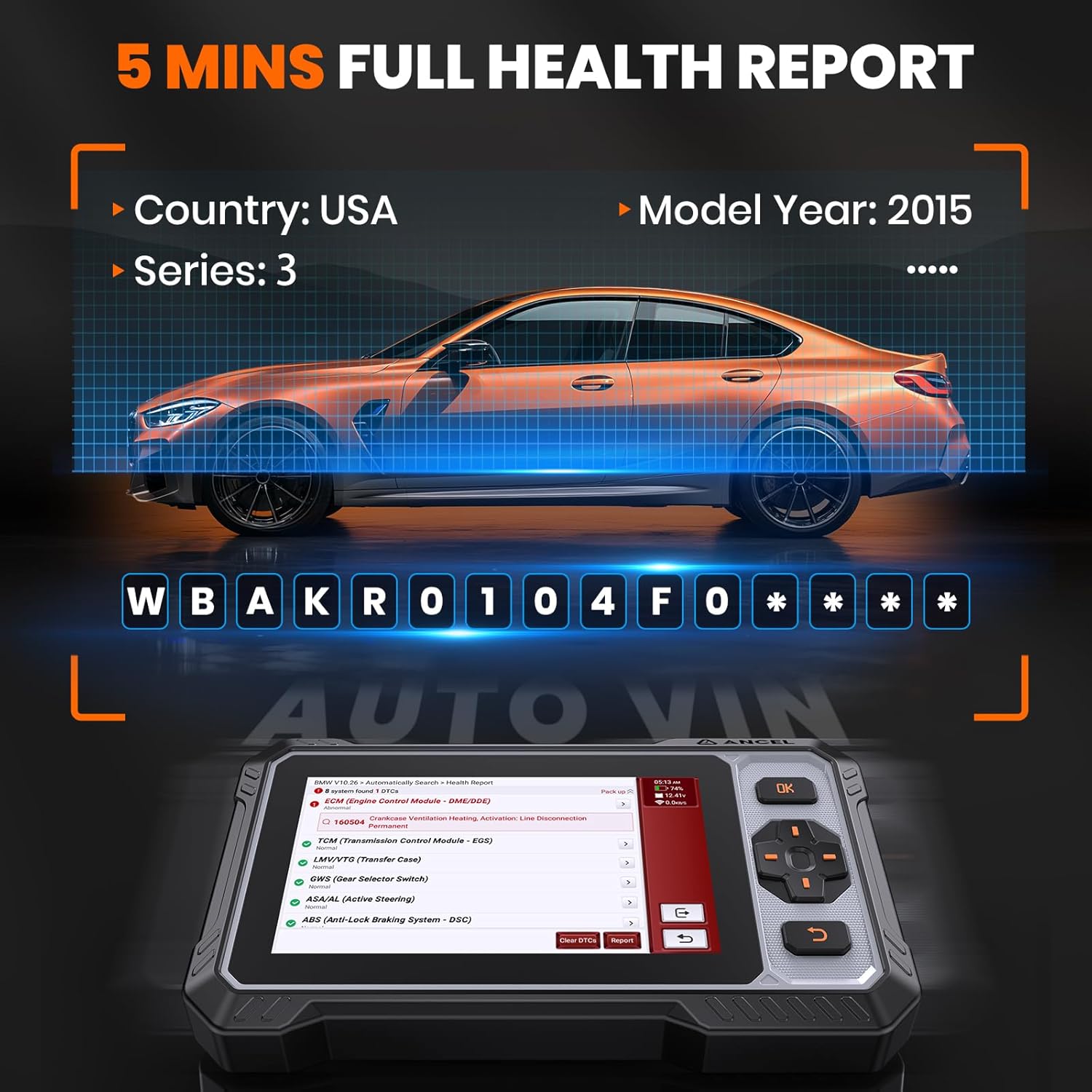
The Auto VIN feature quickly identifies vehicle information for efficient diagnostics.
4-System Diagnostic
The FX6000 Elite provides in-depth diagnostics for the four core vehicle systems: Engine, ABS (Anti-lock Braking System), SRS (Supplemental Restraint System), and Transmission. This includes reading and clearing fault codes, viewing live data, and accessing ECU information.

The scanner provides comprehensive diagnostics for Engine, ABS, SRS, and Transmission systems.
This video demonstrates the 4-system diagnostic capabilities of the ANCEL FX6000 Elite, including scanning for issues in ABS, SRS, Transmission, and Engine systems.
Bidirectional Control (Active Test)
Perform active tests on individual actuators to pinpoint and resolve issues efficiently. This allows you to send commands to vehicle systems to test components like coolant pumps, fuel injectors, and cooling fans directly.

Bidirectional control allows direct testing of vehicle components like injectors, pumps, and cooling fans.
This video illustrates the bidirectional control functionality of the ANCEL FX6000 Elite, demonstrating its ability to activate and test various components within the ABS, SRS, Transmission, and Engine systems.
Live Data Stream
Monitor real-time vehicle data in graphical format, allowing for quick assessment of performance parameters such as accelerator pedal position, air mass, engine RPM, and fuel rail pressure. This helps in diagnosing intermittent issues and verifying repairs.

Real-time data streams provide a visual representation of key vehicle parameters for quick analysis.
I/M Readiness
Utilize the I/M Readiness function to perform a self-check for smog tests, ensuring your vehicle is ready for annual inspection and compliance with emission standards.
This video demonstrates how the ANCEL FX6000 Elite helps prepare your car for annual inspection by checking I/M readiness status.
Maintenance Services
The FX6000 Elite offers 7 critical reset services to assist with common vehicle maintenance tasks, potentially saving significant mechanic costs.

The scanner supports 7+ common maintenance services for various vehicle systems.
- Oil Reset: Resets the oil life monitoring system after an oil change.
- Brake Pad Reset: Resets the brake pad life after replacement, especially for vehicles with electronic parking brakes.
- Steering Angle Reset: Resets the steering angle sensor after steering system repairs or alignment.
- Electronic Throttle Adaptation: Relearns the throttle body position after cleaning or replacement.
- Battery Matching: Registers a new battery with the vehicle's ECU to ensure proper charging and system function.
- ABS Auto Bleeding: Performs automated bleeding procedures for the anti-lock braking system (Note: Not compatible with vehicles that only support manual bleeding).
- Gear Learning: Completes gear learning for certain transmission systems after component replacement or repair.
This video demonstrates the 7 reset services offered by the ANCEL FX6000 Elite OBD2 Scanner, including oil reset, brake reset, and ABS bleeding.
Troubleshooting Tips
- Device Not Powering On: Ensure the device is fully charged. If connected to the vehicle, verify the OBD-II port is providing power (check vehicle's fuse box if necessary).
- Connection Issues: Ensure the diagnostic cable is securely connected to both the scanner and the vehicle's OBD-II port. Confirm the vehicle's ignition is on.
- Software Glitches: If the device freezes or behaves unexpectedly, try restarting it. If issues persist, perform a factory reset via 'Settings' (this will erase saved data).
- Function Not Supported: Some advanced functions may not be compatible with all vehicle models or years. Refer to the device's coverage list or contact ANCEL support for specific compatibility inquiries.
- Battery Drain: To maximize power management efficiency, power off the device after use.
Specifications
- Operating System: Android 10.0
- Display: 6.2" HD Touchscreen (1024x600 resolution)
- Processor: Quad-core
- Memory: 32GB ROM + 2GB RAM (Expandable up to 128GB)
- Connectivity: Wi-Fi, OBD-II Cable
- Battery: 1 Lithium Polymer battery (included)
- Product Dimensions: 10.3"L x 8.3"W x 2.5"H
- Item Weight: 2.59 pounds
- Supported Protocols: SAE J1850 PWM, SAE J1850 VPW, ISO 9141-2 ISO, ISO 15765-4 CAN, ISO 14230-4 KWP, CAN-FD
- Vehicle Coverage: 100+ car brands, 100,000+ models worldwide
- Languages: 20+ languages supported
Support & Updates
ANCEL is committed to providing continuous support and updates for your FX6000 Elite scanner.
- Lifetime Free Updates: The device offers Wi-Fi one-tap updates and lifetime upgrades without any registration requirements or hidden costs.
- Online Tech Support: Access instant online chat tech guides directly from the 'Service' button on the device. You can also submit inquiries via email to amazon@anceltech.com.
- PDF Reports: Generate detailed PDF diagnostic reports and share them in real-time via online chat functions.
Important Information
Legal Disclaimer
Please note the following:
- The FX6000 supports 4 systems diagnostic (Engine/ABS/SRS/Transmission systems) but is not designed for Body Electric Controls.
- This tool works on most 12V passenger cars, SUVs, light-duty trucks, and pickups, but does not support 24V heavy-duty trucks.
- To ensure compatibility, it is recommended to confirm with your vehicle's year, model, and VIN before purchase.
- ABS auto bleeding is not compatible with vehicles that only support manual bleeding.
- Related car logos and brand names appearing in product descriptions are solely to indicate compatibility and do not imply endorsement or manufacturing by those car brands.
Related documentsFX6000


Ask a question about this manual
Ask about setup, troubleshooting, compatibility, parts, safety, or missing instructions. Manuals+ will review the question and use this page’s manual context to help answer it.