
TCL 65T8C
TCL 65T8C 65-inch 4K Ultra HD Smart QLED Google TV User Manual
Model: 65T8C | Brand: TCL
1. Introduction
This manual provides essential information for the safe and efficient operation of your TCL 65T8C 65-inch 4K Ultra HD Smart QLED Google TV. Please read this manual thoroughly before using the television and retain it for future reference.
2. Safety Information
Always observe the following safety precautions to prevent fire, electric shock, or injury:
- Do not expose the TV to rain or moisture.
- Do not open the TV casing; refer all servicing to qualified personnel.
- Ensure proper ventilation around the TV.
- Use only the power cord supplied with the TV.
- Keep batteries away from children.
- Unplug the TV during lightning storms or when unused for long periods.
3. What's in the Box
Verify that all components are present upon unpacking:
- 1N LED TV
- 1N Audio Cable
- 1N Stand
- 1N Power cord
- 1N Remote Control
- 2N AAA Batteries

4. Setup
4.1 Physical Assembly
Stand Installation:
- Carefully place the TV face-down on a soft, flat surface to prevent screen damage.
- Attach the provided stand legs to the designated slots at the bottom of the TV using the screws supplied. Ensure they are securely fastened.
Wall Mounting:
- If wall-mounting, remove the stand.
- Use a VESA-compatible wall mount kit (not included) appropriate for the TV's size and weight. Follow the wall mount manufacturer's instructions carefully.

4.2 Connecting Power
Connect the power cord to the TV's power input and then to a suitable electrical outlet.
4.3 Initial Setup
Upon first power-on, the TV will guide you through the initial setup process, including language selection, network connection (Wi-Fi or Ethernet), and Google TV account setup.
4.4 Connecting External Devices
Your TV offers various ports for connecting external devices:

- HDMI Ports (4): Connect Blu-ray players, gaming consoles, set-top boxes. HDMI 1 supports 4K@144Hz with eARC/ARC. HDMI 2 supports 4K@120Hz. HDMI 3 and HDMI 4 support 4K@60Hz.
- USB Port (1): For connecting USB storage devices to play media files. This is a USB 3.0 port for faster transfer.
- LAN Port (1): For wired internet connection.
- Antenna Input (1): For connecting a terrestrial antenna.
- Satellite Input (1): For connecting a satellite dish.
- Digital Audio Out (Optical) (1): For connecting to external audio systems.
5. Operating Your TV
5.1 Remote Control Functions
The smart remote control provides access to all TV functions. It uses both IR and Bluetooth technology.

- Power Button: Turns the TV on/off.
- Navigation Buttons: For menu navigation.
- Google Assistant Button: Activates voice control.
- Volume Up/Down: Adjusts audio level.
- Channel Up/Down: Changes channels.
- Dedicated Hotkeys: Quick access to popular streaming services like Netflix, Prime Video, YouTube, and more.
5.2 Google TV Interface
Your TCL 65T8C runs on Google TV, offering a personalized content experience.


- Home Screen: Displays personalized recommendations, installed apps, and quick access to content.
- Apps: Access a wide range of applications from the Google Play Store, including Prime Video, Netflix, Hotstar, Zee5, and more.
- Google Assistant: Use voice commands to search for content, control smart home devices, and get information.
- Chromecast Built-in: Cast content from your smartphone or tablet directly to the TV.
- Kids Profile: Create a safe viewing environment with curated content for children.
- Watchlist: Add movies and shows to a universal watchlist for easy tracking across devices.


6. Display Features
6.1 QLED Technology
The TCL 65T8C features a QLED panel, delivering over a billion hues of vivid color for an immersive viewing experience.


6.2 4K Ultra HD and HDR
The TV supports 4K Ultra HD resolution (3840 x 2160) and features 4K HDR Pro, HDR 10, and Dolby Vision for enhanced contrast, brightness, and color detail.


6.3 Refresh Rate and Motion Clarity
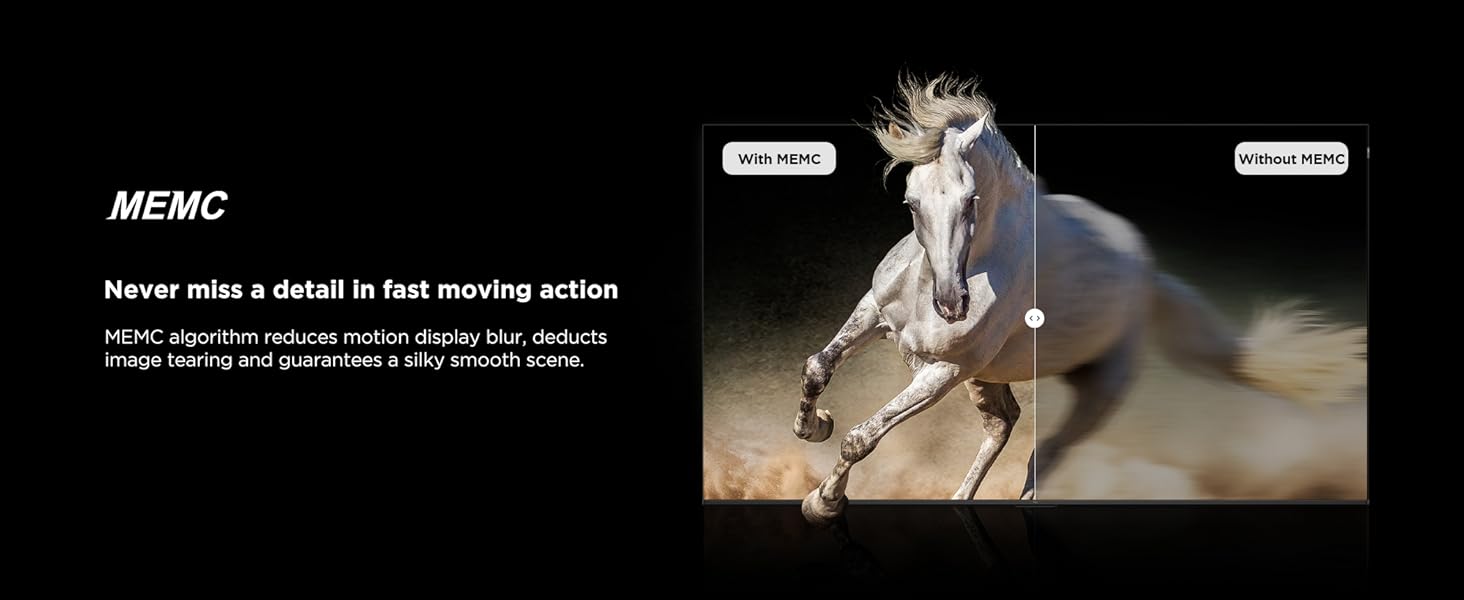
The TV features a 120Hz native refresh rate, with VRR up to 144Hz and DLG up to 288Hz, ensuring smooth motion. MEMC (Motion Estimation, Motion Compensation) technology further reduces motion blur and image tearing.


6.4 AiPQ Pro Processor and HVA Panel
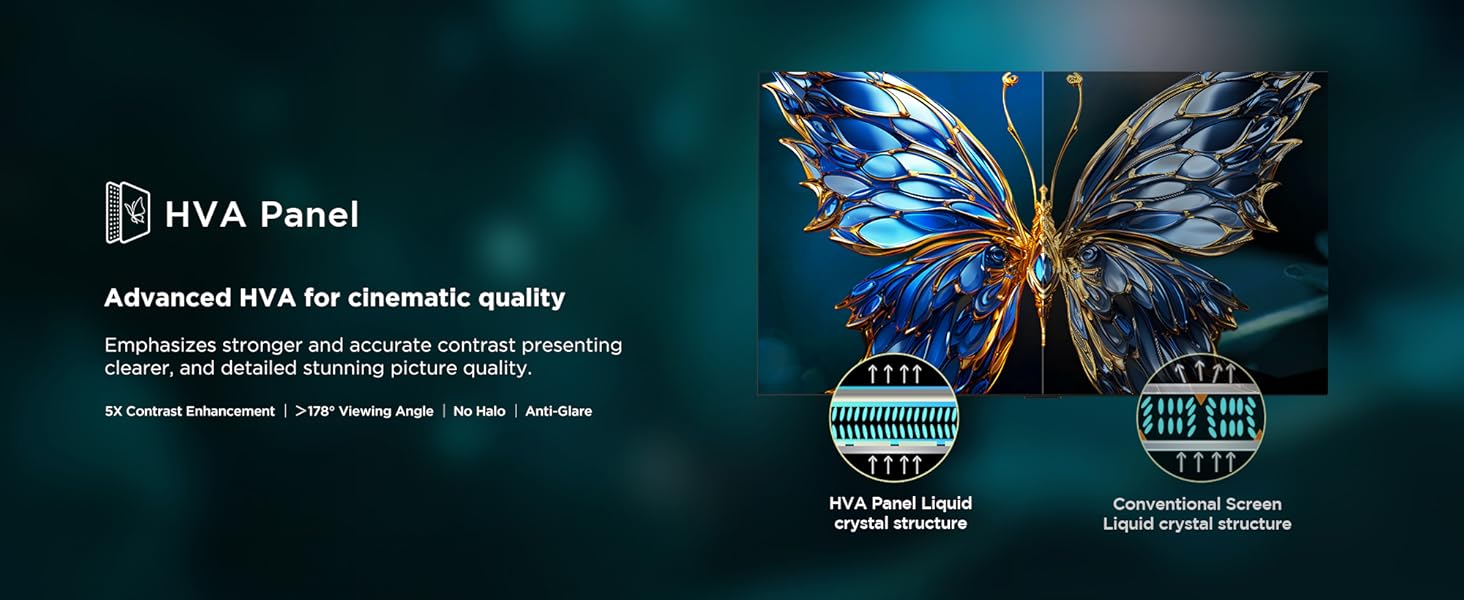
The AiPQ Pro Processor intelligently optimizes picture quality, enhancing color, contrast, and clarity. The HVA Panel provides higher contrast and wider viewing angles (178 degrees) with anti-glare properties.



7. Audio Features
The TCL 65T8C delivers a powerful and immersive audio experience:
- 35 Watts Output: Provides clear and robust sound.
- Dolby Atmos: Experience theatrical sound enjoyment with increased emotional impact and room-filling sound.
- ONKYO 2.1ch Hi-Fi System: Integrated ONKYO speakers define the standard of home theater audio.
- Subwoofer: Equipped with an independent, overweight bass unit at the back for powerful bass.
- DTS Virtual:X: Creates virtualized 3D sound that appears to emerge above, beside, and behind you.
- 360° Spatial Surround Sound: Immerse yourself in lifelike audio with 360-degree surround sound.


8. Gaming Features
The TCL 65T8C is equipped with features to enhance your gaming experience:
- Game Master: Optimizes display and audio technology for smoother streaming and next-level gaming.
- 144Hz VRR: Variable Refresh Rate up to 144Hz eliminates stuttering and tearing for fluid gameplay.
- HDMI 2.1 with ALLM: HDMI 2.1 connectivity supports Auto Low Latency Mode (ALLM), automatically switching the TV to game mode for reduced input lag.
- Aiming Aid: Provides on-screen assistance for improved targeting in games.
- Game Picture Mode: Choose preferred picture modes for an immersive gaming experience.
- Super Wide Gameview: Offers 21:9 and 32:9 super wide screen ratios for an expanded field of view.


9. Maintenance
To ensure the longevity and optimal performance of your TV:
- Cleaning the Screen: Gently wipe the screen with a soft, lint-free cloth. For stubborn marks, use a screen cleaner specifically designed for TVs, applied to the cloth, not directly to the screen.
- Cleaning the Casing: Use a soft, dry cloth to wipe the casing. Avoid abrasive cleaners or solvents.
- Ventilation: Ensure the ventilation openings are not blocked.
- Power Cord: Regularly check the power cord for any damage.
10. Troubleshooting
If you encounter issues, refer to the following common solutions:
- No Power: Check if the power cord is securely connected and the power outlet is functioning.
- No Picture/Sound: Verify the correct input source is selected. Check cable connections to external devices.
- Remote Not Working: Ensure batteries are correctly inserted and not depleted. Point the remote directly at the TV's IR sensor.
- Network Connection Issues: For Wi-Fi, check your router and TV's network settings. For wired, ensure the Ethernet cable is connected. Try restarting your router.
- Poor Picture Quality: Adjust picture settings (brightness, contrast, sharpness). Ensure the content source is high quality.
For persistent issues, contact customer support.
11. Specifications
| Feature | Specification |
|---|---|
| Brand | TCL |
| Model | 65T8C |
| Screen Size | 65 Inches (164 cm) |
| Resolution | 4K QLED (3840 x 2160) |
| Refresh Rate | 120 Hz (VRR 144 Hz / DLG 288 Hz) |
| Display Technology | QLED, HDR 10+, Dolby Vision |
| Processor | 64-bit Quad Core Processor, AiPQ Processor |
| Operating System | Google TV |
| RAM | 3 GB |
| Storage | 32 GB |
| Connectivity | 4 HDMI Ports (HDMI 1: 4K@144Hz eARC/ARC, HDMI 2: 4K@120Hz, HDMI 3/4: 4K@60Hz), 1 USB 3.0 Port, 1 LAN Port, Wi-Fi 5, Bluetooth |
| Audio Output | 35 Watts, Dolby Atmos, ONKYO 2.1ch Hi-Fi System, DTS Virtual:X |
| Special Features | Google Assistant, Screen Mirroring, Works with Alexa, Game Master, Multiple Eye Care, MEMC 120 Hz, Metallic Bezel-Less Design |
| Power Consumption | 235 kWh/Year (3 Star Energy Rating) |
| Product Dimensions (with stand) | 144.4W x 29.5D x 89.3H cm |
| Product Dimensions (without stand) | 144.4W x 6.9D x 83.1H cm |
| Item Weight (with stand) | 17.4 kg |
| Item Weight (without stand) | 17.1 kg |
| Manufacturer | TCL India |
| Country of Origin | India |

12. Warranty and Support
Your TCL 65T8C TV comes with the following warranty:
- Television: 2-year manufacturer warranty from the date of purchase.
- Remote Control: 6-months warranty.
Warranty claims can be processed using your Amazon e-invoice. For additional support or service, please refer to the contact information provided on the official TCL India website.
Related documents65T8C


Ask a question about this manual
Ask about setup, troubleshooting, compatibility, parts, safety, or missing instructions. Manuals+ will review the question and use this page’s manual context to help answer it.