
ANCEL FX6100
ANCEL FX6100 OBD2 Scanner User Manual
Model: FX6100 | Brand: ANCEL
1. Introduction and Overview
The ANCEL FX6100 is a professional bidirectional scan tool designed for comprehensive vehicle diagnostics. It offers full access to all available vehicle systems, enabling users to read and clear trouble codes, view live data, and perform active tests. With over 15 lifetime free maintenance services, it simplifies common vehicle maintenance tasks and boosts diagnostic efficiency.
This diagnostic tablet is powered by Android 10.0, featuring a responsive 1.8GHz quad-core processor, a vibrant 6.2" HD screen, 2GB RAM, and 32GB storage. It supports various protocols including CAN-FD, ensuring wide compatibility across over 100 car brands and 100,000 vehicle models worldwide.
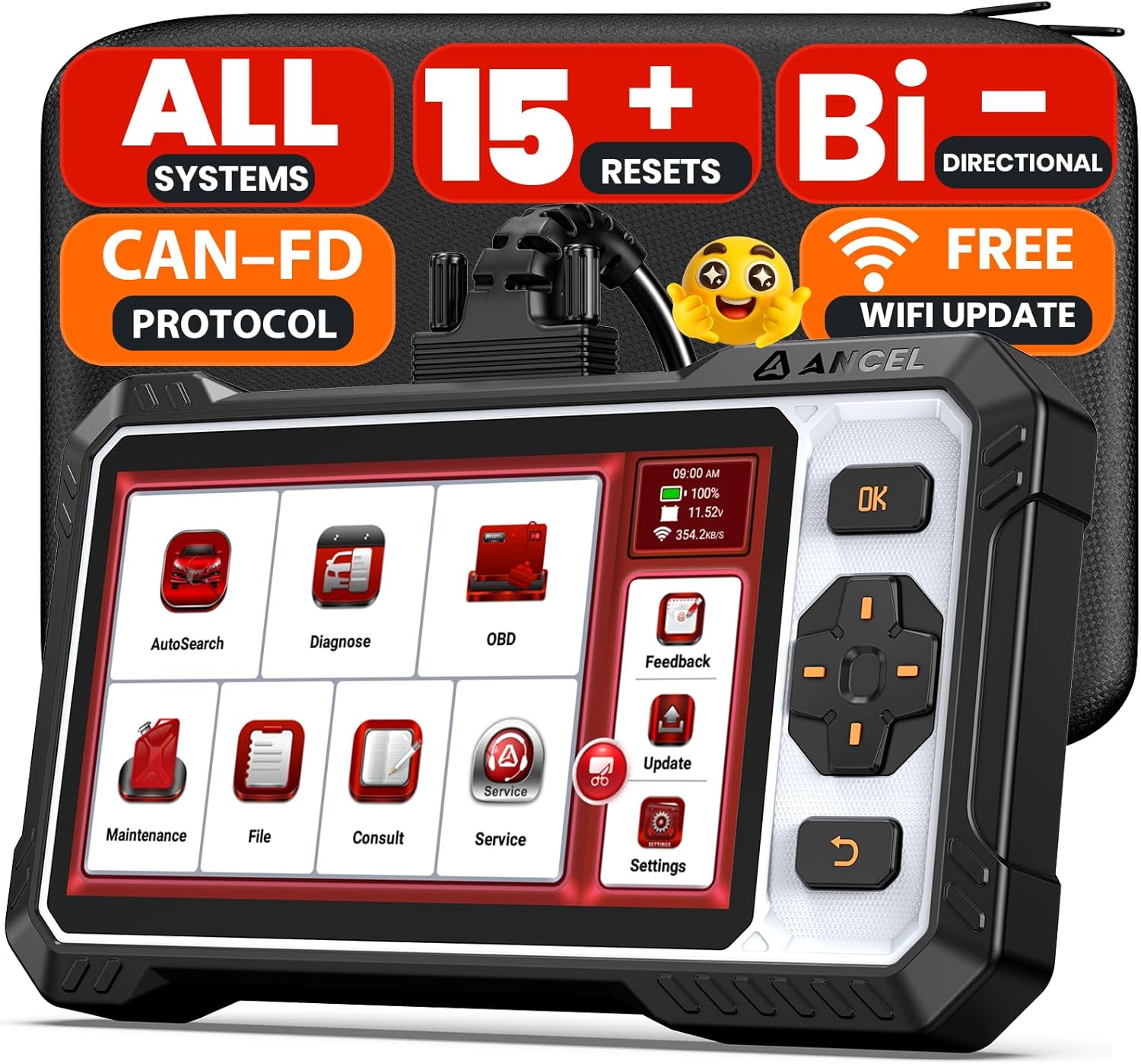
Figure 1.1: ANCEL FX6100 OBD2 Scanner with its protective case.

Figure 1.2: Feature comparison highlighting the advantages of the ANCEL FX6100.
Video 1.1: A general overview of the ANCEL FX6100 OBD2 Scanner and its capabilities.
2. What's in the Box
- 1 * ANCEL FX6100 OBD2 Scanner
- 1 * Diagnostic Cable
- 1 * EVA Storage Bag
- 1 * USB Cable
- 1 * User Manual

Figure 2.1: All items included in the ANCEL FX6100 package.
3. Setup
- Initial Charge: Before first use, fully charge the device for 2-3 hours using the provided USB cable.
- Software Update: Connect the device to a 2.4G Wi-Fi network and update the software to the latest version. This ensures optimal performance and access to all functions.
- Connect to Vehicle: Locate your vehicle's OBD2 port (typically under the dashboard on the driver's side). Connect the diagnostic cable from the FX6100 to the vehicle's OBD2 port.
- Ignition On: Turn your vehicle's ignition to the "ON" position (engine off). The FX6100 will power on automatically.
Video 3.1: Unboxing and initial setup of the ANCEL FX6100 OBD2 Scanner. This video demonstrates connecting the device and powering it on.
4. Operating the Device
4.1 AutoVIN and Health Report
The FX6100 features an AutoVIN function that automatically identifies your vehicle's VIN, streamlining the diagnostic process. After connection, select "AutoSearch" to perform a comprehensive health report across all accessible ECU modules, quickly pinpointing issues.

Figure 4.1: AutoVIN scan in progress, automatically identifying vehicle information.
4.2 All-System Diagnostic
Go beyond basic scanning with full access to all available vehicle systems, including ECM, BCM, ABS, SAS, EVAP, TPMS, BMS, EPB, Fuel System, A/C, and more. You can retrieve ECU info, read and clear trouble codes, and view live data.

Figure 4.2: Overview of various vehicle systems covered by the FX6100 for comprehensive diagnostics.
4.3 Bidirectional Control (Active Test)
The FX6100 allows you to send commands directly to the vehicle's ECU to perform active tests on components like injectors, coolant pumps, windows, wipers, headlights, and mirrors. This helps in precise and rapid fault pinpointing.
Video 4.1: Demonstration of bidirectional control, showing how the scanner can activate vehicle components like windows and wipers.

Figure 4.3: Examples of components that can be controlled using the bidirectional function.
4.4 Live Data Stream
Monitor real-time car health through data. The device allows you to view and graph live data from various sensors and systems, providing a clear overview of vehicle performance.

Figure 4.4: Graphical representation of live data, such as accelerator pedal position, air mass, engine RPM, and fuel rail pressure.
5. Maintenance Services
The ANCEL FX6100 offers over 15 lifetime free and updatable reset functions to simplify vehicle maintenance. These functions are ideal for post-repair calibrations and keeping your vehicle in optimal condition.
- Oil Reset: Clear maintenance alerts after an oil change.
- Battery Matching: Reset the BMS System after replacing the battery.
- TPMS Reset: Recalibrate after tire/wheel changes.
- Brake Pad Reset: Recalibrate sensors after brake component replacement.
- Steering Angle Calibration (SAS Reset): Help fix steering angle problems for better control.
- ABS Bleeding: Essential after replacing ABS pumps or hydraulic components.
- DPF Regeneration: Clear soot buildup in diesel particulate filters.
- Gear Learning: Adapts transmission control unit to shifting patterns.
- Throttle Adaptation: Recalibrates throttle valve signal after cleaning or replacement.
- And more, including Air/Fuel Ratio Reset, AdBlue Reset, EGR Adaption, Injector Coding, Gearbox Learning, and NOx Sensor Reset.
Video 5.1: Overview of the 15+ powerful special functions available on the ANCEL FX6100.

Figure 5.1: Visual representation of key maintenance services like Oil Reset, Battery Matching, Brake-pad Reset, and Steering Angle Reset.
6. Troubleshooting
- Compatibility Issues: If you encounter compatibility problems, ensure the device software is updated. Vehicle compatibility varies; contact ANCEL support with your car's make, model, year, VIN, and desired function for verification before purchasing or if issues arise.
- Device Not Powering On/Battery Drain: Ensure the device is fully charged (2-3 hours recommended before first use). Remember to power off the device promptly after completing diagnostic tasks to prevent battery drain.
- Active Test Limitations: The number of action tests varies by vehicle model. If a specific active test is not available, it might not be supported by your car's ECU. Contact support for further information.
- Defective or Used Items: If you receive a defective or used item, provide pictures to ANCEL support for verification to receive compensation or a replacement.
- General Technical Issues: For any technical issues, submit feedback through the device or click the online "Service" option for prompt assistance.
7. Specifications
| Feature | Detail |
|---|---|
| Manufacturer | ANCEL |
| Item Weight | 2.55 pounds |
| Package Dimensions | 10.35 x 8.27 x 2.32 inches |
| Country of Origin | China |
| Item Model Number | FX6100 |
| Batteries | 1 Lithium Polymer batteries required (included) |
| Operating System | Android 10.0 |
| Automotive Fit Type | Universal Fit |
| Display | 6.2" HD screen (1024x600) |
| Processor | 1.8GHz quad-core |
| Memory/Storage | 2GB RAM / 32GB Storage |
| Battery Capacity | 4150mAh |
| Connectivity | 2.4G Wi-Fi, USB-C |
| Supported Protocols | SAE J1850 PWM, SAE J1850 VPW, ISO 9141-2 ISO, ISO 14230-4 KWP, ISO 15765-4 CAN, CAN-FD |
| Language Options | 20+ languages |
8. Warranty and Support
The ANCEL FX6100 comes with a 1-year warranty for peace of mind. Enjoy lifetime free software updates via 2.4G Wi-Fi, with no hidden fees.
For technical support, you can contact ANCEL through the "Submit Feedback" option on the device or by clicking "Online Service." Your suggestions are valued and used to refine the product.

Figure 8.1: Various channels for customer support, including online chat, email, and remote assistance.
Related documentsFX6100


Ask a question about this manual
Ask about setup, troubleshooting, compatibility, parts, safety, or missing instructions. Manuals+ will review the question and use this page’s manual context to help answer it.