
Maledan Samsung Galaxy S25 Ultra
Maledan Crystal Clear MagSafe Case for Samsung Galaxy S25 Ultra - Instruction Manual
Model: Samsung Galaxy S25 Ultra Case
1. Product Overview
The Maledan Crystal Clear MagSafe Case is designed specifically for the Samsung Galaxy S25 Ultra 5G. This case provides robust protection while maintaining the device's original aesthetic. It integrates MagSafe compatibility for enhanced functionality with magnetic accessories.
Key Features:
- Military-Grade Drop Protection: Rigorously tested to MIL-STD-810H standards, capable of withstanding 12FT drops with 4-layer cushioning.
- MagSafe Compatibility: Features ultra-strong 1,800g magnets for secure attachment to MagSafe accessories and supports Qi2 15W wireless charging.
- Anti-Yellowing Clear Design: Constructed with DiamondClear and StainGuard coatings to resist sweat, dirt, and discoloration, keeping the case pristine.
- Slim Fit & Ergonomic Grip: Ultra-thin German TPU backplate ensures a snug fit and comfortable handling.
- Detachable Buttons: Provides crisp control for device buttons.
- S Pen Compatibility: Laser-cut S Pen slot for seamless access without interference from the magnetic ring.
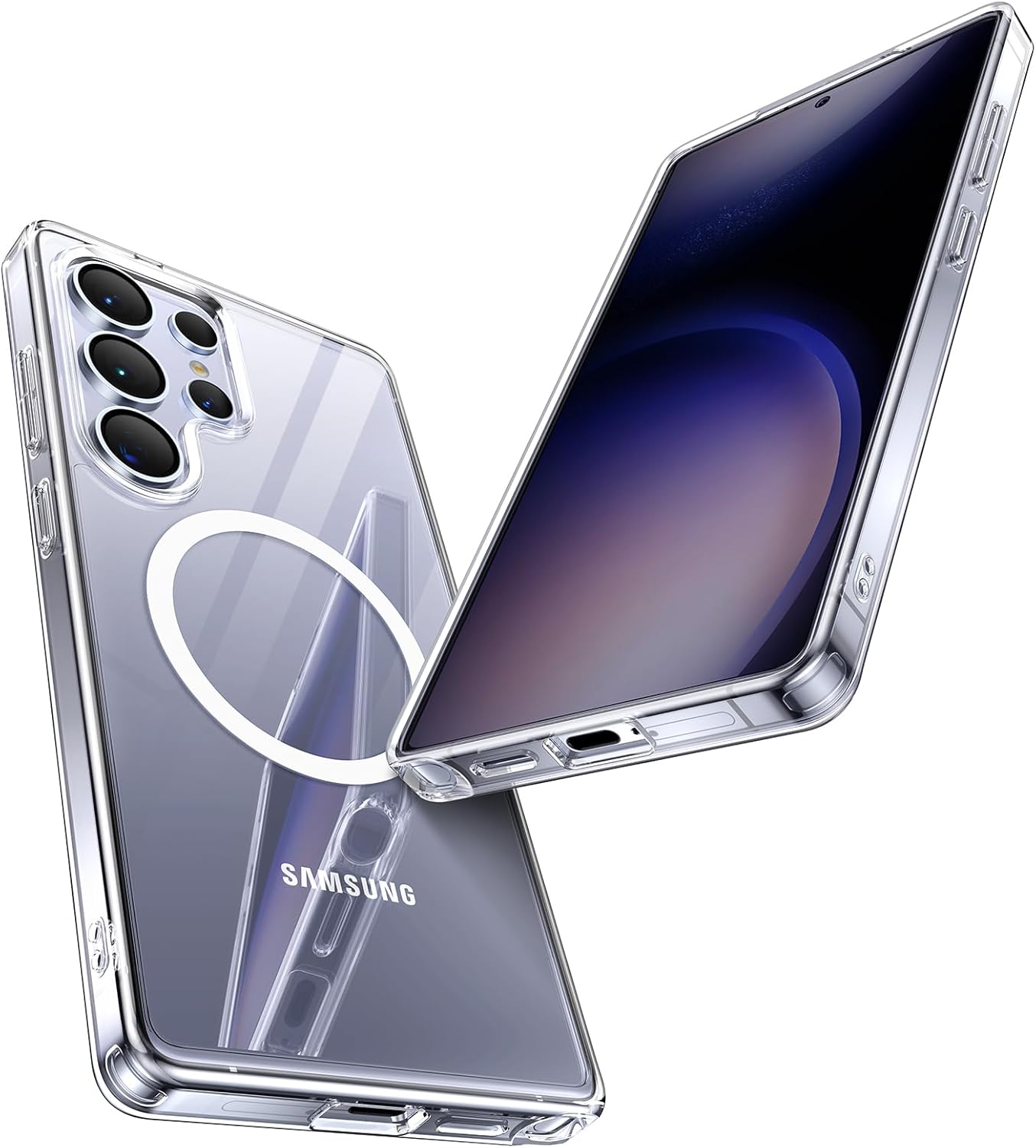
Image 1: Maledan Crystal Clear Case for Samsung Galaxy S25 Ultra, showcasing its transparent design and integrated MagSafe ring.
2. Installation Guide
Follow these steps to properly install your Maledan case on your Samsung Galaxy S25 Ultra:
- Clean Your Device: Ensure your Samsung Galaxy S25 Ultra is clean and free of dust or smudges. Use a soft, lint-free cloth if necessary.
- Align the Case: Hold the case with the camera cutout aligned with your phone's camera module.
- Insert Top Edge: Gently insert the top edge of your phone into the top edge of the case.
- Snap into Place: Press the remaining edges of the phone into the case until all corners are securely fitted. Ensure all buttons and ports align correctly with the case's cutouts.
- Check Fit: Verify that the case is snugly fitted around your device and there are no loose edges.

Image 2: Close-up view of the Maledan case being installed on a Samsung Galaxy S25 Ultra, highlighting the precise fit around the camera and edges.
3. Usage and MagSafe Functionality
The Maledan case enhances your Samsung Galaxy S25 Ultra experience with its integrated MagSafe technology.
MagSafe Accessories:
- Magnetic Attachment: The built-in magnetic ring allows for secure attachment of MagSafe-compatible accessories such as wallets, car mounts, and stands. Simply align the accessory with the magnetic ring on the back of the case until it snaps into place.
- Wireless Charging: The case supports Qi2 15W wireless charging. Place your MagSafe-compatible wireless charger onto the magnetic ring for efficient power delivery.
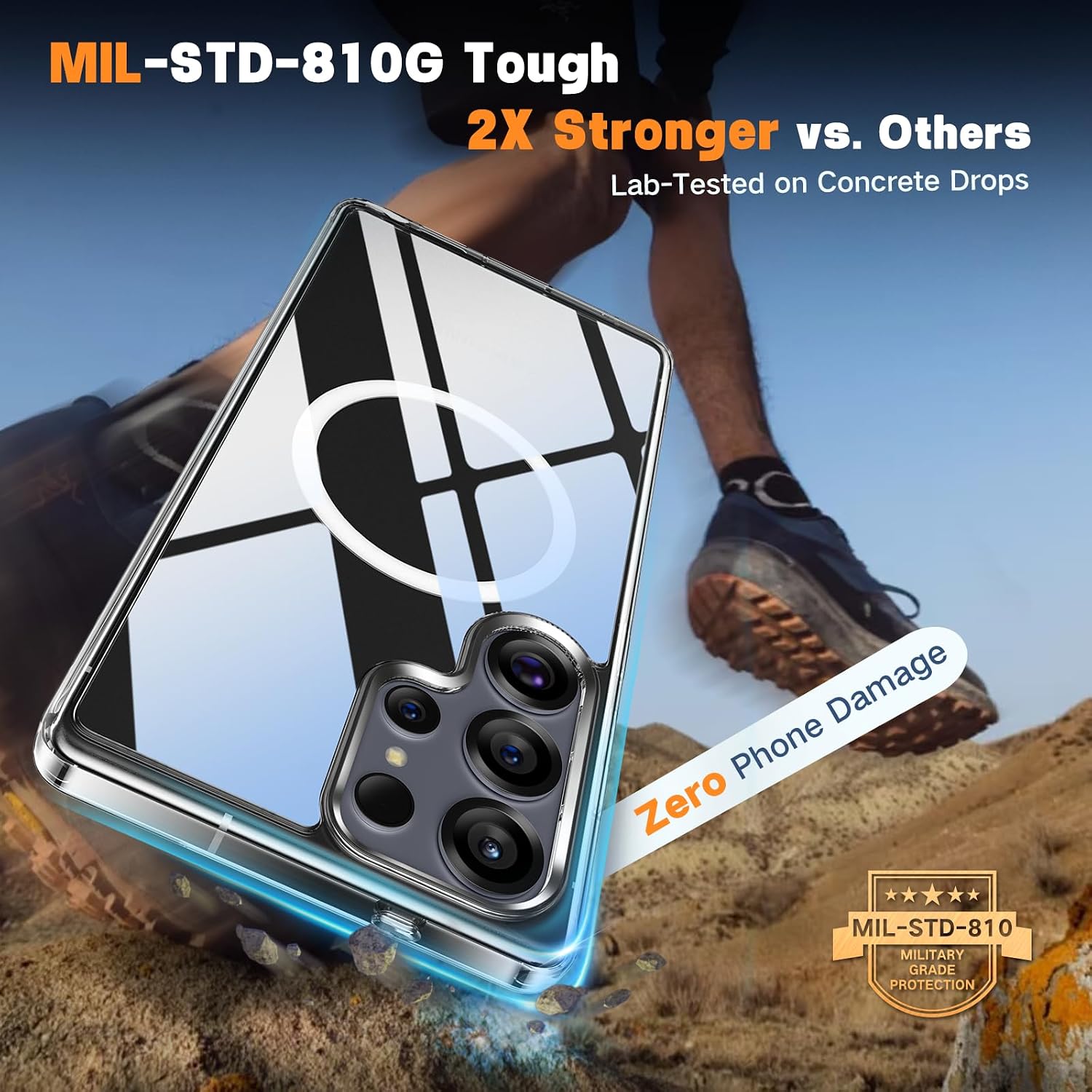
Image 3: Samsung Galaxy S25 Ultra in Maledan case securely mounted on a MagSafe car mount, demonstrating magnetic stability.

Image 4: A user holding a Samsung Galaxy S25 Ultra with the Maledan case, showing a MagSafe wallet attached to the back.
S Pen Access:
The case features a precision laser-cut slot for the S Pen, ensuring easy access and removal without interference from the integrated magnetic ring.

Image 5: Close-up of the Maledan case on a Samsung Galaxy S25 Ultra, highlighting the S Pen cutout at the bottom.
Official Product Videos:
Video 1: Maledan Shockproof Magnetic Case for Samsung Galaxy S25 Ultra. This video demonstrates the case's features, including its magnetic capabilities and protective design.
Video 2: Support MagSafe Accessories - Galaxy S25 Series Case. This short video highlights the case's compatibility with various MagSafe accessories.
4. Care and Maintenance
To ensure the longevity and clarity of your Maledan case, follow these maintenance tips:
- Cleaning: Wipe the case regularly with a soft, damp cloth to remove dust, dirt, and smudges. Avoid abrasive cleaners or harsh chemicals, as these can damage the anti-yellowing and StainGuard coatings.
- Avoid Extreme Conditions: While the case is durable, prolonged exposure to extreme heat or direct sunlight may affect its material over time.
- Inspection: Periodically inspect the case for any signs of wear or damage. If the case is significantly damaged, consider replacing it to ensure optimal protection for your device.

Image 6: Visual representation of the StainGuard coating on the Maledan case, showing resistance to liquid stains.
5. Troubleshooting
If you encounter any issues with your Maledan case, refer to the following common solutions:
- Case Not Fitting Properly:
- Ensure you have the correct case model for your Samsung Galaxy S25 Ultra.
- Remove the case and re-install it, making sure all corners snap into place.
- MagSafe Accessories Not Attaching Securely:
- Verify that your accessory is MagSafe compatible.
- Ensure there is no debris or obstruction between the case and the accessory.
- Wireless Charging Issues:
- Confirm your wireless charger is MagSafe compatible and properly powered.
- Ensure the phone and charger are correctly aligned on the magnetic ring.
6. Product Specifications
| Feature | Detail |
|---|---|
| Brand | Maledan |
| Compatible Phone Model | Samsung Galaxy S25 Ultra |
| Material | Polycarbonate, Thermoplastic Polyurethane |
| Color | Crystal Clear |
| Special Features | Slim Fit, Travel, Universal, Wireless (MagSafe Compatible) |
| Item Weight | 2.11 ounces |
| Package Dimensions | 7.32 x 4.02 x 0.67 inches |
7. Warranty and Support
Maledan provides dedicated support for its products. For any inquiries or assistance, please refer to the following:
- Support: Our team offers 365-day, 24/7 dedicated support to ensure instant assistance.
- Contact: For support, please contact us via Amazon.
Ask a question about this manual
Ask about setup, troubleshooting, compatibility, parts, safety, or missing instructions. Manuals+ will review the question and use this page’s manual context to help answer it.