
Introduction
Thank you for choosing the Aveek Wireless Microphone System. This system is designed to deliver crystal-clear, professional sound for various applications, including karaoke, streaming, weddings, and events. Featuring a professional dynamic mic core and advanced DSP noise cancellation, it ensures high-fidelity vocals free from distortion or static. The advanced 2.4GHz transmission provides a stable, ultra-low latency connection with a range of up to 100 feet, offering freedom of movement. This plug-and-play system requires no complex Bluetooth pairing, apps, or drivers, making it easy to set up with most speakers, karaoke machines, or amplifiers. Both the microphones and receiver are rechargeable via USB-C, providing over 10 hours of continuous use on a single charge.
What's in the Box
Your Aveek Wireless Microphone System package includes:
- 2 x Handheld Microphones
- 1 x 6.35 mm Wireless Receiver
- 1 x 6.35mm (1/4") to 3.5mm (1/8") Adapter
- 1 x USB Charging Cable
- 2 x Anti-slip Rings
- 1 x User Manual

Image: Package contents of the Aveek Wireless Microphone System.
Setup Instructions
1. Charging the Devices
Before first use, ensure both microphones and the wireless receiver are fully charged. Use the provided USB charging cable to connect the devices to a suitable USB power source (e.g., wall adapter, computer USB port). The microphones and receiver feature built-in rechargeable batteries.

Image: Aveek wireless microphone and receiver connected for USB-C charging.
Video: Demonstrates charging the Aveek wireless microphone and receiver.
2. Automatic Pairing
The Aveek Wireless Microphone System features automatic pairing. Simply turn on the receiver and then turn on each microphone. The devices will automatically connect to each other without manual configuration.

Image: Visual guide to automatic pairing of microphone and receiver.
3. Connecting to an Audio System
Plug the 6.35mm wireless receiver directly into the MIC input of your speaker, karaoke machine, or amplifier. If your audio system has a 3.5mm MIC input, use the included 6.35mm to 3.5mm adapter.
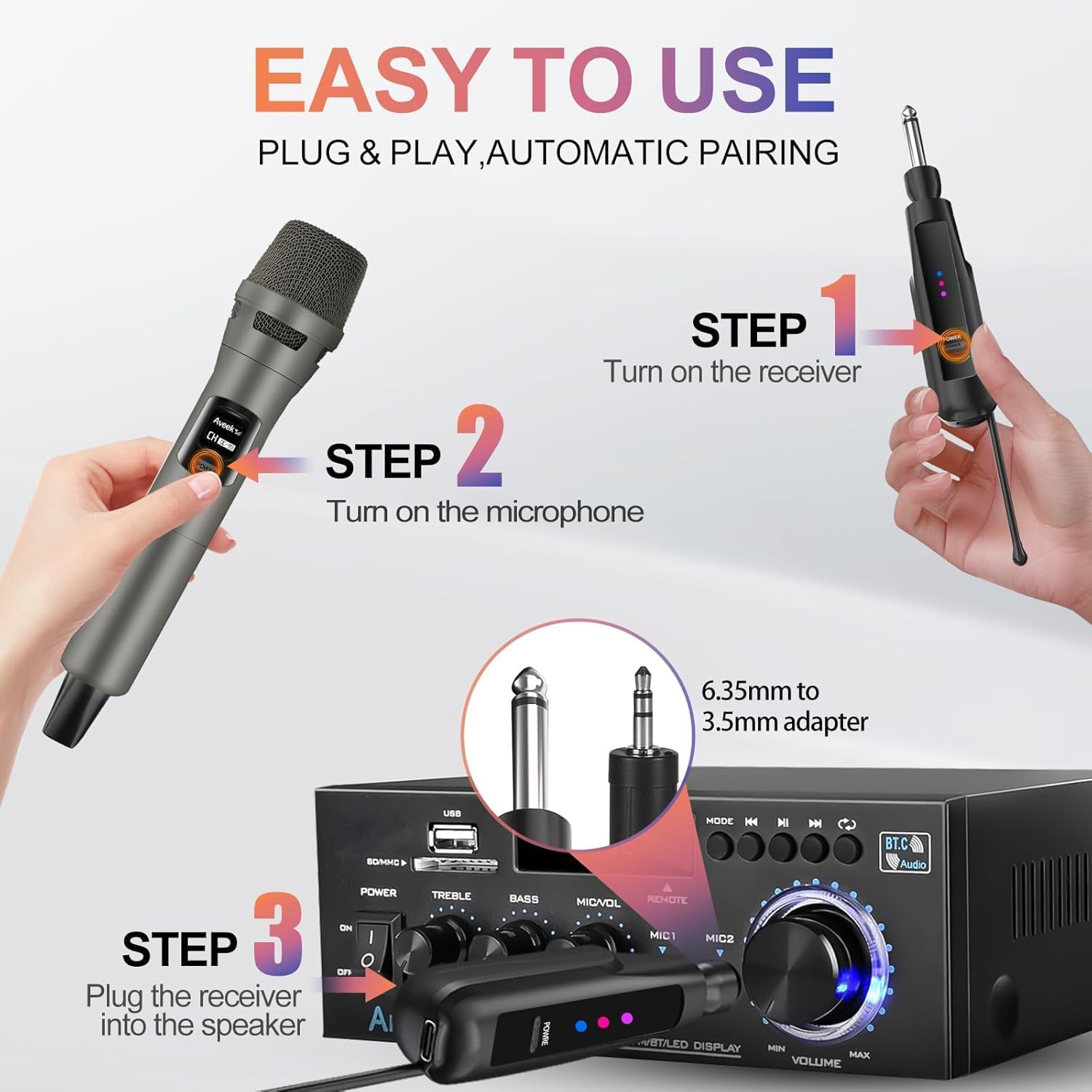
Image: Steps for connecting the receiver to an audio system.
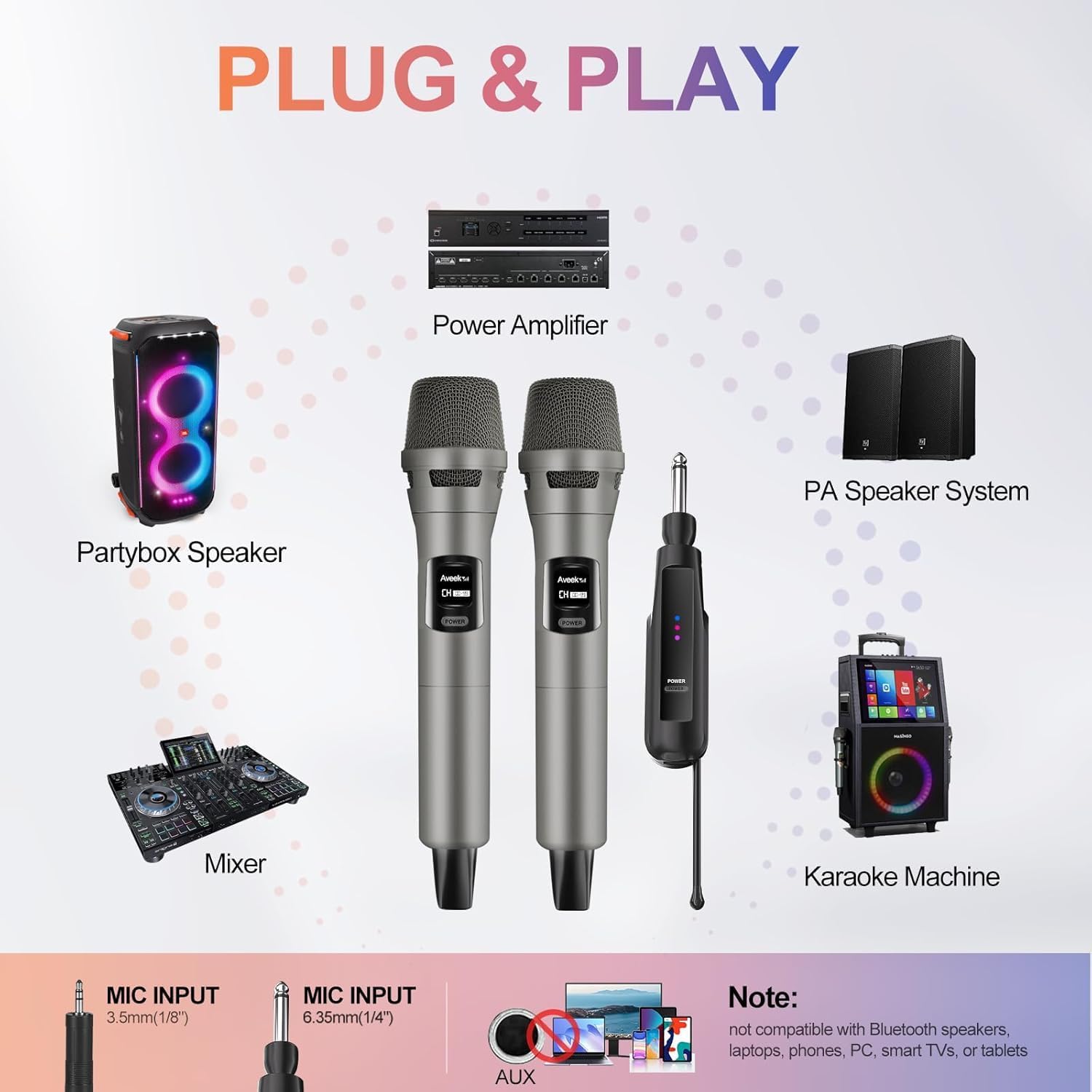
Image: Examples of compatible audio systems for the Aveek wireless microphone.
Video: Demonstrates connecting the wireless receiver to an amplifier and mixer, including a sound test.
Operating Instructions
1. Power On/Off
To power on the microphone, slide the power switch to the 'ON' position. To power off, slide the switch to 'OFF'. The receiver also has a power button; press and hold to turn it on or off.
2. Sound Quality and Performance
The microphones feature a cardioid pickup pattern, which focuses on your voice and helps block ambient noise, ensuring clear vocal delivery. The 2.4GHz wireless transmission provides a stable signal with low latency, preventing delays, cut-offs, or howling during use.

Image: Aveek wireless microphones in use, showcasing professional sound quality.

Image: Explanation of the microphone's cardioid pickup pattern.
3. Wireless Range
Enjoy reliable transmission up to 100 feet in open environments. This allows for freedom of movement and interaction during performances or presentations.
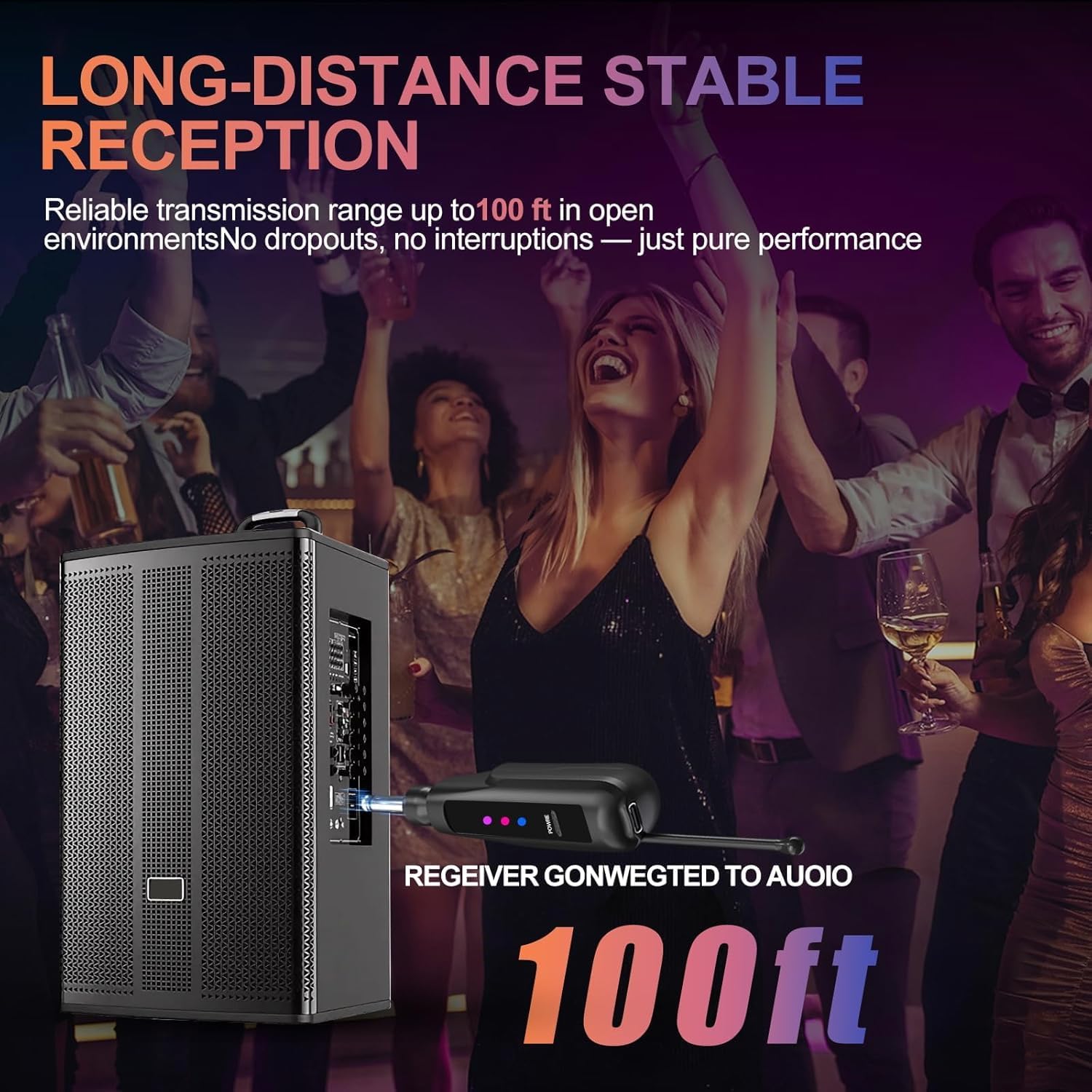
Image: Demonstrating the 100ft long-distance stable reception.

Image: Visualizing the 100-foot wireless reception range without interference.
Compatibility
The Aveek Wireless Microphone System is compatible with most audio systems featuring a 6.35mm (1/4") or 3.5mm (1/8") MIC input, including:
- Amplifiers
- Audio Interfaces
- Karaoke Machines
- PA Systems
- Speakers
Important Note: This system does not support Bluetooth connectivity and is not compatible with Bluetooth speakers, laptops, phones, PCs, smart TVs, or direct TV connections.

Image: Devices not compatible with the Aveek wireless microphone system.
Maintenance
To ensure the longevity and optimal performance of your Aveek Wireless Microphone System, follow these maintenance guidelines:
- Cleaning: Use a soft, dry cloth to clean the microphones and receiver. Avoid using harsh chemicals or abrasive materials.
- Storage: Store the system in a cool, dry place away from direct sunlight and extreme temperatures.
- Battery Care: For best battery life, avoid fully discharging the batteries frequently. Recharge them regularly, especially if the system will not be used for an extended period.
- Anti-slip Rings: Place the included anti-slip rings on the microphones to prevent them from rolling on flat surfaces and to provide a more secure grip.
Troubleshooting
If you encounter issues with your Aveek Wireless Microphone System, please refer to the following common troubleshooting steps:
- No Sound:
- Ensure both microphones and the receiver are powered on.
- Check that the receiver is securely plugged into the correct MIC input of your audio system.
- Verify that the volume on your audio system is turned up.
- Confirm that the microphones and receiver are charged.
- Interference/Poor Sound Quality:
- Ensure there are no major obstructions between the microphones and the receiver.
- Move away from other 2.4GHz wireless devices that might cause interference.
- Check if the microphones or receiver are low on battery.
- Microphone Not Pairing:
- Turn off both the microphone and receiver, then turn them back on in sequence (receiver first, then microphone) to re-initiate automatic pairing.
- Ensure both devices are sufficiently charged.
Specifications
| Feature | Specification |
|---|---|
| Item Weight | 0.67 Kilograms (1.48 pounds) |
| Microphone Form Factor | Handheld |
| Item Dimensions (L x W x H) | 6.3 x 2.17 x 1.77 inches |
| Power Source | Battery Powered (1 Lithium Ion battery included) |
| Material | Plastic |
| Signal-to-Noise Ratio | 92 dB |
| Hardware Platform | Karaoke Machine |
| Number of Channels | 2 |
| Frequency Response | 15 KHz |
| Connectivity Technology | RF (2.4GHz) |
| Connector Type | 3.5 mm Jack, 6.35 mm Jack |
| Special Feature | Battery Indicator Light |
| Polar Pattern | Unidirectional (Cardioid) |
Warranty and Support
For warranty information or technical support, please refer to the contact details provided in the packaging or visit the official Aveek website. Keep your purchase receipt for warranty claims.


