
1. Introduction
Thank you for choosing the TOALLIN S68 Wireless Conference Speakerphone. This device is designed to provide clear and smooth audio for business meetings, video conferencing, and personal audio entertainment. Please read this manual carefully to ensure proper setup and operation.
What's in the Box
- TOALLIN S68 Speakerphone
- USB A-C Cable
- User Manual
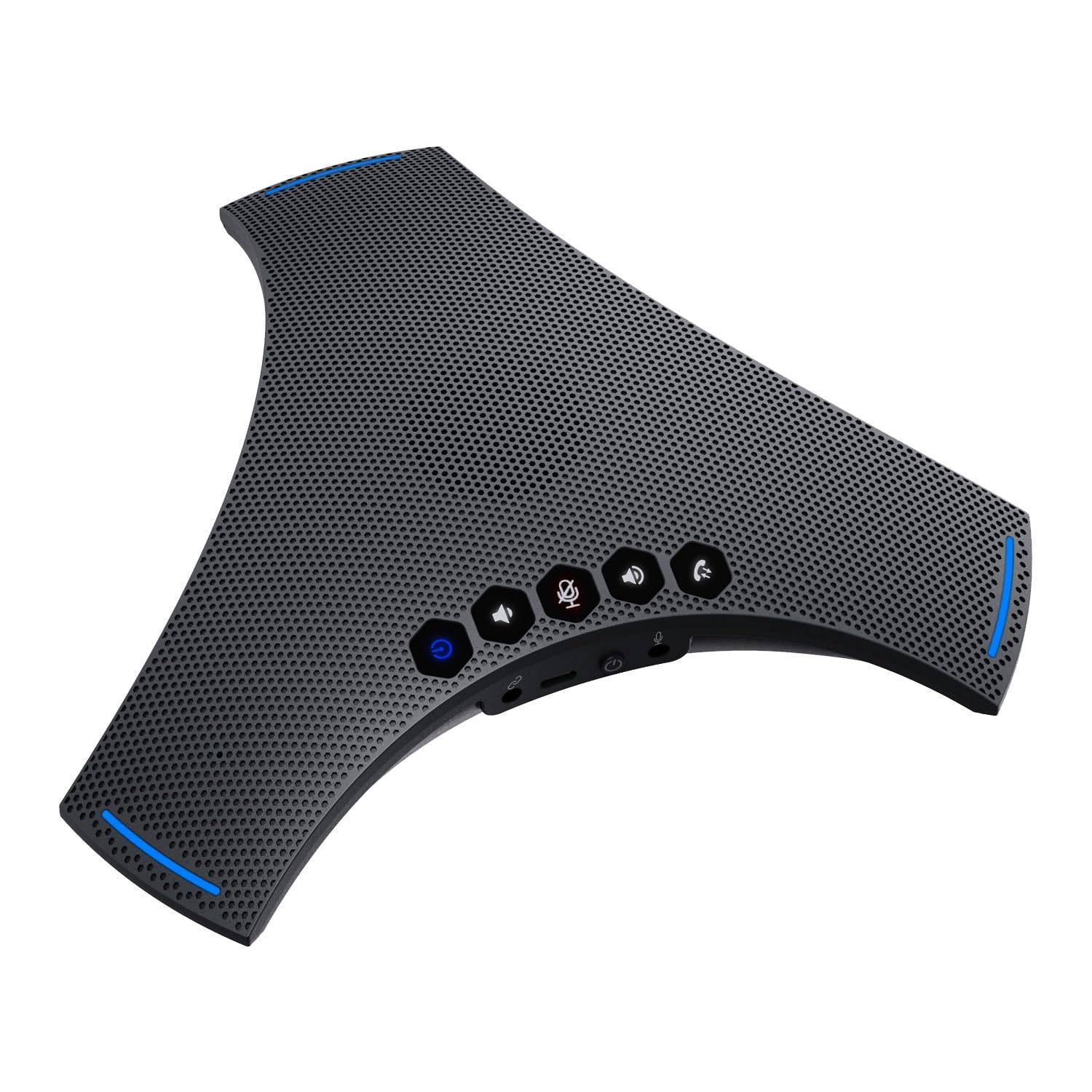
Image: The TOALLIN S68 Speakerphone with its included USB A-C cable and user manual.
2. Product Overview
The TOALLIN S68 is a professional conference speakerphone equipped with advanced audio technologies to enhance your communication experience.
Key Features
- 360° Omnidirectional Voice Pickup: Features 3 noise-reducing microphones for comprehensive voice capture.
- Dynamic Noise Reduction: Advanced technology for echo cancellation and background noise reduction.
- Fine-Tuned Hi-Fi Speaker: Built-in 4W speaker for clear audio output, suitable for calls and music.
- Multiple Connection Modes: Supports wireless Bluetooth and wired USB-C connections.
- Long Battery Life: Integrated 3000mAh battery provides up to 10 hours of talk time.
- Cascade and Expansion Support: Allows cascading two S68 units or connecting an external microphone for extended coverage.
Controls and Ports

Image: A detailed diagram illustrating the touch controls and physical ports on the TOALLIN S68 Speakerphone.
- Indicator Light: Displays device status (e.g., power, pairing, mute).
- Wireless Pairing Button: Long press to enter Bluetooth pairing mode.
- Volume - Button: Decreases speaker volume.
- Mute / Unmute Button: Toggles microphone mute. Ring lights up red when muted.
- Answer / End Call Button: Manages calls.
- Volume + Button: Increases speaker volume.
- Mic: Integrated microphones for voice pickup.
- USB-C Port: For wired connection and charging.
- On / Off Switch: Powers the device on or off.
- Extension Mic Port: For connecting an optional external microphone.
- Cascade Port: For connecting another S68 speakerphone (requires a 3.5mm male-to-male 4-pole audio cable, not included).
- Speaker: Integrated speaker for audio output.
3. Setup
Powering On/Off
To power on the device, slide the On / Off Switch to the 'On' position. The indicator light will illuminate. To power off, slide the switch to the 'Off' position.
Charging the Battery
Connect the provided USB A-C cable to the USB-C Port on the speakerphone and the other end to a USB power adapter (not included) or a computer USB port. The indicator light will show charging status.
Connecting via Bluetooth (Wireless)
- Ensure the speakerphone is powered on.
- Long press the Wireless Pairing Button until the indicator light flashes, indicating it's in pairing mode.
- On your device (smartphone, tablet, laptop), enable Bluetooth and search for available devices.
- Select "TOALLIN S68" from the list.
- Once connected, the indicator light will turn solid blue.

Image: The TOALLIN S68 Speakerphone illustrating connectivity options for mobile phones, tablets, and computers via Bluetooth and USB-C cable.
Connecting via USB (Wired)
Connect the provided USB A-C cable to the USB-C Port on the speakerphone and the other end to a USB port on your computer. The speakerphone will be recognized as an audio device. You may need to select it as the default microphone and speaker in your computer's sound settings or conferencing software.
Cascade Connection (Daisy Chain)
To extend the audio pickup range, you can cascade two S68 speakerphones. This requires a 3.5mm male-to-male 4-pole audio cable (not included, maximum length 9ft).
- Connect one end of the 3.5mm audio cable to the Cascade Port on the first S68 speakerphone.
- Connect the other end of the cable to the Cascade Port on the second S68 speakerphone.
- Ensure both speakerphones are powered on and connected to your computer/device (one via Bluetooth or USB).
Note: Some users have reported issues with cascade functionality. Ensure you are using a 4-pole audio cable for proper connection.
External Expansion Microphone
An optional external microphone (not included) can be connected to the Extension Mic Port for additional voice pickup range.
4. Operating Instructions
Making/Receiving Calls
- Answer Call: When an incoming call is detected, press the Answer / End Call Button.
- End Call: During a call, press the Answer / End Call Button to hang up.
Adjusting Volume
- Increase Volume: Press the Volume + Button.
- Decrease Volume: Press the Volume - Button.
Muting the Microphone
Press the Mute / Unmute Button to mute the microphone. The ring around the device will light up red to indicate that the microphone is muted. Press the button again to unmute.
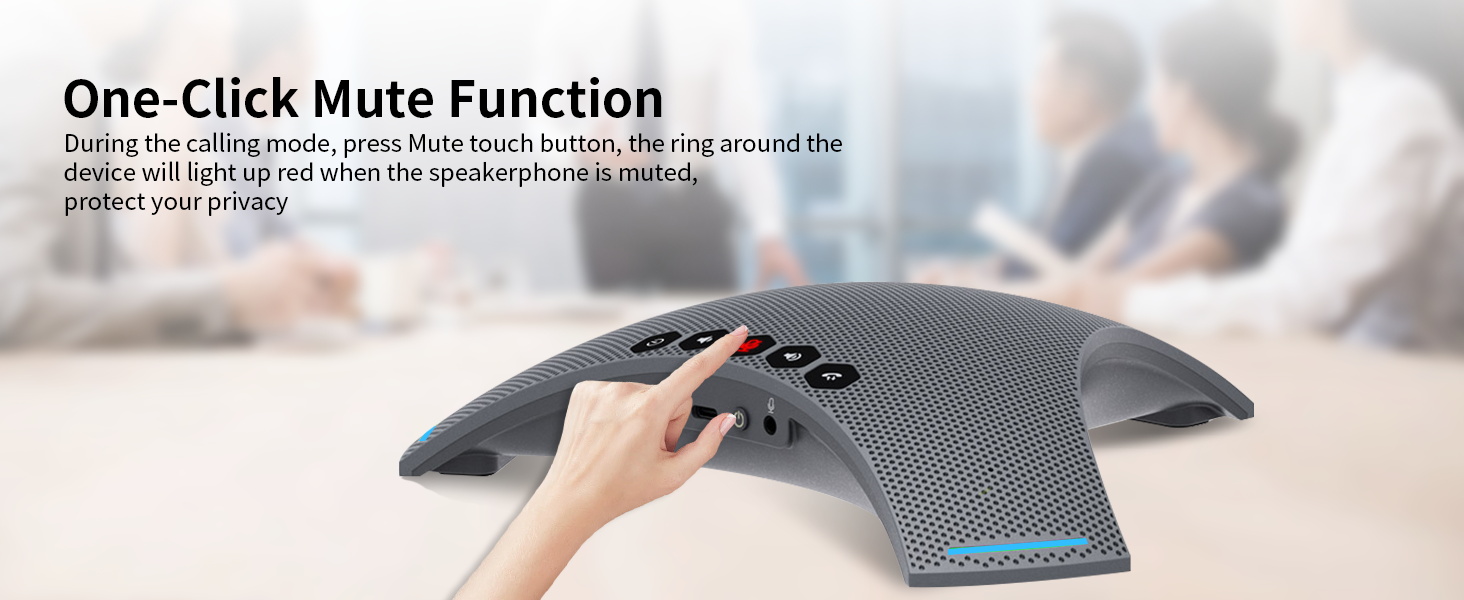
Image: A hand pressing the one-click mute button on the TOALLIN S68 Speakerphone, with the red indicator light visible.
Using for Music Playback
When connected via Bluetooth or USB, the S68 can also function as a high-fidelity speaker for playing music or other audio from your connected device.
5. Maintenance
- Cleaning: Use a soft, dry cloth to clean the surface of the speakerphone. Do not use liquid cleaners or aerosols.
- Storage: Store the device in a cool, dry place away from direct sunlight and extreme temperatures.
- Battery Care: To prolong battery life, avoid fully discharging the battery frequently. Charge the device regularly, even if not in use for extended periods.
- Avoid Water: This device is not waterproof. Keep it away from liquids.
6. Troubleshooting
No Power / Device Not Turning On
- Ensure the On / Off Switch is in the 'On' position.
- Check the battery level. Connect the device to a power source using the USB A-C cable to charge it.
Cannot Connect via Bluetooth
- Ensure the speakerphone is in pairing mode (indicator light flashing). Long press the Wireless Pairing Button if it's not.
- Make sure Bluetooth is enabled on your device and it's within range (typically 10 meters/33 feet).
- Try forgetting the device from your Bluetooth list on your phone/computer and re-pairing.
- Ensure no other devices are currently connected to the speakerphone.
No Sound / Poor Audio Quality
- Check the volume levels on both the speakerphone and your connected device.
- If connected via USB, ensure the TOALLIN S68 is selected as the default playback and recording device in your computer's sound settings and conferencing application.
- If connected via Bluetooth, ensure the connection is stable.
- Ensure the microphone is not muted (red indicator light).
- Move closer to the speakerphone for optimal voice pickup.
Cascade Function Not Working
- Verify that you are using a 3.5mm male-to-male 4-pole audio cable. A 3-pole cable will not support the cascade function.
- Ensure the cable is securely connected to the Cascade Port on both S68 units.
- Confirm both speakerphones are powered on.
7. Specifications
| Feature | Detail |
|---|---|
| Brand | TOALLIN |
| Model Number | S68 |
| Speaker Maximum Output Power | 4 watts |
| Frequency Response | 20 KHz |
| Connectivity Technology | Bluetooth, USB |
| Audio Output Mode | Stereo |
| Mounting Type | Tabletop Mount |
| Additional Features | Echo Cancellation, Noise Reduction, Hi-Fi Speaker |
| Control Method | Touch |
| Speaker Size | 8.98 inches |
| Specific Uses For Product | Business meetings, Video conferencing, Personal audio entertainment |
| Battery Average Life | 10 hours |
| Battery Capacity | 3000 mAh |
| Compatible Devices | Desktop, Laptop, Smartphone, Tablet |
| Power Source | Battery Powered |
| Number of Batteries | 1 Lithium Ion (included) |
| Audio Driver Type | Dynamic Driver |
| Number of Audio Channels | 2 |
8. Warranty and Support
Warranty Information
The TOALLIN S68 Speakerphone comes with a 1-Year Limited Warranty from the date of purchase. This warranty covers manufacturing defects and workmanship under normal use. It does not cover damage caused by misuse, accidents, unauthorized modifications, or natural disasters.
Customer Support
If you encounter any issues or have questions regarding your TOALLIN S68 Speakerphone, please refer to the troubleshooting section first. If the problem persists, contact TOALLIN customer support through the retailer's platform or the official TOALLIN website for assistance.