
FUVYMYT camry 4K(model B)
FUVYMYT 4K Dash Cam for Toyota Camry 2025 User Manual
Model: camry 4K(model B)
1. Introduction
Thank you for choosing the FUVYMYT 4K Dash Cam, specifically designed for the Toyota Camry 2025 (Hybrid LE SE XSE XLE models). This dash cam offers an OEM-style integration, providing a discreet and seamless appearance in your vehicle. It features 4K Ultra HD video recording, collision detection, loop recording, and Wi-Fi connectivity for easy management via a mobile application. This manual provides detailed instructions for installation, operation, maintenance, and troubleshooting to ensure optimal performance and longevity of your device.
2. Safety Information
- Vehicle Compatibility: This dash cam is exclusively designed for Toyota Camry 2025 models. It is not compatible with other vehicle models. Ensure your vehicle is a 2025 Toyota Camry before installation.
- Professional Installation Recommended: While designed for easy installation, if you are unsure about any steps, it is recommended to seek professional assistance to avoid damage to your vehicle or the dash cam.
- Power Source: Use only the provided power cable and accessories. Using incompatible power sources may damage the device or pose a fire hazard.
- Operating Temperature: Do not expose the dash cam to extreme temperatures outside its specified operating range.
- Avoid Obstruction: Ensure the dash cam's placement does not obstruct the driver's view or interfere with vehicle safety features (e.g., airbags).
- Data Storage: Regularly back up important video files. The loop recording feature will overwrite older files when the storage card is full.
- Battery Safety: The product includes 1 CR123A battery. Handle batteries according to manufacturer guidelines.
3. Package Contents
Please check the package for the following items:

Image: Contents of the FUVYMYT Dash Cam package, including front dash cam, optional rear dash cam, card reader, Y-type cable, 128GB TF card, crowbar, and instruction manual.
- Front Dash Cam (Main Unit)
- Y-type Power Cable
- 128GB TF Card (pre-installed or included separately)
- Card Reader
- Installation Tool (Crowbar)
- Instruction Manual
- Note: A rear dash cam may be included depending on the specific product variant purchased. This manual primarily focuses on the front dash cam.
4. Product Overview
The FUVYMYT 4K Dash Cam is designed to blend seamlessly with your Toyota Camry 2025's interior, offering advanced recording capabilities without obstructing your view.

Image: The FUVYMYT 4K Dash Cam main unit, showcasing its compact, OEM-style design.
Key Features:
- OEM-Style Design: Custom-fit for Toyota Camry 2025, integrating discreetly near the rearview mirror.
- 4K Ultra HD Video: Captures explicit videos at 2160P/30fps with an f/1.6 aperture lens and CMOS sensor.
- HDR Technology & Super Night Vision: Automatically adjusts exposure for optimal visibility and sharp video even in low-light conditions.
- Loop Recording: Continuously records by overwriting the oldest footage when the memory card is full. Supports up to 256GB TF card.
- G-Sensor (Collision Detection): Automatically detects impacts and locks the current video file to prevent overwriting.
- Wi-Fi & App Control: Connects to a mobile app for live viewing, video playback, downloading, and settings adjustment.
- 24-Hour Parking Monitor (Optional): Requires an additional fuse box power cable (search B0F53NJRK3) for continuous parking surveillance.

Image: Visual representation of the dash cam's key features including f/1.6 aperture, G-Sensor, 4K UHD 2160P, Super Night Vision, Easy Installation, Loop Recording, WiFi & APP, and OEM Style.

Image: Illustration demonstrating the Super Night Vision capability, showing clear license plate capture in low-light conditions.
5. Installation Guide
This dash cam is designed for a straightforward, OEM-style installation in your Toyota Camry 2025. Follow these steps carefully.

Image: Comparison showing the vehicle's interior before and after the dash cam installation, highlighting the seamless OEM-style integration. Note: This model is not for Camry 2021-2024.
Installation Steps:
- Step 1: Take off the rear cover. Carefully remove the rear cover of the existing housing near your rearview mirror.
- Step 2: Take off the front cover. Proceed to remove the front cover of the housing.
- Step 3: Take off the rain-fall sensor cable. Disconnect the cable connected to the rain-fall sensor.
- Step 4: Connect Y-type cable to the power supply. Connect one end of the provided Y-type cable to the vehicle's power supply connector.
- Step 5: Connect the Y-type cable to the rain-fall sensor. Connect the other end of the Y-type cable to the rain-fall sensor.
- Step 6: Connect the dash camera to the Y-type cable. Plug the dash cam into the designated connector on the Y-type cable.
- Step 7: Install the dash cam. Carefully position and secure the dash cam into the housing.
- Step 8: Install the dash cam rear cover and finish. Reattach the rear cover of the housing to complete the installation.

Image: A step-by-step visual guide illustrating the 8 installation steps for the FUVYMYT Dash Cam in a Toyota Camry.
Important Note: This dash cam is specifically for Toyota Camry 2025. If you own a Toyota Camry 2021, 2022, 2023, or 2024 model, please search for model B0F3C99H65, as the models are not interchangeable.
6. Operating Instructions
6.1 Automatic Recording
Once installed and powered, the dash cam will automatically begin recording when your vehicle's engine starts. There is no need to manually activate recording each time you drive.
6.2 Loop Recording
The dash cam utilizes loop recording, which means it continuously records video. When the included 128GB TF card (or any installed card up to 256GB) becomes full, the oldest unlocked video files will be automatically overwritten by new recordings. This ensures uninterrupted recording without manual intervention.
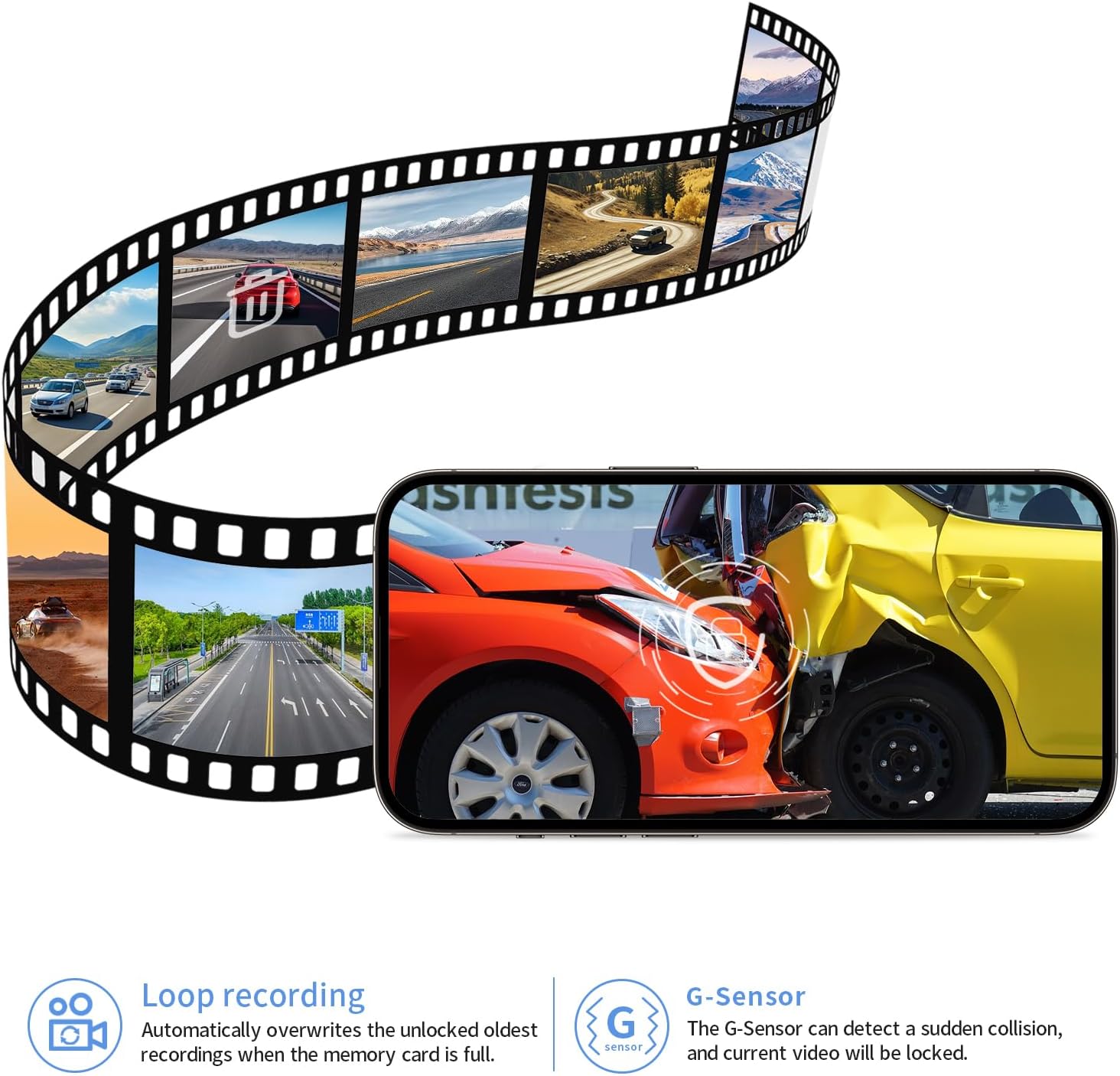
Image: Visual explanation of Loop Recording, showing older files being overwritten, and G-Sensor, indicating automatic video locking upon collision.

Image: Diagram illustrating automatic loop recording and estimated recording times for different TF card capacities (64GB: 5H, 128GB: 10H, 256GB: 20H).
6.3 G-Sensor (Collision Detection)
The built-in G-Sensor detects sudden impacts or collisions. When an event is detected, the dash cam automatically locks the current video file, preventing it from being overwritten by loop recording. These locked files are stored in a separate folder on the TF card.

Image: Illustration of the G-Sensor function, showing how it locks video files upon detecting a shock or collision.
6.4 Mobile App Connection (Wi-Fi)
The dash cam connects to your smartphone via Wi-Fi for live viewing, video playback, downloading, and settings adjustments. Download the "Viidure" or "Fuvymyt" app from the Google Play Store or Apple App Store.

Image: Screenshot of the mobile app interface, showing options for quick clip, quick share, playback, and dashcam settings. The initial WiFi password is 12345678.

Image: Depiction of a user interacting with the mobile app inside a car, demonstrating live view and map integration.
- Download and install the "Viidure" or "Fuvymyt" app on your smartphone.
- Turn on your dash cam (start your car).
- On your smartphone, go to Wi-Fi settings and connect to the dash cam's Wi-Fi network. The initial password is 12345678.
- Open the app. You should now be able to view live footage, access recorded videos, and adjust settings.
Note: The dash cam's Wi-Fi is for direct device-to-phone connection only and does not provide internet access. It is used solely for transmitting videos and controlling the device.

Image: Illustration showing easy access to the dash cam via a mobile app, with icons for Google Play and App Store.
6.5 24-Hour Parking Monitor (Optional Accessory)
For continuous surveillance when your vehicle is parked, the 24-hour parking monitor function is available. This feature requires an additional fuse box power cable. Please search for B0F53NJRK3 on Amazon for more details and to purchase the necessary harness.

Image: Graphic depicting the 24-hour parking monitor feature, with a note that it requires an extra harness (B0F53NJRK3).
7. Maintenance
- Cleaning: Use a soft, dry cloth to clean the dash cam lens and body. Avoid using abrasive cleaners or solvents.
- Memory Card: Periodically format the TF card (e.g., once a month) within the app or on a computer to maintain optimal performance and prevent data corruption. Back up any important files before formatting.
- Firmware Updates: Check the FUVYMYT website or app for any available firmware updates to ensure your dash cam has the latest features and improvements.
- Storage: If storing the dash cam for an extended period, remove the TF card and store the device in a cool, dry place.
8. Troubleshooting
| Problem | Possible Cause / Solution |
|---|---|
| Dash cam does not power on. |
|
| App cannot show live view, preview, or download videos. |
|
| Cannot use CarPlay/Bluetooth when connected to the dash cam app. |
|
| Loop recording is not working, or card fills up quickly. |
|
| Video quality is poor. |
|

Image: Troubleshooting guide for app connection issues, advising to shut off cellular data, Bluetooth, and VPN, and providing the default WiFi password.
9. Specifications
| Feature | Detail |
|---|---|
| Model Name | RM (camry 4K(model B)) |
| Brand | FUVYMYT |
| Vehicle Service Type | Car (Toyota Camry 2025) |
| Video Capture Resolution | 2160p (4K Ultra HD) |
| Field Of View | 145 Degrees |
| Connectivity Technology | Wi-Fi |
| Special Feature | App Control, G-Sensor, Loop Recording, HDR, Super Night Vision |
| Mounting Type | Rearview Mirror Mount (OEM-Style) |
| Color | Black |
| Product Dimensions | 7.87 x 8.27 x 3.15 inches |
| Item Weight | 0.02 ounces |
| Batteries | 1 CR123A batteries required (included) |
| Included Components | Installation Tool, 128GB TF Card, Card Reader, Y-type Power Cable, Instruction Manual (as per A+ content image) |
10. Warranty and Support
FUVYMYT is committed to providing reliable products and customer satisfaction.
Warranty Information:
Specific warranty details may vary by region and retailer. Please refer to the warranty card included in your package or contact FUVYMYT customer support for detailed information regarding your product's warranty period and coverage.
Customer Support:
If you encounter any issues, have questions about installation, operation, or require technical assistance, please do not hesitate to contact FUVYMYT customer support. You can typically reach us through the Amazon messaging system or via the contact information provided on our official website or in the product packaging.
- For inquiries regarding the 24-hour parking monitor harness (B0F53NJRK3), please contact us via Amazon.
- For app connectivity issues, if troubleshooting steps do not resolve the problem, please contact us for assistance.
Related documentscamry 4K(model B)

Ask a question about this manual
Ask about setup, troubleshooting, compatibility, parts, safety, or missing instructions. Manuals+ will review the question and use this page’s manual context to help answer it.