
1. Introduction
Thank you for choosing the Roborock F25 RT Wireless Wet Dry Vacuum Cleaner. This 3-in-1 cordless floor cleaner is designed to simplify your cleaning routine by vacuuming, mopping, and self-cleaning in one efficient process. It delivers powerful suction and rotation to effectively tackle daily messes and deep grime on various hard floor surfaces, including tile, hardwood, vinyl, and sealed floors.
The F25 RT features a lightweight design, flexible maneuverability, and advanced self-cleaning capabilities to ensure a fresh and hygienic cleaning experience. Please read this manual thoroughly before use to ensure proper operation and maintenance.
2. Safety Information
Always follow basic safety precautions when using electrical appliances to reduce the risk of fire, electric shock, or injury.
- Read all instructions before using the appliance.
- Do not immerse the appliance, charging dock, or adapter in water or other liquids.
- Use only the manufacturer-specified charging adapter.
- Do not use the appliance to pick up flammable or combustible liquids, or anything that is burning or smoking.
- Keep hair, loose clothing, fingers, and all parts of the body away from openings and moving parts.
- Ensure the dirty water tank and filter are properly installed before operation.
- This appliance is for household use only. Do not use outdoors or on wet surfaces other than those intended for wet cleaning.
- Supervise children and ensure they do not play with the appliance.
3. Package Contents
Verify that all components are present in the package:
- Roborock F25 RT Main Unit
- Handle Assembly
- Charging Dock
- Power Adapter
- Cleaning Brush
- Crevice Tool
- User Manual
4. Product Overview
Familiarize yourself with the main components and features of your Roborock F25 RT.

Image: Overview of Roborock F25 RT key features, including powerful suction, hot water self-cleaning, lie-flat design, and tangle-free performance.
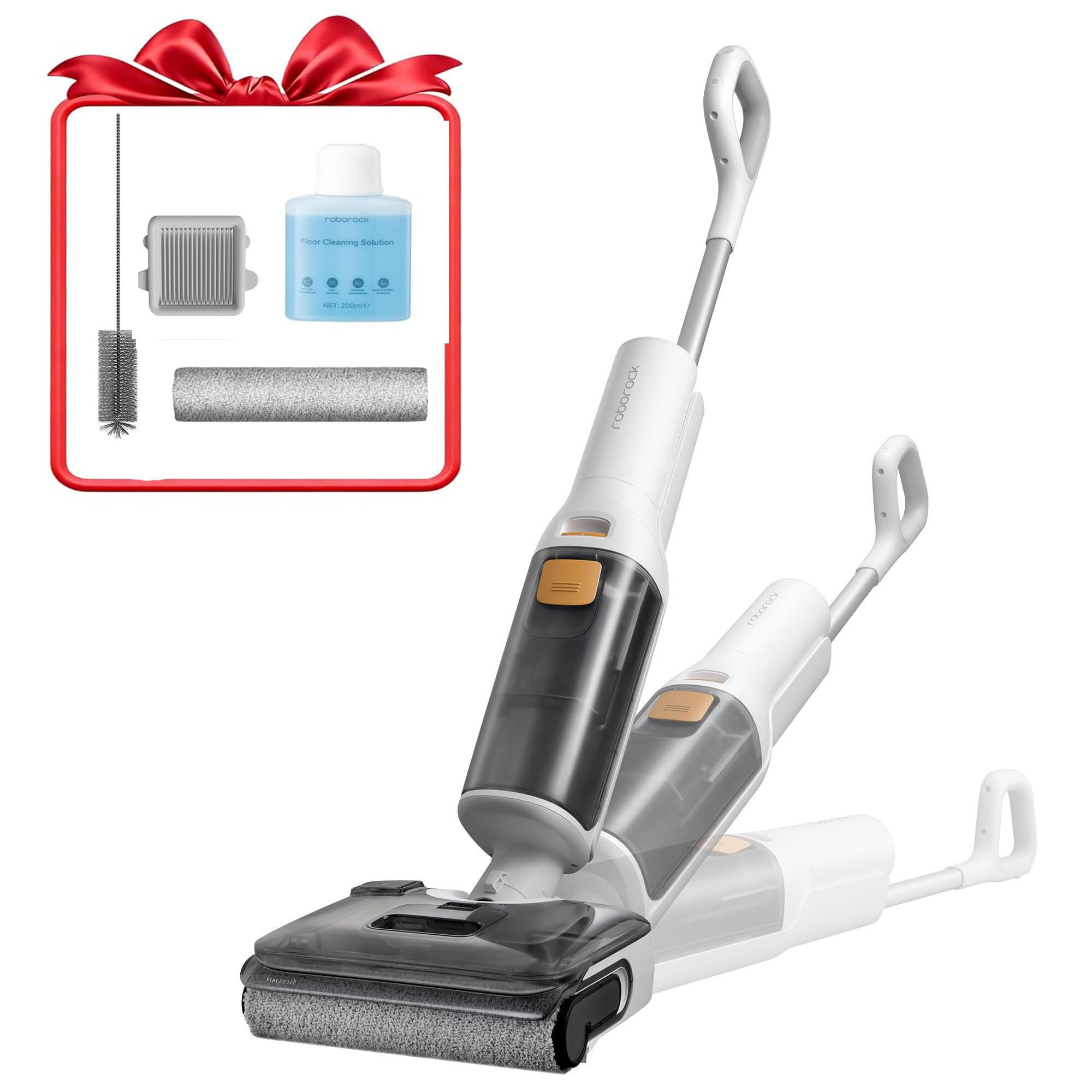
Image: The Roborock F25 RT main unit, showcasing its overall design and components.
5. Setup
5.1 Assembly
- Attach the Handle: Insert the handle assembly into the main unit until it clicks securely into place.
- Place the Charging Dock: Position the charging dock on a flat, stable surface near a power outlet. Ensure there is enough space around it for easy access.
5.2 Charging
- Connect the power adapter to the charging dock and plug it into a wall outlet.
- Place the Roborock F25 RT onto the charging dock. The indicator lights will show the charging status. Fully charge the device before first use.
5.3 Filling the Clean Water Tank
- Remove the clean water tank (located at the bottom of the unit).
- Open the tank cap and fill it with clean tap water. For optimal cleaning, you may add a small amount of Roborock cleaning solution or a low-foaming, diluted floor cleaner. Avoid high-foaming solutions to prevent damage.
- Close the cap securely and reattach the tank to the main unit.
6. Operating Instructions
6.1 Powering On/Off
- To power on, press and hold the power button on the handle.
- To power off, press and hold the power button again.
6.2 Cleaning Modes
The F25 RT offers different cleaning modes for various needs:
- Eco Mode: For light cleaning and extended battery life (up to 35-40 minutes).
- Turbo Mode: For stubborn stains and deep cleaning. Note that this mode consumes more battery power.
Switch between modes using the mode selection button on the handle.
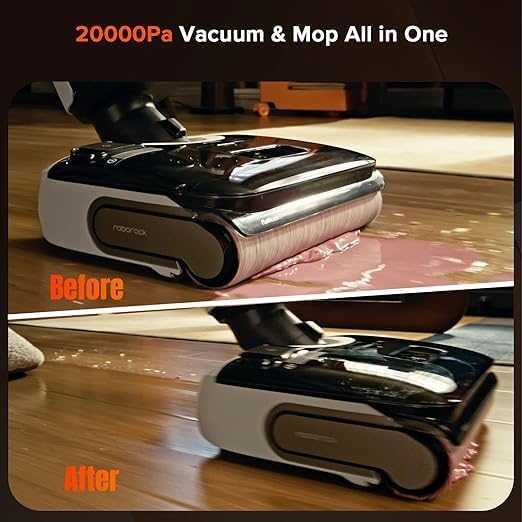
Image: Demonstrates the Roborock F25 RT's ability to vacuum and mop, showing a 'before' and 'after' cleaning scenario.
6.3 Maneuverability and Edge Cleaning
The F25 RT is designed for easy navigation:
- 180° Lie-Flat Design: Allows the cleaner to reach under low furniture like sofas and beds with ease.
- 70° Swivel Steering: Provides flexible movement around obstacles and into tight corners.
- Triple Edge Cleaning: The brush head is designed to clean close to edges (less than 0.03 inches), ensuring thorough cleaning along walls and baseboards.

Image: The Roborock F25 RT in its 180-degree lie-flat position, illustrating its capability to clean under low-clearance areas.
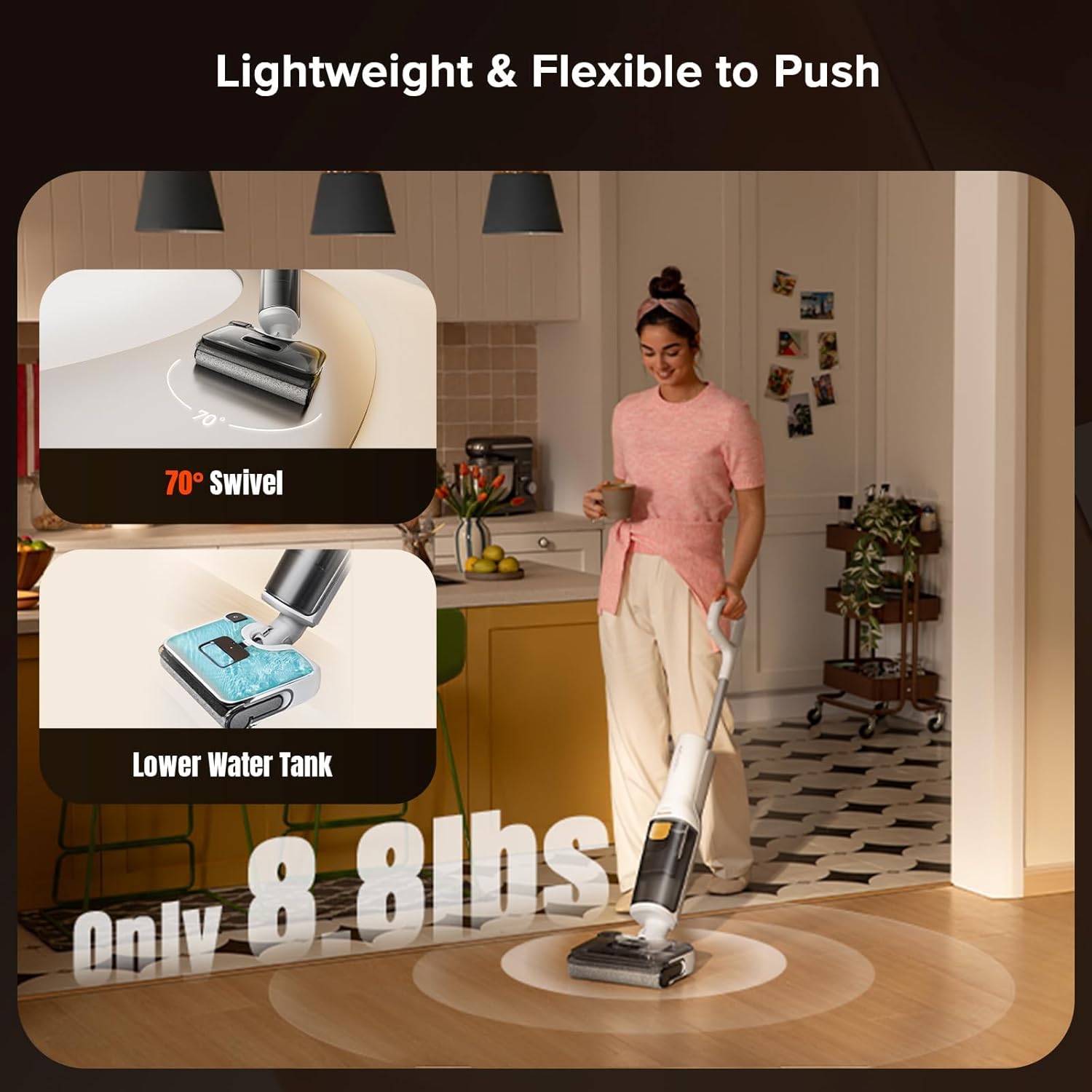
Image: A user easily pushing the Roborock F25 RT, emphasizing its lightweight (8.8 lbs) and flexible 70-degree swivel design.
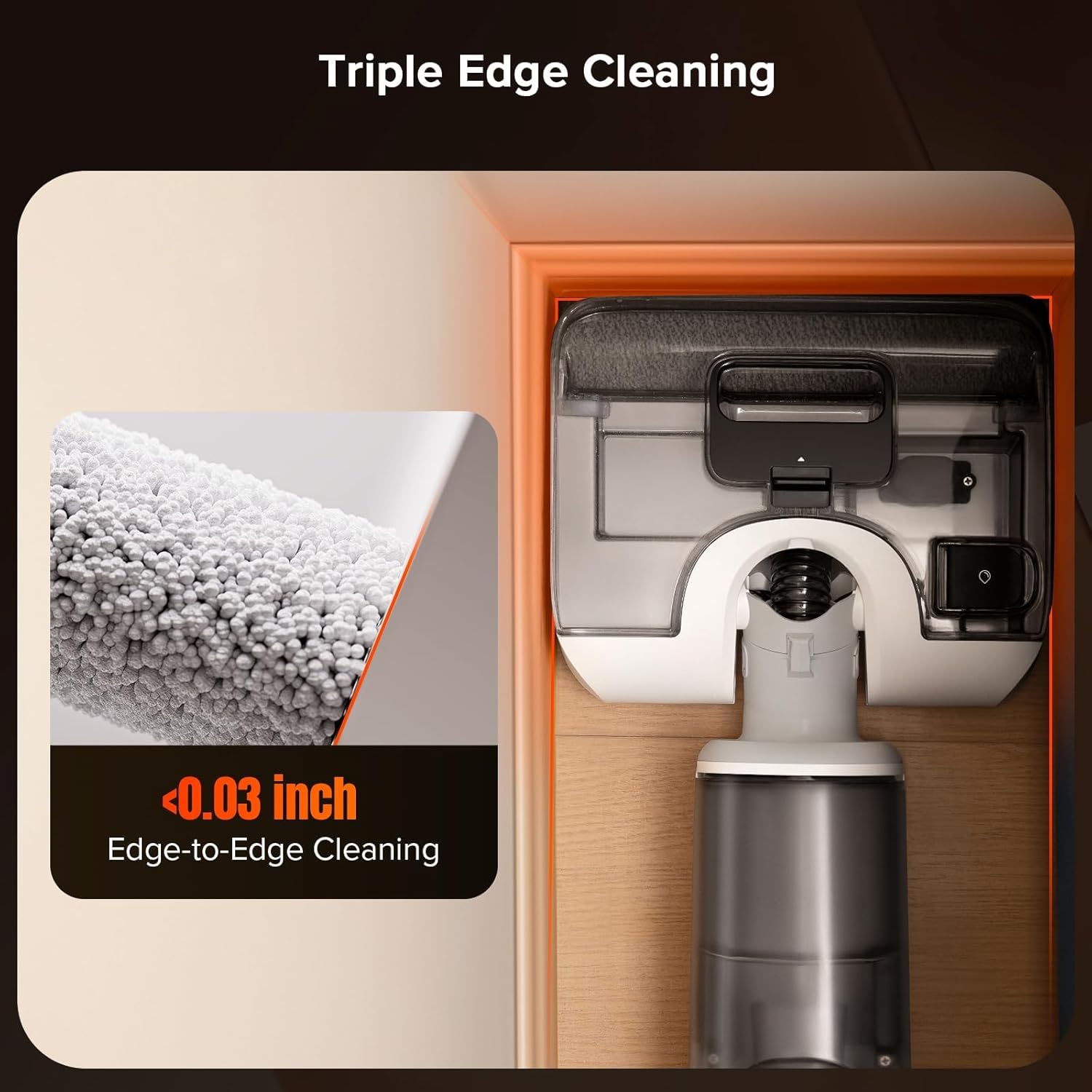
Image: Close-up view of the Roborock F25 RT's brush head demonstrating its triple edge cleaning capability, reaching within 0.03 inches of edges.
7. Maintenance
Regular maintenance ensures optimal performance and extends the lifespan of your Roborock F25 RT.
7.1 Self-Cleaning Cycle
- After each cleaning session, place the F25 RT back on its charging dock.
- Initiate the self-cleaning cycle (refer to the device's display or specific button for activation). The device will use 194°F (90°C) hot water to clean the roller brush and internal pathways.
7.2 Hot Air Drying
Following the self-cleaning cycle, the hot air drying system will activate to dry the roller brush, preventing odors and bacterial growth.

Image: Illustrates the Roborock F25 RT's self-cleaning process using 194°F hot water and subsequent hot air drying for the roller brush.
7.3 Emptying the Dirty Water Tank
Empty the dirty water tank after each use to prevent odors and maintain hygiene.
- Remove the dirty water tank from the main unit.
- Carefully open the tank and dispose of the dirty water.
- Rinse the tank thoroughly with clean water.
- Reinstall the dirty water tank.
7.4 Cleaning the Roller Brush and Filter
The F25 RT features dual scrapers to prevent hair tangles. Periodically inspect and clean the roller brush and filter manually.

Image: Close-up of the Roborock F25 RT's dual scrapers working to prevent hair tangles on the roller brush, ensuring streak-free cleaning.
- Remove the roller brush cover and then the roller brush.
- Use the provided cleaning tool to remove any tangled hair or debris from the brush.
- Rinse the roller brush under running water.
- Remove the filter from the dirty water tank and rinse it. Allow both the brush and filter to air dry completely before reinstallation.
8. Troubleshooting
If you encounter issues with your Roborock F25 RT, refer to the following common problems and solutions:
| Problem | Possible Cause | Solution |
|---|---|---|
| Device does not power on | Low battery; Power button not pressed correctly | Charge the device fully; Press and hold the power button for a few seconds. |
| Poor suction/cleaning performance | Dirty water tank full; Clean water tank empty; Clogged roller brush/filter | Empty dirty water tank; Refill clean water tank; Clean roller brush and filter. |
| Streaks on floor | Dirty roller brush; Incorrect cleaning solution; Dirty water tank not emptied | Run self-cleaning cycle or manually clean brush; Use low-foaming solution or dilute more; Empty and rinse dirty water tank. |
| Unusual noise | Foreign object in brush head; Damaged roller brush | Check and remove any obstructions; Replace roller brush if damaged. |
| Battery drains quickly | Using Turbo mode excessively; Battery degradation | Use Eco mode for general cleaning; Contact customer support for battery replacement options if degradation is significant. |
If the problem persists, please contact Roborock customer support for assistance.
9. Specifications
Key technical specifications for the Roborock F25 RT:
- Brand: Roborock
- Model: F25 RT
- Suction Power: 20000 Pa
- Brush Rotation Speed: 450 RPM
- Runtime: Up to 40 minutes (Eco mode)
- Clean Water Tank Capacity: 900 ml
- Voltage: 120 Volts
- Item Weight: 7.6 kg (approx. 16.7 lbs)
- Special Features: Lightweight, 180° Lie-Flat Design, 70° Swivel Steering, Hot Water Self-Cleaning (90°C/194°F), Hot Air Drying, Triple Edge Cleaning, Dual Scrapers
- Recommended Surface: All hard floors

Image: Details the Roborock F25 RT's battery life (up to 35 minutes) and clean water tank capacity (870ml), based on Eco mode data.
10. Warranty Information
The Roborock F25 RT comes with a standard manufacturer's warranty. The duration and terms of the warranty may vary by region and retailer. Please retain your proof of purchase for warranty claims.
For detailed warranty information, including coverage and how to make a claim, please refer to the official Roborock website or contact your local authorized dealer.
11. Support
For further assistance, technical support, or to purchase replacement parts and accessories, please contact Roborock customer service:
- Website: Visit the official Roborock website for FAQs, support articles, and contact options.
- Email/Phone: Refer to the contact information provided on the Roborock website or in your product packaging for regional support.
Always provide your product model (F25 RT) and serial number when contacting support to expedite service.


