
COREBOX 25E
COREBOX 0-25Amp 12V/24V Automatic Smart Car Battery Charger
Model: 25E
Introduction
The COREBOX 25E Smart Car Battery Charger is a versatile and intelligent device designed for charging and maintaining various 12V/24V batteries. It features adjustable current levels (5A/10A/15A/20A/25A/AUTO) and a 9-stage rapid charging system, ensuring efficient and safe operation. This charger also functions as a trickle charger, battery maintainer, and desulfator, extending battery life and optimizing performance for automotive, marine, motorcycle, and lawn mower applications.
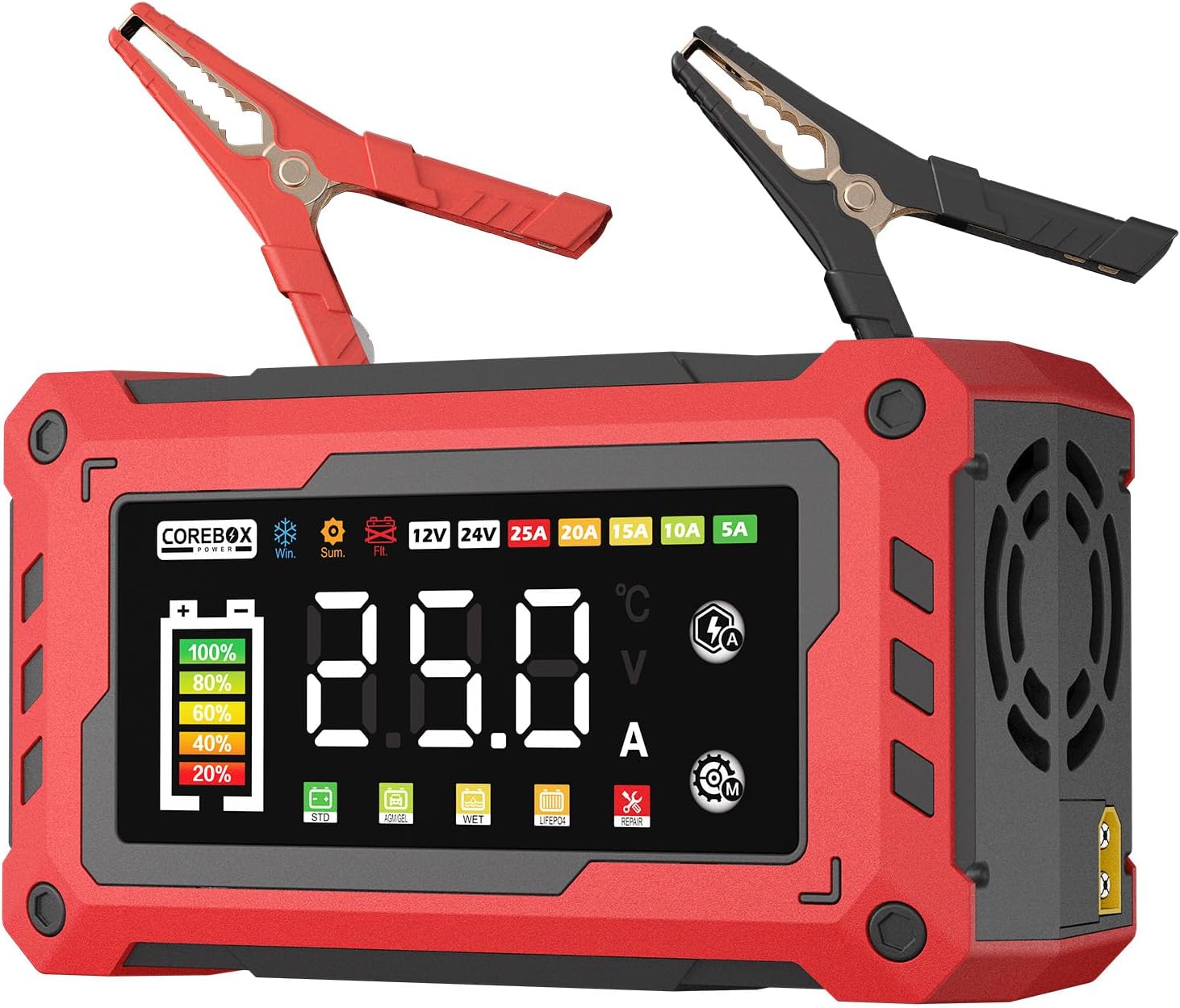
Figure 1: COREBOX 25E Smart Car Battery Charger with its battery clamps.
Safety Information
Read all instructions carefully before using the charger. Failure to follow safety guidelines may result in electric shock, fire, or serious injury.
- Always connect the charger to a properly grounded outlet.
- Ensure the charger is compatible with your battery type and voltage (12V/24V).
- Do not charge frozen batteries.
- Avoid sparks or flames near the battery during charging, as batteries can produce explosive gases.
- Wear eye protection and gloves when handling batteries.
- Keep the charger away from water, rain, or excessive moisture.
- Disconnect the AC power before connecting or disconnecting the battery clamps.
- The charger is built with fireproof materials and multi-layer safeguards including temperature compensation, power-off protection, over-voltage/current/load prevention, short-circuit control, fire protection, anti-reverse connection protection, and overheat protection.
Package Contents
- COREBOX 25E Smart Car Battery Charger
- Battery Clamps (Red for positive, Black for negative)
- Power Input Line
- User Manual (this document)

Figure 2: The COREBOX Smart Charger and its included accessories, including a storage box.
Setup
- Inspect the Battery: Before connecting, check the battery for any physical damage, cracks, or leaks. Ensure the battery terminals are clean and free of corrosion.
- Verify Compatibility: Confirm that the battery parameters (voltage and type) match the charger's capabilities. The COREBOX 25E supports 12V and 24V LiFePO4, lead-acid batteries, AGM, GEL, SLA, WET, and Flooded types.
- Connect Battery Clamps:
- Connect the RED positive (+) clamp to the positive (+) battery terminal.
- Connect the BLACK negative (-) clamp to the negative (-) battery terminal.
- Ensure a secure connection to prevent arcing.
- Connect to Power: Plug the charger's power input line into a standard 120V AC wall outlet. The charger will power on and display its current status.

Figure 3: Diagram illustrating the charger's components and proper connection points.
Operating Instructions
The COREBOX 25E features an intelligent 9-stage charging process and automatic mode selection. Follow these steps for optimal charging:
- Automatic Detection: Once connected to the battery and power, the charger will automatically detect the battery voltage (12V or 24V) and type.
- Mode Selection: The charger will suggest a suitable charging mode. You can manually select a different mode (STD, AGM/GEL, WET, LiFePO4, REPAIR) using the "Mode touch icon" on the display if needed.

Figure 4: The charger's display showing different battery type modes.
- Current Selection: The charger offers adjustable current levels (5A/10A/15A/20A/25A/AUTO). Select the appropriate current using the "Current touch icon" based on your battery's capacity and recommended charging rate. Refer to the "Current Selection and Charging Time" table in the Specifications section for guidance.
- Temperature Compensation: The microcomputer automatically detects ambient temperature and adjusts the charging state for optimal performance and battery lifespan. This includes automatic activation of winter mode (below 50°F / 10°C) and summer mode (above 80.6°F / 27°C).
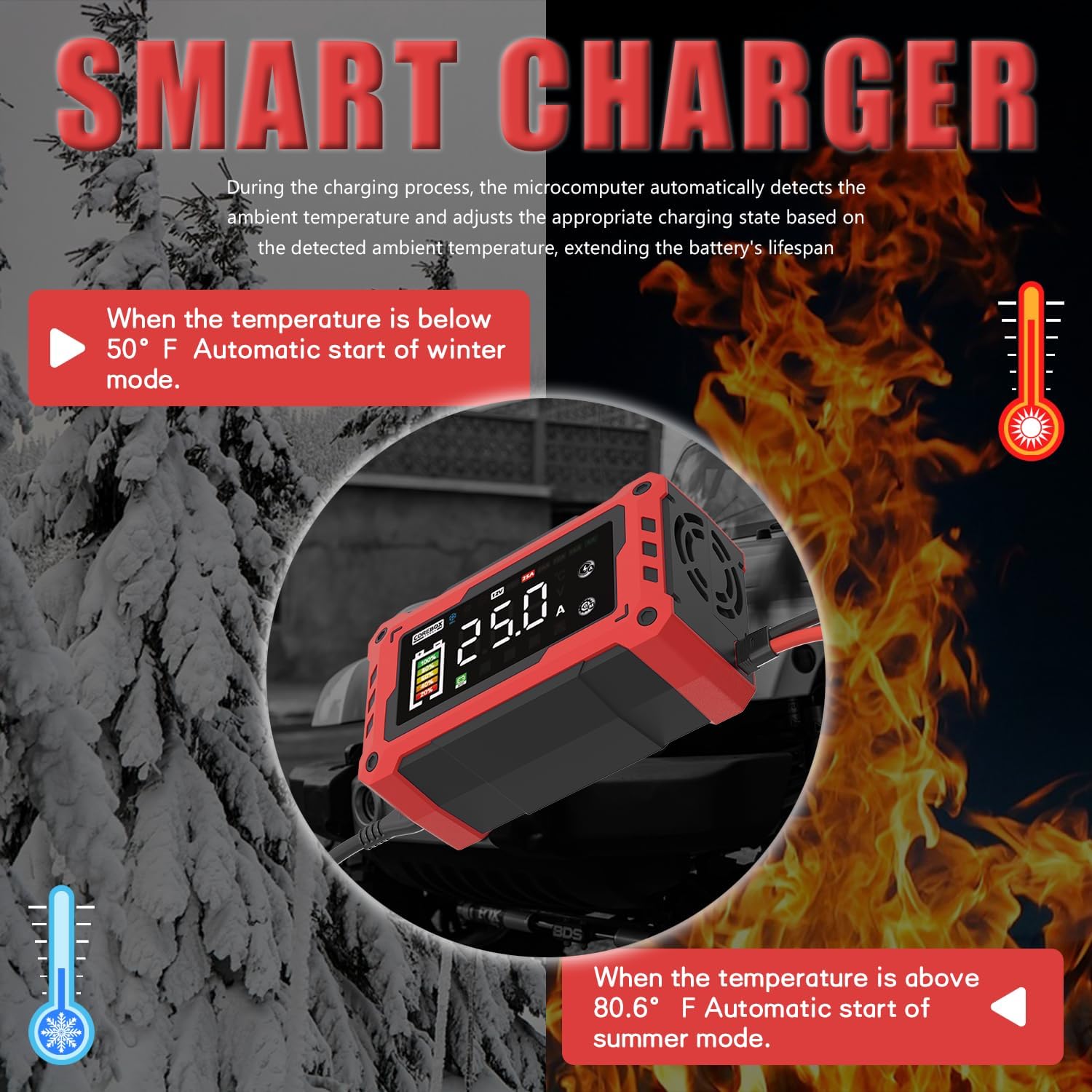
Figure 5: The charger's temperature compensation feature in action, adapting to environmental conditions.
- Monitoring Progress: The large color LED screen displays real-time metrics: charging voltage (12V/24V), current (0-25A), internal temperature (°F/°C), and charge percentage.
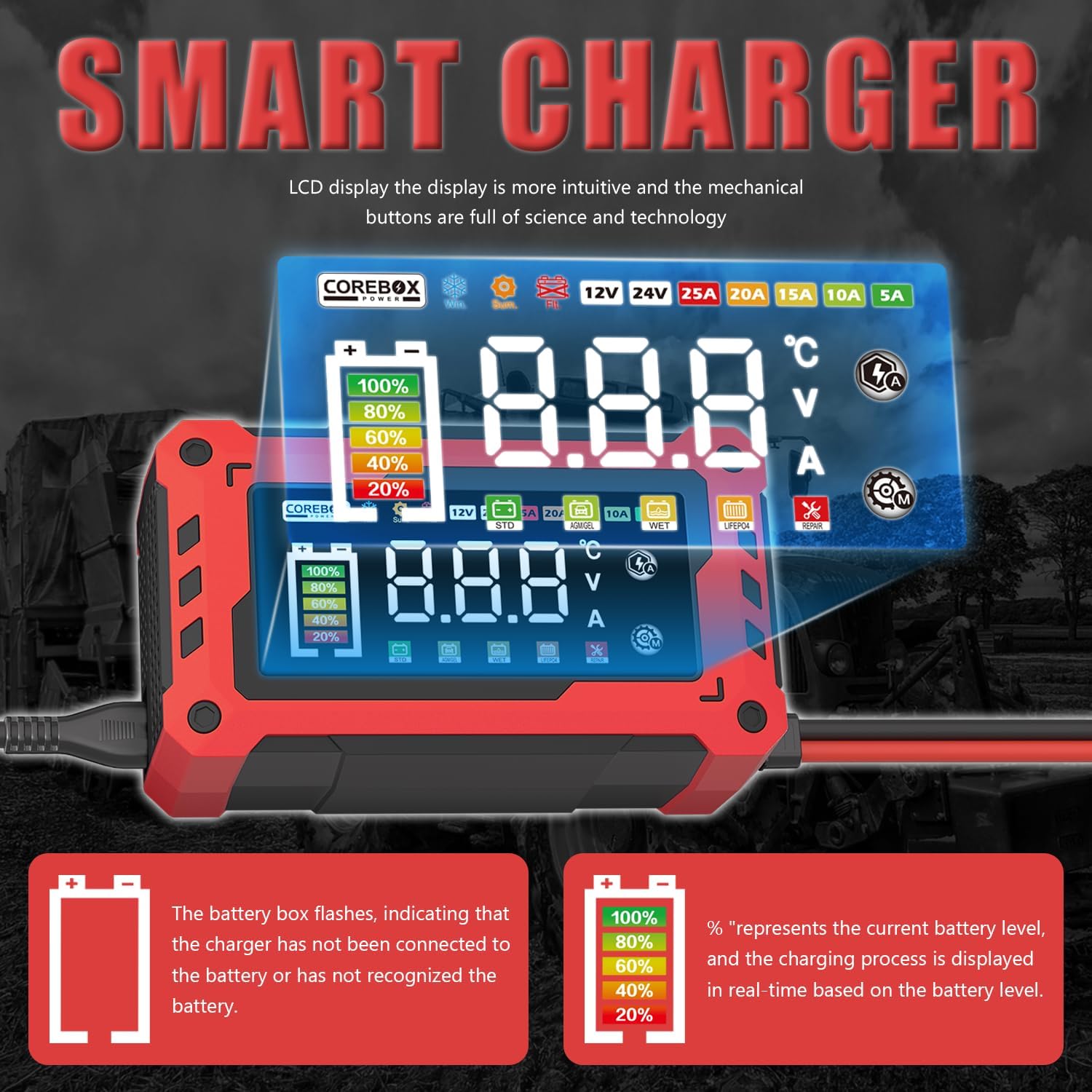
Figure 6: Close-up of the charger's LCD display, showing battery level, voltage, current, and temperature.
- Charging Complete: When the charging process is complete, the display will show "FUL". The charger will automatically switch to trickle/float mode to prevent overcharging and maintain optimal battery levels.
- Disconnecting: Observe the battery capacity status. After 10 seconds of displaying "FUL" or confirming the battery is fully charged, disconnect the AC power first, then disconnect the negative (-) clamp, followed by the positive (+) clamp.

Figure 7: Visual guide for connecting and operating the COREBOX charger.
Maintenance
Proper maintenance ensures the longevity of your COREBOX charger and the batteries it charges.
- Cleaning: Clean the charger casing with a soft, dry cloth. Do not use abrasive cleaners or solvents. Keep the ventilation openings clear of dust and debris.
- Storage: Store the charger in a cool, dry place when not in use. Ensure the cables are neatly coiled and not kinked. The compact design allows for easy storage in glove boxes or workshops.
- Battery Maintenance: For long-term storage of batteries (e.g., during winter seasons), utilize the charger's auto-maintenance (trickle/float) mode to preserve optimal battery levels and health.
- Desulfation Feature: The desulfator function helps to restore lost battery performance due to sulfation, which can occur when batteries are left idle for extended periods.

Figure 8: The COREBOX charger is suitable for a wide range of vehicles and equipment, including cars, trucks, boats, motorcycles, and lawn mowers.
Troubleshooting
| Problem | Possible Cause | Solution |
|---|---|---|
| Charger does not power on. | No power from outlet; loose connection. | Check power outlet; ensure power cord is securely plugged in. |
| "DFS" or "FUL" displayed, but battery not fully charged. | Battery not recognized or faulty; incorrect mode selected. | Ensure clamps are properly connected; try selecting a different battery mode. If "DFS" persists, the battery may be severely discharged or damaged. |
| Charger gets hot during operation. | Normal operation; poor ventilation. | Ensure adequate ventilation around the charger. The charger has overheat protection and will shut down if necessary. |
| Battery not charging. | Poor connection; battery severely discharged or damaged. | Check clamp connections; try the REPAIR mode for deeply discharged batteries. If unsuccessful, the battery may need replacement. |
Specifications
- Model: 25E
- Input Voltage: 120 Volts
- Output Voltage: 12V / 24V
- Charging Current: 5A / 10A / 15A / 20A / 25A / AUTO
- Compatible Battery Types: LiFePO4, Lead-Acid (AGM, GEL, SLA, WET, Flooded)
- Charging Stages: 9-stage rapid charging system
- Features: Trickle Charger, Battery Maintainer, Desulfator, Temperature Compensation
- Display: Large Color LED Screen (displays voltage, current, temperature, charge percentage)
- Safety Protections: Power-off, Over-voltage/current/load, Short-circuit, Fire, Anti-reverse connection, Overheat
- Product Dimensions: 8.4 x 2.6 x 4.3 inches (21.3 x 6.6 x 10.9 cm)
- Item Weight: 2.38 pounds (1.08 kg)
- Cable Length: 7ft heavy-duty cable
- Certifications: CE/FCC/RoHS-certified

Figure 9: Detailed dimensions of the COREBOX charger and its cables.
Current Selection and Estimated Charging Time
Note: Charging schedule is for reference only. "/" indicates charging current that is not recommended. Please confirm the maximum charging current of the battery before charging. Estimated based on 20% battery charge.

Figure 10: Guide for selecting charging current and estimating charging duration based on battery capacity.
Warranty & Support
COREBOX products are manufactured by Huichi Technology Co., Ltd., established in 2015, specializing in automotive battery chargers. The company is committed to "quality first, customer-centric service."
All COREBOX car battery chargers are CE/FCC/RoHS-certified, ensuring compliance with international safety and quality standards.
For technical support, warranty claims, or any inquiries, please contact COREBOX customer service through the retailer's platform or the official COREBOX website.