
1. Introduction
Thank you for choosing the AXIAOLIFH ZL02 Smartwatch. This manual provides essential information for setting up, operating, and maintaining your device. Please read it carefully to ensure optimal performance and longevity of your smartwatch.
2. Product Overview
The AXIAOLIFH ZL02 Smartwatch is designed with a focus on comfort, style, and functionality. It features a lightweight, ultra-thin body and a flexible silicone strap for a comfortable wearing experience. The device incorporates a 1.28-inch high-definition display for clear visuals and easy interaction.

Figure 2.1: Main view of the AXIAOLIFH ZL02 Smartwatch, showcasing its round display and blue strap.
This smartwatch serves as a health steward, sports partner, and a stylish accessory, offering features like health monitoring and weather forecasts.

Figure 2.2: The smartwatch is designed for comfort and versatility, suitable for various lifestyles.
The watch body is crafted to be ultra-thin and lightweight, ensuring a seamless and comfortable fit on your wrist.

Figure 2.3: The ultra-thin body design emphasizes craftsmanship and comfort.
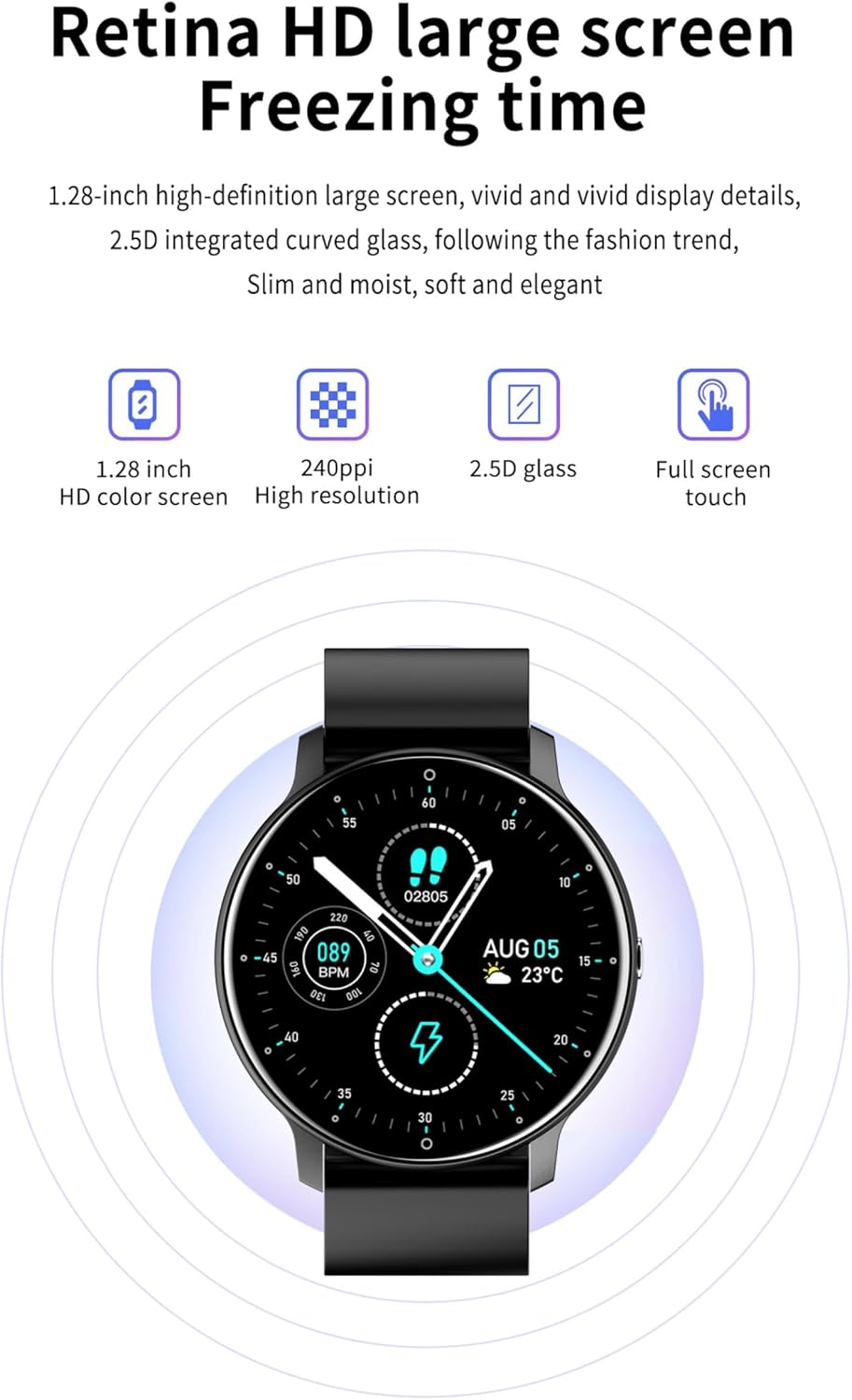
Figure 2.4: The lightweight design with a flexible silicone strap provides a comfortable wearing experience.
The 1.28-inch HD color screen offers vivid and realistic display details, protected by 2.5D curved glass for a sleek appearance and full-screen touch functionality.

Figure 2.5: The smartwatch features a 1.28-inch HD display with 2.5D curved glass for clear visuals and touch interaction.
3. Setup
3.1 Charging the Smartwatch
Before initial use, fully charge your smartwatch. Connect the provided charging cable to the charging contacts on the back of the watch and to a standard USB power adapter (not included). The watch display will indicate charging status.
3.2 App Installation
To unlock the full functionality of your ZL02 Smartwatch, you need to install the companion application on your smartphone. The product is compatible with the DAFIT app. You can download the app by searching for "DAFIT" in your smartphone's app store (Google Play Store for Android) or by scanning the QR code below.

Figure 3.1: Scan this QR code to download the companion app. Please ensure you download the DAFIT app for optimal compatibility with your ZL02 smartwatch. If the QR code leads to a different app (e.g., Hband), please search for 'DAFIT' directly in your app store.
Alternatively, you may visit https://www.vphband.com/hband/hband.html for app download, though DAFIT is the recommended application.
3.3 Pairing with Your Smartphone
- Ensure your smartwatch is charged and powered on.
- Enable Bluetooth on your smartphone.
- Open the DAFIT app on your smartphone.
- Follow the in-app instructions to search for and connect to your ZL02 Smartwatch.
- Confirm the pairing request on both your smartphone and the smartwatch if prompted.
4. Operating Instructions
4.1 Basic Navigation
- Touch Screen: Swipe left, right, up, or down to navigate through menus and functions. Tap to select an option.
- Side Button: Typically used to wake up the screen, return to the home screen, or access specific functions depending on the context.
4.2 Health Monitoring
The ZL02 Smartwatch can monitor various health indicators. Access these functions through the watch menu or the DAFIT app.
- Heart Rate: Measures your heart rate in beats per minute (BPM).
- Blood Pressure: Provides an estimate of your blood pressure.
- Sleep Tracking: Records your sleep patterns, including deep and light sleep stages.
Important Note: The measurement data from this device is for reference only and cannot be used as medical data or for diagnostic purposes. Consult a medical professional for any health concerns.

Figure 4.1: The smartwatch provides real-time health data, including heart rate monitoring.
4.3 Smart Reminders and Notifications
Once paired with your smartphone, the smartwatch can receive smart reminders for calls, messages, and app notifications. Ensure notification permissions are enabled in the DAFIT app and your phone settings.
4.4 Sports Modes
The smartwatch supports various sports modes to track your physical activity. Select the desired mode before starting your workout to record data such as steps, distance, and calories burned.
4.5 Bluetooth Call Function
The ZL02 Smartwatch supports Bluetooth calling. After successful pairing, you can answer or make calls directly from your watch. Ensure your watch is connected to your phone's Bluetooth for this feature to work.
4.6 Water Resistance (IP67)
The smartwatch features a professional IP67 waterproof design. This means it is resistant to splashes, rain, and brief immersion in water (up to 1 meter for 30 minutes). It is suitable for daily use like hand washing or light rain.
Caution: Do not use the watch for swimming, diving, or in hot water (e.g., showers, saunas) as steam and hot water can damage the seals. Water resistance is not permanent and may decrease over time.

Figure 4.2: The IP67 rating ensures protection against water splashes and brief immersion.
5. Maintenance
5.1 Cleaning
- Regularly clean your smartwatch and strap with a soft, dry cloth.
- If necessary, use a slightly damp cloth for the strap, then dry thoroughly.
- Avoid using harsh chemicals, abrasive cleaners, or solvents.
5.2 Battery Care
The ZL02 Smartwatch is equipped with a 220mAh battery, offering extended usage on a single charge.
- To prolong battery life, avoid extreme temperatures.
- Charge the watch fully before long periods of inactivity.
- Do not leave the watch uncharged for extended periods.

Figure 5.1: The smartwatch offers a 220mAh battery for long-lasting performance.
6. Troubleshooting
- Watch not turning on: Ensure the watch is fully charged. Connect it to the charger for at least 30 minutes.
- Cannot pair with smartphone:
- Ensure Bluetooth is enabled on your phone and the watch.
- Make sure the DAFIT app is installed and running.
- Restart both your phone and the watch.
- Ensure the watch is not already paired with another device.
- Inaccurate health data: Ensure the watch is worn snugly on your wrist, not too tight or too loose. Remember, data is for reference only.
- Notifications not received: Check app permissions in your phone settings and within the DAFIT app to ensure notifications are enabled for the watch.
7. Specifications
| Feature | Specification |
|---|---|
| Model | ZL02 |
| Brand | AXIAOLIFH |
| Display | 1.28-inch HD, 2.5D Curved Glass |
| Battery Capacity | 220 mAh |
| Water Resistance | IP67 Professional Waterproof |
| Compatible Platform | Android |
| Operation Mode | Touch + Button |
| Strap Material | Silicone |
| Product Dimensions | 45.5 mm x 10 mm |
| Product Weight | 35 g |
| Key Functions | Bluetooth Call, Smart Reminders, Heart Rate, Blood Pressure, Sleep Tracking |
8. Warranty Information
Specific warranty details for the AXIAOLIFH ZL02 Smartwatch are not provided in this manual. Please refer to the product packaging or contact your retailer for warranty terms and conditions.
9. Customer Support
For technical assistance or further inquiries regarding your AXIAOLIFH ZL02 Smartwatch, please refer to the contact information provided by your retailer or the official AXIAOLIFH website, if available.