
QearFun PX2783
QearFun Kids Cat Ear Bluetooth Headphones User Manual
Model: PX2783 | Brand: QearFun
Introduction
Thank you for choosing the QearFun Kids Cat Ear Bluetooth Headphones. This manual provides essential information for the safe and effective use of your headphones. Please read it thoroughly before use and retain it for future reference.
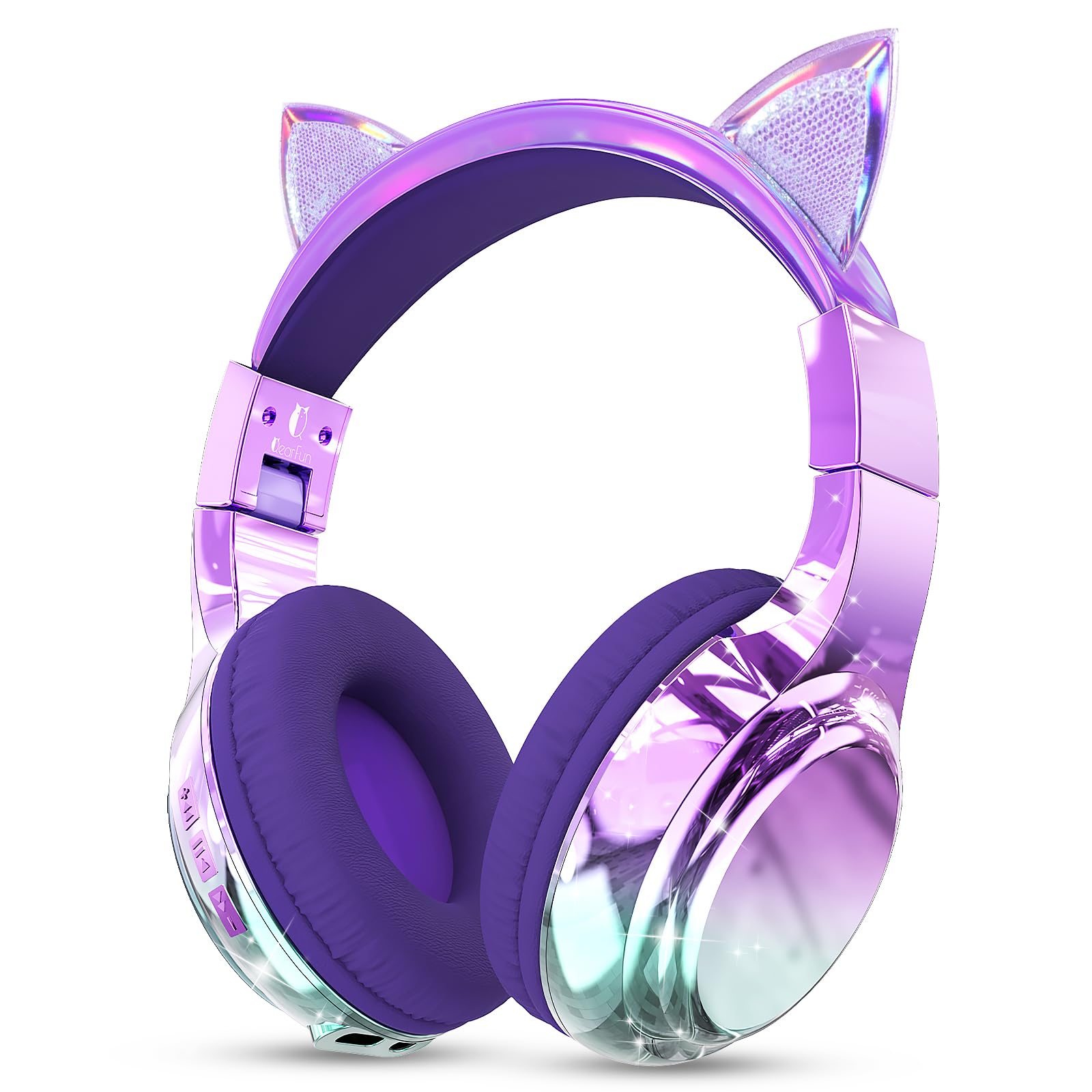
Image: QearFun Kids Cat Ear Bluetooth Headphones, Cat Purple variant.
What's in the Box
The package includes the following items:
- QearFun Kids Cat Ear Bluetooth Headphones (Model PX2783)
- USB-C Charging Cable
- 3.5mm Audio Cable
- User Manual

Image: Example of product packaging and included accessories.
Product Features
- 3-Level Hearing Protection: Features parent-controlled volume limits at 74dB (toddlers), 85dB (daily listening), and 94dB (noisy environments). A hidden button prevents accidental volume changes.
- Extended Playtime & Wired Mode: Offers up to 60 hours of wireless playtime on a single charge. Includes a 3.5mm audio cable for wired use when the battery is depleted. Fast charging supported.
- Comfortable & Durable Design: Equipped with soft, breathable PU ear cushions and an adjustable, steel-reinforced headband for a comfortable fit for ages 3-20. Built to withstand daily use.
- Immersive Sound: 40mm drivers deliver clear stereo sound.
- Bluetooth 5.3 Connectivity: Ensures a fast, stable, and lag-free wireless connection.
- Built-in HD Microphone: Provides clear audio for online classes and calls.
- Foldable Design: Allows for easy storage and portability.

Image: Safe Listening features with 74dB, 85dB, and 94dB modes.

Image: Long battery life and fast charging capabilities.

Image: Adjustable and comfortable headband for various ages.

Image: Built-in microphone for online classes, video calls, and language practice.
Setup Instructions
1. Charging the Headphones
Before first use, fully charge the headphones. Connect the provided USB-C charging cable to the headphone's USB-C port and the other end to a USB power source (e.g., computer, wall adapter). The LED indicator light will show charging status.
- Charging Time: Approximately 1.5 hours for a full charge.
- LED Indicator: Red light indicates charging; blue light indicates fully charged.
2. Powering On/Off
Press and hold the power button (usually the multi-function button) for 3-5 seconds until the LED indicator flashes. To power off, press and hold the power button again until the LED turns off.
3. Bluetooth Pairing
- Ensure the headphones are charged and powered off.
- Press and hold the power button for approximately 5-7 seconds until the LED indicator flashes red and blue alternately. This indicates pairing mode.
- On your device (smartphone, tablet, computer), enable Bluetooth and search for available devices.
- Select "QearFun" from the list of devices.
- Once paired, the LED indicator will flash blue slowly, and you may hear a confirmation tone.

Image: Bluetooth 5.3 connectivity and compatibility with various devices.
4. Wired Mode Connection
To use the headphones in wired mode, simply plug the included 3.5mm audio cable into the headphone's audio jack and the other end into your device's 3.5mm audio output. Bluetooth functionality will automatically disable when the audio cable is connected.
Operating Instructions
Controls Overview

Image: Diagram illustrating the location and function of headphone controls and ports.
- Power On/Off: Long press the multi-function button.
- Play/Pause: Short press the multi-function button.
- Volume Up: Long press the "+" button.
- Volume Down: Long press the "-" button.
- Next Track: Short press the "+" button.
- Previous Track: Short press the "-" button.
- Answer/End Call: Short press the multi-function button.
- Reject Call: Long press the multi-function button.
- Activate Voice Assistant: Double-press the multi-function button (if supported by your device).
Setting Volume Limit
To adjust the safe volume limit (74dB, 85dB, or 94dB), press the "+" and "-" buttons simultaneously. Cycle through the modes until you reach the desired volume limit. The headphones will indicate the selected mode.
Note: This feature is designed for parental control and prevents children from accidentally increasing the volume beyond safe levels.
Folding for Storage
The headphones feature a foldable design for easy portability and storage. Gently fold the earcups inwards towards the headband. Ensure not to apply excessive force.

Image: Headphones demonstrating the folding design for compact storage.
Maintenance
- Cleaning: Use a soft, dry cloth to clean the headphones. Do not use abrasive cleaners or solvents.
- Storage: Store the headphones in a cool, dry place away from direct sunlight and extreme temperatures. Utilize the foldable design for compact storage.
- Water Resistance: These headphones are not water-resistant. Avoid exposure to liquids.
- Cable Care: Handle the charging and audio cables gently. Avoid sharp bends or excessive pulling to prevent damage.
Troubleshooting
| Problem | Solution |
|---|---|
| Headphones won't turn on. | Ensure the headphones are fully charged. Connect to a power source using the USB-C cable. |
| Cannot pair via Bluetooth. |
|
| No sound in wireless mode. |
|
| No sound in wired mode. |
|
| Microphone not working. |
|
Specifications
| Feature | Detail |
|---|---|
| Brand | QearFun |
| Model Number | PX2783 |
| Connectivity Technology | Wired, Wireless (Bluetooth) |
| Bluetooth Version | 5.3 |
| Bluetooth Range | 10 Meters |
| Ear Placement | Over Ear |
| Audio Driver Size | 40 mm |
| Impedance | 32 Ohms |
| Frequency Response | 20 KHz |
| Battery Average Life | 60 Hours |
| Battery Charge Time | 1.5 Hours |
| Volume Control | Button Control (74/85/94dB Safe Volume Limit) |
| Microphone | Included |
| Folding Features | Foldable for portability |
| Weight | 0.26 Kilograms |
| Material | Acrylonitrile Butadiene Styrene (ABS), Leather, Plastic |
| Water Resistance Level | Not Water Resistant |
| Compatible Devices | Cellphones, Desktops, Laptops, Tablets, iPad |
Warranty Information
These QearFun Kids Cat Ear Bluetooth Headphones (Model PX2783) come with a 1-Year Manufacturer's Warranty. This warranty covers defects in materials and workmanship under normal use. It does not cover damage caused by misuse, accidents, unauthorized modifications, or normal wear and tear.
Please retain your proof of purchase for warranty claims.
Support & Contact
For technical support, warranty claims, or any questions regarding your QearFun Kids Cat Ear Bluetooth Headphones, please contact QearFun Direct:
- Online Support: Visit the QearFun Store on Amazon.
- Seller Contact: You can contact the seller, QearFun Direct, through your Amazon order history for direct assistance.
Please have your model number (PX2783) and purchase date ready when contacting support.
Official Product Video
Watch this official video from QearFun Direct for a quick overview of the headphones.
Video: Official product overview of QearFun Kids Cat Ear Bluetooth Headphones by QearFun Direct.
Related documentsPX2783


Ask a question about this manual
Ask about setup, troubleshooting, compatibility, parts, safety, or missing instructions. Manuals+ will review the question and use this page’s manual context to help answer it.