
Introduction
Thank you for choosing the Strex Digital Kitchen Scale. This precision scale is designed to provide accurate measurements for your culinary needs, from 1 gram up to 10 kilograms. Featuring a clear LCD display, multiple measurement units, and a convenient tare function, this scale simplifies cooking and baking.
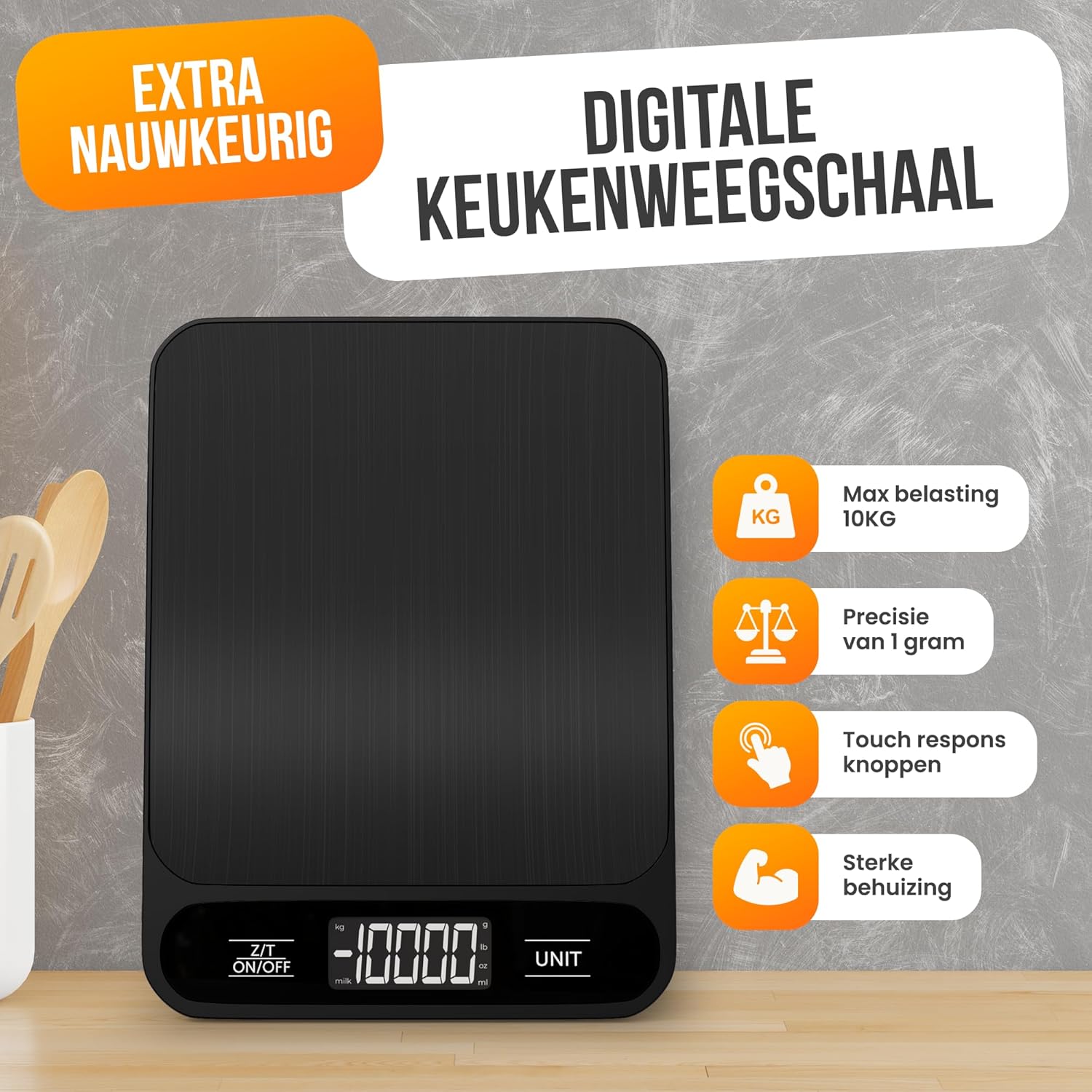
Image: Strex Digital Kitchen Scale, showcasing its sleek black design and digital display.
Key Features
- High Precision: Equipped with four Japanese precision sensors for accurate measurements down to 1 gram.
- Wide Measurement Range: Measures from 1 gram up to 10 kilograms.
- Multiple Units: Supports six different measurement units: grams (g), kilograms (kg), pounds (lb), ounces (oz), milliliters (ml), and milk milliliters (milk ml).
- Tare Function: Easily subtracts the weight of containers, allowing you to measure only the ingredients.
- Clear LCD Display: Bright and easy-to-read digital display for quick and convenient readings.
- Durable Design: Compact, thin, and features a food-grade surface with a water-resistant design for easy cleaning and maintenance.
- Energy Efficient: Minimal battery consumption for extended use.

Image: Detailed view of the scale's features, including the hanging loop for storage, rubber anti-slip feet, the information display, and the battery compartment.
Package Contents
Please check the box for the following items:
- 1 x Strex Digital Kitchen Scale (Model SP331)
- 2 x AAA Batteries
- 1 x User Manual

Image: The Strex Digital Kitchen Scale, its retail packaging, and the included user manual, illustrating the items found inside the box.
Setup
- Battery Installation:
Locate the battery compartment on the underside of the scale. Open the compartment cover and insert the two included AAA batteries, ensuring correct polarity (+/-). Close the battery compartment cover securely.
- Placement:
Place the kitchen scale on a hard, flat, and stable surface. Uneven surfaces can affect weighing accuracy.
Operating Instructions
- Power On/Off:
Press the Z/T ON/OFF button to turn the scale on. The display will show "0" or "0.0" when ready for use. Press and hold the Z/T ON/OFF button to turn the scale off.
- Unit Selection:
Press the UNIT button to cycle through the available measurement units: grams (g), kilograms (kg), pounds (lb), ounces (oz), milliliters (ml), and milk milliliters (milk ml). Select the desired unit before weighing.

Image: The scale's LCD display illustrating the different measurement units available for selection.
- Weighing Items:
Place the item directly onto the center of the weighing platform. The weight will be displayed on the LCD screen in the selected unit.
- Tare Function:
To use the tare function, place an empty container on the scale. Press the Z/T ON/OFF button once. The display will reset to "0" or "0.0". You can now add ingredients to the container, and only the weight of the ingredients will be measured.

Image: The digital kitchen scale displaying a weight measurement for a bowl of nuts, highlighting the unit selection feature.
Maintenance and Care
- Cleaning: The scale features a water-resistant design. Wipe the surface with a damp cloth and mild detergent if necessary. Do not immerse the scale in water or use abrasive cleaners.
- Storage: Store the scale in a cool, dry place. The compact design allows for easy storage.
- Battery Replacement: If the display shows a low battery indicator (e.g., "Lo"), replace both AAA batteries with new ones.
- Handle with Care: Avoid dropping the scale or subjecting it to strong impacts, as this may damage the precision sensors.

Image: A person cleaning the Strex Digital Kitchen Scale, demonstrating its water-resistant properties for easy maintenance.
Troubleshooting
| Problem | Possible Cause | Solution |
|---|---|---|
| Scale does not turn on | Dead or incorrectly installed batteries. | Check battery polarity. Replace batteries if necessary. |
| Inaccurate readings | Scale on an uneven surface; item not centered; scale overloaded. | Place scale on a flat, stable surface. Center the item. Ensure weight is within 10kg limit. |
| Display shows "Lo" | Low battery power. | Replace both AAA batteries. |
| Display shows "O-Ld" | Scale is overloaded (weight exceeds 10kg). | Remove excess weight immediately to prevent damage. |
| Scale turns off too quickly | Automatic shut-off feature activated to conserve battery. | This is a normal function. Ensure you complete your weighing tasks within the auto-off timeframe. |
Specifications
- Product Type: Digital Kitchen Scale
- Brand: Strex
- Model Number: SP331
- Materials: ABS and Stainless Steel
- Weighing Precision: 1 gram
- Measurement Range: 1 gram to 10 kg
- Measurement Units: Grams (g), Kilograms (kg), Pounds (lb), Ounces (oz), Milliliters (ml), Milk Milliliters (milk ml)
- Display Type: LCD
- Batteries Required: 2 x AAA (included)
- Color: Black
- Item Weight: 230 grams
- Dimensions: 18.7 x 14 x 1.8 cm (7.36 x 5.51 x 0.71 inches)
- Special Features: Tare Function, Water-resistant design, Energy-saving auto-off

Image: The Strex Digital Kitchen Scale with its dimensions clearly indicated, showing its compact and slim profile.
Warranty and Support
For any questions, technical support, or warranty claims, please contact your retailer or the manufacturer directly. Please refer to your purchase documentation for specific warranty terms and contact information.
Manufacturer: Strex


