
1. Introduction
This manual provides essential instructions for the safe and efficient operation of your KPKUE PD156 Portable DVD Player. Please read this manual thoroughly before using the device and retain it for future reference.
2. Package Contents
Verify that all items listed below are included in your package:
- KPKUE PD156 Portable DVD Player (1 unit)
- Remote Control (1 unit)
- Power Adapter (1 unit)
- HDMI Cable (1 unit)
- Type-C Data Cable (1 unit)
- User Manual (this document)

Image: KPKUE PD156 Portable DVD Player with its remote control, power adapter, Type-C data cable, HDMI cable, and user manual.
3. Product Overview
3.1 Front and Top View

Image: The KPKUE PD156 Portable DVD Player with its screen open, displaying the control panel and a remote control. The screen shows a family watching content.
The device features a 15.6-inch Full HD (1920x1080) IPS anti-glare screen. The screen can swivel 180 degrees and flip 270 degrees for optimal viewing angles. The control panel includes buttons for playback, menu navigation, volume, and source selection.
3.2 Side Ports and Connections

Image: A detailed side view of the KPKUE PD156 Portable DVD Player, highlighting the 3.5mm headphone jack, SD card slot, USB-A port, HDMI IN port, USB-C data port, ON/OFF switch, and Type-C power port.
- 3.5mm Headphone Jack: For private listening.
- SD Card Slot: Supports SD cards up to 32GB for media playback.
- USB-A Port: Supports USB drives up to 8GB for media playback.
- HDMI IN Port: Connect external devices such as game consoles, TV sticks, or laptops.
- USB-C Data Port: For data transfer or connecting compatible devices.
- ON/OFF Switch: Powers the device on or off.
- Type-C Power Port: For charging the device.
3.3 Bottom Features
The bottom of the DVD player includes cooling vents and non-slip pads to ensure stability and proper ventilation during use.
4. Setup and Basic Operation
4.1 Charging the Device
Connect the provided power adapter to the Type-C power port on the side of the player and plug it into a power outlet. The charging indicator light will illuminate. A full charge provides approximately 4 hours of continuous playback.
4.2 Powering On/Off
Slide the ON/OFF switch located on the side of the device to power it on or off.
4.3 Inserting a Disc
Gently press the 'OPEN' button on the control panel to open the disc cover. Place a DVD or CD onto the spindle with the label side facing up. Close the disc cover firmly. The device will automatically begin playback.
4.4 Using the Remote Control
The included remote control allows for convenient operation of all functions, including play/pause, stop, menu navigation, volume adjustment, and source selection.
5. Media Playback
5.1 Disc Playback
The player supports various disc formats including CD/DVD, CD-R/RW, DVD±R/±RW, and VCD/SVCD. Blu-ray discs are not supported.
5.2 USB and SD Card Playback
Insert a USB drive (up to 8GB) or an SD card (up to 32GB) into the respective ports. Use the 'SOURCE' button on the control panel or remote to select the USB or SD source. The device supports video (VOB/MPEG), music (MP3/WMA), and photo (JPEG) formats. Ensure storage media is formatted to FAT32.
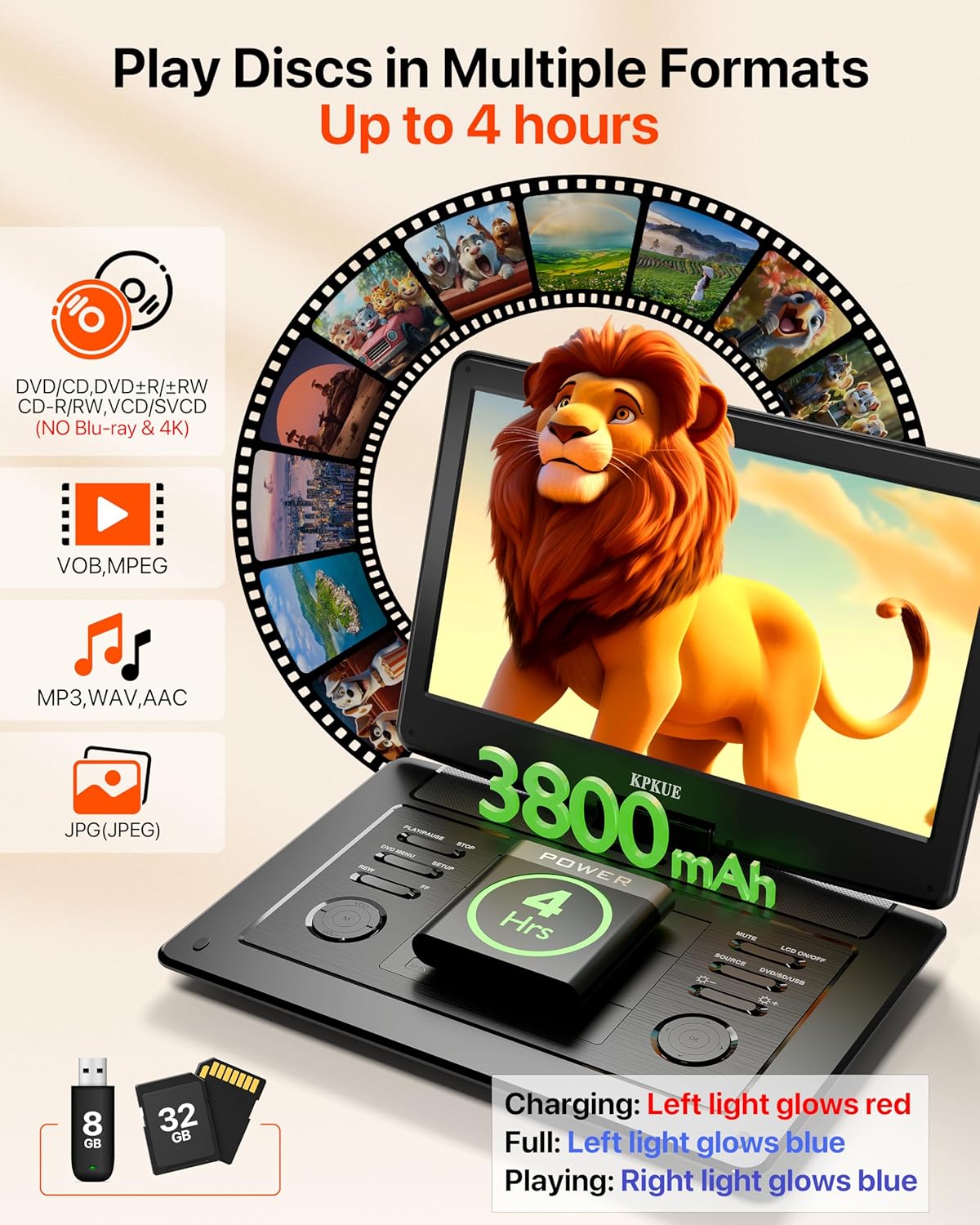
Image: The KPKUE PD156 Portable DVD Player playing a movie, illustrating its multi-format disc support, 4-hour battery life, and compatibility with USB and SD cards.
6. Connecting External Devices
The KPKUE PD156 can function as an external monitor for other devices via its HDMI IN and Type-C data ports. This allows for an expanded viewing experience for gaming, streaming, or productivity.

Image: The KPKUE PD156 Portable DVD Player connected to a TV stick, showcasing various streaming service interfaces. Icons below indicate compatibility with PlayStation, Nintendo Switch, and smartphones.
To connect an external device:
- Ensure both the DVD player and the external device are powered off.
- Connect the appropriate cable (HDMI or Type-C) between the devices.
- Power on the DVD player, then the external device.
- Use the 'SOURCE' button to select the corresponding input (HDMI or Type-C).
7. Audio Settings
The device features dual stereo speakers. For enhanced audio experience, you can adjust sound modes:
- LINE OUT: Provides better sound quality, suitable for headphones.
- RF REMOD: Offers louder volume, suitable for using the built-in speakers.
Access these settings through the 'SETUP' menu on the control panel or remote.
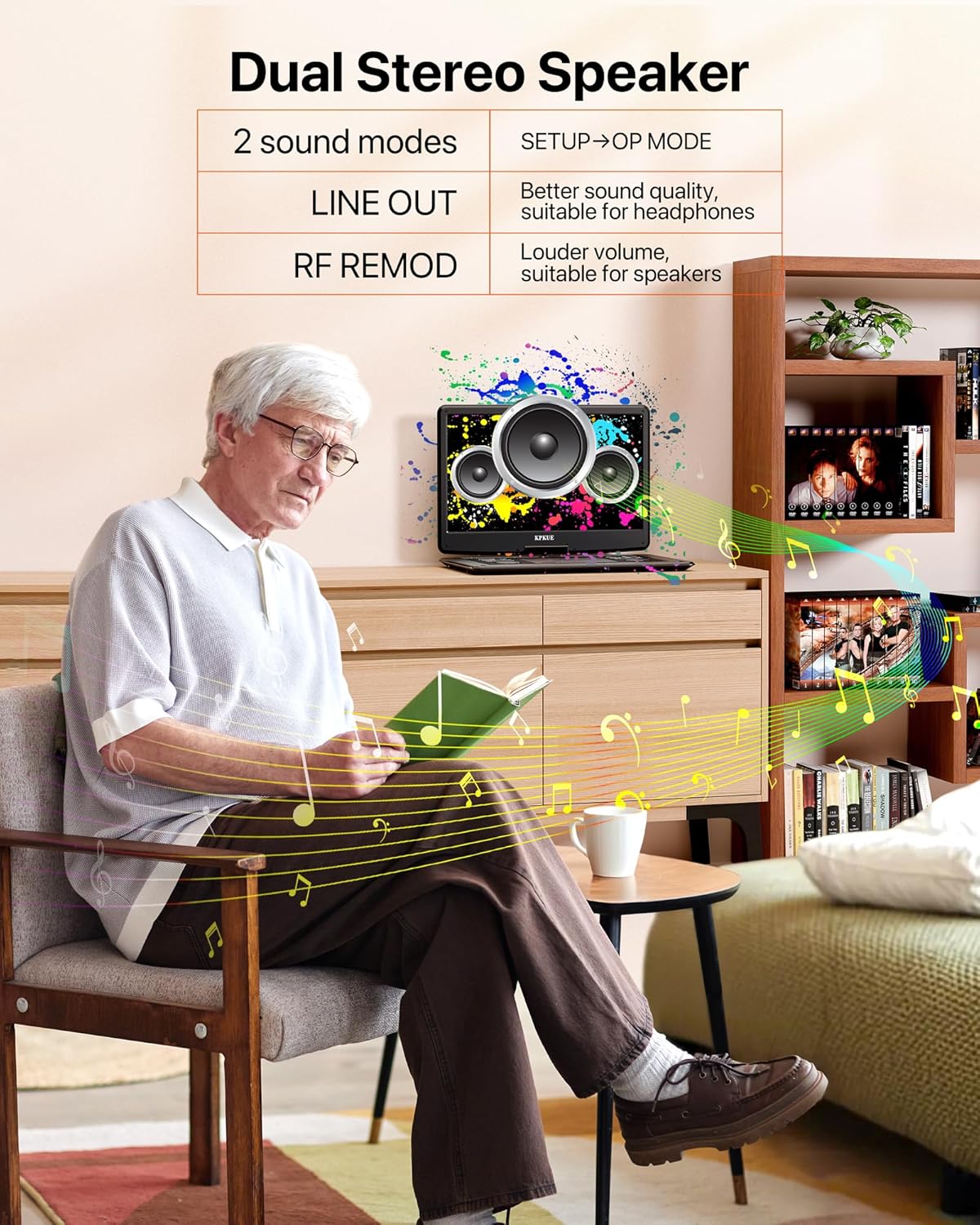
Image: The KPKUE PD156 Portable DVD Player highlighting its dual stereo speakers and two distinct sound modes: LINE OUT for improved headphone audio and RF REMOD for increased speaker volume.
8. Advanced Features
- Auto-Resume: The player remembers the last playback position, allowing you to continue watching from where you left off.
- Shockproof Design: Built-in stability protector ensures smooth playback even in motion, such as in a car.
- Swivel Screen: The 15.6-inch screen can rotate 180 degrees and flip 270 degrees, offering flexible viewing angles.
- LCD On/Off: Turn off the screen during audio playback to conserve battery.
- A-B Segment Loop Playback: Repeat a specific section of a video.
- Fast Forward/Rewind: Quickly navigate through media content.
- Zoom Function: Enlarge specific areas of the screen.
- Subtitle Selection: Choose your preferred subtitle language.

Image: The KPKUE PD156 Portable DVD Player illustrating its auto-resume function and the various features available on the remote control, including A-B segment zoom, fast forward/rewind, mute, subtitles, and random play.
9. Specifications
| Feature | Specification |
|---|---|
| Model Number | PD156 |
| Screen Size | 15.6 Inches |
| Display Type | 1080P FHD IPS LCD (1920x1080) |
| Battery Life | Up to 4 hours (continuous playback) |
| Supported Media Types | DVD/CD, CD-R/RW, DVD±R/±RW, VCD/SVCD (No Blu-ray), VOB, MPEG, JPEG, MP3, WAV, AAC |
| External Storage | USB (up to 8GB), SD Card (up to 32GB) |
| Connectivity | HDMI Input, Type-C, USB-A, 3.5mm Headphone Jack |
| Product Dimensions | 15.35 x 10.51 x 1.82 inches |
| Item Weight | 3.6 pounds (6.75 pounds shipping weight) |
10. Troubleshooting
If you encounter any issues with your KPKUE PD156 Portable DVD Player, please refer to the following common solutions:
- No Power: Ensure the device is fully charged or connected to the power adapter. Check the ON/OFF switch.
- No Disc Detected: Verify the disc is inserted correctly with the label side up. Ensure the disc is clean and free of scratches. Confirm the disc format is supported (no Blu-ray).
- No Sound: Check the volume level on the device and remote. Ensure headphones are properly connected if using them, or adjust audio settings to RF REMOD for speakers.
- Poor Picture Quality: Ensure the disc is clean and undamaged. Adjust brightness, contrast, and sharpness settings in the menu.
- Remote Control Not Responding: Check the remote's batteries. Ensure there are no obstructions between the remote and the player.
- External Device Not Displaying: Verify the cable connection (HDMI or Type-C) is secure. Select the correct input source using the 'SOURCE' button.
For further assistance, please contact KPKUE customer support.
11. Warranty and Support
KPKUE provides 12 months of hardware support and problem resolution for your device. If you experience any confusion or issues while using the product, please contact our customer service team for assistance.
Contact information can be found on our official website or through your purchase platform.