
BAOFENG BAOFENG UV-5R
Baofeng UV-5R Dual Band Two Way Radio Instruction Manual
Model: BAOFENG UV-5R
Introduction
Thank you for purchasing the BAOFENG UV-5R 8W Radio. This device is a dual-band, dual-display, and dual-watch two-way radio designed to provide secure, instant, and reliable communications. It is suitable for various activities including hiking, camping, skiing, and general outdoor use.

The BAOFENG UV-5R radio, a versatile communication tool.
What's in the Box?
- 4 x BAOFENG UV-5R 8W radio with antenna
- 4 x 3800mAh battery pack
- 4 x Earphone Mic/Headset
- 4 x Charger
- 4 x Belt clip
- 4 x Hand strap
- 1 x English manual

All components included in the BAOFENG UV-5R package.
Setup Guide
Component Identification

Detailed diagram identifying all external components of the UV-5R radio.
Familiarize yourself with the radio's components as shown in the diagram above. Key parts include the antenna, PTT (Push-to-Talk) button, VFO/MR button for mode selection, and the keyboard for input.
Battery Installation and Charging
To install the 3800mAh battery pack, align it with the battery compartment on the back of the radio and slide it into place until it clicks securely. To charge, connect the radio with the installed battery to the provided charger. Ensure the charger is plugged into a standard power outlet. The charging indicator will show the charging status.
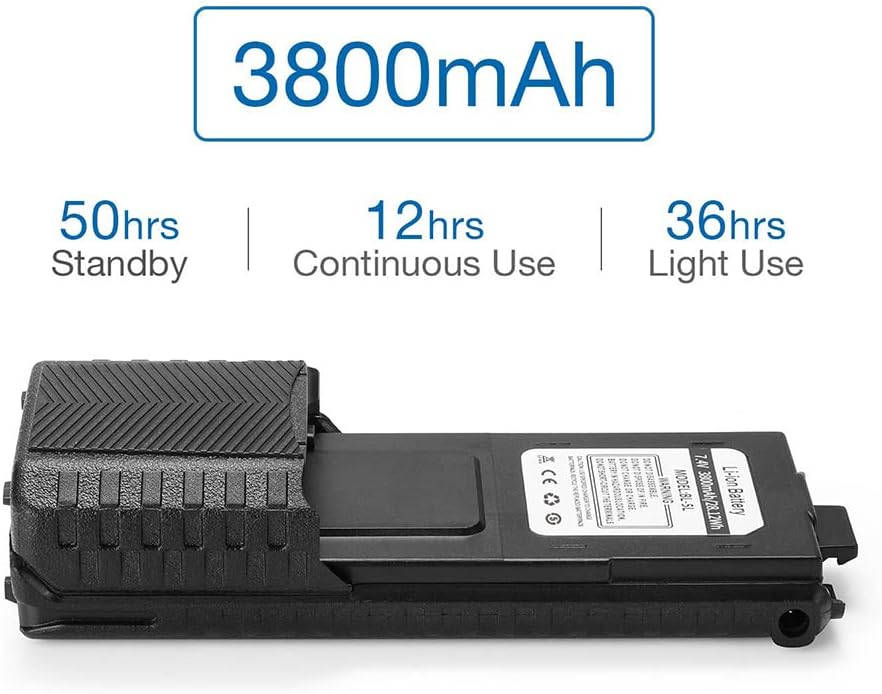
The 3800mAh battery provides extended usage times: up to 50 hours standby, 12 hours continuous use, and 36 hours light use.
Antenna and Belt Clip Attachment
Screw the antenna clockwise onto the connector at the top of the radio until it is finger-tight. Attach the belt clip to the designated slot on the back of the radio by sliding it down until it locks into place. This allows for convenient carrying.

Close-up views of the radio's top, side, and front, illustrating key attachment points and controls.
Operating Instructions
Basic Operation
To power on the radio, rotate the top knob clockwise. Continue rotating to adjust the volume. To power off, rotate the knob counter-clockwise until it clicks. The LCD display will show the current frequency or channel name.
Frequency and Channel Mode
Press the VFO/MR button to switch between Frequency (VFO) mode and Channel (MR) mode. In VFO mode, you can manually input frequencies. In MR mode, you can select from up to 128 pre-programmed memory channels.
Transmitting and Receiving
To transmit, press and hold the PTT (Push-to-Talk) button on the side of the radio and speak into the microphone. Release the PTT button to receive. Ensure you are on an appropriate frequency or channel for communication.
Key Features Overview
- Frequency Band: VHF/UHF
- Display: VHF and UHF bands and channel name displayed
- Memory Channels: Up to 128
- Squelch: Adjustable in 9 levels
- Tones/Codes: 50 CTCSS tones and 210 DCS codes
- Emergency Function: SOS Emergency
- LCD Display: Backlight adjustable in 3 colors
- Functions: VOX, Scan, Dual Watch
- VOICE: Vocal indication of the function selected
- Power Save: Yes
- TOT: Time out timer
- DTMF Function: Yes
- Reverse Function: Yes
- Alarm Function: Yes
- Codes Research: CTCSS and DCS codes research
- Channel Names: Setting and storing of channel names
- BCL: Busy Channel Lockout function
- Repeater Shift: Yes
This video provides a visual overview of the BAOFENG UV-5R radio, showcasing its design and key features.
Maintenance
To ensure the longevity and optimal performance of your BAOFENG UV-5R radio, follow these maintenance guidelines:
- Cleaning: Use a soft, damp cloth to wipe the radio's surface. Avoid using harsh chemicals or abrasive cleaners.
- Storage: Store the radio in a cool, dry place away from direct sunlight and extreme temperatures. Remove the battery if storing for extended periods.
- Battery Care: Do not overcharge or deep discharge the battery. Charge the battery fully before first use and periodically if not in use.
- Antenna: Handle the antenna carefully to prevent bending or damage.
Troubleshooting
If you encounter issues with your BAOFENG UV-5R radio, refer to the common problems and solutions below:
| Problem | Possible Cause | Solution |
|---|---|---|
| Radio does not power on | Low or dead battery; Incorrect battery installation | Charge the battery; Reinstall the battery correctly |
| Cannot transmit or receive | Incorrect frequency/channel; Antenna not connected; Out of range | Verify frequency/channel settings; Ensure antenna is securely attached; Move closer to other radios |
| Poor audio quality | Low volume; Obstructions; Squelch level too high | Adjust volume; Move to an open area; Adjust squelch level |
| Battery drains quickly | Frequent transmission; Old battery; Power Save mode off | Reduce transmission time; Replace battery; Enable Power Save mode |
Technical Specifications
| Feature | Detail |
|---|---|
| Model Number | BAOFENG UV-5R |
| Frequency Range | VHF/UHF |
| Number of Channels | 128 |
| Battery | 3800mAh Nonstandard Battery (included) |
| Item Weight | 4.29 pounds (approx. 1.95 kg) |
| Package Dimensions | 10.3 x 8.8 x 5.6 inches (approx. 26.16 x 22.35 x 14.22 cm) |
| Special Features | Battery Saver Mode, Call Alert, Dual Band, Integrated Flashlight, Rechargeable |
| Water Resistance Level | Not Water Resistant |
| Manufacturer | PO FUNG ELECTRONIC(HK) INTERNATIOANL GROUP COMPANY |
| UPC | 755745000333 |
Warranty and Support
Your BAOFENG UV-5R radio comes with a 12-month warranty. We also offer a 30-day return and exchange policy. For any questions, concerns, or support needs, please feel free to contact us via Amazon's messaging system. Our team is ready to assist you.
Regulatory Information
ATTENTION: This radio operates on radio frequencies that are regulated by the Federal Communications Commission (FCC). To transmit on these frequencies, you are required to have a license issued by the FCC.
When programming the radio, it is recommended to first read the factory software data, and then rewrite this data with your desired frequency settings. This helps prevent potential errors. You can use a programming cable with a PC to program the frequency, power, and other settings. All programming must comply with your FCC (or other country) license certification.

Regulatory labels and information located on the back of the radio.