
1. Introduction
This manual provides essential instructions for the safe and effective use of your AGM H6 Rugged Smartphone. The AGM H6 is designed for durability, featuring IP68/IP69K waterproofing, 1.8m drop resistance, and 360° dust protection. It operates on Android 13 and is equipped with an Octa-Core T606 processor, 16GB RAM, 256GB ROM, and a 6.56-inch 90Hz HD+ touchscreen.

Image 1.1: Front, side, and rear view of the AGM H6 Rugged Smartphone.
2. Package Contents
Verify that all items are present in your product package:
- AGM H6 Smart Phone
- Power Adapter
- USB Cable
3. Device Overview
Familiarize yourself with the physical components of your AGM H6 smartphone.

Image 3.1: Overview of AGM H6 key features and specifications.
3.1. Physical Buttons and Ports
- Power Button: Located on the side, used to power on/off or wake/sleep the screen.
- Volume Buttons: Adjust media volume and ringtone volume.
- Customizable Button: A dedicated button that can be programmed for quick access to specific applications or functions.
- USB-C Port: For charging and data transfer.
- SIM/MicroSD Card Slot: Located on the side, for inserting SIM cards and a MicroSD card.
3.2. Camera System
- Rear Camera: 50MP primary lens with a 2MP macro lens.
- Front Camera: 8MP for selfies and video calls.

Image 3.2: Detailed view of the AGM H6 camera specifications.
4. Initial Setup
4.1. Installing SIM and MicroSD Cards
- Locate the SIM/MicroSD card slot on the side of the phone.
- Use the provided SIM ejector tool to open the tray.
- Carefully place your Nano-SIM cards and/or MicroSD card into the designated slots on the tray. Ensure correct orientation.
- Gently push the tray back into the phone until it is flush with the device body.

Image 4.1: The 3-card slot for dual SIM and MicroSD expansion.
4.2. Charging the Device
Before first use, fully charge your AGM H6. Connect the USB cable to the phone's USB-C port and the power adapter, then plug the adapter into a wall outlet.
4.3. Powering On and Initial Configuration
- Press and hold the Power button until the AGM logo appears.
- Follow the on-screen prompts to select your language, connect to a Wi-Fi network, and set up your Google account.
- Configure fingerprint and face unlock for secure and swift access.
5. Operating Instructions
5.1. Basic Navigation
- Touch: Tap icons to open apps or select items.
- Swipe: Move your finger across the screen to scroll or navigate between screens.
- Pinch: Use two fingers to zoom in or out on photos and web pages.
5.2. Power On/Off/Restart
- Power On: Press and hold the Power button.
- Power Off/Restart: Press and hold the Power button until the power menu appears, then select 'Power off' or 'Restart'.
5.3. Screen Lock and Unlock
The AGM H6 supports fingerprint and face recognition for secure unlocking.
- Fingerprint Unlock: Register your fingerprints in Settings > Security > Fingerprint.
- Face Unlock: Set up face recognition in Settings > Security > Face Unlock.
5.4. Connectivity
- Wi-Fi: Go to Settings > Network & internet > Wi-Fi to connect to available networks.
- Bluetooth: Enable Bluetooth in Settings > Connected devices to pair with other devices.
- NFC: For contactless payments and quick pairing, enable NFC in Settings > Connected devices > Connection preferences > NFC.
- GPS: Location services are enabled by default for navigation and location-based apps.
5.5. Camera Usage
Open the Camera app to capture photos and videos.
- Tap the shutter button to take a photo.
- Switch between photo, video, and macro modes.
- Use the front camera for selfies.
5.6. Customizable Button
The dedicated customizable button can be configured in Settings to launch a specific app or perform a quick action. Refer to the phone's settings for customization options.
6. Maintenance
6.1. Cleaning Your Device
Use a soft, lint-free cloth to clean the screen and body of the phone. Avoid harsh chemicals or abrasive materials. For waterproof cleaning, rinse with fresh water and dry thoroughly.
6.2. Water and Dust Resistance (IP68/IP69K)
The AGM H6 is rated IP68/IP69K for water and dust resistance. This means it can withstand immersion in water up to 1.5 meters for 30 minutes and is protected against high-pressure, high-temperature water jets and dust ingress. Ensure all ports are securely closed before exposing the phone to water or dust.
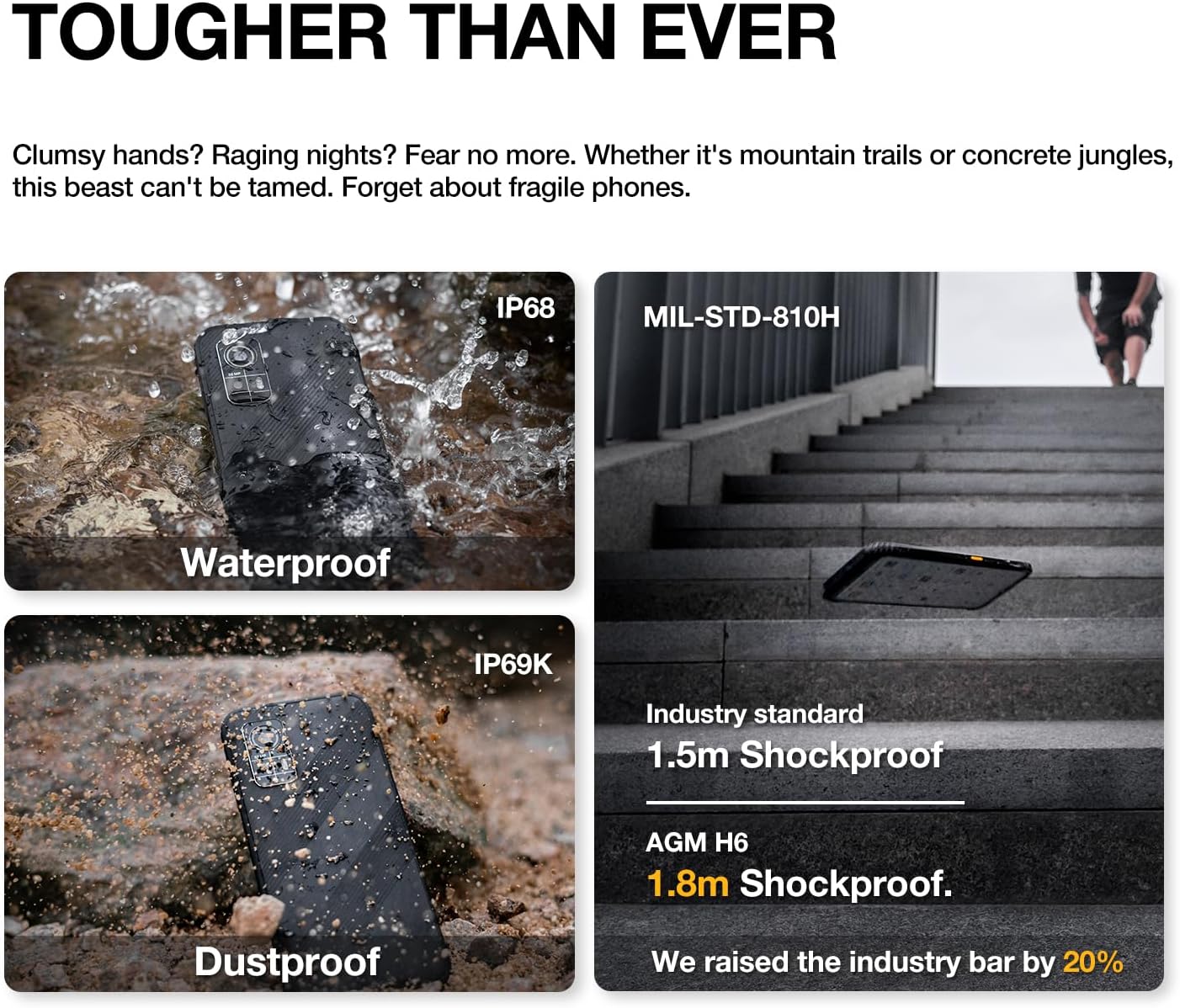
Image 6.1: The AGM H6's rugged features, including waterproof, dustproof, and shockproof ratings.
6.3. Drop Resistance
The phone is designed to withstand drops up to 1.8 meters. While rugged, extreme impacts can still cause damage. Handle with care.
6.4. Battery Care
- Avoid exposing the phone to extreme temperatures.
- Use only the provided charger and cable.
- Do not fully discharge the battery regularly.

Image 6.2: Battery performance metrics for the 4900mAh battery.
6.5. Software Updates
Regularly check for and install software updates to ensure optimal performance and security. Go to Settings > System > System update.
7. Troubleshooting
If you encounter issues with your AGM H6, refer to the following common solutions:
- Phone not turning on: Ensure the battery is charged. Connect to the charger for at least 15 minutes, then try powering on again.
- Apps crashing or freezing: Restart the phone. If the issue persists, clear the app's cache (Settings > Apps > [App Name] > Storage & cache > Clear cache).
- Network issues (no signal/calls): Check if SIM card is properly inserted. Verify network settings in Settings > Network & internet > Mobile network. Contact your carrier if issues persist.
- Slow performance: Close unused apps, clear cache, or consider a factory reset if performance significantly degrades over time (back up data first).
- Touchscreen unresponsive: Restart the phone. If unresponsive, force restart by holding the power button for an extended period (usually 10-15 seconds).
7.1. Factory Reset
A factory reset will erase all data from your phone and restore it to its original factory settings. This can resolve persistent software issues. Back up all important data before proceeding.
- Go to Settings > System > Reset options.
- Select 'Erase all data (factory reset)'.
- Confirm your decision and enter your PIN/password if prompted.
8. Specifications
Detailed technical specifications for the AGM H6 Rugged Smartphone:
| Feature | Specification |
|---|---|
| Model Name | H6 |
| Operating System | Android 13.0 |
| CPU Model | Unisoc T606 Octa-Core (1.6 GHz) |
| RAM Memory Installed Size | 16 GB (8GB + 8GB Adaptive) |
| Memory Storage Capacity | 256 GB |
| Standing Screen Display Size | 6.56 Inches IPS HD+ |
| Refresh Rate | 90 Hz |
| Rear Camera | 50MP Primary + 2MP Macro |
| Front Camera | 8MP |
| Battery Power Rating | 4900 Milliamp Hours |
| Connectivity Technologies | Bluetooth, NFC, Wi-Fi, 4G Dual SIM |
| Special Features | Dual SIM, Expandable Memory, Rugged Body, Water Resistant, GPS, Fingerprint/Face Unlock, Customizable Button |
| Durability Ratings | IP68/IP69K Waterproof & Dustproof, 1.8m Drop Resistance (MIL-STD-810H compliant) |
| Item Weight | 8 ounces (240 grams) |
| Package Dimensions | 6.7 x 3.1 x 0.4 inches |
| Wireless Carrier Compatibility | T-Mobile (GSM network) |

Image 8.1: Display features of the AGM H6.
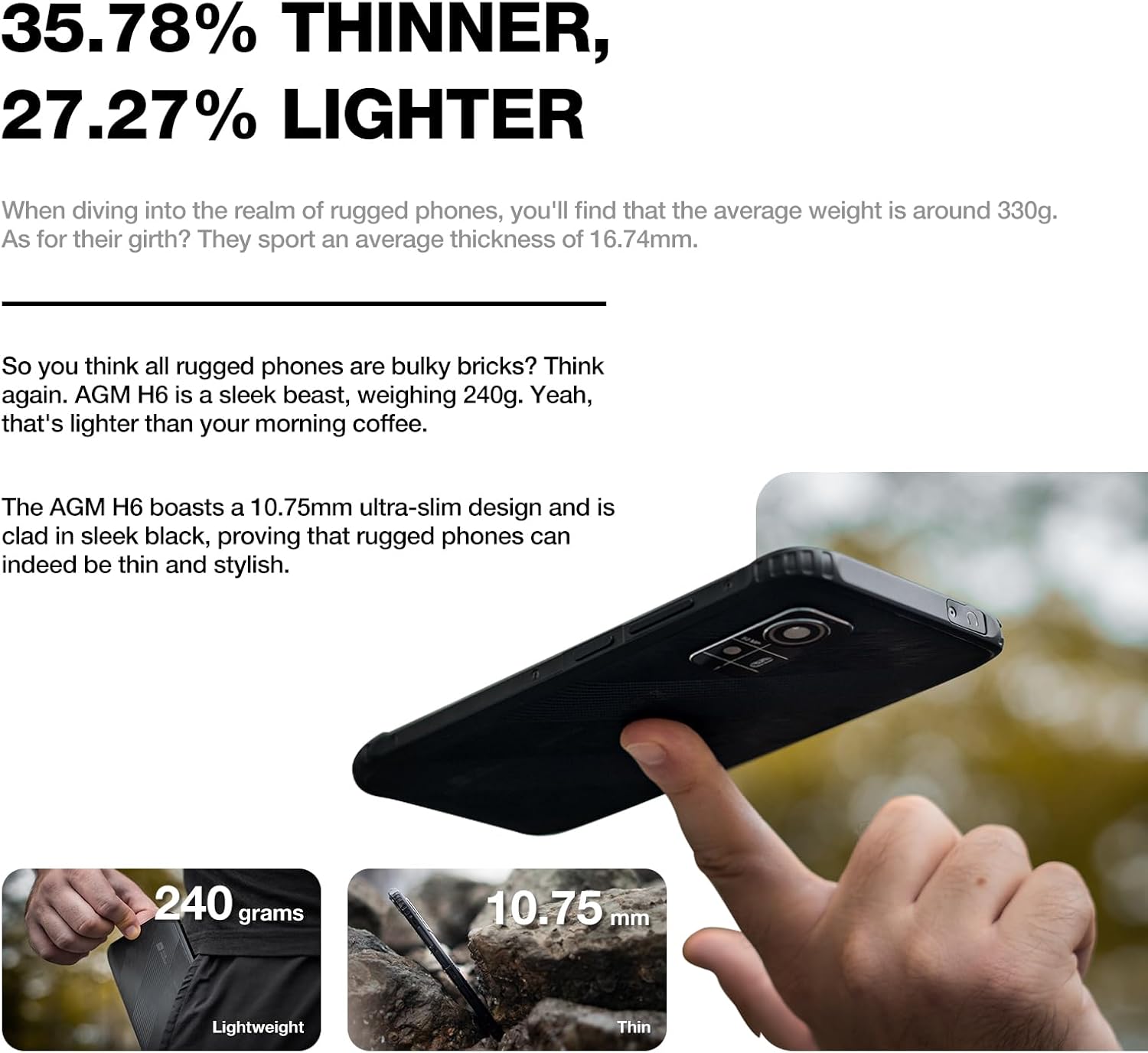
Image 8.2: Physical dimensions and weight comparison.
9. Warranty and Support
Your AGM H6 smartphone is covered by a manufacturer's warranty. Please refer to the warranty card included in your package for specific terms and conditions.
For technical support, warranty claims, or further assistance, please visit the official AGM website or contact AGM customer service. You can find more information and support resources on the AGM Store on Amazon.


