
SHIWOJIA 515 4G
SHIWOJIA 515 4G Solar 8MP Dual-Lens PTZ Outdoor Security Camera User Manual
Model: 515 4G | Brand: SHIWOJIA
Introduction
This manual provides detailed instructions for the installation, operation, and maintenance of your SHIWOJIA 515 4G Solar 8MP Dual-Lens PTZ Outdoor Security Camera. Please read this manual thoroughly before using the product to ensure correct usage and optimal performance. Keep this manual for future reference.
Product Overview and Key Features
The SHIWOJIA 515 4G Solar Security Camera is designed for outdoor surveillance in locations without Wi-Fi or electrical power access. It features dual lenses for enhanced zoom capabilities, 360° pan-tilt-zoom (PTZ) functionality, and human PIR detection for accurate alerts.
- 4G Connectivity: Operates independently using a 4G SIM card (300MB test SIM included, subscription required). Ideal for remote areas like farms, construction sites, and warehouses.
- Dual Lens & 12X Hybrid Zoom: Equipped with two lenses for 8MP (4MP+4MP) high-definition imaging and 12x hybrid zoom, allowing for detailed distant viewing.
- 360° PTZ Coverage: Offers 355° horizontal pan and 90° vertical tilt, controllable via the UBOX app, ensuring comprehensive area monitoring.
- Solar Powered: Integrated solar panel and rechargeable battery eliminate the need for external power sources.
- PIR Human Detection: Advanced motion detection focuses on human shapes, reducing false alarms and sending instant notifications to your smartphone.
- Color & IR Night Vision: Provides clear surveillance both in full color and infrared black-and-white modes during low-light conditions.
- Two-Way Audio: Built-in microphone and speaker enable real-time communication through the camera.
- IP65 Waterproof: Designed to withstand various weather conditions, including rain, snow, and hot days.
- Camouflage Design: Blends into outdoor environments for discreet installation.

Image: The SHIWOJIA 515 4G camera highlighting its dual-lens zoom capability, showing 1x, 6x, and 12x zoom levels on a squirrel.

Image: The SHIWOJIA 515 4G camera demonstrating PTZ rotation control, with a raccoon in the foreground and an app interface showing pan 355° and tilt 90°.
Package Contents
Verify that all items listed below are included in your package. If any items are missing or damaged, please contact customer support.
- SHIWOJIA 515 4G Camera x 1
- Solar Panel x 1
- User Manual x 1
- Mounting Bracket x 1
- Power Cable x 1
- Mounting Screws and Wall Plugs
- 300MB Prepaid SIM Card (for initial testing)

Image: A visual representation of the package contents, including the camera, solar panel, user manual, bracket, power cable, and screws.
Setup Guide
1. Charging the Battery
Before initial use, fully charge the camera's internal battery using the provided power cable. Connect the cable to the camera and a standard USB power adapter (not included). The solar panel will maintain the charge during operation.
2. SIM Card Installation
- Locate the SIM card slot on the camera.
- Insert the provided 4G SIM card or your own activated 4G SIM card into the slot, ensuring correct orientation.
- Close the protective cover securely to maintain waterproofing.
3. App Download and Account Creation
Download the "UBOX" application from your smartphone's app store (iOS or Android). Follow the in-app instructions to create an account and log in.
4. Camera Pairing
- Power on the camera.
- Open the UBOX app and tap "Add Device" or the "+" icon.
- Follow the on-screen prompts to scan the QR code on the camera or manually add the device.
- Ensure your phone has a stable internet connection during the pairing process.
5. Installation Location and Mounting
Choose an installation location that provides optimal solar exposure for the solar panel and a clear view for the camera. The camera supports both ceiling hanging and wall mounting.

Image: The SHIWOJIA 515 4G camera shown with two installation methods: ceiling hanging and wall mounting.
- Mark the drilling points using the mounting bracket as a template.
- Drill holes and insert wall plugs if necessary.
- Secure the mounting bracket to the surface using the provided screws.
- Attach the camera to the bracket and adjust its angle as needed.
- Ensure the solar panel is positioned to receive maximum direct sunlight.
Operating Instructions
1. Live View and PTZ Control
Open the UBOX app and select your camera to access the live view. Use the on-screen controls to pan (355°), tilt (90°), and zoom (12X hybrid) the camera to monitor different areas.
Video: A preview demonstrating the camera's PTZ (Pan-Tilt-Zoom) functionality, showing its ability to rotate and adjust view.
2. Two-Way Audio
From the live view in the UBOX app, tap the microphone icon to speak through the camera's speaker. Tap the speaker icon to listen to audio from the camera's environment.

Image: The SHIWOJIA 515 4G camera illustrating its two-way audio feature, showing a person speaking through the app to someone near the camera.
3. Motion Detection and Alerts
The camera uses PIR human detection to identify motion. When motion is detected, the camera will record and send an alert notification to your smartphone via the UBOX app. You can adjust sensitivity settings within the app.

Image: The SHIWOJIA 515 4G camera demonstrating PIR motion detection, showing a deer triggering an alarm notification on a smartphone.
4. Night Vision Modes
The camera automatically switches between color night vision and infrared (IR) night vision depending on ambient light conditions. You can also manually select the mode in the app if available.
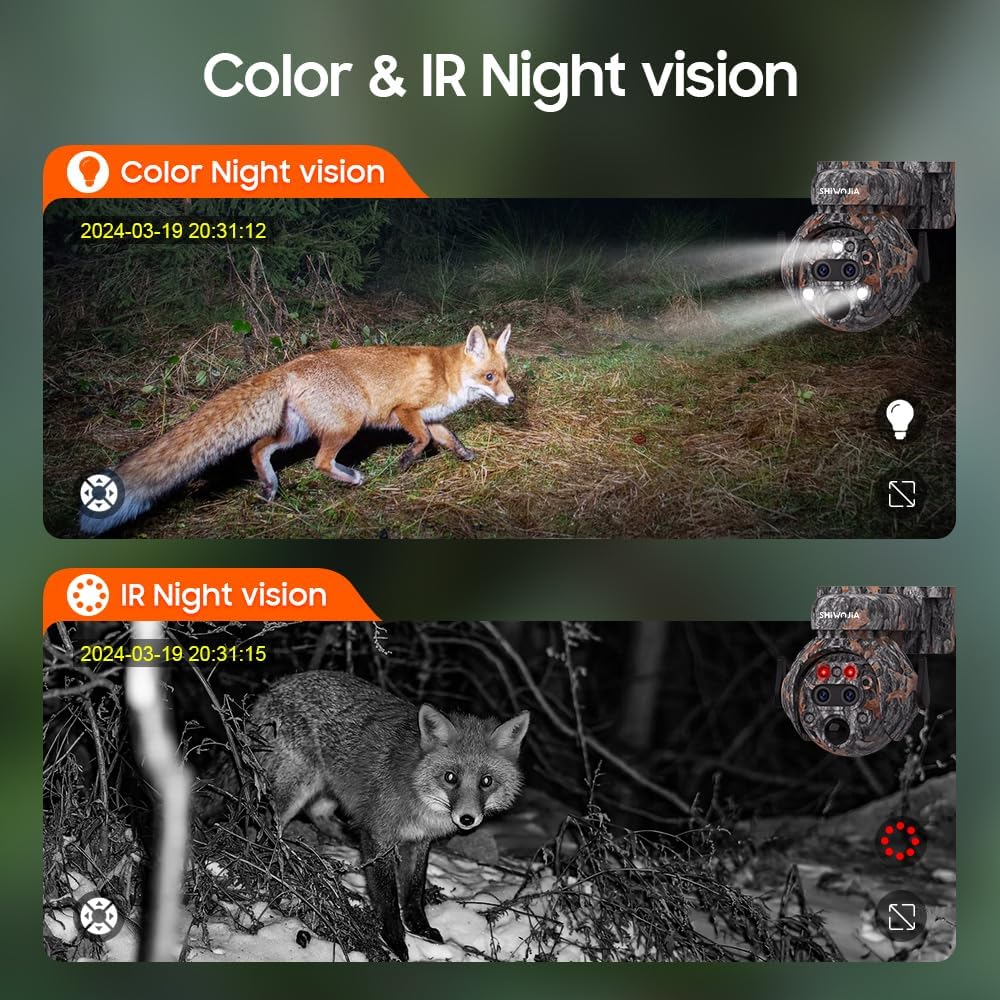
Image: The SHIWOJIA 515 4G camera showcasing both color night vision (top, showing a fox in color) and IR night vision (bottom, showing a fox in black and white).
Maintenance
- Cleaning: Regularly wipe the camera lens and solar panel with a soft, damp cloth to ensure clear images and efficient charging. Avoid abrasive cleaners.
- Battery Health: Ensure the solar panel receives adequate sunlight to maintain battery charge. In prolonged periods of low light, consider manually charging the camera.
- Firmware Updates: Check the UBOX app periodically for firmware updates to ensure optimal performance and access to new features.
- SIM Card: Monitor your 4G data usage to avoid service interruptions.

Image: The SHIWOJIA 515 4G camera with its solar panel mounted on a tree, illustrating its IP65 waterproof rating against rain, snow, and hot weather.
Troubleshooting
| Problem | Possible Cause | Solution |
|---|---|---|
| Camera not powering on. | Low battery or faulty power connection. | Ensure the battery is fully charged. Check the power cable connection. Verify solar panel is receiving sunlight. |
| No 4G signal or offline. | SIM card not inserted correctly, no data plan, or poor network coverage. | Reinsert the SIM card. Confirm your SIM card has an active 4G data plan. Move the camera to an area with better 4G coverage. |
| Motion detection not working. | PIR sensor blocked, sensitivity too low, or app settings incorrect. | Clear any obstructions from the PIR sensor. Adjust motion detection sensitivity in the UBOX app. Ensure motion alerts are enabled. |
| Poor image quality. | Dirty lens or insufficient lighting. | Clean the camera lens. Ensure adequate lighting for optimal image capture, especially at night. |
| Cannot control PTZ. | App connection issue or camera malfunction. | Check your phone's internet connection. Restart the UBOX app and the camera. If the issue persists, contact support. |
Specifications
| Feature | Detail |
|---|---|
| Model Name | 515 4G |
| Video Recording Resolution | 1440p (8MP: 4MP+4MP) |
| Connectivity Technology | 4G SIM Card |
| Special Features | PIR Human Detection, Dual Lens, 12X Hybrid Zoom, PTZ (Pan 355°, Tilt 90°) |
| Power Source | Solar Powered (with rechargeable battery) |
| Material | Plastic |
| Dimensions (L x W x H) | 20 x 16 x 15 cm |
| Weight | 1.25 kg |
| Water Resistance Level | IP65 Waterproof |
| Recommended Use | Outdoor Security |
| Compatible Devices | Smartphone (via UBOX App) |
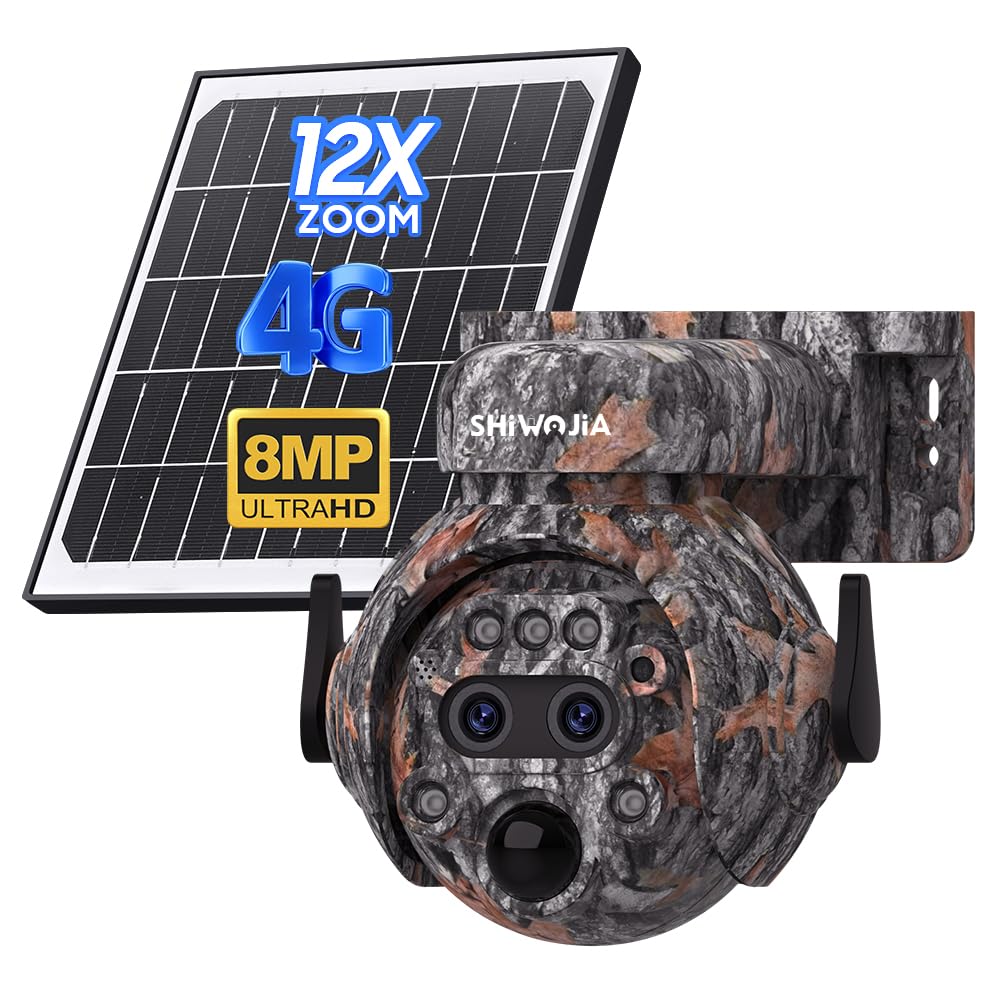
Image: Detailed diagram showing the dimensions of the SHIWOJIA 515 4G camera and its solar panel, with labels for components like antenna, lenses, sensors, and bracket.
Warranty and Support
For warranty information and technical support, please refer to the official SHIWOJIA website or contact your retailer. Keep your purchase receipt as proof of purchase.
For further assistance, you may visit the SHIWOJIA store on Amazon: SHIWOJIA Amazon Store
Related documents515 4G


Ask a question about this manual
Ask about setup, troubleshooting, compatibility, parts, safety, or missing instructions. Manuals+ will review the question and use this page’s manual context to help answer it.