
Introduction
This manual provides essential information for setting up, operating, and maintaining your Tecaki X3 Mini Projector. Designed for versatile home use, this compact projector delivers 1080P HD visuals with 4K input support, automatic keystone correction, and flexible 180-degree projection. It features dual-band WiFi 6 and Bluetooth connectivity for seamless media streaming and device mirroring.
What's in the Box
- Tecaki X3 Mini Projector
- Remote Control
- Power Adapter
- HDMI Cable
- Cleaning Kit
- User Manual

Image: Contents of the Tecaki X3 Mini Projector package, including the projector unit, remote control, power adapter, HDMI cable, and cleaning kit.
Product Overview
The Tecaki X3 Mini Projector is designed for ease of use and high-quality projection in various settings. Its compact form factor and flexible stand allow for diverse placement options.

Image: A compact white projector unit, highlighting its small size and native 1080P resolution capabilities for clear visuals.
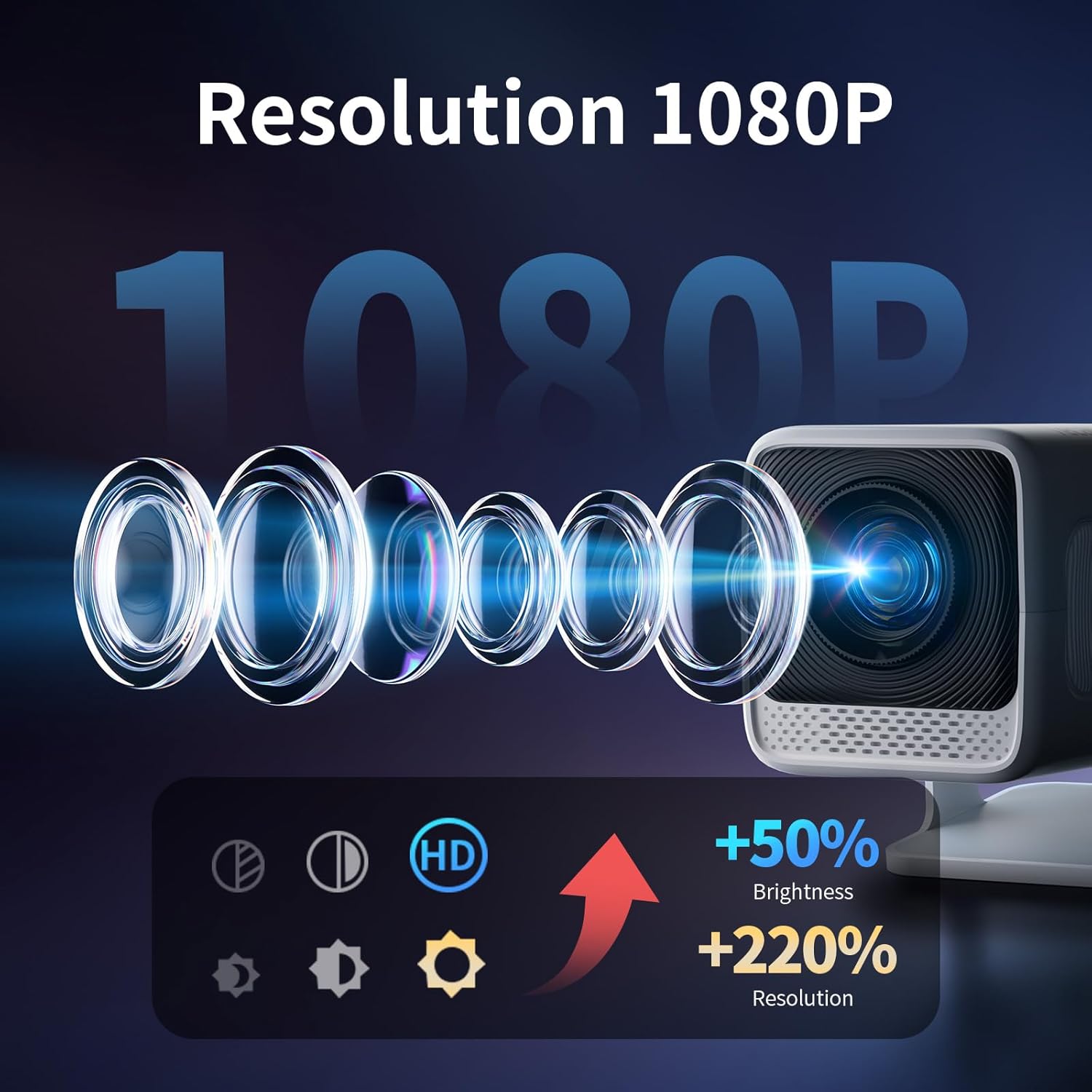
Image: Visual representation of the projector's 1080P resolution, indicating enhanced brightness and clarity compared to lower resolutions.
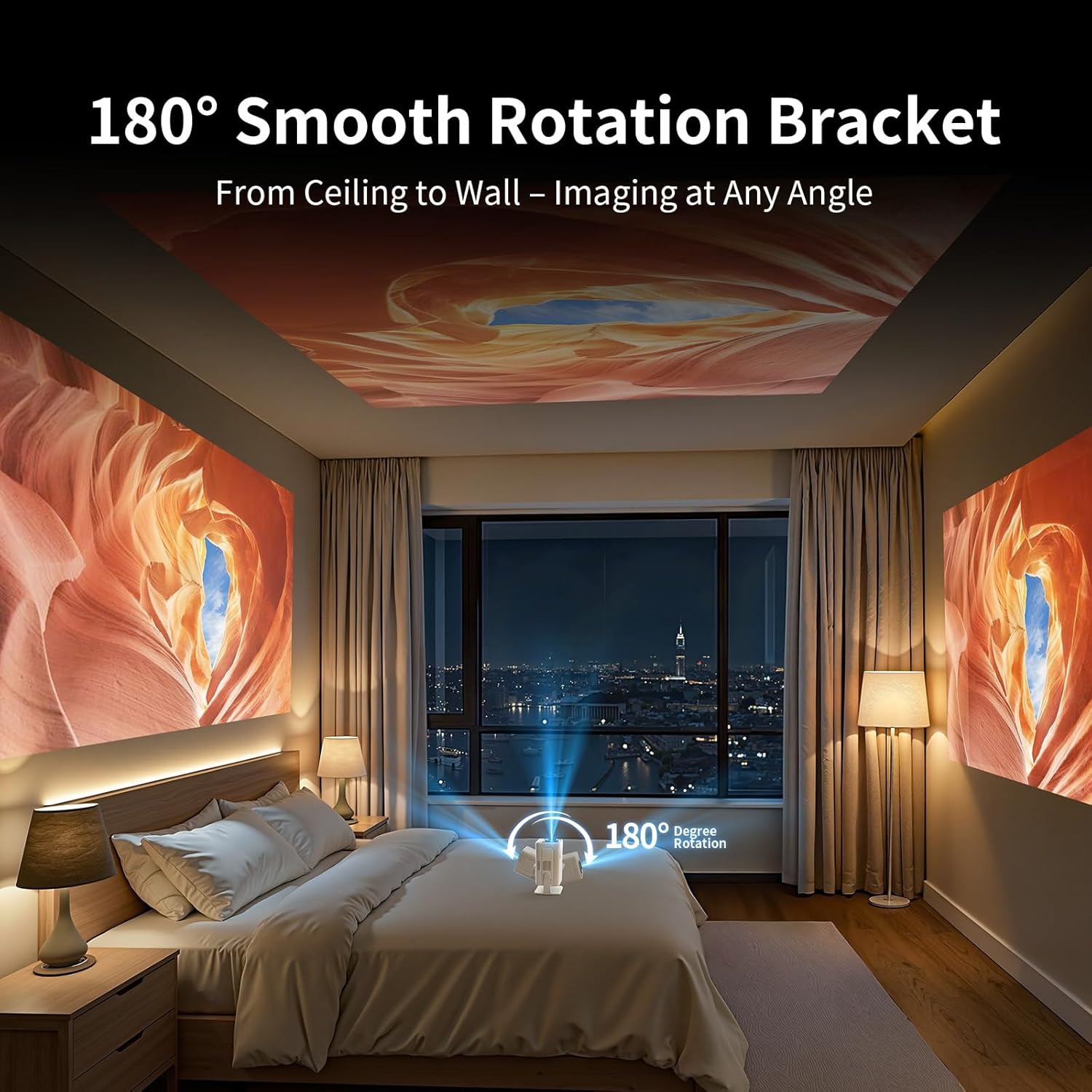
Image: A bedroom scene showing the projector casting an image onto the ceiling, demonstrating its 180-degree rotation capability for flexible projection angles.

Image: A comparison showing the difference between electric auto-focus (clear image) and manual focus (blurry image) for the projector.
Setup
- Unpack: Carefully remove all components from the packaging.
- Power Connection: Connect the power adapter to the projector's power input and then to a power outlet.
- Remote Control: Insert two AAA batteries (not included) into the remote control.
- Placement: Position the projector on a stable surface. Utilize the 180-degree rotation feature to adjust the projection angle as needed (e.g., wall, ceiling).
- Initial Power On: Press the power button on the projector or the remote control to turn on the device.
- Network Setup: Navigate to the settings menu to connect to your WiFi network (2.4G or 5G).
- Focus Adjustment: The projector features auto-focus. If needed, use the remote control's focus buttons (F+/F-) for fine-tuning.
- Keystone Correction: The projector supports auto vertical keystone correction. This will automatically adjust the image for a rectangular display.
Operating Instructions
The Tecaki X3 offers intuitive operation for various media consumption. Use the remote control to navigate the interface and access features.
- Navigation: Use the directional buttons and "OK" button on the remote to select options on the projected interface.
- App Access: Directly access pre-installed streaming applications like Netflix and YouTube from the home screen.
- Volume Control: Adjust audio volume using the dedicated volume buttons on the remote.
- Zoom Function: Utilize the 75%-100% zoom feature to adjust the screen size without moving the projector.

Image: A living room scene illustrating the projector's automatic keystone correction and zoom capabilities, ensuring a perfectly aligned and sized image.
Connectivity
The projector supports multiple connectivity options for diverse media sources.
- WiFi 6: Connect to your home network for high-speed streaming and online content access.
- Bluetooth 5.2: Supports audio transmission only. Connect external Bluetooth speakers or headphones for enhanced sound.
- HDMI Port: Connect devices such as TV Sticks, laptops, gaming consoles (PS3/PS4), or DVD players using an HDMI cable.
- USB Port: Plug in USB drives (U Disk) for direct media playback or connect smartphones/tablets using a USB-Lightning cable for mirroring.
- Screen Mirroring: Wirelessly mirror content from your smartphone or tablet. Note: Due to content protection (HDCP), certain apps like Amazon Prime Video or Netflix may not support screen mirroring. For these, connect a streaming device (e.g., Fire TV Stick, Roku, Chromecast) directly via HDMI.

Image: A visual comparing WiFi 6 and WiFi 5 connection speeds, illustrating faster and more stable streaming with WiFi 6 for gaming and video content.
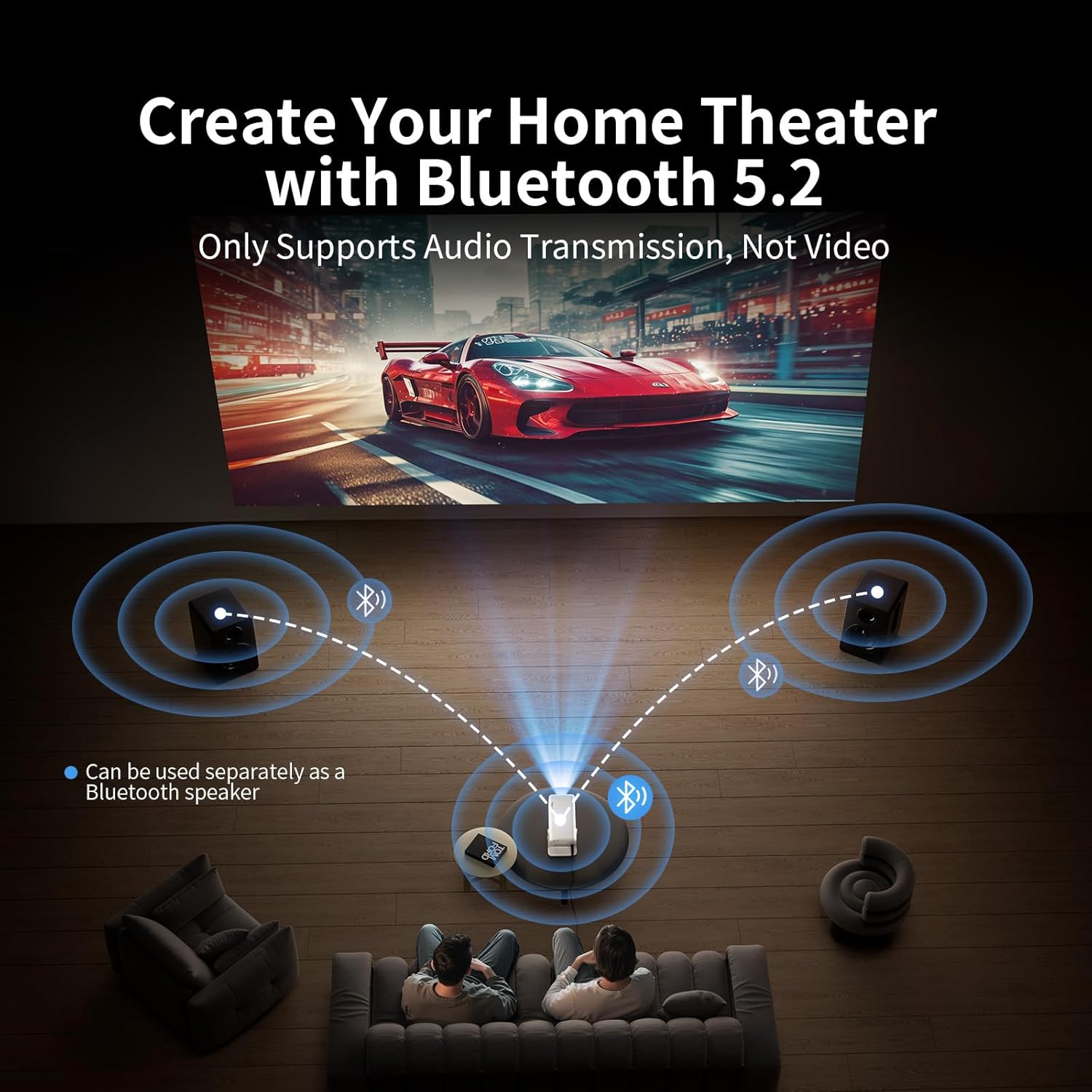
Image: A home theater setup showing the projector connected via Bluetooth 5.2 to external speakers for enhanced audio experience.
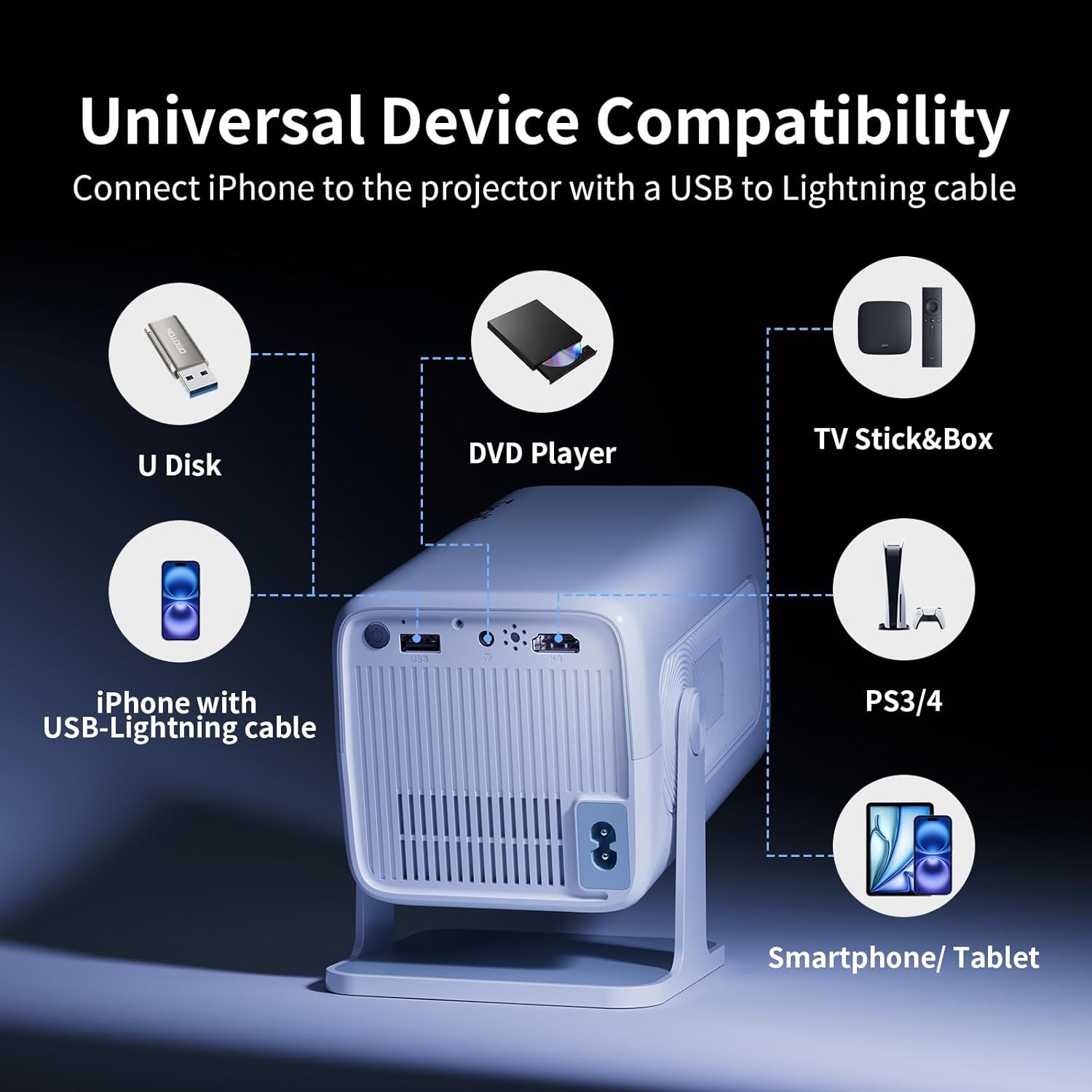
Image: A detailed view of the projector's rear panel, showing available ports including USB, HDMI, headphone jack, and AC power input, along with compatible devices like U Disk, DVD Player, TV Stick, PS3/4, and smartphones/tablets.
Media Integration
The Tecaki X3 Mini Projector is designed to integrate seamlessly with your digital media. Below is a relevant video demonstrating the product's features and unboxing process.
Video: Official Tecaki video showcasing the unboxing and key features of the Mini Portable Projector, including its Netflix official licensing and 1080P/4K compatibility.
Maintenance
Proper maintenance ensures the longevity and optimal performance of your projector.
- Lens Cleaning: Use the provided cleaning kit or a soft, lint-free cloth to gently clean the projector lens. Avoid abrasive materials.
- Dust Removal: Regularly wipe the exterior of the projector to prevent dust accumulation, which can affect performance and cause black spots on the screen.
- Ventilation: Ensure the projector's ventilation openings are clear and unobstructed to prevent overheating.
- Storage: When not in use, store the projector in a cool, dry place, away from direct sunlight and extreme temperatures.
Troubleshooting
If you encounter issues with your Tecaki X3 Mini Projector, refer to the following common solutions:
- No Power: Ensure the power adapter is securely connected to both the projector and a working power outlet.
- No Image:
- Check if the projector is powered on.
- Verify the input source (HDMI, USB, Wireless Screen) is correctly selected.
- Ensure the connected device (laptop, streaming stick) is powered on and outputting a signal.
- Blurry Image:
- Use the auto-focus feature or manually adjust focus via the remote control.
- Ensure the projection surface is flat and the projector is stable.
- Distorted Image (Trapezoid):
- The projector has auto vertical keystone correction. If distortion persists, try repositioning the projector.
- No Audio:
- Check the volume settings on both the projector and the connected device.
- If using Bluetooth, ensure external speakers/headphones are properly paired and powered on.
- If using HDMI, verify the audio output settings on the source device.
- Screen Mirroring Issues:
- Ensure both the projector and your mobile device are connected to the same WiFi network.
- Remember that content protection (HDCP) may prevent mirroring from certain apps (e.g., Netflix, Hulu, Amazon Prime Video). Use an HDMI-connected streaming device for these.
Specifications
| Brand | Tecaki |
| Model Number | X3 |
| Display Resolution | 1920 x 1080 (Native 1080P, 4K Supported) |
| Connectivity Technology | Bluetooth 5.2, WiFi 6 (2.4G + 5G) |
| Item Weight | 3.21 pounds |
| Product Dimensions | 4.3 x 4.3 x 6.7 inches |
| Special Features | Portable, Auto Keystone Correction, Auto Focus, 180° Rotation |
| Recommended Uses | Home, Outdoor, Cinema, Business, Education, Party, Club, Sports, Gaming |
Warranty and Support
For warranty information, technical support, or further assistance, please refer to the contact details provided in your product packaging or visit the official Tecaki website. Keep your purchase receipt for warranty claims.