
AGM M10
AGM M10 Flip Phone User Manual
Model: M10 | Brand: AGM
1. Introduction
Welcome to the user manual for your new AGM M10 Flip Phone. This manual provides essential information on setting up, operating, maintaining, and troubleshooting your device. The AGM M10 is designed for durability and ease of use, featuring a compact design, large buttons, and robust protection against water, dust, and drops. It is specifically designed for use with T-Mobile networks.
2. What's in the Box
Upon opening your AGM M10 Flip Phone package, you should find the following items:
- AGM M10 Flip Phone
- Battery
- Power Adapter
- Charging Cable (USB-C)
- Quick Start Guide
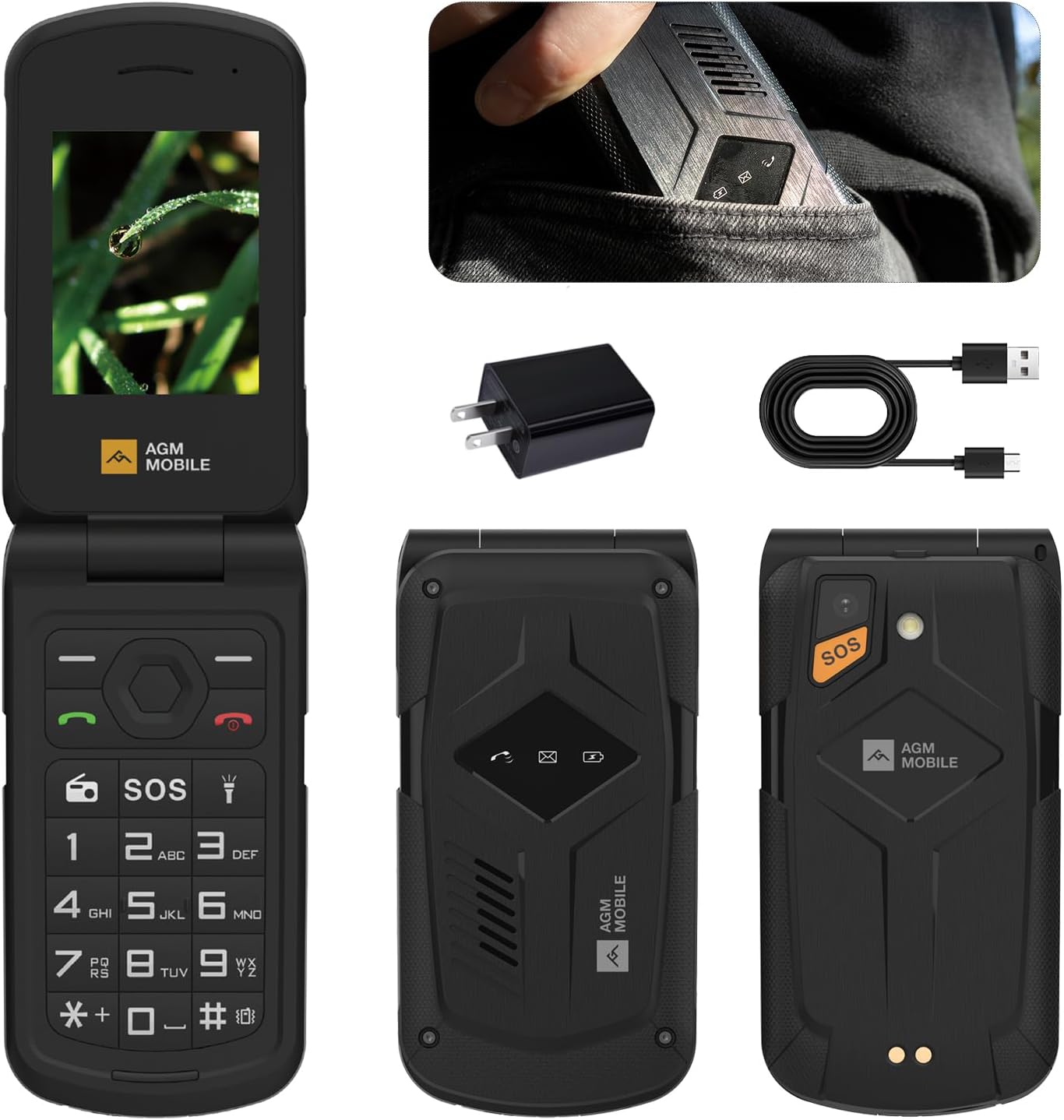
Image: Contents of the AGM M10 Flip Phone package, including the phone, power adapter, and charging cable.
Video: An unboxing and first look at the AGM M10 Flip Phone, demonstrating the contents of the package and initial device appearance.
3. Product Features
3.1. Design and Display
The AGM M10 is designed to be compact and user-friendly. It features a 2.4-inch display and a large, easy-to-use keypad, making it ideal for simple and direct communication.
- Compact and Lightweight: Weighing only 4.87 oz, it fits easily into small pockets.
- 2.4-inch Display: Provides clear visibility for menus and contacts.
- Large Size Keypad: Ensures comfortable and accurate dialing and navigation.

Image: The compact design of the AGM M10 Flip Phone, shown fitting easily into a pocket.
3.2. Durability
Built to withstand challenging environments, the AGM M10 is certified with industry-leading durability standards.
- IP68/IP69K Certified: Provides excellent water and dust resistance.
- MIL-STD-810H Compliant: Meets military-grade standards for drop-proof protection.

Image: The AGM M10 Flip Phone demonstrating its robust durability against drops, water, and dust.
Video: Demonstrates the rugged features of the AGM M10, including its resistance to drops, dust, and water.
3.3. Connectivity and Storage
Stay connected and manage your communication needs efficiently with the M10's versatile connectivity options.
- 4G LTE Dual Nano SIM Slots: Offers flexibility for managing two separate phone numbers (T-Mobile ONLY).
- Bluetooth 5.0: For wireless accessory connections.
- 3.5mm Audio Jack: Standard port for headphones or external audio devices.
- Expandable Storage: Supports up to 128GB via a simple SD card.

Image: Features of the AGM M10, including Bluetooth 5.0, 3.5mm audio jack, and expandable storage.
3.4. Essential Functions
The M10 includes several practical features for daily use and emergencies.
- SOS Button: A dedicated button for emergency calls.
- Quick-Access Flashlight: Provides instant illumination.
- FM Radio: For entertainment on the go.
- Smart Alerts: A bright front notification LED indicates calls, messages, and battery status.

Image: Key functions of the AGM M10, including FM Radio, SOS button, and flashlight.
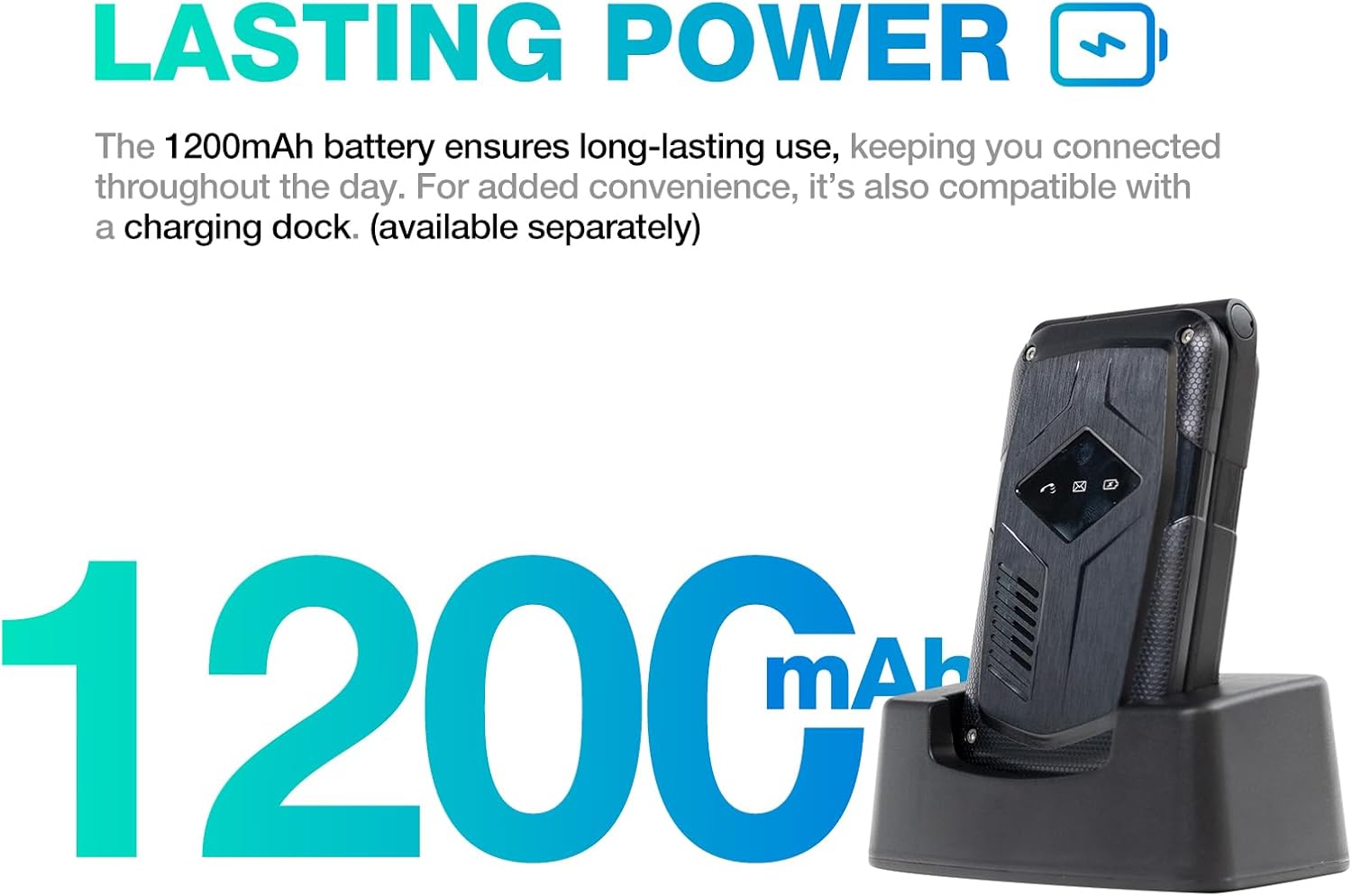
Image: The smart LED alerts on the AGM M10, showing indicators for calls, messages, and battery.
3.5. Battery and Charging
The M10 is equipped with a long-lasting battery to keep you connected throughout the day.
- 1200mAh Battery: Provides extended usage time.
- Charging Dock Compatible: For convenient charging (dock sold separately).

Image: The 1200mAh battery capacity of the AGM M10 and its compatibility with an optional charging dock.
4. Setup Guide
4.1. Installing the SIM Card and Battery
- Open the Back Cover: Gently pry open the back cover of the phone.
- Insert SIM Card(s): Locate the Dual Nano SIM card slots. Insert your T-Mobile Nano SIM card(s) into the designated slots with the gold contacts facing down. Ensure they are securely seated.
- Insert SD Card (Optional): If you wish to expand storage, insert a microSD card into the dedicated slot.
- Insert Battery: Place the battery into the battery compartment, aligning the gold contacts on the battery with those in the phone.
- Close Back Cover: Replace the back cover, pressing firmly until it clicks into place, ensuring a secure seal for water and dust resistance.
4.2. Initial Charging
Before first use, it is recommended to fully charge your AGM M10.
- Connect Charger: Open the protective flap covering the USB-C port on the side of the phone. Insert the USB-C end of the charging cable into the phone and the USB-A end into the power adapter.
- Plug In: Plug the power adapter into a wall outlet.
- Charging Indicator: The phone's screen or notification LED will indicate charging status. Allow the phone to charge until the battery indicator shows full.
- Disconnect: Once fully charged, disconnect the charger and securely close the protective flap over the USB-C port to maintain water and dust resistance.
5. Operating Instructions
5.1. Power On/Off
- Power On: Press and hold the Power/End Call button (red button) until the screen lights up.
- Power Off: Press and hold the Power/End Call button until the power off options appear, then select "Power off".
5.2. Making and Receiving Calls
- Dialing: Enter the phone number using the keypad and press the Call button (green button).
- Answering: When a call comes in, press the Call button (green button) to answer.
- Ending Call: Press the Power/End Call button (red button) to end a call.
5.3. Using the SOS Button
The dedicated SOS button is for emergencies. Ensure you have configured emergency contacts in the phone's settings.
- Activate SOS: Press and hold the SOS button on the back of the phone for a few seconds. The phone will automatically dial your pre-set emergency contacts and send an emergency message.
5.4. FM Radio Operation
Enjoy FM radio without needing headphones.
- Turn On/Off: Press the dedicated FM Radio button (often marked with a radio icon) to turn the radio on or off.
- Tune Stations: Use the navigation keys to scan for or manually tune to radio stations.
5.5. Flashlight
The M10 includes a convenient flashlight function.
- Activate Flashlight: Press the dedicated flashlight button (often marked with a lightbulb icon) to turn the flashlight on or off.
6. Maintenance
To ensure the longevity and optimal performance of your AGM M10 Flip Phone, follow these maintenance guidelines:
- Cleaning: Wipe the phone with a soft, damp cloth. For stubborn dirt, especially after exposure to mud or sand, rinse under clean water and ensure all ports are securely closed. Do not use harsh chemicals or abrasive cleaners.
- Port Protection: Always ensure the protective flap over the USB-C charging port is securely closed when not in use to maintain its waterproof and dustproof integrity.
- Battery Care: Avoid extreme temperatures. Do not expose the battery to direct sunlight or very cold conditions. Charge the battery regularly and avoid letting it fully discharge for extended periods.
- Storage: When storing the phone for long periods, ensure it is charged to about 50% and stored in a cool, dry place.
7. Troubleshooting
If you encounter issues with your AGM M10, refer to the following common solutions:
| Problem | Possible Cause | Solution |
|---|---|---|
| Phone does not power on. | Low battery; battery not installed correctly. | Charge the phone for at least 30 minutes. Re-install the battery, ensuring proper alignment. |
| Cannot make or receive calls. | No network signal; SIM card not installed or activated; T-Mobile network compatibility issue. | Check signal strength. Ensure SIM card is correctly inserted and activated with T-Mobile. Verify you are within T-Mobile's service area. |
| Sound issues (e.g., annoying open/close sound). | Specific sound settings enabled. | Navigate to Settings > Profiles or Settings > Phone settings > Display to adjust or disable specific sounds. |
| Phone is unresponsive. | Software glitch. | Remove and re-insert the battery to perform a hard reset. |
| Battery drains quickly. | Excessive usage; background processes; aging battery. | Reduce screen brightness. Close unused applications. If the issue persists, consider replacing the battery. |
8. Specifications
| Feature | Detail |
|---|---|
| Model Name | M10 |
| Product Dimensions | 4.33 x 2.22 x 0.98 inches |
| Item Weight | 9.9 ounces |
| Screen Size | 2.4 Inches |
| Operating System | ThreadX |
| Wireless Carrier | T-Mobile ONLY |
| Cellular Technology | 4G |
| Memory Storage Capacity | 0.12 GB (Expandable up to 128GB with SD card) |
| RAM Memory Installed Size | 48 MB |
| CPU Speed | 1.6 GHz |
| Battery | 1 Nonstandard Battery required (included) - 1200mAh |
| Durability Certifications | IP68/IP69K/MIL-STD-810H |
9. Warranty and Support
For detailed warranty information, product support, and frequently asked questions, please visit the official AGM brand store or contact their customer service directly.
AGM Brand Store: Visit the AGM Store on Amazon
Related documentsM10


Ask a question about this manual
Ask about setup, troubleshooting, compatibility, parts, safety, or missing instructions. Manuals+ will review the question and use this page’s manual context to help answer it.