
Shadowhawk CA-S1476
Shadowhawk S1476 High Lumens Rechargeable Flashlight
User Manual
Introduction
Thank you for choosing the Shadowhawk S1476 High Lumens Rechargeable Flashlight. This powerful and versatile flashlight is designed for various applications, from everyday use to outdoor adventures and emergency situations. Featuring an upgraded XHP70.2 LED chip, adjustable focus, and multiple lighting modes, it provides reliable illumination with a long-lasting rechargeable battery. Please read this manual carefully to ensure proper use, maintenance, and optimal performance of your flashlight.
Package Contents
Upon unboxing, please verify that all the following items are included in your package:

- 1 x S1476 Brightest Flashlight
- 1 x 6000mAh Rechargeable Battery
- 1 x USB-C Charging Cable
- 3 x AAA Alkaline Batteries
- 1 x AAA Battery Holder
- 1 x Plastic Battery Tube
- 1 x Flashlight Holster
- 1 x Lanyard
- 1 x User Manual
- 1 x Gift Box
Product Features
High Lumens and Output
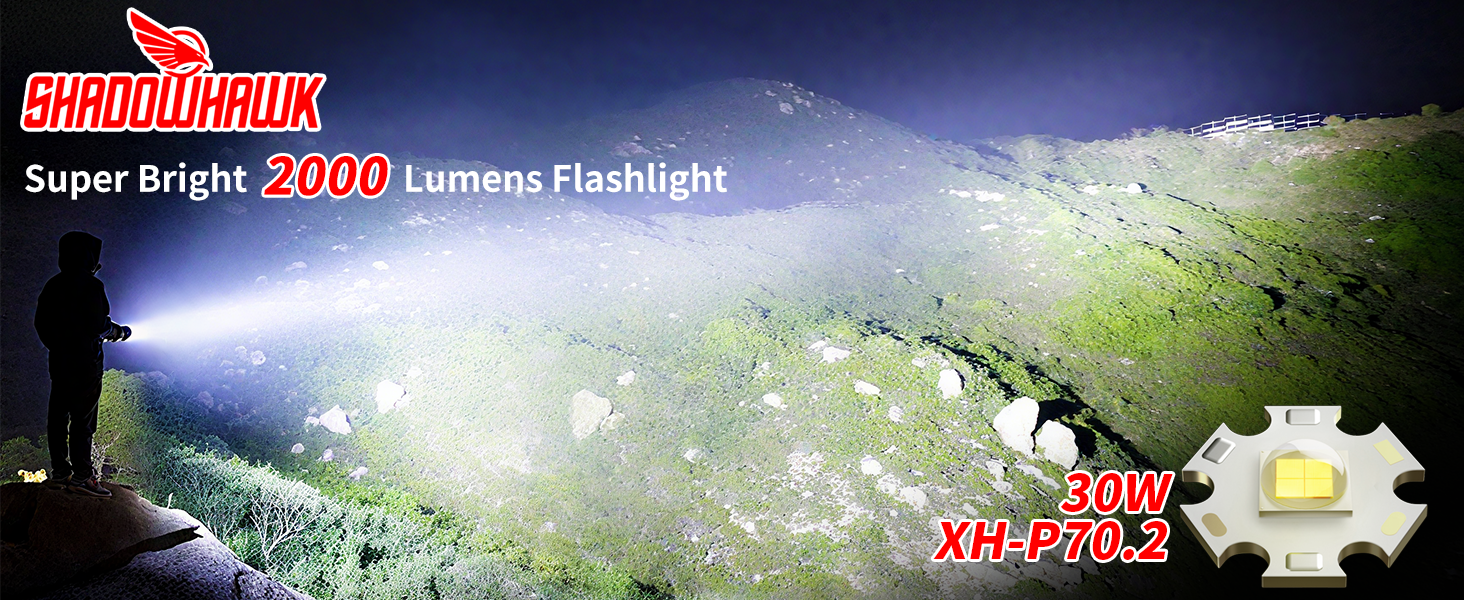
The S1476 flashlight is equipped with an upgraded XHP70.2 LED chip, delivering up to 2000 lumens with a 30W output. This provides exceptional brightness, capable of illuminating large areas and penetrating dust or fog, similar to car fog lamps.
Adjustable Focus
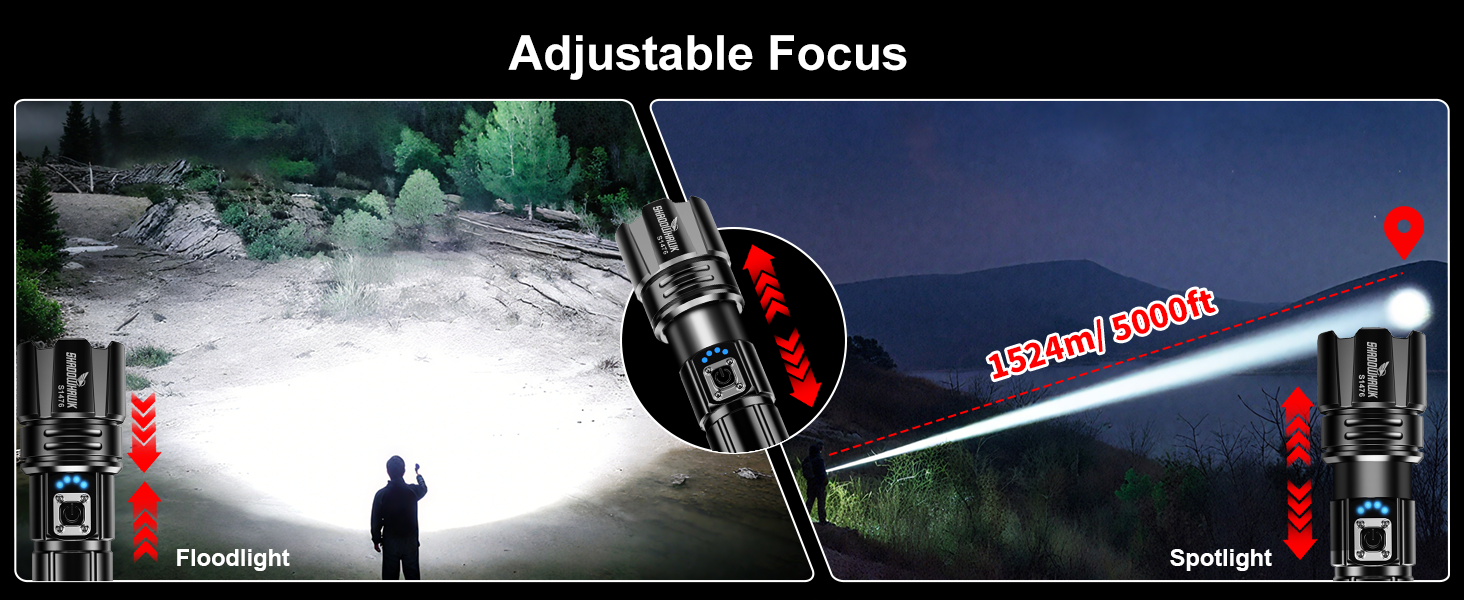
Easily switch between a long-range spotlight (up to 5000ft/1524m) and a wide-angle floodlight (500㎡) by sliding the head of the flashlight. This feature allows for versatile lighting depending on your needs.
Long-Lasting Rechargeable Battery & Power Indicator
The flashlight includes a 6000mAh high-capacity rechargeable battery, providing up to 12 hours of use on low mode. It features built-in USB-C input for charging and a USB-A output port to power other electronic devices in emergencies. An LED power indicator displays the exact battery level (25%, 50%, 75%, 100%).


5 Lighting Modes
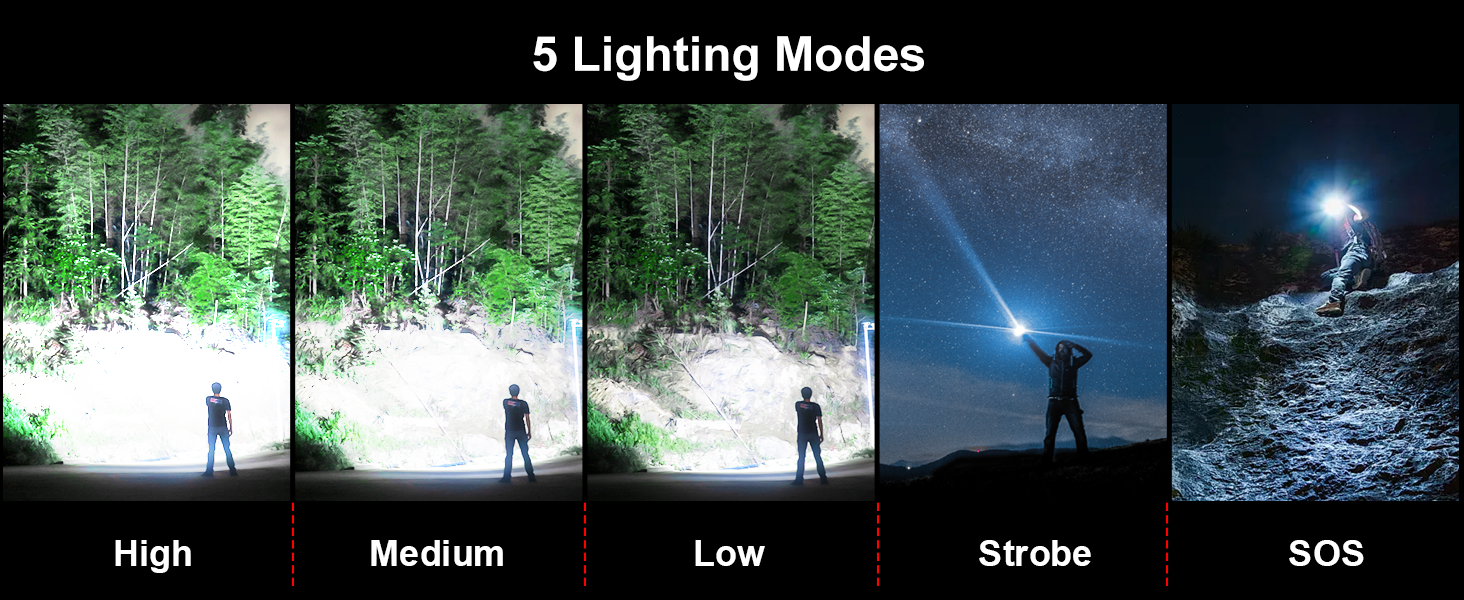
The S1476 offers five distinct lighting modes: High, Medium, Low, Strobe, and SOS. These modes can be adjusted to suit various situations, from daily illumination to emergency signaling.
IP67 Waterproof & Durability
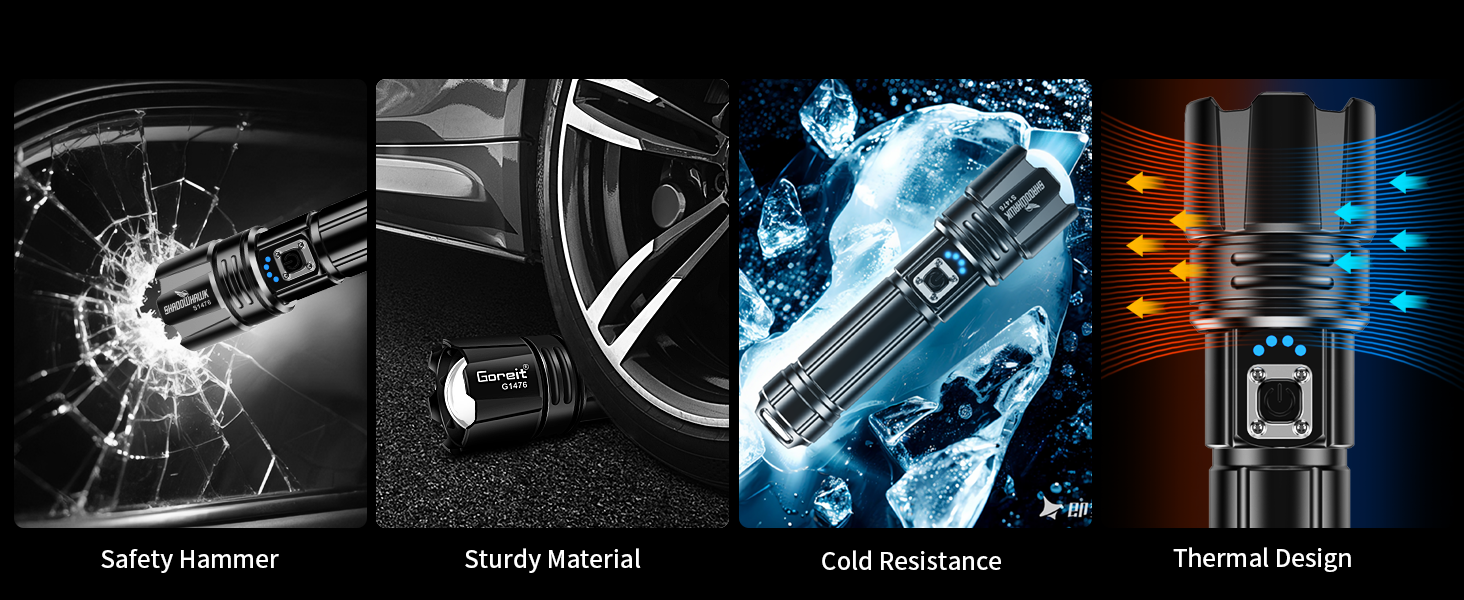
Constructed from super hard aviation-grade aluminum alloy, the flashlight is impact-resistant, wear-resistant, and designed to withstand accidental drops from up to 5 meters. Its IP67 waterproof rating, thanks to a built-in high tenacity seal rubber waterproof ring, ensures reliable performance in adverse weather conditions like rain or snow.

Setup
Battery Installation
The S1476 flashlight can be powered by either the included 6000mAh rechargeable battery or three AAA alkaline batteries (using the provided AAA battery holder and plastic battery tube).

- Open the back cover: Unscrew the tail cap of the flashlight.
- Confirm polarity: Insert the 6000mAh rechargeable battery with the positive (+) end facing towards the flashlight head. If using AAA batteries, place them into the AAA battery holder, ensuring correct polarity, then insert the holder into the plastic battery tube, and finally into the flashlight.
- Insert the battery properly: Gently slide the battery into the flashlight body.
- Close the back cover: Screw the tail cap back on securely.
Warm Tip: Please remove the transparent plastic protective film from the surface of the rechargeable battery before first use.
Charging the Flashlight
The flashlight can be charged via its USB-C input port using the provided USB-C charging cable. It can be connected to various power sources such as wall outlets, laptops, or portable power banks.

- Connect the USB-C cable to the flashlight's charging port and the other end to a power source.
- The LED power indicator lights will illuminate to show the charging progress.
- Charging typically takes 4-6 hours for a full charge.
The flashlight can also act as a power bank. Connect your electronic device to the flashlight's USB-A output port using a compatible cable to charge your device in an emergency.
Operating Instructions
Power On/Off
- To turn on: Press the power button once.
- To turn off: Long-press the power button for 3 seconds in any mode.
Mode Switching
Once the flashlight is on, press the power button repeatedly to cycle through the 5 lighting modes:
- High
- Medium
- Low
- Strobe
- SOS
Focus Adjustment
To adjust the beam focus, simply slide the head of the flashlight forward or backward. Sliding forward will narrow the beam for a spotlight effect, while sliding backward will widen the beam for a floodlight effect.
Maintenance
- Cleaning: Wipe the flashlight body with a clean, soft cloth. Do not use abrasive cleaners or solvents.
- Lubrication: Periodically apply silicone grease to the O-rings and threads to maintain waterproof integrity and smooth operation.
- Battery Care: If the flashlight will not be used for an extended period, remove the battery to prevent leakage. Store the battery in a cool, dry place.
- Storage: Store the flashlight in a cool, dry environment away from direct sunlight and extreme temperatures.
Troubleshooting
| Problem | Possible Cause | Solution |
|---|---|---|
| Flashlight does not turn on. | Low or dead battery. Battery inserted incorrectly. Loose tail cap. | Charge the battery. Check battery polarity. Tighten the tail cap. |
| Light is dim. | Low battery. Lens is dirty. | Charge the battery. Clean the lens with a soft cloth. |
| Cannot switch modes. | Button malfunction. | Ensure button is pressed firmly. If issue persists, contact support. |
| Water ingress. | O-rings damaged or missing. Tail cap not tightened. | Inspect and replace O-rings if necessary. Ensure tail cap is fully tightened. |
Specifications
| Feature | Detail |
|---|---|
| Model | CA-S1476 |
| Light Source Type | LED (XHP70.2) |
| Output | 2000 Lumens (Max), 30W |
| Beam Distance | Up to 5000ft (1524m) |
| Battery Type | 1 x 6000mAh Rechargeable Lithium Ion (Included) or 3 x AAA Alkaline (Included) |
| Running Time | Up to 12 hours (Low mode) |
| Charging Port | USB-C Input |
| Output Port | USB-A Output (for charging other devices) |
| Lighting Modes | High, Medium, Low, Strobe, SOS |
| Focus | Adjustable (Slide Zoom) |
| Material | Aviation-grade Aluminum Alloy |
| Water Resistance | IP67 Waterproof |
| Dimensions | 1.69"D x 1.26"W x 7.09"H |
| Weight | 1.01 pounds |
Warranty and Support
Shadowhawk products are manufactured to the highest quality standards. For any questions, concerns, or warranty claims, please refer to the contact information provided with your purchase or visit the official Shadowhawk website. Please retain your proof of purchase for warranty purposes.
Ask a question about this manual
Ask about setup, troubleshooting, compatibility, parts, safety, or missing instructions. Manuals+ will review the question and use this page’s manual context to help answer it.