
1. Introduction
Thank you for purchasing the M-Amazup Portable CD Player. This device is designed to provide versatile audio playback options, including CD, Bluetooth, FM transmission, USB, and AUX connectivity. Please read this manual carefully before use to ensure proper operation and to maximize your listening experience. Keep this manual for future reference.
2. Safety Information
- Do not expose the device to rain, moisture, or extreme temperatures.
- Avoid disassembling or modifying the device, as this may void the warranty and pose safety risks.
- Use only the provided charging cable and adapter (if included) to prevent damage.
- Keep the device away from strong magnetic fields.
- Clean the device with a soft, dry cloth. Do not use liquid cleaners or aerosols.
- Dispose of the battery according to local regulations.
3. Product Overview
3.1 Components and Controls

This image displays the M-Amazup Portable CD Player in white, along with its included accessories. The player features dual speakers on the top surface, an LCD display, and various control buttons. Visible accessories include a 3.5mm AUX cable, a USB-C charging cable, wired earphones, and a storage bag.

This diagram highlights the 8-in-1 multifunctional capabilities of the CD player, including CD playback, USB connectivity, dual wireless technology (Bluetooth), FM transmitter, variable speed playback, AUX output, dual stereo speakers, and sensitive buttons.
3.2 What's in the Box
- CD Player x1
- Type-C Cable x1
- AUX Cable x1
- User Manual x1
- Earphones x1
- Storage Bag x1
4. Setup
4.1 Charging the Device

The device is equipped with a built-in 1500 mAh lithium polymer rechargeable battery. To charge, connect the provided Type-C cable to the DC 5V port on the player and the other end to a power source such as a computer, power bank, wall charger (not included), or car charger. The LCD display will indicate charging status.
4.2 Inserting a CD
- Slide the 'OPEN' switch to open the CD compartment cover.
- Carefully place a CD (CD, CD-R, CD-RW, MP3, WMA formats supported) onto the spindle with the label side facing up.
- Gently press the CD until it clicks into place.
- Close the CD compartment cover firmly.
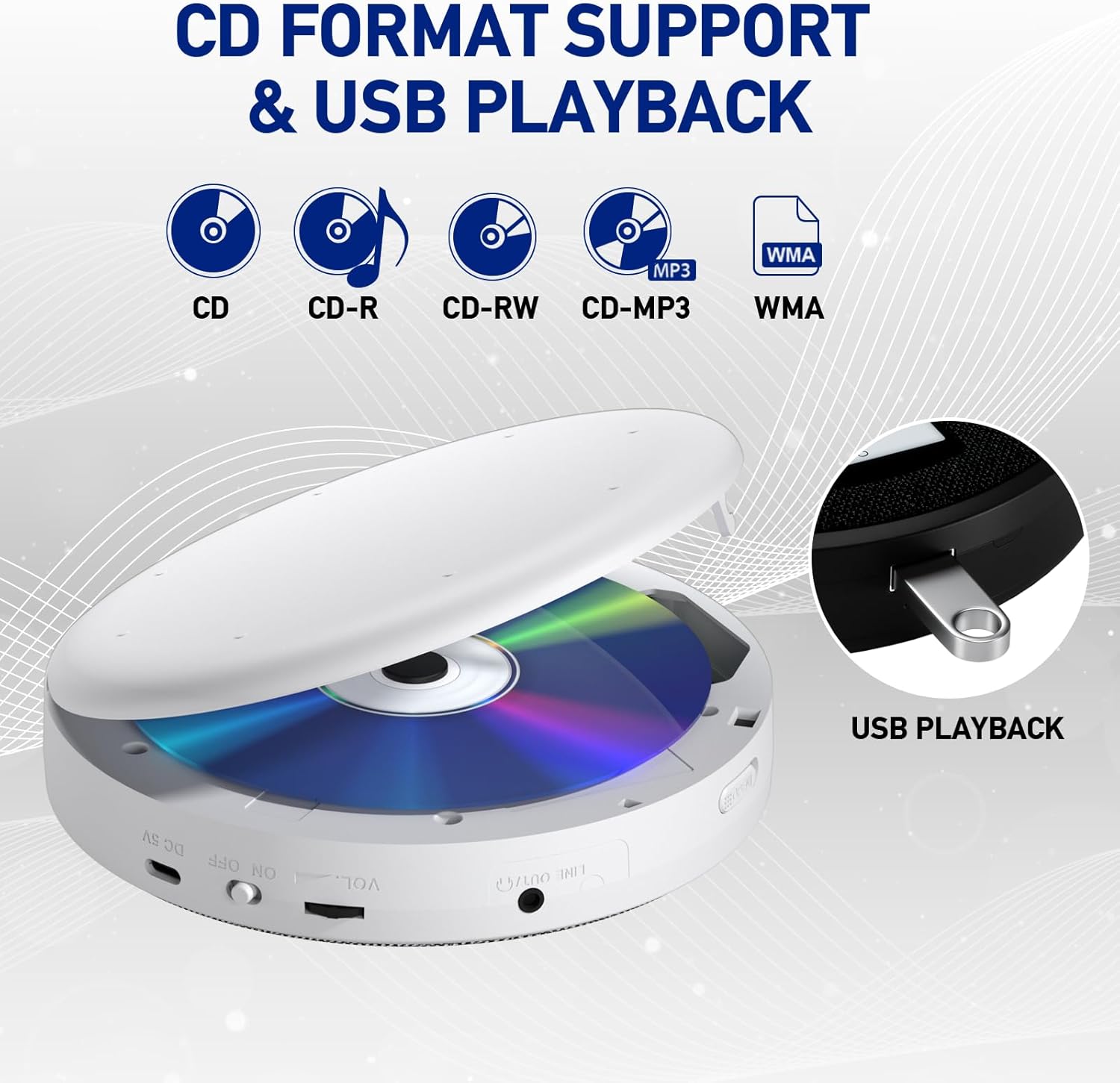
This image illustrates the CD compartment with a disc inserted, highlighting support for various CD formats (CD, CD-R, CD-RW, CD-MP3, WMA) and the USB playback feature.
4.3 Connecting Headphones or External Speakers
- Headphones: Plug the provided earphones or your own 3.5mm headphones into the 'LINE OUT' (headphone) jack on the side of the player.
- External Speakers: Use the provided 3.5mm AUX cable to connect the 'LINE OUT' jack of the CD player to the AUX input of external speakers or an amplifier.
5. Operating Instructions
5.1 Power On/Off
- Slide the 'ON/OFF' switch to 'ON' to power on the device.
- Slide the 'ON/OFF' switch to 'OFF' to power off the device.
5.2 Basic CD Playback
- Play/Pause: Press the Play/Pause button (►▮) to start or pause playback.
- Next Track: Press the Next button (►►) to skip to the next track.
- Previous Track: Press the Previous button (◄◄) to go back to the beginning of the current track or to the previous track.
- Stop: Press the Stop button (■) to stop playback.
5.3 Adjusting Volume
- Rotate the VOL knob on the side of the player to increase or decrease the volume.
5.4 EQ Modes
- Press the MODE/EQ button repeatedly to cycle through the 5 sound effects: BLT (Bass), POP (Pop), ROC (Rock), JAZ (Jazz), and CLA (Classic).
5.5 Speed Adjustment
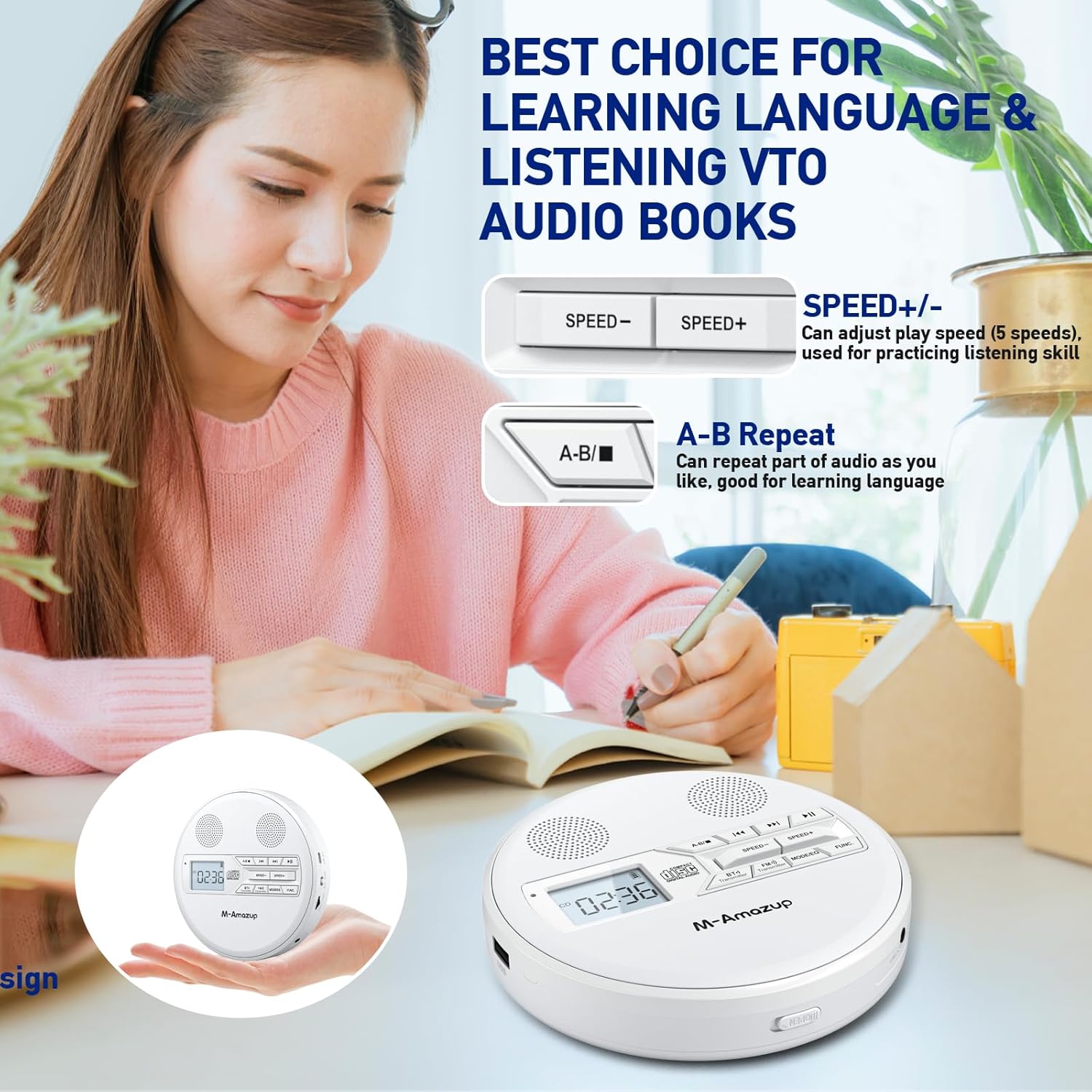
This image highlights the 'SPEED+/-' buttons for adjusting playback speed (5 speeds available) and the 'A-B' repeat function, useful for language learning or practicing skills.
- Press the SPEED+ button to increase playback speed.
- Press the SPEED- button to decrease playback speed. There are 10 adjustable speeds.
5.6 Last Memory & A-B Repeat
- Last Memory: The player automatically remembers the last playback position and resumes from where you stopped when powered on again.
- A-B Repeat: During playback, press the A-B button once to set the start point (A). Press it again to set the end point (B). The player will repeatedly play the section between A and B. Press the A-B button a third time to cancel the repeat function.
5.7 Bluetooth Mode
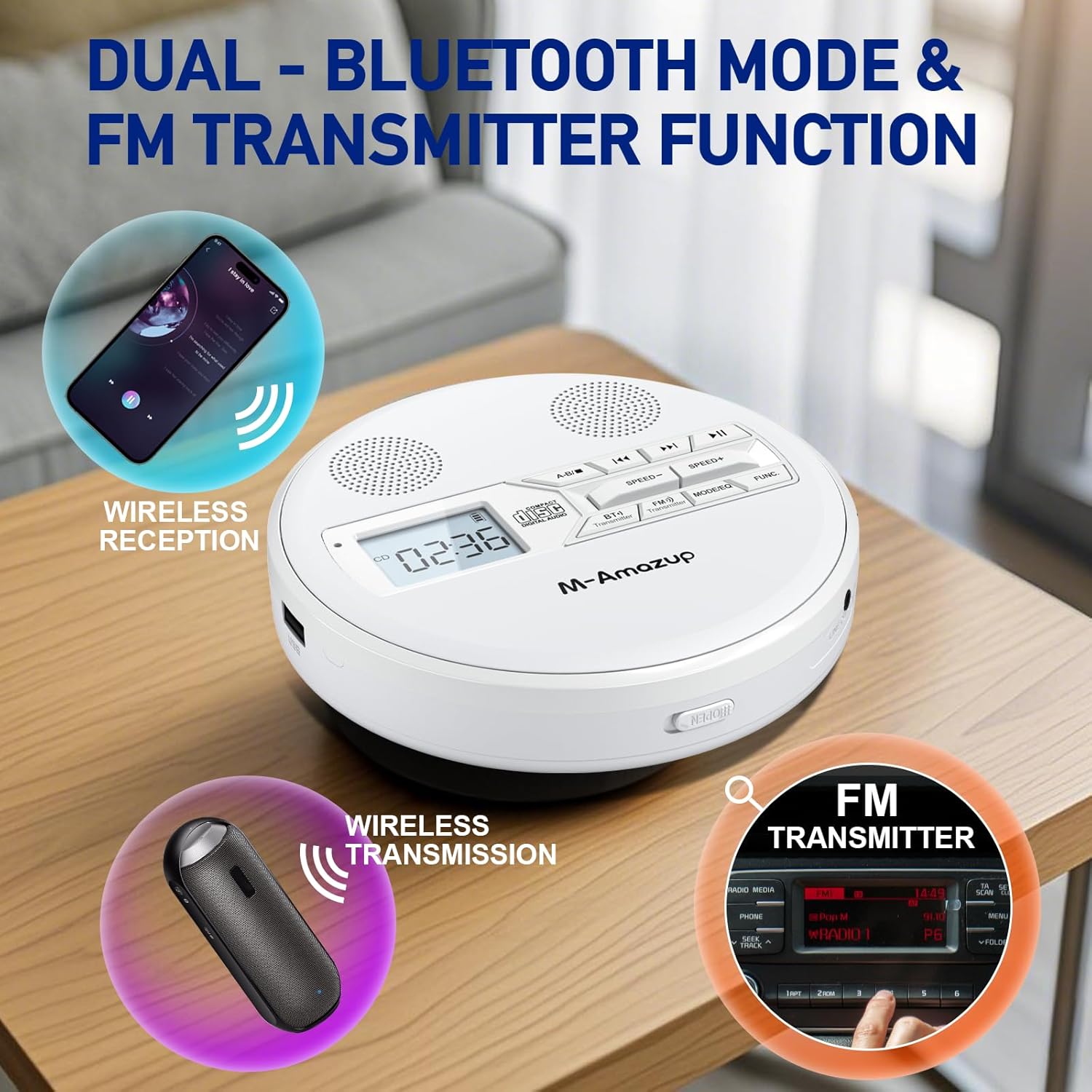
This image illustrates the dual Bluetooth functionality, allowing for wireless reception (connecting to Bluetooth headphones/speakers) and wireless transmission (broadcasting audio to other Bluetooth devices). It also shows the FM transmitter function for car audio integration.
- Pairing with Bluetooth Headphones/Speakers (Wireless Reception):
- Ensure your Bluetooth headphones or speaker are in pairing mode.
- On the CD player, press the BT(-) Transmitter button. The Bluetooth indicator on the LCD display will flash.
- The player will search for nearby Bluetooth devices. Once connected, the Bluetooth indicator will stop flashing and remain solid.
- Connecting to another Bluetooth device (Wireless Transmission):
- This function allows the CD player to act as a Bluetooth source, transmitting audio to another Bluetooth receiver.
- Press the BT(-) Transmitter button. The Bluetooth indicator will flash.
- Ensure the receiving Bluetooth device (e.g., a Bluetooth speaker) is in pairing mode.
- Once connected, the Bluetooth indicator will stop flashing.
5.8 FM Transmitter Function
- This feature allows you to transmit the CD player's audio to your car radio or any FM receiver.
- Press the FM(()) Transmitter button.
- Tune your car radio or FM receiver to an unused FM frequency (e.g., 87.9 MHz).
- Adjust the FM frequency on the CD player to match your receiver. The audio from the CD player will now play through your car's speakers.
5.9 USB Playback
- Insert a USB flash drive containing MP3 or WMA audio files into the USB port.
- The player will automatically switch to USB mode and begin playback.
- Use the standard playback controls (Play/Pause, Next, Previous) to navigate your USB audio files.
5.10 AUX Output
- The AUX output (LINE OUT) allows you to connect the CD player to external audio devices such as home stereo systems, car audio systems, or powered speakers using the provided 3.5mm AUX cable.
- Ensure the external device is set to its AUX input mode.
6. Maintenance
6.1 Cleaning
- Wipe the exterior of the player with a soft, dry, lint-free cloth.
- Do not use abrasive cleaners, waxes, or solvents.
- To clean the laser lens, use a specialized CD lens cleaning disc (not included).
6.2 Battery Care
- To prolong battery life, avoid fully discharging the battery frequently.
- If the device will not be used for an extended period, charge it to about 50% and store it in a cool, dry place. Recharge every 3-6 months.
6.3 Storage
- Store the player in a clean, dry environment, away from direct sunlight and extreme temperatures.
- Use the provided storage bag to protect the player from dust and scratches.
7. Troubleshooting
| Problem | Possible Cause | Solution |
|---|---|---|
| Player does not power on. | Battery is depleted. | Charge the player using the provided Type-C cable. |
| CD does not play or skips. | CD is dirty, scratched, or inserted incorrectly. | Clean the CD, check for scratches, and ensure it is properly seated in the compartment. |
| No sound from headphones/speakers. | Volume is too low or headphones/speakers are not connected properly. | Increase volume. Ensure headphones/speakers are fully plugged into the 'LINE OUT' jack. Check external speaker power and volume. |
| Bluetooth device fails to pair. | Bluetooth device is not in pairing mode or too far away. | Ensure the Bluetooth device is in pairing mode and within range (approx. 10 meters). Try restarting both devices. |
| FM transmission has static. | FM frequency is occupied or signal is weak. | Find a clearer, unused FM frequency on your receiver and match it on the CD player. |
8. Specifications
| Feature | Detail |
|---|---|
| Product Dimensions | 5.75 x 1.32 x 5.75 inches |
| Item Weight | 1.01 pounds |
| Model Number | B-07-P-W |
| Battery | 1500 mAh Lithium Polymer (included) |
| Supported CD Formats | CD, CD-R, CD-RW, MP3, WMA |
| Sound Effects (EQ) | BLT, POP, ROC, JAZ, CLA |
| Playback Speeds | 10 adjustable speeds |
| Connectivity | Dual Bluetooth, FM Transmission, USB, AUX |
| Special Features | LCD Display, Anti-Skip Protection, Last Memory, A-B Repeat, Dual Speakers |
9. Warranty and Support
M-Amazup products are manufactured with attention to quality and performance. For warranty information or technical support, please refer to the contact details provided with your purchase documentation or visit the official M-Amazup website. Please retain your proof of purchase for warranty claims.