
1. Introduction and Overview
The FOSSiBOT F2400 is a high-capacity 2048Wh LiFePO4 portable power station designed to provide reliable power for various applications, including home backup, outdoor camping, RV trips, and emergency situations. It features a powerful 2400W AC output (4800W peak) and supports ultra-fast charging, capable of reaching a full charge in approximately 1.5 hours when utilizing both AC and solar input.
This manual provides essential information for the safe and efficient operation of your FOSSiBOT F2400 solar generator. Please read it thoroughly before use.

Figure 1: FOSSiBOT F2400 Portable Power Station with 200W Solar Panel.
This image displays the FOSSiBOT F2400 portable power station alongside its accompanying 200W foldable solar panel, highlighting the complete solar generator package.
Video 1: FOSSiBOT F2400 2048Wh Portable Power Station Overview.
This video provides a brief overview of the FOSSiBOT F2400 portable power station, showcasing its features, charging capabilities, and various applications in different settings.
2. Setup
2.1 Unpacking and Initial Inspection
Upon receiving your FOSSiBOT F2400, carefully unpack all components and inspect for any signs of damage. The standard packing list includes:
- FOSSiBOT F2400 Portable Power Station
- AC Charging Cable
- Solar Charging Cable
- Car Charging Cable
- User Manual
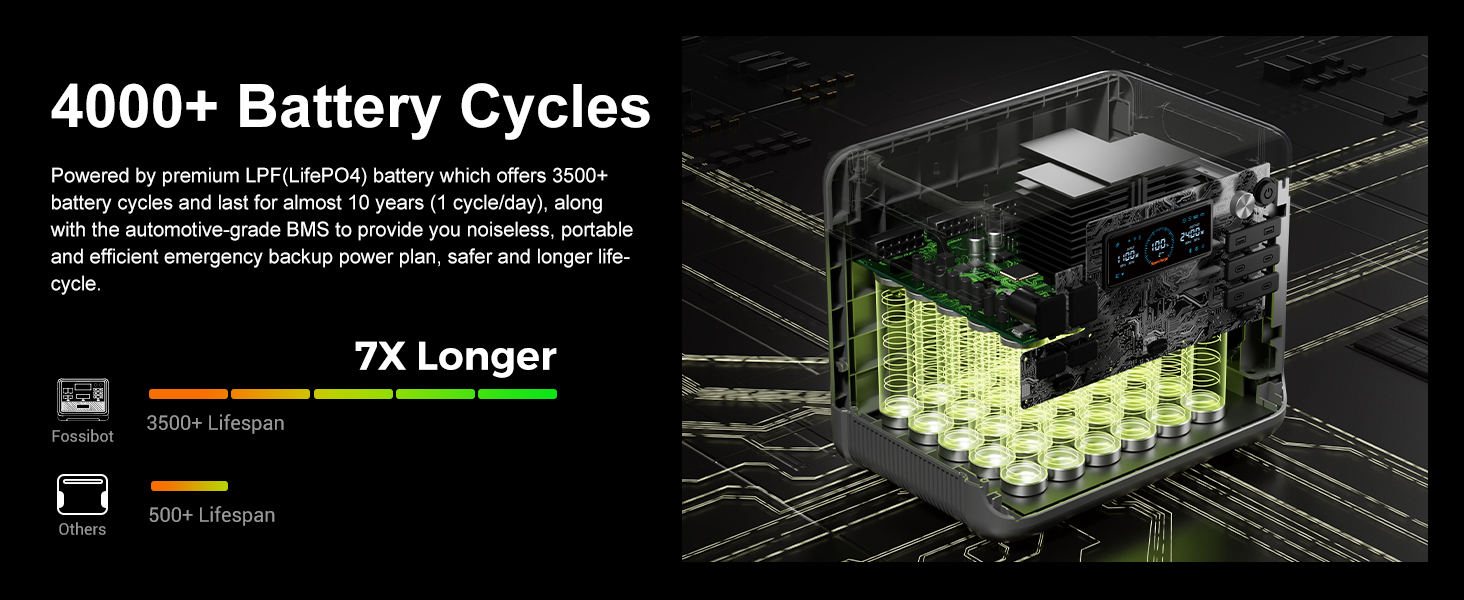
Figure 2: Standard Packing List.
This image illustrates the contents of the FOSSiBOT F2400 package, including the main unit, various charging cables, and the user manual.
2.2 Charging the Power Station
Before first use, it is recommended to fully charge the FOSSiBOT F2400. The unit supports multiple charging methods:
- AC Wall Charging: Connect the included AC charging cable to the power station and a standard wall outlet. The F2400 can be fully charged in approximately 2 hours using 1100W AC input.
- Solar Charging: Connect compatible solar panels (up to 500W max input) using the provided solar charging cable. Optimal charging speed depends on sunlight intensity and panel wattage.
- Car Charging: Use the included car charging cable to charge the unit from your vehicle's 12V/10A outlet.
- AC + Solar Dual Charging: For the fastest charging, combine AC and solar input to achieve a full charge in as little as 1.5 hours (1600W combined input).
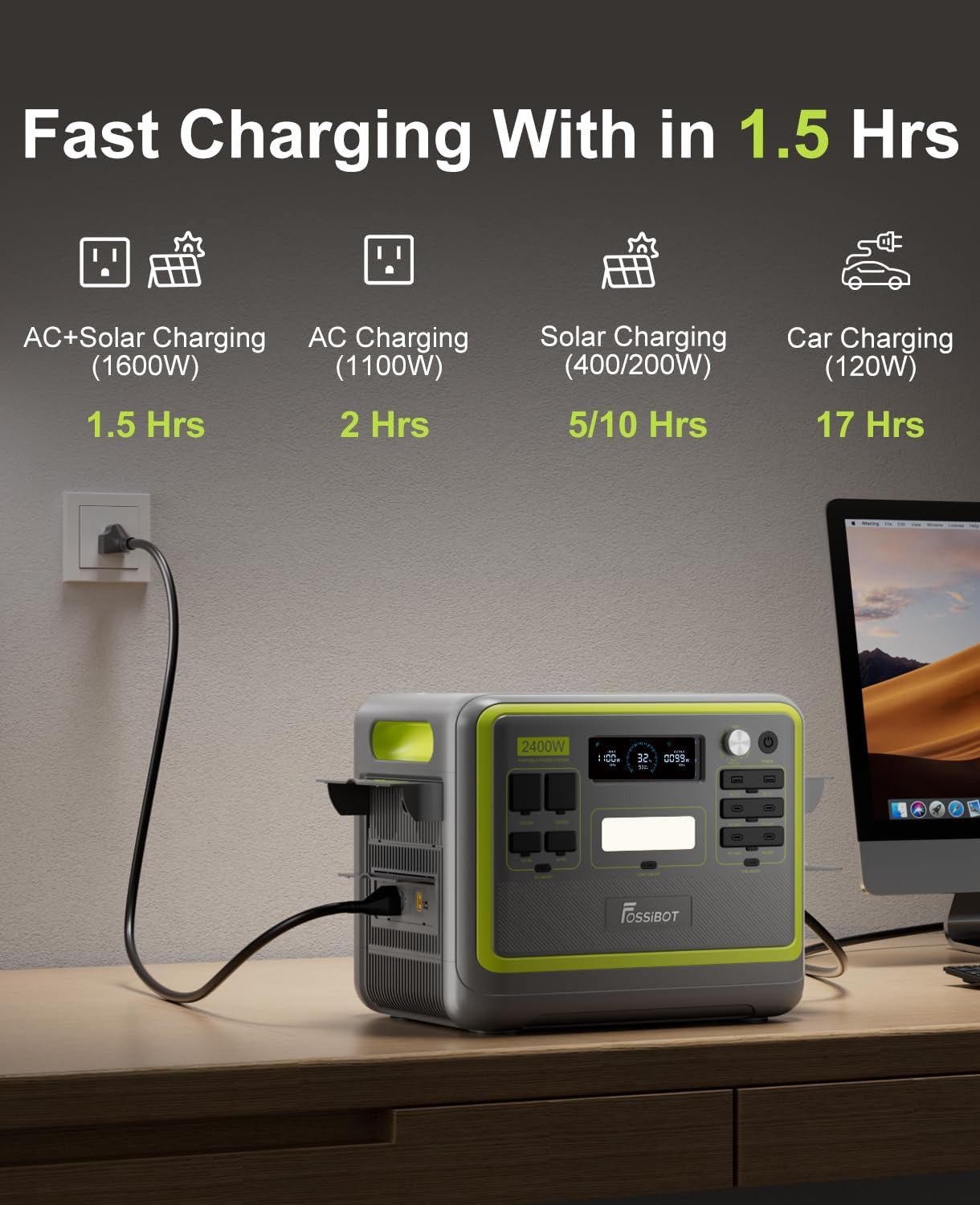
Figure 3: Fast Charging Options.
This image demonstrates the various fast charging methods available for the FOSSiBOT F2400, including AC, solar, and car charging, along with their approximate charging times.
Figure 4: AC Wall Charging.
The FOSSiBOT F2400 is shown connected to a standard wall outlet for rapid AC charging, highlighting its ability to quickly replenish its battery.
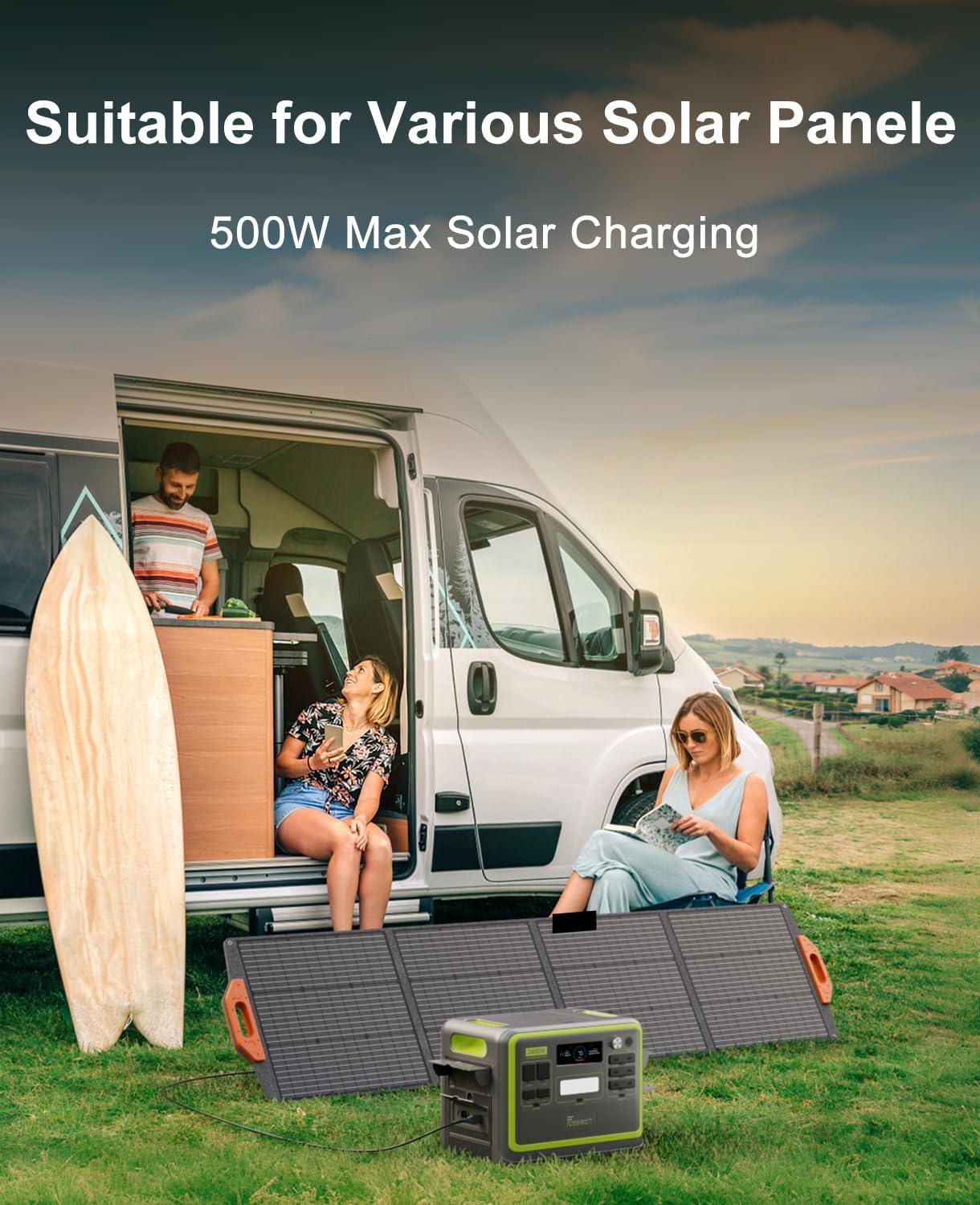
Figure 5: Solar Charging in an Outdoor Setting.
This image shows the FOSSiBOT F2400 connected to solar panels in an outdoor environment, demonstrating its capability for renewable energy charging.
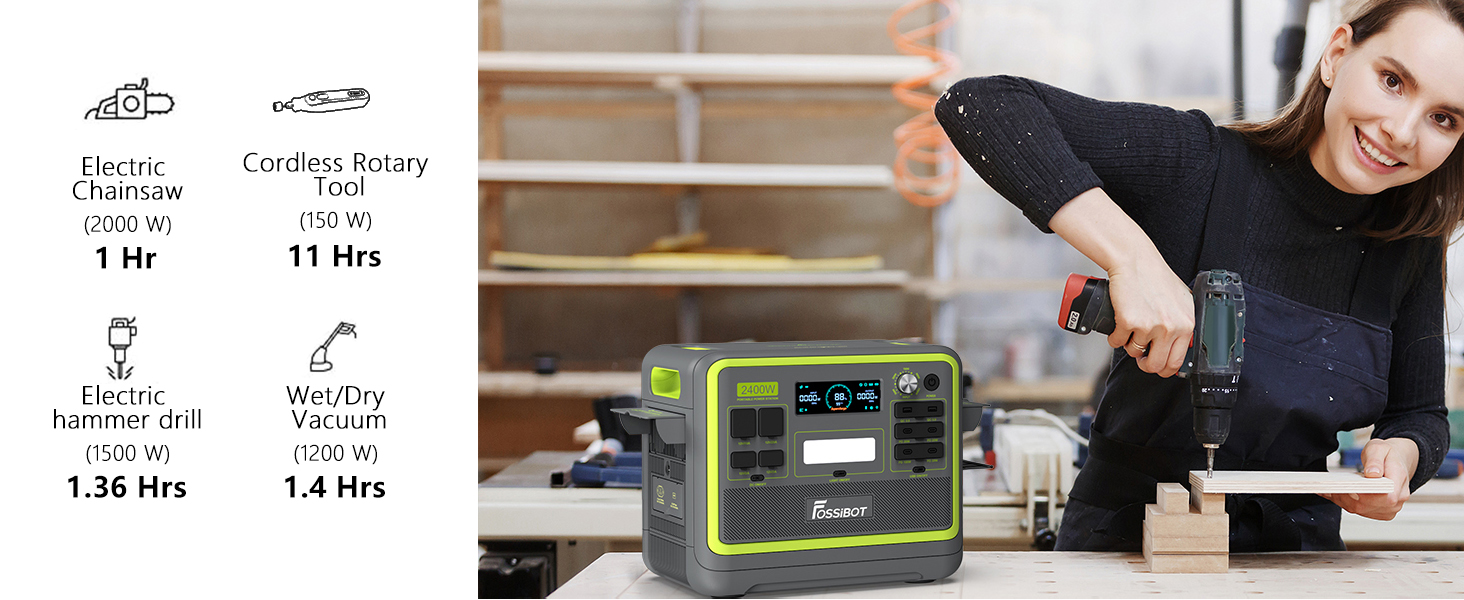
Figure 6: Car Charging.
The FOSSiBOT F2400 is depicted being charged inside a vehicle, illustrating its portability and convenience for on-the-go power needs.
2.3 Adjustable Input Power
The F2400 features a rotating knob to adjust the input power from 300W to 1100W. This allows you to control the recharging speed and adapt to different power sources or grid conditions. If the voltage is too low, you can decrease the input power to ensure safe charging.

Figure 7: Adjustable Input Power Knob.
This image highlights the adjustable input power knob on the FOSSiBOT F2400, showing the different wattage settings and their corresponding charging times.
3. Operating Instructions
3.1 Output Ports and Powering Devices
The FOSSiBOT F2400 is equipped with 16 versatile output ports to meet various power requirements, allowing you to power up to 16 devices simultaneously. These include:
- 6 AC Outlets (2400W total output)
- 4 USB-C Ports (up to 100W PD)
- 2 USB-A Ports (18W each)
- 2 DC Output Ports (12V/3A each)
- 1 XT60 Port (12V/25A)
- 1 Car Outlet (12V/10A)
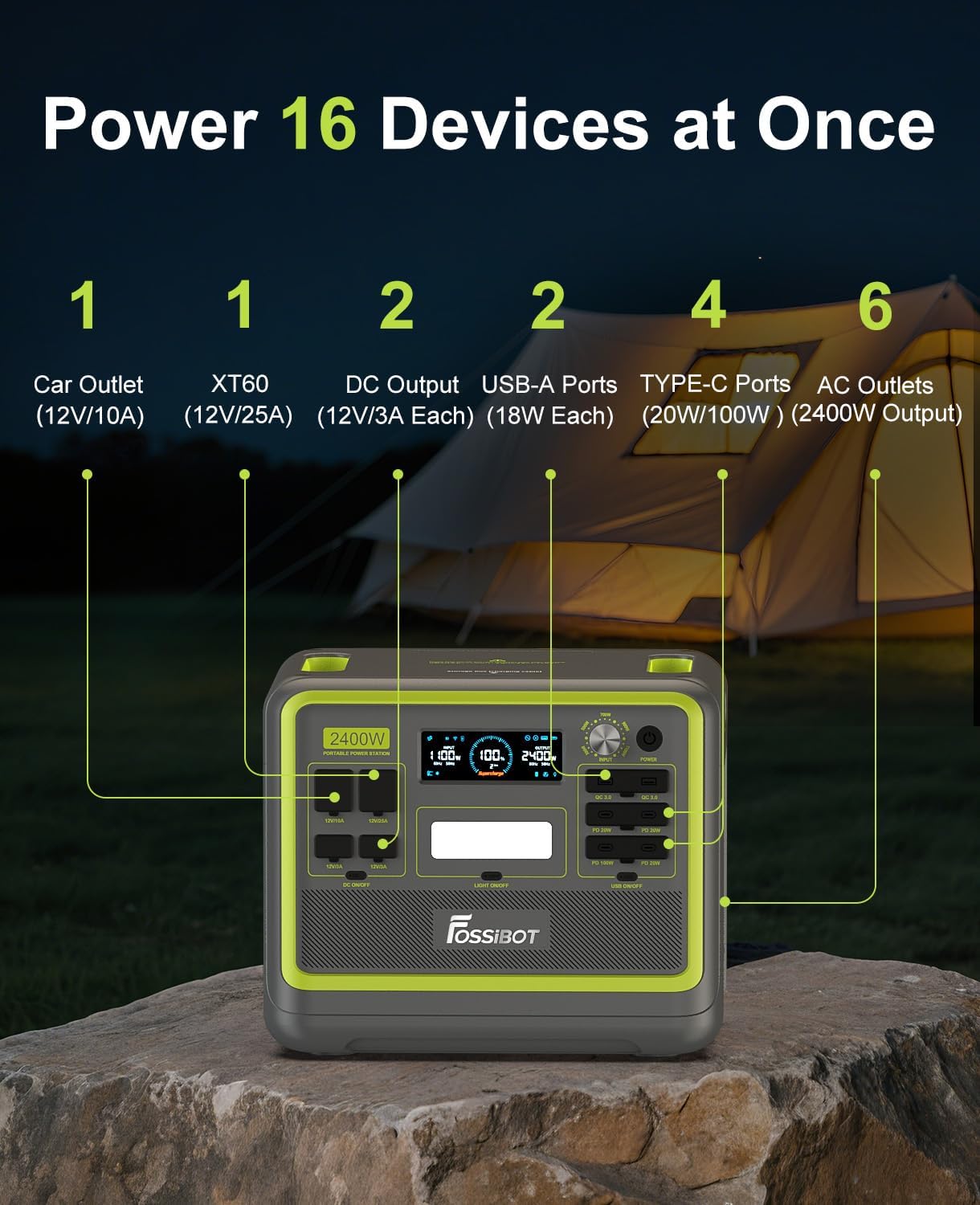
Figure 8: FOSSiBOT F2400 Output Ports.
This diagram clearly labels and illustrates the location and type of all 16 output ports available on the FOSSiBOT F2400, including AC, USB-C, USB-A, DC, XT60, and car outlets.
The 2048Wh capacity and 2400W output allow you to run a wide range of appliances and electronics. Examples of runtime for common devices include:
- Light (12W): 145 hours
- 43" TV (110W): 15.8 hours
- Coffee Maker (1000W): 1.7 hours
- Microwave (700W): 2.5 hours
- Electric Fan (40W): 50 hours
- Refrigerator (60W): 29 hours
- Oven (1200W): 1.4 hours
- CPAP (40W): 43 hours
- Electric Stove (600W): 2.9 hours
- Projector (120W): 14.5 hours
- Smartphone (10Wh): 174 recharges
- Tablet (25Wh): 69 recharges
- Laptop (50Wh): 34 recharges
- Clothing Dryer (1400W): 1.2 hours
- Heater (1200W): 1.4 hours
- Electric Kettle (700W): 2.4 hours
- Rice Cooker (800W): 2.1 hours
- Hair Dryer (1600W): 1.1 hours
- Electric Chainsaw (2000W): 1 hour
- Cordless Rotary Tool (150W): 11 hours
- Electric Hammer Drill (1500W): 1.36 hours
- Wet/Dry Vacuum (1200W): 1.4 hours
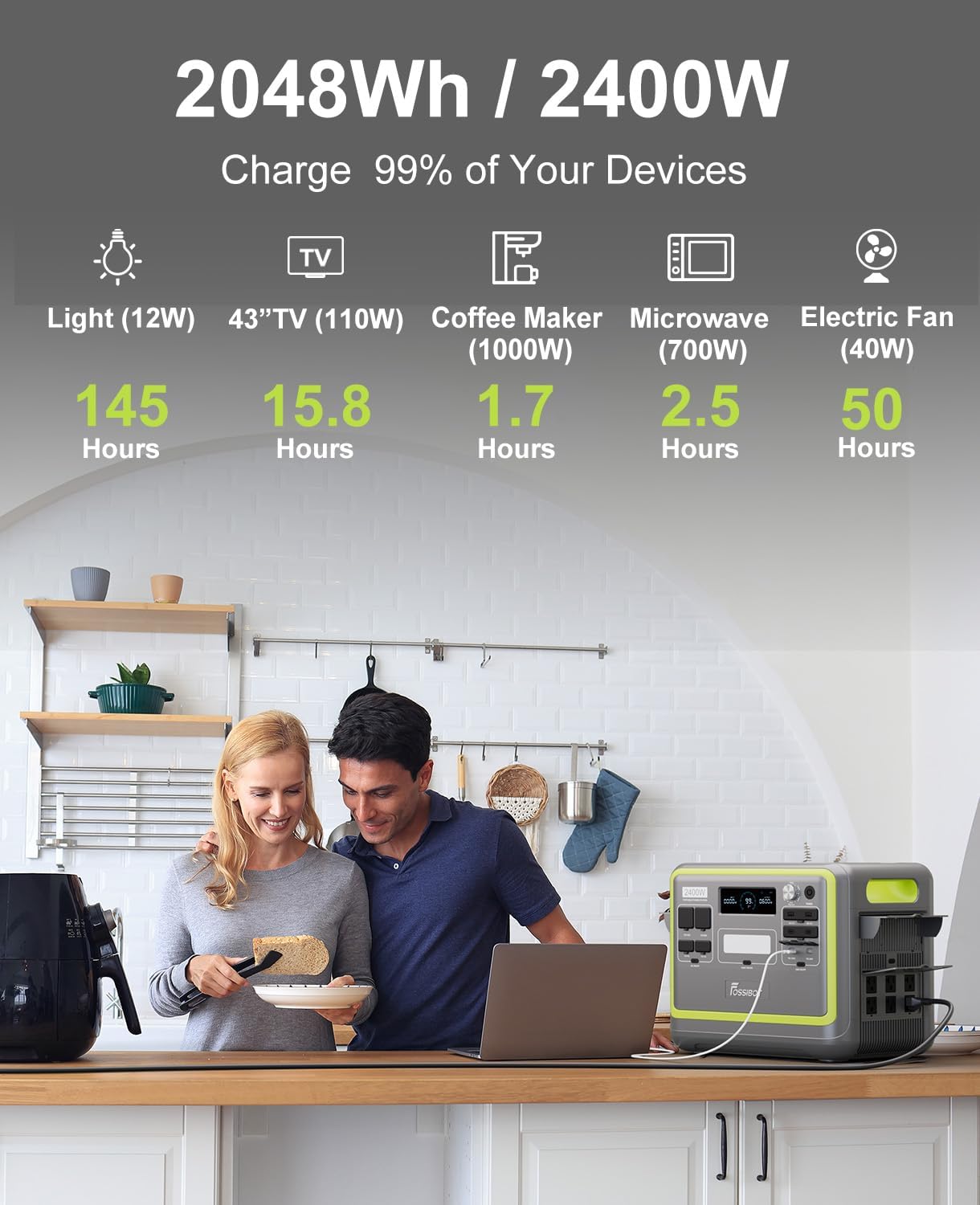
Figure 9: Powering Home Appliances.
This image illustrates the FOSSiBOT F2400 powering common household appliances like a coffee maker and a television, demonstrating its capacity to support daily electrical needs.
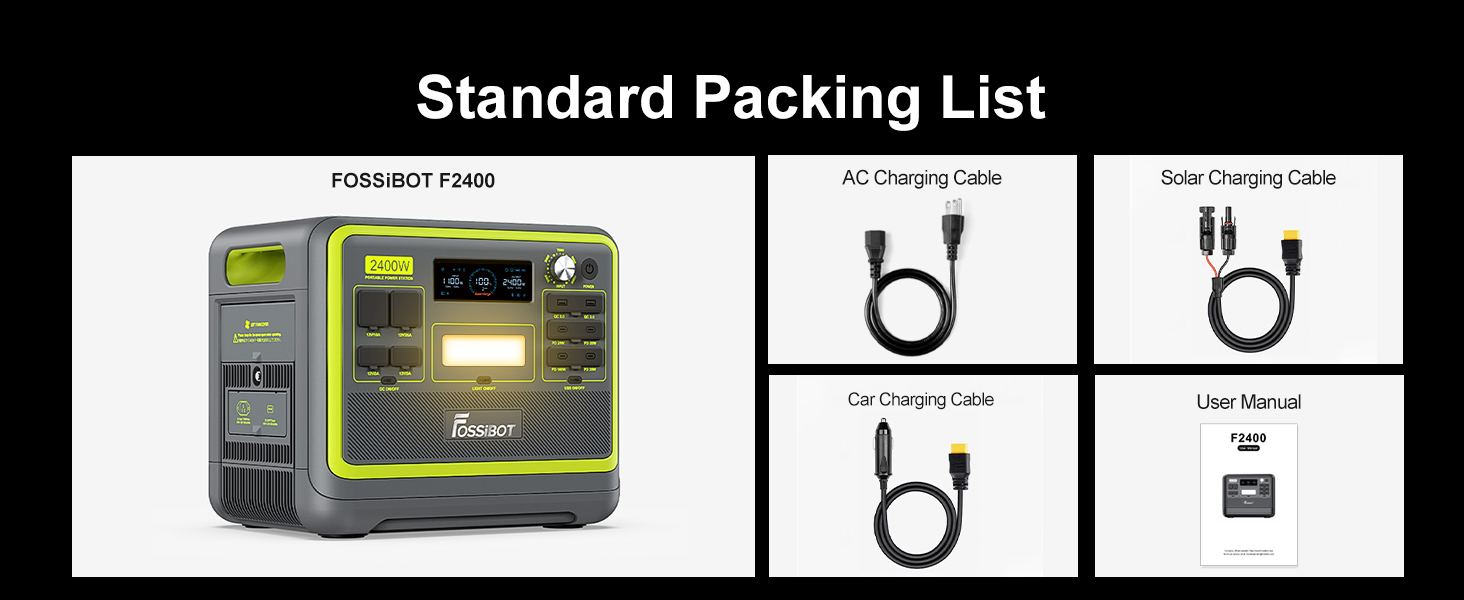
Figure 10: Kitchen Appliance Usage.
A FOSSiBOT F2400 is shown powering kitchen appliances, emphasizing its utility for cooking and food preparation during outages or in off-grid settings.
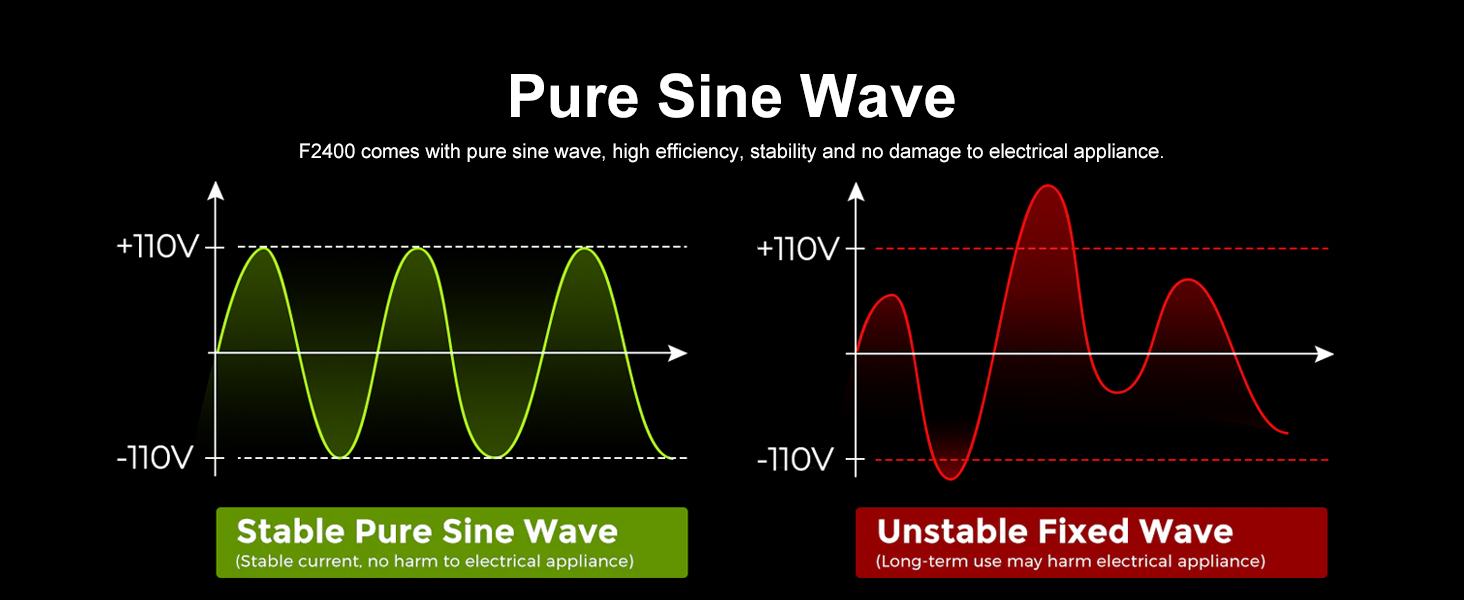
Figure 11: Living Room Electronics.
This image depicts the FOSSiBOT F2400 providing power to various living room electronics, such as a projector and laptop, for entertainment and work.

Figure 12: Camping Power Solution.
The FOSSiBOT F2400 is shown in a camping scenario, powering outdoor equipment and demonstrating its suitability for off-grid adventures.
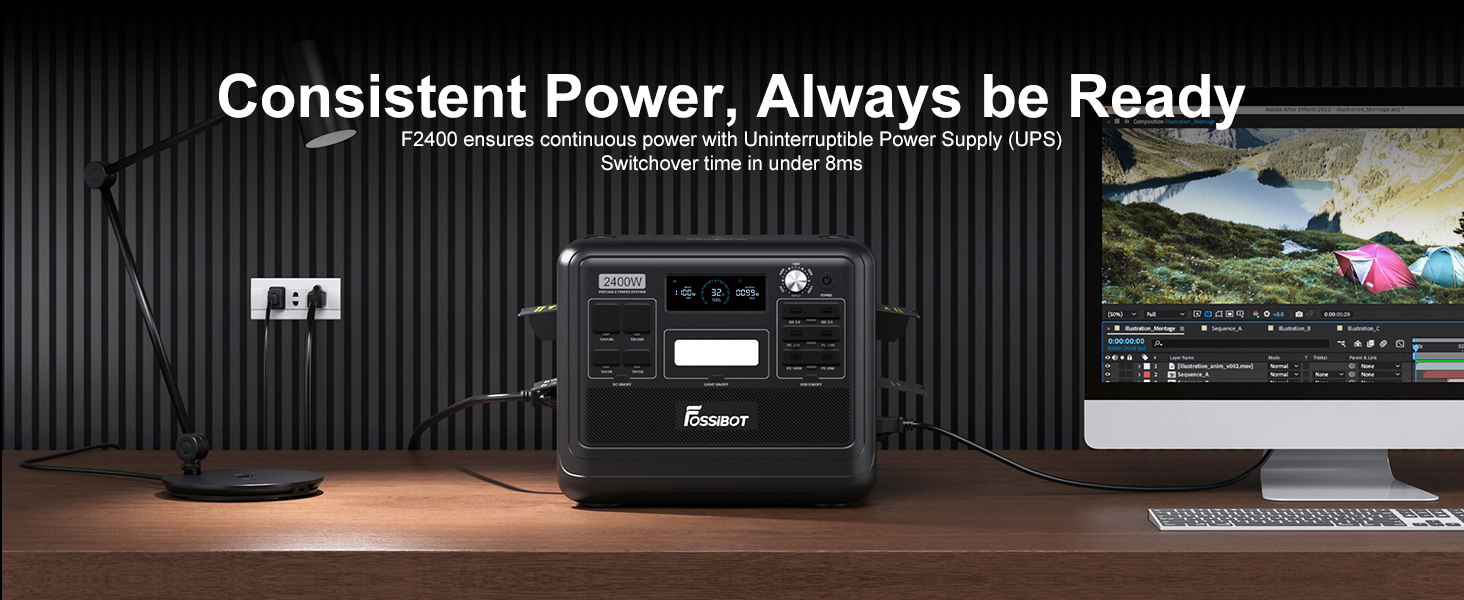
Figure 13: Workshop Tool Power.
This image illustrates the FOSSiBOT F2400 providing power to various workshop tools, showcasing its capability for demanding applications.
3.2 Uninterruptible Power Supply (UPS) Function
The F2400 features an 8ms switch time for its Uninterruptible Power Supply (UPS) mode. This ensures that sensitive electronics, such as computers, CPAP machines, and security cameras, remain powered during blackouts, preventing data loss or interruption of critical functions. It supports up to 1100W load in UPS mode.

Figure 14: UPS Functionality.
This image demonstrates the FOSSiBOT F2400 acting as an Uninterruptible Power Supply (UPS) for a computer and other essential devices, highlighting its rapid switchover time to prevent power interruptions.
3.3 APP Control
Monitor and adjust your FOSSiBOT F2400 settings remotely using the dedicated mobile application. The app connects via Bluetooth and Wi-Fi, allowing you to:
- View real-time monitoring data (input/output power, battery level).
- Control machine ports (turn on/off).
- Set charging start times.
- Perform remote shutdowns.
Download the app by scanning the QR code provided in the product packaging or visiting https://app.sydpower.com/.

Figure 15: APP Control Interface.
This image shows a smartphone displaying the FOSSiBOT F2400's mobile application interface, demonstrating remote control and monitoring capabilities for the power station.
3.4 Informative Display
The F2400 features a clear display that provides essential information about its operation, including input power, output power, battery level, remaining usage/recharging time, and various status indicators (AC charging, Bluetooth, Wi-Fi, fan status, temperature protection, etc.).

Figure 16: Informative Display Icons.
This image provides a detailed view of the FOSSiBOT F2400's display, highlighting various icons and indicators that provide real-time operational information to the user.
3.5 Pure Sine Wave Technology
The F2400 utilizes pure sine wave technology, which provides stable, high-efficiency power output. This is crucial for safeguarding sensitive electronics such as CPAP machines, drones, and medical equipment, ensuring they receive clean, grid-quality power without damage. It also contributes to a quieter operation compared to modified sine wave inverters.
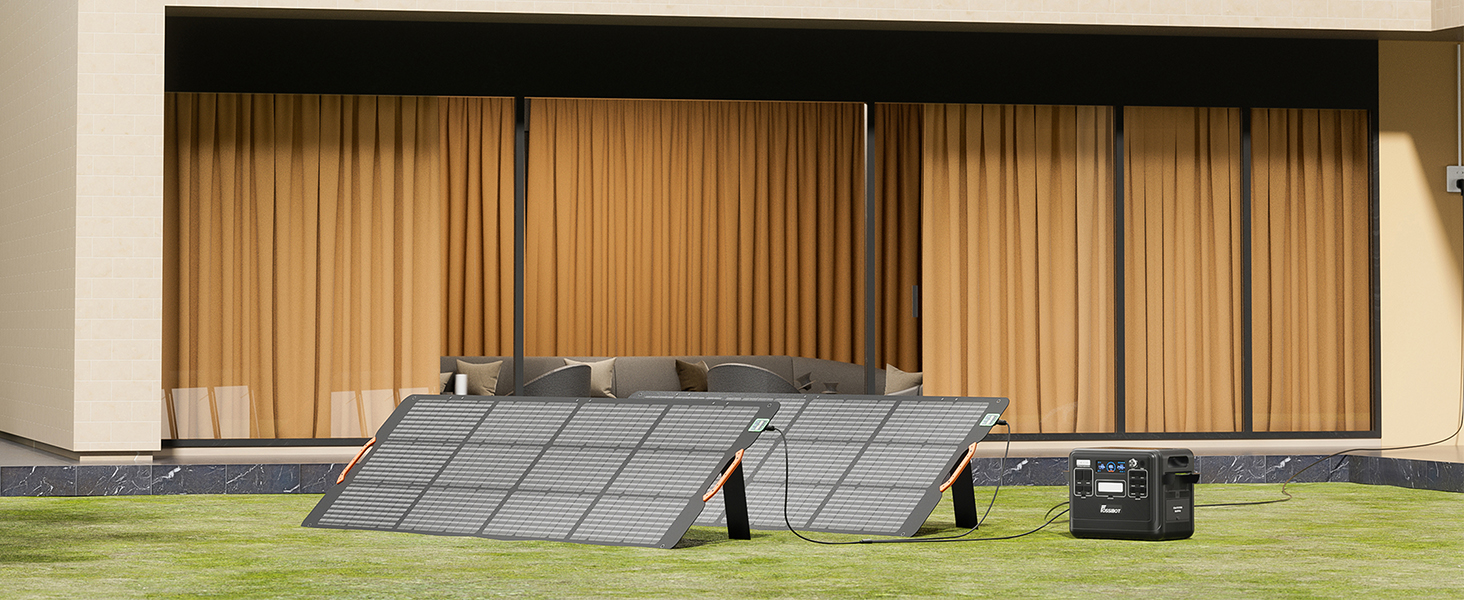
Figure 17: Pure Sine Wave Output.
This graphic compares a stable pure sine wave with an unstable fixed wave, illustrating the superior quality of power provided by the FOSSiBOT F2400 for sensitive electronics.
3.6 LED Lighting
The F2400 includes warm tone LED lighting, which can serve as a light source during travels or emergencies. It also features an SOS flash light function for signaling.
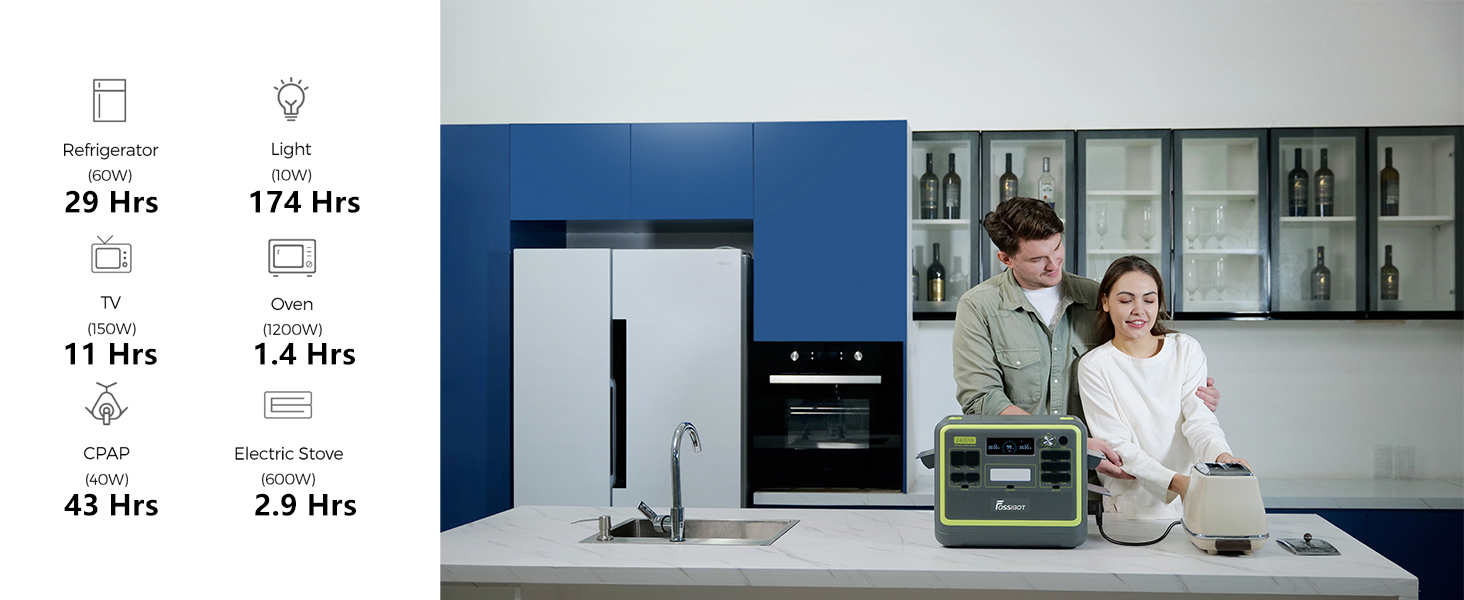
Figure 18: Warm Tone LED Lighting.
The FOSSiBOT F2400 is shown with its warm tone LED lighting activated, demonstrating its utility as a light source in low-light conditions.
4. Maintenance
4.1 Battery Care and Lifespan
The FOSSiBOT F2400 is built with a car-grade LiFePO4 battery, known for its safety, reliability, and long lifespan. This battery offers over 4000 charge cycles, which translates to approximately 10 years of daily use (one cycle per day). To maximize battery life, avoid extreme temperatures and store the unit with a partial charge (around 50-80%) if not used for extended periods.

Figure 19: LiFePO4 Battery Structure.
This image provides an internal view of the FOSSiBOT F2400, highlighting the arrangement of its LiFePO4 battery cells, which contribute to its long lifespan and safety.
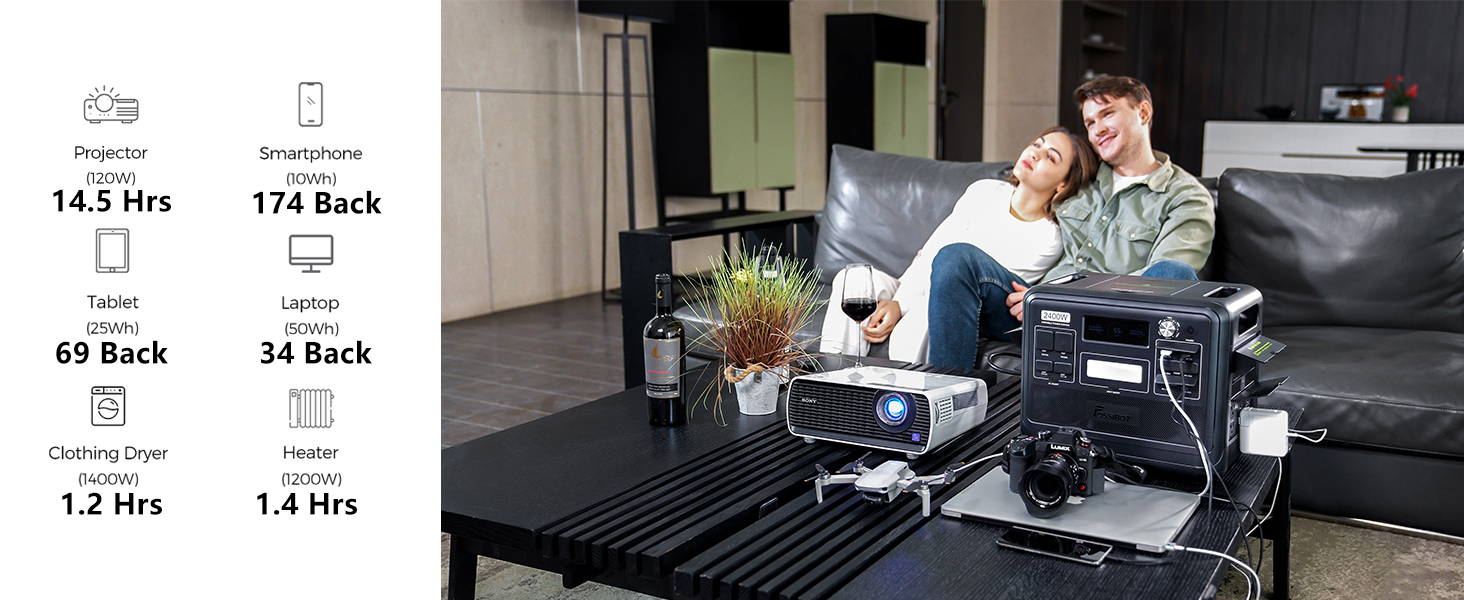
Figure 20: Battery Cycle Lifespan.
This graphic compares the FOSSiBOT F2400's 4000+ battery cycles to other typical power stations, emphasizing its extended lifespan.
4.2 Battery Management System (BMS) Protection
The integrated Battery Management System (BMS) provides comprehensive protection for the F2400, ensuring safe and stable operation. This includes protection against:
- Overload
- Low Temperature
- Over Temperature
- Over Current
- Short Circuit
- Over Voltage
- Over Discharge
- Low Voltage
- Over Charge
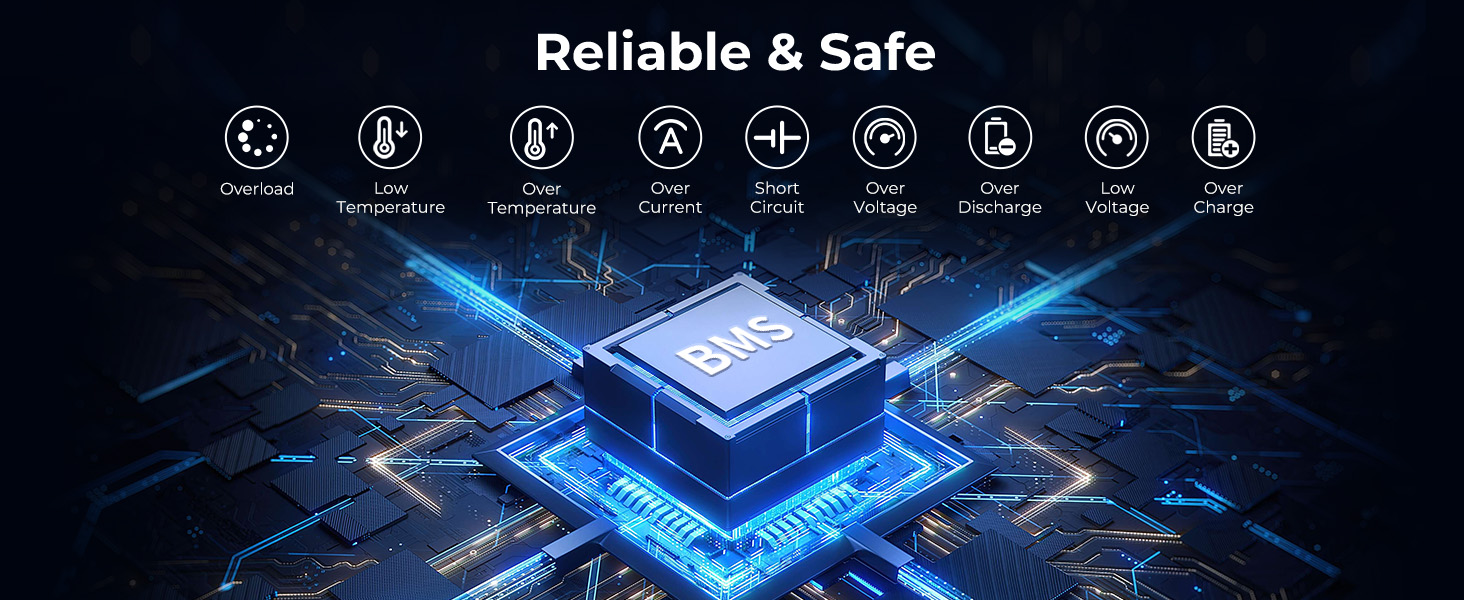
Figure 21: BMS Protection System.
This diagram visually represents the advanced Battery Management System (BMS) within the FOSSiBOT F2400, illustrating its various safety protections for reliable operation.
4.3 Dust and Water Resistance
The F2400 features an IP68 dust and water resistance rating, thanks to its unique sealed design. This protects the unit from sand, dust, and rain, making it suitable for use in various outdoor conditions. Additionally, it includes rubber plug covers for the DC and USB output ports to enhance dust-proof and daily life water resistance.

Figure 22: Rubber Plug Covers.
This image highlights the rubber plug covers on the FOSSiBOT F2400's DC and USB output ports, designed to provide enhanced dust and water resistance.
5. Troubleshooting
If you encounter any issues with your FOSSiBOT F2400, please refer to the informative display for error codes or indicators. Common issues and their potential solutions are listed below:
- Unit not turning on: Ensure the power button is pressed and held for a few seconds. Check if the battery is completely depleted and connect to a charging source.
- No output from ports: Verify that the specific output section (AC, DC, USB) is turned on. Check the display for overload indicators.
- Slow charging: Ensure all charging cables are securely connected. For solar charging, verify panel placement and sunlight intensity. Adjust the input power knob if necessary.
- Overload warning: Disconnect some devices to reduce the total power draw. The unit will automatically reset once the load is within limits.
- Temperature warning: Allow the unit to cool down in a well-ventilated area. Ensure cooling vents are not obstructed.
For persistent issues or technical support, please contact FOSSIBOT customer service.
6. Specifications
| Feature | Specification |
|---|---|
| Brand | FOSSIBOT |
| Model Name | F2400 |
| Battery Type | LiFePO4 |
| Capacity | 2048Wh |
| AC Output (Rated) | 2400W |
| AC Output (Peak) | 4800W |
| AC Charging Input | 1100W Max |
| Solar Charging Input | 500W Max |
| Full Charge Time (AC) | Approx. 2 hours |
| Full Charge Time (AC+Solar) | Approx. 1.5 hours |
| UPS Switch Time | < 8ms |
| Cycle Life | 4000+ cycles to 80% capacity |
| Product Dimensions | 12.6"L x 11.2"W x 15.2"H |
| Weight | Approx. 48.5 lbs (22 kg) |
| Dust/Water Resistance | IP68 |
| Total Power Outlets | 16 |
| Included Components | Portable Power Station, AC Charging Cable, Solar Charging Cable, Car Charging Cable, User Manual |
7. Warranty and Support
FOSSIBOT provides a 5-year warranty assurance for the F2400 Solar Generator. In addition to the warranty, lifetime technical support is available to assist you with any questions or issues you may encounter during the product's lifespan. For warranty claims, technical assistance, or any inquiries, please contact FOSSIBOT Official Store customer service through the platform where you purchased the product or refer to the contact information provided in your product packaging.


