
1. Introduction
The Sony WH-1000XM6 are over-ear wireless Bluetooth headphones designed to provide an immersive audio experience with advanced noise-cancelling capabilities. This manual provides essential information for the proper setup, operation, and maintenance of your headphones.
Key features include the HD Noise Cancelling Processor QN3, Multi Noise Sensor Technology, High-Resolution Audio support, DSEE Extreme, and a foldable design for portability. The headphones also offer up to 30 hours of battery life and support multipoint connection.
2. What's in the Box
Verify that all items are present in the packaging:
- Sony WH-1000XM6 Headphones
- Compact Protective Carrying Case
- USB-C Cable
- Documentation (this manual and other guides)
3. Product Overview
The WH-1000XM6 headphones feature a lightweight design with soft, cushioned ear pads and an adjustable headband for comfort during extended listening sessions. The headphones are foldable for easy storage and transport in the included carrying case.
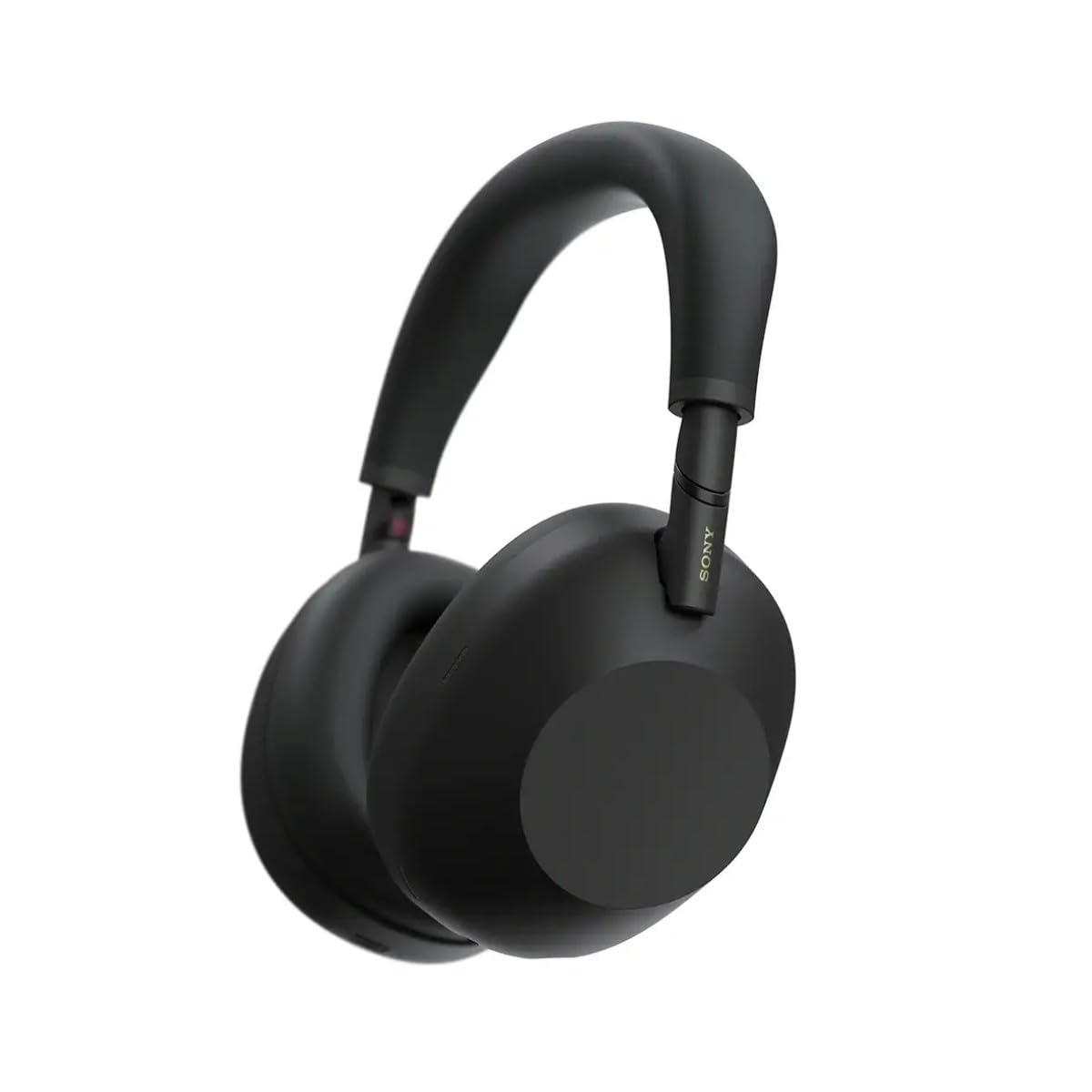
Figure 3.1: Front view of the Sony WH-1000XM6 headphones in black.
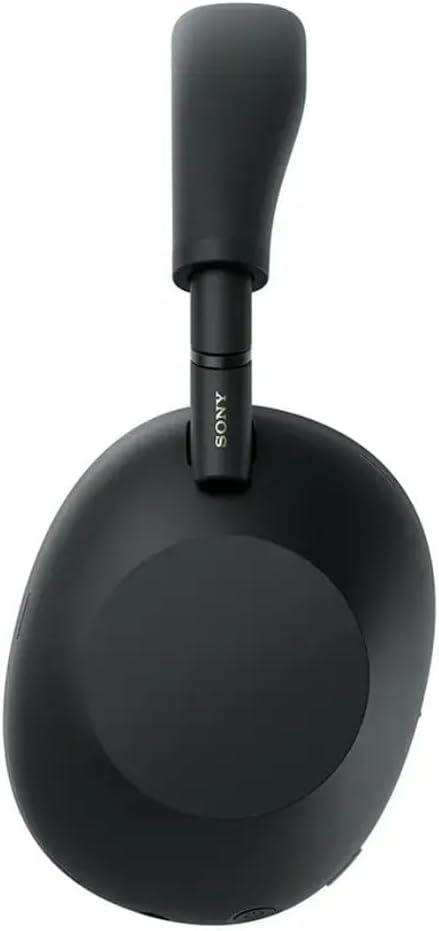
Figure 3.2: Side view of the Sony WH-1000XM6 headphones.

Figure 3.3: WH-1000XM6 headphones stored in their protective carrying case.
4. Setup
4.1. Charging the Headphones
Before initial use, fully charge the headphones. Connect the supplied USB-C cable to the charging port on the headphones and to a USB power source. A full charge provides up to 30 hours of playback. A quick 3-minute charge can provide approximately 3 hours of playback. The headphones can be used while charging.
4.2. Power On/Off
- To power on: Press and hold the power button until the indicator light illuminates.
- To power off: Press and hold the power button until the indicator light turns off.
4.3. Bluetooth Pairing
To connect your headphones to a Bluetooth device:
- Ensure the headphones are powered off.
- Press and hold the power button for approximately 7 seconds until the indicator light flashes blue rapidly and a voice guidance announces "Bluetooth pairing mode."
- On your device (smartphone, tablet, computer), enable Bluetooth and search for available devices.
- Select "WH-1000XM6" from the list of detected devices.
- Once connected, the indicator light will flash slowly, and a voice guidance will announce "Bluetooth connected."
4.4. Sony | Headphones Connect App
Download the Sony | Headphones Connect app from your device's app store. This app allows you to customize sound settings, manage noise cancellation, update firmware, and access additional features for your WH-1000XM6 headphones.
5. Operating Instructions
5.1. Noise Cancelling and Ambient Sound Mode
The WH-1000XM6 features advanced noise cancellation powered by the HD Noise Cancelling Processor QN3 and Multi Noise Sensor Technology. The Auto NC Optimizer adapts to your environment for optimal performance.
- Noise Cancelling: Reduces ambient noise for an immersive listening experience.
- Ambient Sound Mode: Allows you to hear surrounding sounds while listening to music, enhancing situational awareness. The Auto Ambient Sound Mode adjusts the level based on your environment.
- Quick Attention Mode: Cover the right earcup with your hand to instantly lower music volume and allow ambient sound in, useful for quick conversations.
5.2. Audio Playback
The headphones feature 30mm driver units, support High-Resolution Audio, and include DSEE Extreme for upscaling compressed digital music files. Audio playback can be controlled via the touch panel on the right earcup:
- Play/Pause: Double-tap the touch panel.
- Next Track: Swipe forward.
- Previous Track: Swipe backward.
- Volume Up: Swipe up.
- Volume Down: Swipe down.
Customize your sound profile using the 10-band equalizer in the Sony | Headphones Connect app.
5.3. Call Functions
The WH-1000XM6 features 6 AI-powered beam-forming microphones and AI Noise Reduction for clear call quality, even in noisy environments.
- Answer/End Call: Double-tap the touch panel.
- Reject Call: Press and hold the touch panel.
- Mute Microphone: Double-press the ANC button during a call.
5.4. Multipoint Connection
The Multipoint Connection feature allows you to connect the headphones to two Bluetooth devices simultaneously. This enables seamless switching between devices, such as a smartphone and a laptop, without needing to manually reconnect.
5.5. Adaptive Sound Control
Adaptive Sound Control automatically detects your activity (e.g., sitting, walking, traveling) and adjusts the noise cancellation or ambient sound settings accordingly. This feature can be configured via the Sony | Headphones Connect app.
5.6. Specialized Audio Features
- 360 Upmix for Cinema: Transforms stereo content into an immersive surround sound experience.
- Game EQ: Enhances clarity and detail in gaming audio.
- Personalized Spatial Sound: Available through the app for an optimized listening experience.
6. Maintenance
6.1. Cleaning
- Wipe the headphones with a soft, dry cloth.
- Do not use alcohol, benzene, thinners, or other chemical cleaners, as they may damage the finish.
- Clean the ear pads and headband gently to remove any buildup.
6.2. Storage
When not in use, store the headphones in their compact protective carrying case to prevent damage from dust, scratches, and impacts. Avoid storing in direct sunlight or in excessively hot or humid environments.
7. Troubleshooting
If you encounter issues with your WH-1000XM6 headphones, try the following steps:
- No Power: Ensure the headphones are charged. Connect them to a power source using the USB-C cable.
- No Sound: Check the volume level on both the headphones and the connected device. Ensure the headphones are properly paired via Bluetooth.
- Poor Sound Quality: Verify that the audio source is of good quality. Try moving closer to the connected device to avoid interference. Check equalizer settings in the Sony | Headphones Connect app.
- Bluetooth Pairing Issues: Ensure the headphones are in pairing mode. Turn off and on Bluetooth on your device. Delete the headphones from your device's Bluetooth list and attempt to pair again.
- Noise Cancelling Not Effective: Ensure the headphones are properly seated on your ears. Use the Auto NC Optimizer feature via the app.
- Headphones Unresponsive: Perform a factory reset if available (refer to the Sony | Headphones Connect app or Sony support website for specific instructions).
For further assistance, refer to the Sony | Headphones Connect app or the official Sony support website.
8. Specifications
| Brand | Sony |
| Model Name | WH-1000XM6 |
| Color | Black |
| Ear Placement | Over Ear |
| Connectivity Technology | Wireless (Bluetooth 5.1) |
| Noise Control | Active Noise Cancellation |
| Audio Driver Type | Dynamic Driver |
| Frequency Response | 20 Hz - 40,000 Hz |
| Impedance | 48 Ohms |
| Battery Average Life | 30 Hours |
| Battery Charge Time | 3 minutes for 3 hours playback |
| Item Weight | 250 Grams |
| Material | Aluminum (Enclosure) |
| Control Type | Voice Control, App |
| Water Resistance Level | Not Water Resistant |
9. Warranty and Support
For detailed warranty information, please refer to the warranty card included with your product or visit the official Sony support website. For technical support, product registration, or service inquiries, please contact Sony customer service or visit their online support resources.


