
Raddy PT-5 WIFI
Raddy PT-5 Wi-Fi Pool Thermometer User Manual
Model: PT-5 WIFI | Brand: Raddy
1. Product Overview
The Raddy PT-5 Wi-Fi Pool Thermometer system provides comprehensive temperature and humidity monitoring for various water environments and indoor spaces. It consists of a smart floating sensor for water temperature and an indoor console that displays real-time data, including indoor temperature and humidity. Remote monitoring is available via a dedicated mobile application.

Figure 1.1: Overview of the Raddy PT-5 Wi-Fi Pool Thermometer system, including the floating sensor, indoor console, and mobile app interface.
2. Package Contents
Verify that all components are present in the package:
- Raddy PT-5 Floating Sensor
- Raddy Indoor Console
- USB-C Charging Cable
- Instruction Manual (this document)
- Rope (for securing the floating sensor)
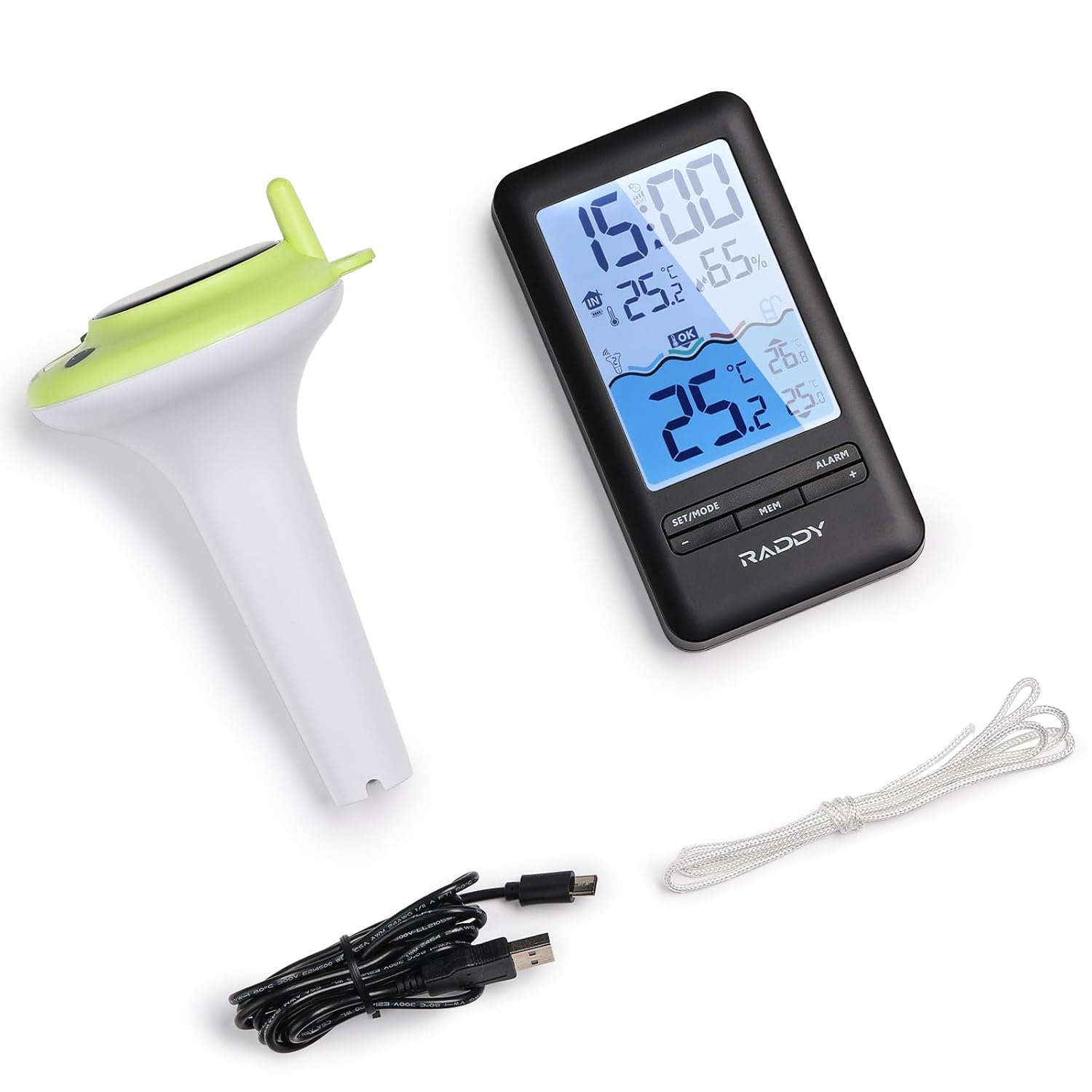
Figure 2.1: All components included in the Raddy PT-5 package.
3. Product Features
- Multifunctional Indoor Console: Displays real-time pool temperature, indoor temperature and humidity, min/max records, and battery status. Features a clear digital screen with comfort icons.
- Smart App Monitoring: Compatible with the Tuya app for remote monitoring of temperature and humidity. Allows customization of settings (time format, temperature units), review of up to 1 year of historical data, and automatic time synchronization. (Requires 2.4GHz Wi-Fi network).
- IPX8 Waterproof Sensor: Designed with dual sealing rings and integrated molding for full submersion and long-term use in wet environments.
- Convenient Charging Options: The indoor console has a built-in 1200mAh rechargeable battery, charged via USB-C. The floating sensor also features a 1200mAh rechargeable lithium battery, powered by solar energy or USB-C.
- 300ft Wireless Transmission: Reliable long-range wireless sensor for monitoring pool temperature from a distance.
4. Setup Guide
4.1 Initial Power-Up and Charging
Before first use, ensure both the indoor console and the floating sensor are fully charged.
- Indoor Console: Connect the provided USB-C cable to the console and a power adapter (not included). The console has a built-in 1200mAh rechargeable battery.
- Floating Sensor: The sensor is equipped with a 1200mAh rechargeable lithium battery. It can be charged via its integrated solar panel by placing it in direct sunlight, or by connecting the USB-C cable to its charging port.

Figure 4.1: Charging the indoor console via USB-C.

Figure 4.2: Dual charging methods for the floating sensor: solar and USB-C.
4.2 App Installation and Device Pairing
The Raddy PT-5 utilizes the Tuya Smart or Smart Life app for remote monitoring and advanced features. Follow these steps to set up the app and pair your device:
- Download the "Tuya Smart" or "Smart Life" app from your device's app store (iOS and Android compatible).
- Open the app and create an account or log in.
- Ensure your indoor console is powered on. To enter pairing mode, long press the "+" button on the indoor console.
- In the app, tap the "+" icon (usually in the top right corner) to add a new device.
- The app will search for nearby devices. Once the Raddy PT-5 is detected, select it.
- Enter your 2.4GHz Wi-Fi network password when prompted. The device only supports 2.4GHz Wi-Fi.
- Follow the on-screen instructions to complete the pairing process. A successful connection will be confirmed in the app.
Video 4.1: Raddy Smart Device App Setup Guide. This video demonstrates the process of setting up and pairing your Raddy device with the mobile application, including powering on the device, entering pairing mode, and connecting to Wi-Fi.
For optimal wireless transmission, place the indoor console within 300 feet of the floating sensor in an open area. Obstacles like walls can reduce the effective range.

Figure 4.3: Illustration of the wireless transmission range between the sensor and console.
5. Operating Instructions
5.1 Indoor Console Functions
The indoor console provides immediate access to key environmental data:
- Time Display: Shows current time, automatically synchronized via Wi-Fi.
- Indoor Temperature & Humidity: Displays real-time readings for the console's location.
- Outdoor Sensor Channel: Indicates the channel for the floating sensor.
- Comfort Level: Icons indicate indoor comfort based on temperature and humidity.
- Outdoor Temperature: Displays the temperature reported by the floating sensor.
- Min/Max Records: Shows the minimum and maximum recorded temperatures and humidity.
- Battery Indicator: Displays battery level for both the console and the floating sensor.
- Alarm Clock: Set alarms directly from the console.
- Adjustable Backlight: The display backlight can be adjusted for visibility.

Figure 5.1: Indoor console display elements and product dimensions.

Figure 5.2: Adjustable backlight settings for the indoor console.

Figure 5.3: Alarm clock feature on the indoor console.
5.2 Mobile App Functions (Tuya Smart / Smart Life)
The mobile app extends the functionality of your Raddy PT-5, allowing for remote access and data analysis:
- Remote Monitoring: View real-time temperature and humidity data from anywhere with an internet connection.
- Historical Data: Access up to 1 year of temperature and humidity data, displayed in daily, weekly, monthly, or yearly graphs.
- Customization: Adjust time format, temperature units (°C/°F), and other settings.
- Alerts: Set custom alerts for temperature thresholds to receive notifications on your smartphone.
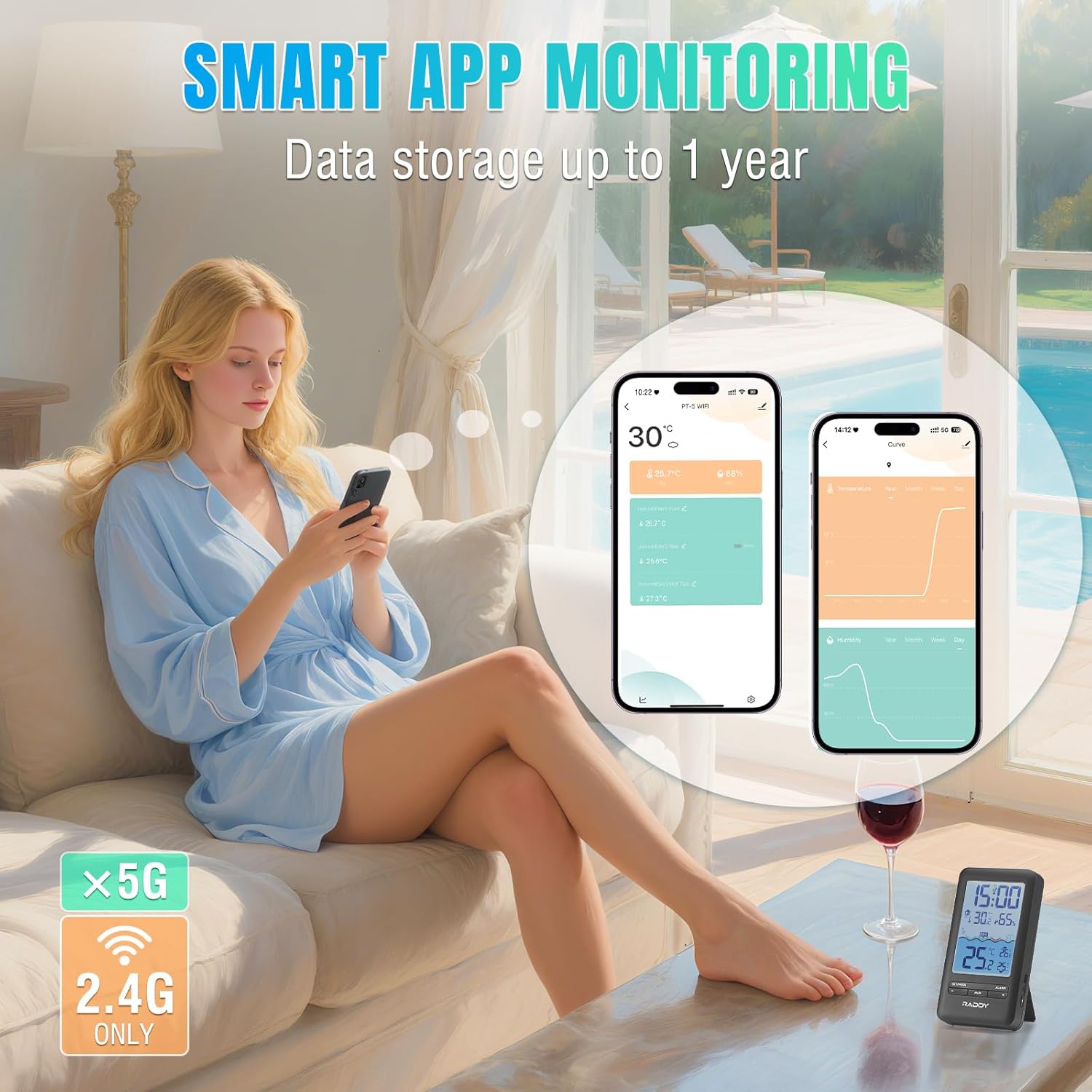
Figure 5.4: Smart App Monitoring interface showing real-time data and historical graphs.
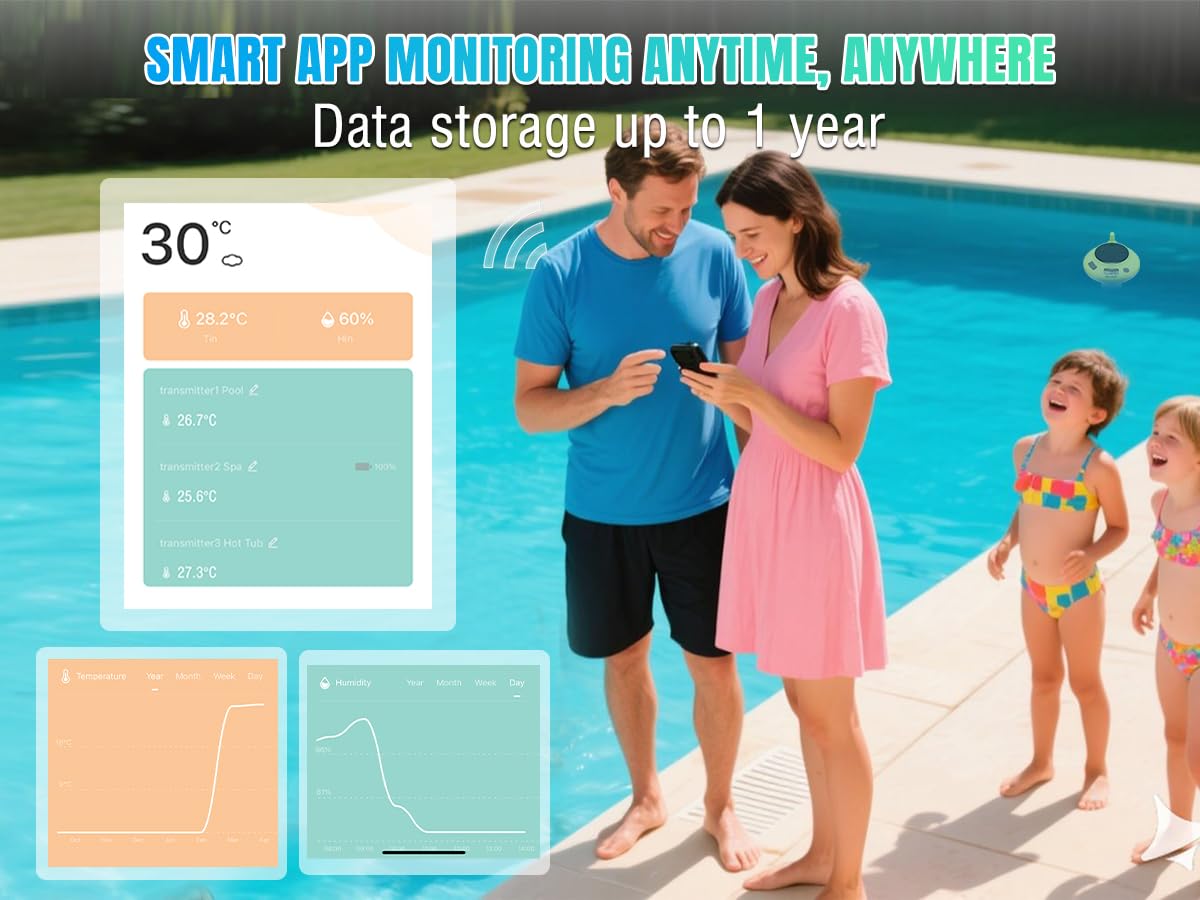
Figure 5.5: Remote monitoring of pool temperature via the Raddy app, allowing users to check conditions from anywhere.
5.3 Sensor Placement and Application
The floating sensor is designed for versatile use in various water environments:
- Swimming Pools: Allow the sensor to float freely or secure it with the included rope.
- Hot Tubs & Spas: Ideal for monitoring water temperature in smaller recreational bodies of water.
- Fish Tanks & Aquariums: Can be used to monitor water temperature in larger aquariums, ensuring stable conditions for aquatic life.
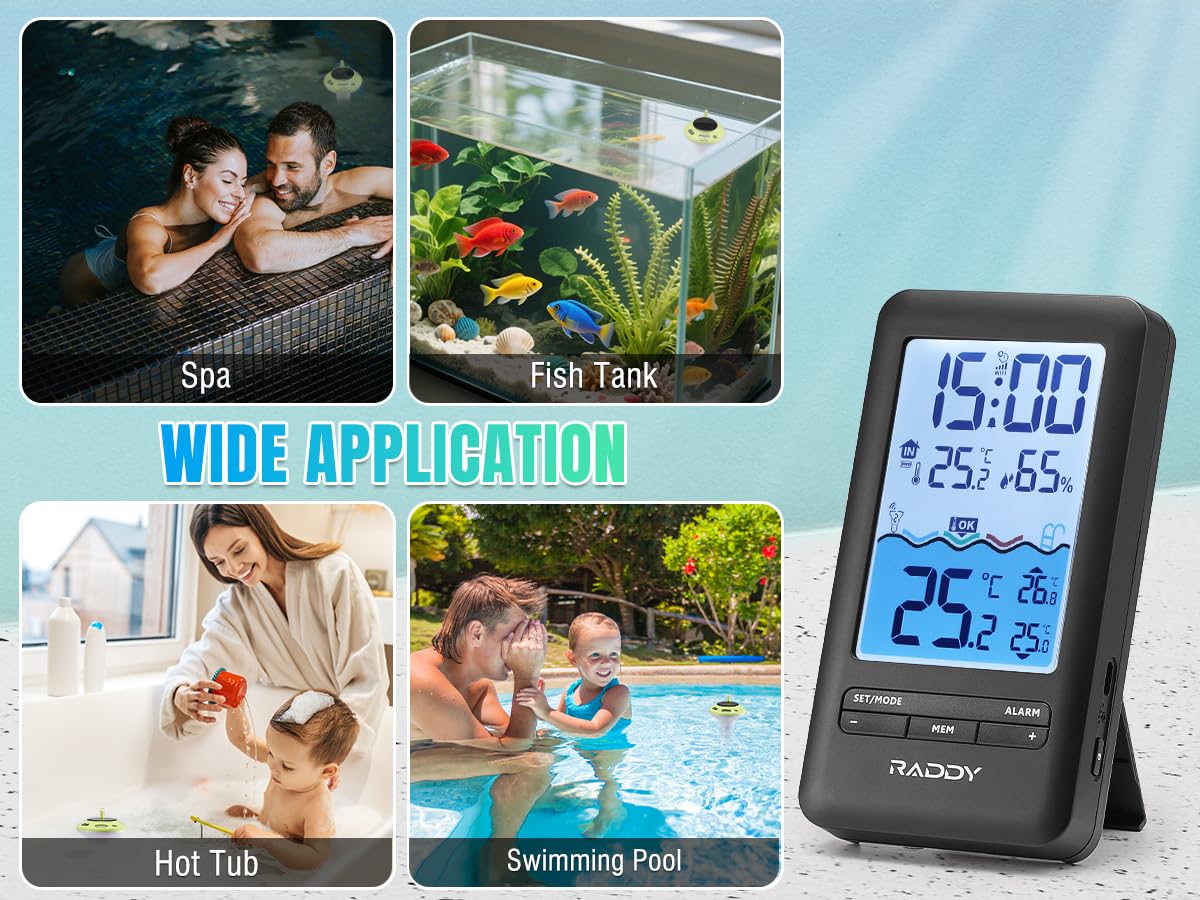
Figure 5.6: Wide application of the Raddy PT-5 in different water environments.
6. Maintenance
- Cleaning: Regularly wipe down the floating sensor and indoor console with a soft, damp cloth. Avoid abrasive cleaners or solvents. For the floating sensor, periodically check for algae or debris buildup and clean as necessary to ensure accurate readings and efficient solar charging.
- Charging: Ensure the floating sensor receives adequate sunlight for solar charging. If placed in a shaded area or during prolonged cloudy periods, use the USB-C port to charge it. Charge the indoor console via USB-C when the battery indicator shows low power.
- Battery Care: To prolong battery life, avoid extreme temperatures. If storing the device for an extended period, ensure both units are partially charged (around 50%) and store them in a cool, dry place.
- Waterproofing: While the sensor is IPX8 waterproof, ensure the USB-C charging port cover is securely sealed before placing it in water.
7. Troubleshooting
| Problem | Possible Cause | Solution |
|---|---|---|
| No temperature reading on console. | Sensor out of range, low sensor battery, interference. | Move console closer to sensor. Charge sensor. Reduce interference from other electronic devices. Re-pair if necessary. |
| App not connecting to device. | Incorrect Wi-Fi password, 5GHz Wi-Fi network, device not in pairing mode. | Ensure correct 2.4GHz Wi-Fi password. Confirm device is in pairing mode (long press '+' on console). Restart app and device. |
| Inaccurate temperature readings. | Sensor not fully submerged, sensor dirty, extreme environmental conditions. | Ensure sensor is fully submerged. Clean sensor. Allow time for sensor to stabilize in new environment. |
| Console display is dim or blank. | Low console battery, backlight setting too low. | Charge the indoor console. Adjust backlight settings. |
8. Specifications
- Model: PT-5 WIFI
- Brand: Raddy
- Wireless Transmission Range: Up to 300 feet (open area)
- Waterproof Rating (Sensor): IPX8
- Indoor Console Battery: 1200mAh Rechargeable (USB-C charging)
- Floating Sensor Battery: 1200mAh Rechargeable Lithium (Solar & USB-C charging)
- Connectivity: 2.4GHz Wi-Fi (for app monitoring)
- App Compatibility: Tuya Smart / Smart Life (iOS & Android)
- Material: Plastic
- Display Type: Digital
- Dimensions (Console): Approximately 6.1" (H) x 3.3" (W) / 15.5cm (H) x 8.4cm (W)
- Dimensions (Sensor): Approximately 7.0" (H) x 3.9" (W) / 17.8cm (H) x 10.0cm (W)
- Weight: Approximately 1.12 Pounds (total package)
9. Warranty and Support
For warranty information and technical support, please refer to the official Raddy website or contact their customer service directly. Keep your purchase receipt as proof of purchase for warranty claims.
Manufacturer: Raddy
Website: Visit the Raddy Store on Amazon
For further assistance, consult the FAQ section on the Raddy support page or reach out to their dedicated support team.
Related documentsPT-5 WIFI


Ask a question about this manual
Ask about setup, troubleshooting, compatibility, parts, safety, or missing instructions. Manuals+ will review the question and use this page’s manual context to help answer it.