
1. Introduction
The Meross MST100 WiFi Smart Sprinkler Timer provides intelligent and automated control over your garden irrigation system. This device, when paired with the Meross Smart Hub MSH400HK (required, sold separately), allows for remote management, smart scheduling based on weather conditions, and detailed water consumption tracking. This manual will guide you through the installation, operation, and maintenance of your MST100 sprinkler timer.
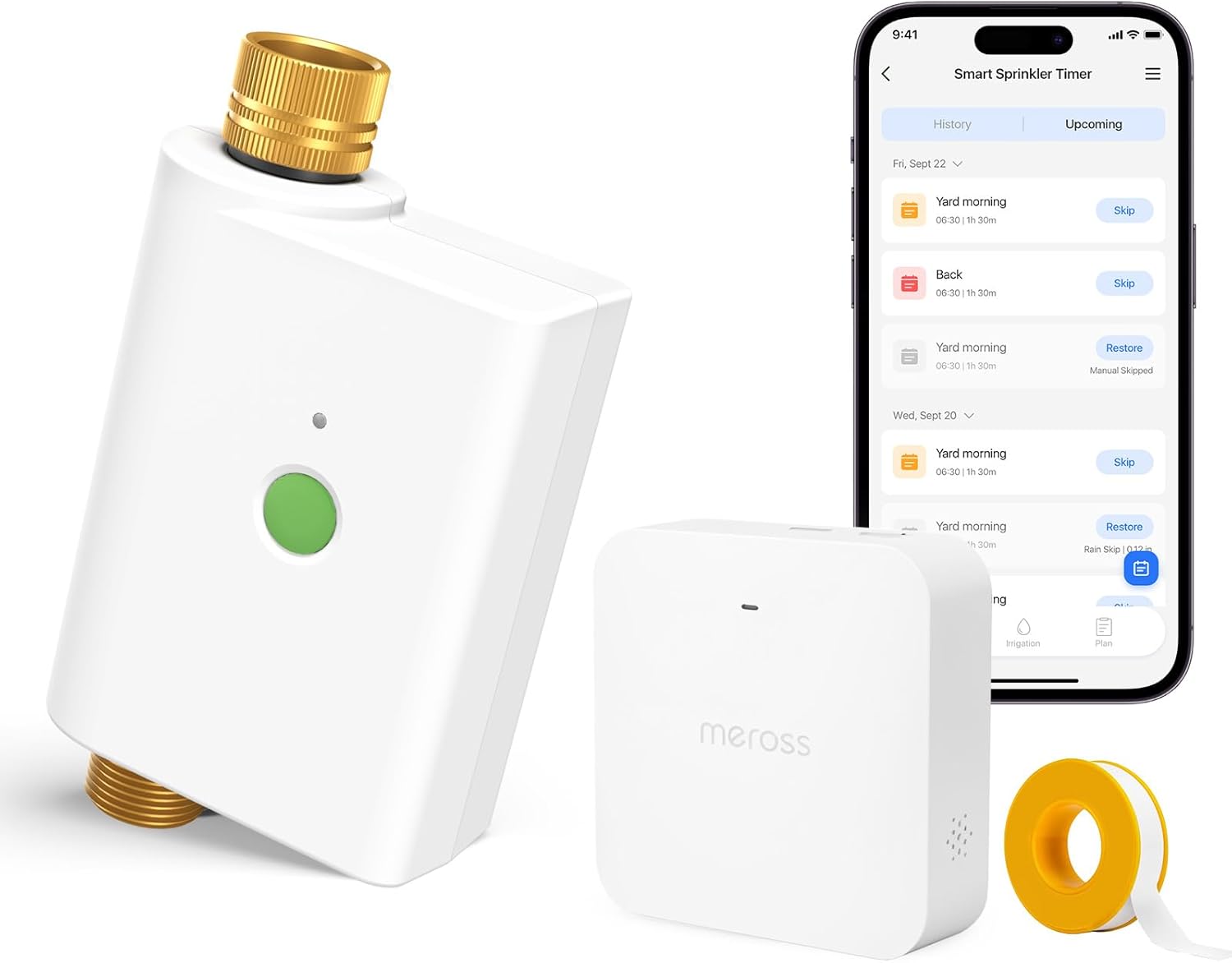
Figure 1: Meross MST100 Smart Sprinkler Timer, MSH400 Hub, and Meross app interface.
2. Package Contents
- Meross MST100 Smart Sprinkler Timer
- User Manual
- Note: The Meross Smart Hub MSH400HK is required for operation and is sold separately.
3. Setup
3.1 Meross App Installation
- Download the Meross app from the Apple App Store or Google Play Store.
- Register for a Meross account or log in if you already have one.
3.2 Connecting the Meross Smart Hub (MSH400HK)
The MST100 Sprinkler Timer communicates wirelessly with the Meross Smart Hub. Ensure your hub is set up and connected to your home's 2.4GHz WiFi network before proceeding.

Figure 2: Instructions for connecting the Meross WiFi Hub.
- Power on the Meross WiFi Hub and ensure your smartphone is connected to a 2.4GHz WiFi network.
- Open the Meross app.
- Tap the "+" icon to add a new device.
- Select "Smart Hub (MSH400)" and follow the in-app instructions to pair the hub.
3.3 Installing and Pairing the Smart Sprinkler Timer (MST100)
The MST100 is designed for outdoor use and connects directly to a standard outdoor faucet.

Figure 3: The MST100 features durable brass connections for leak-proof installation.

Figure 4: Battery installation and pairing process for the MST100.
- Install Batteries: The battery compartment is designed to be waterproof. Use a screwdriver to gently open it. Insert 4 x AA 1.5V batteries, ensuring correct polarity.
- Attach to Faucet: Connect the MST100 to your outdoor faucet. Ensure a secure, watertight connection.
- Initiate Pairing on Hub: Press the button on the Meross Smart Hub twice. The hub's indicator light will flash.
- Initiate Pairing on Timer: Press the button on the MST100 Sprinkler Timer twice. Its indicator light will flash.
- Confirm Pairing: Wait a few seconds until the indicator lights stop flashing, indicating successful pairing between the sprinkler timer and the hub.
4. Operating the Sprinkler Timer
4.1 Manual Irrigation
You can manually activate watering directly from the device or through the Meross app.
- On-Device: Press the green button on the MST100 once to start manual watering.
- Via App: Open the Meross app, select your MST100 device, and tap the manual irrigation button.
The manual irrigation feature includes an automatic shut-off, defaulting to 15 minutes to prevent water waste. This duration can be adjusted within the Meross app.

Figure 5: Simple manual control via the Meross app.
4.2 Smart Scheduling and Weather Adaptation
The Meross app allows you to create customized watering schedules and benefits from intelligent weather integration.

Figure 6: Examples of customizable watering schedules within the Meross app.
- Custom Plans: Create schedules based on specific days, intervals (e.g., every 3 days, odd days), and times. These plans function even without an internet connection once set.
- Weather Integration: The timer automatically adjusts or skips scheduled watering cycles based on local weather data (rain forecast or detection) to prevent overwatering and conserve water. You will receive push notifications for skipped plans.

Figure 7: Smart weather adaptation feature, showing rain skip notifications.
4.3 Voice Control
The MST100 is compatible with popular voice assistants, allowing for hands-free control.
- Supported Platforms: Apple Home (Siri), Amazon Alexa, Google Assistant.
- Example Commands: "Alexa, activate the sprinkler timer," "Hey Siri, open the sprinkler timer," "Ok Google, open the sprinkler timer."

Figure 8: Voice control integration with smart home platforms.
4.4 Water Consumption Tracking
The Meross app provides detailed insights into your water usage, helping you manage resources efficiently.
- Monitoring: Track daily, weekly, and monthly water consumption in liters/gallons.
- Cost Analysis: Monitor estimated costs associated with your water usage.

Figure 9: Water consumption and cost tracking in the Meross app.
4.5 Wide Compatibility
The MST100 is versatile and can be integrated into various outdoor watering setups.
- Works with standard sprinklers.
- Suitable for drip irrigation systems.
- Can be used for pool filling or garden irrigation.

Figure 10: The MST100 is compatible with various irrigation systems.
5. Maintenance
5.1 General Care
- Keep the device clean and free from debris.
- Avoid exposing the device to extreme temperatures outside its operating range.
- Ensure the battery compartment is securely closed to maintain its waterproof seal.
5.2 Battery Replacement
When the battery level is low, the Meross app will notify you. To replace the batteries:
- Carefully open the battery compartment using a screwdriver.
- Remove the old 4 x AA 1.5V batteries.
- Insert new 4 x AA 1.5V batteries, ensuring correct polarity.
- Securely close the battery compartment to maintain the waterproof seal.
5.3 Winterization
Before the first frost, it is recommended to disconnect the MST100 from the outdoor faucet and store it indoors in a dry, protected area to prevent damage from freezing temperatures.
6. Troubleshooting
If you encounter issues with your Meross MST100, consider the following:
- Device Not Responding: Check the battery level in the Meross app. Replace batteries if low. Ensure the device is within range of the Meross Smart Hub (up to 100m unobstructed).
- Watering Not Starting: Verify that the faucet is turned on. Check your schedule in the Meross app for any conflicts or if a rain skip event is active. Ensure the device is properly paired with the hub.
- Connection Issues: Confirm your Meross Smart Hub is connected to a stable 2.4GHz WiFi network. Restart the hub and the sprinkler timer if necessary.
- Leakage: Ensure all connections to the faucet and hose are tight and properly sealed. Check for any damage to the brass connections.
- App Notifications: The Meross app provides real-time notifications for various events, including low battery, flow anomalies, and device failures. Check the app for specific alerts.
7. Specifications
| Model Number | MST100 |
| Dimensions | 9.9 x 5.6 x 15.2 cm |
| Weight | 780 g |
| Power Source | 4 x AA 1.5V Batteries |
| Wireless Connectivity | Requires Meross Smart Hub MSH400HK (2.4GHz WiFi) |
| Hub Range | Up to 100m (unobstructed) |
| Operating Temperature | Refer to product packaging for specific range |
8. Warranty Information
Meross products are designed and manufactured to the highest quality standards. For detailed warranty information, please refer to the warranty card included with your product or visit the official Meross website. The warranty typically covers defects in materials and workmanship under normal use for a specified period from the date of purchase.
9. Support
For further assistance, technical support, or to provide feedback, please contact Meross customer service through the following channels:
- Meross App: Access the 'Help' or 'Support' section within the Meross application for FAQs and direct contact options.
- Official Website: Visit www.meross.com for product information, support resources, and contact details.
- Email Support: Refer to your product packaging or the Meross website for the dedicated support email address.


