
Introduction
This manual provides essential instructions for setting up, operating, and maintaining your Thrustmaster T248R Racing Wheel and T3PM Pedal Set. The T248R features T-HD (Hybrid Drive) Force Feedback, a versatile wheel rim with 25 action buttons, a color LCD screen, and Mag-Shift paddle shifters. The T3PM pedal set utilizes H.E.A.R.T. sensors for precision. This product is designed for use with PlayStation 5, PlayStation 4, and PC (Windows 10/11).

Image Description: The Thrustmaster T248R racing wheel and T3PM pedal set. The wheel features a black finish with red accents, multiple buttons, and a central display. The three-pedal set is black with silver pedal faces, positioned on a textured base. A PlayStation Official Licensed Product logo is visible in the bottom right corner.
Package Contents
Verify that all components are present before proceeding with setup:
- Thrustmaster T248R Racing Wheel
- Thrustmaster T3PM Pedal Set
- Clamping System (for desk/table mounting)
- Power Adapter
- USB Cable
- User Manual (this document)
Setup Instructions
1. Mounting the Racing Wheel
The T248R racing wheel can be securely attached to a desk or table using the included clamping system, or integrated into a racing cockpit.
- Desk/Table Mounting:
- Place the racing wheel on a stable surface (desk/table) up to 1.8 inches (45 mm) thick.
- Attach the clamping system to the underside of the wheel base.
- Tighten the clamping screw until the wheel is firmly secured. Do not overtighten.
- Cockpit Mounting:
For cockpit integration, refer to your cockpit's instructions for compatible mounting points. The T248R base includes threaded inserts for direct attachment.
2. Connecting the Pedals
Connect the T3PM pedal set to the racing wheel base using the dedicated RJ12 connector.

Image Description: A close-up view of the Thrustmaster T3PM three-pedal set. The pedals feature a metallic finish with a textured black base. The brake pedal includes a visible red spring mechanism, indicating adjustable pressure modes.
3. Power and USB Connections
- Connect the power adapter to the racing wheel base and then to a wall outlet.
- Connect the USB cable from the racing wheel base to an available USB port on your PlayStation console or PC.
4. Driver and Firmware Installation (PC Only)
For optimal performance on PC, it is crucial to install the latest drivers and firmware.
- Visit the official Thrustmaster support website: support.thrustmaster.com
- Navigate to the T248R product page.
- Download and install the latest PC drivers and firmware updates. Follow the on-screen instructions carefully.
- Restart your PC after installation.
Operating Instructions
Force Feedback System (T-HD Hybrid Drive)
The T248R features a T-HD (Hybrid Drive) Force Feedback system, delivering 3.1 N·m of torque and 48 W of constant power. This system combines gear and belt mechanisms to provide realistic and dynamic force feedback effects.

Image Description: A graph illustrating the dynamic force feedback response. The x-axis represents "Force Requested by Game" and the y-axis represents "Force Provided by Wheel". Multiple lines (Boost +0, Boost +1, Boost +2) show different force feedback curves, indicating configurable levels of responsiveness.
Wheel Features and Interface
The T248R wheel rim is 11.0 inches (28 cm) in diameter and includes 25 action buttons, two dual-activation encoders, and a color LCD screen.
- LCD Screen: Displays over 20 different types of information, including telemetry data and racing wheel settings.
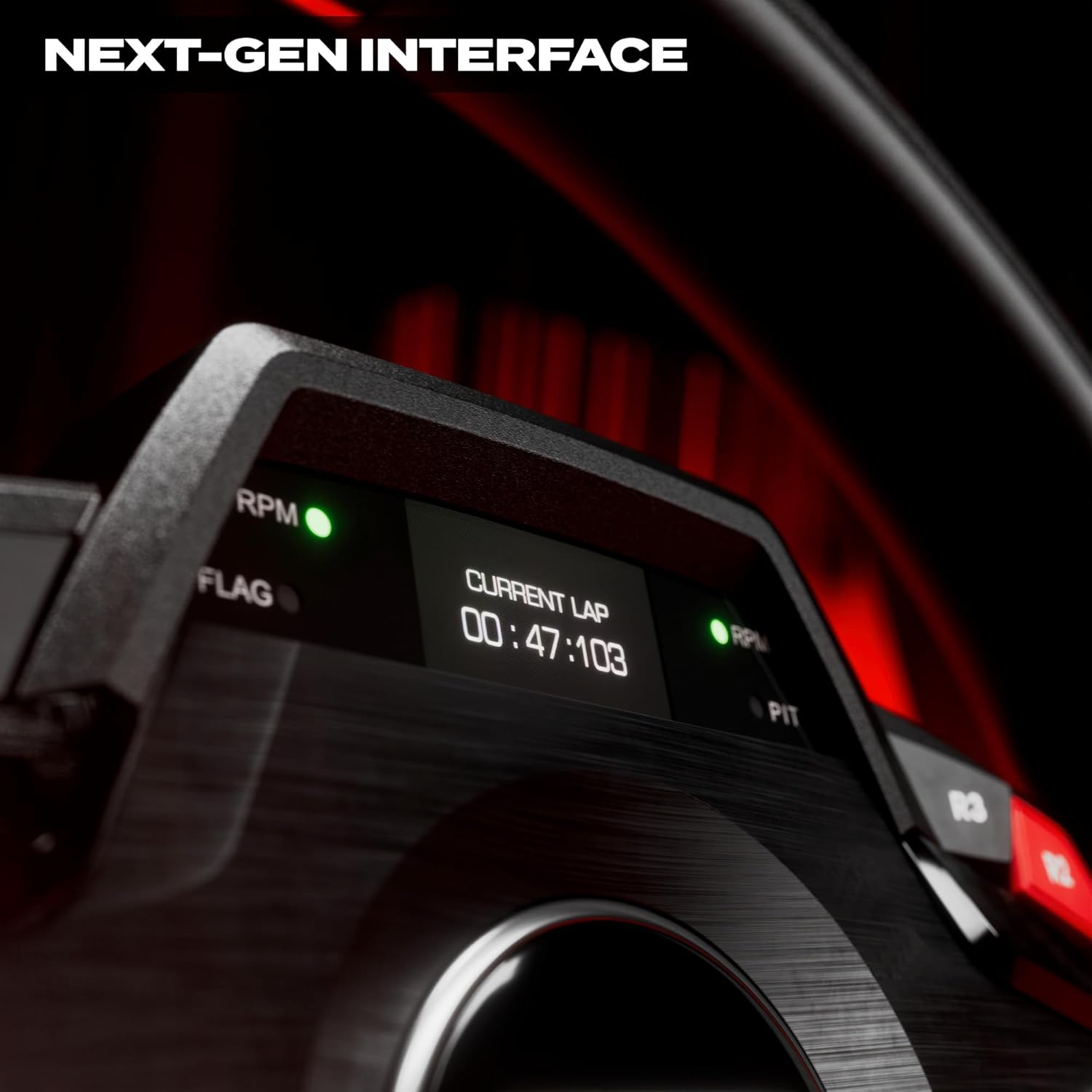
Image Description: A close-up of the T248R racing wheel's LCD screen, displaying "CURRENT LAP" and a time of "00:47:103". Green LEDs for RPM and Flag indicators are also visible.
- LEDs: Four LEDs provide visual cues, often used for RPM indicators.
- Paddle Shifters (Mag-Shift): The T-MP paddle shifters utilize Mag-Shift sensors for precise and responsive gear changes.

Image Description: A side view of the T248R racing wheel, highlighting the illuminated paddle shifter. The red glow from behind the paddle emphasizes its presence and design.
- Ergonomic Design: The wheel features perforated leather and imitation carbon finishes for enhanced grip and a sporty aesthetic.
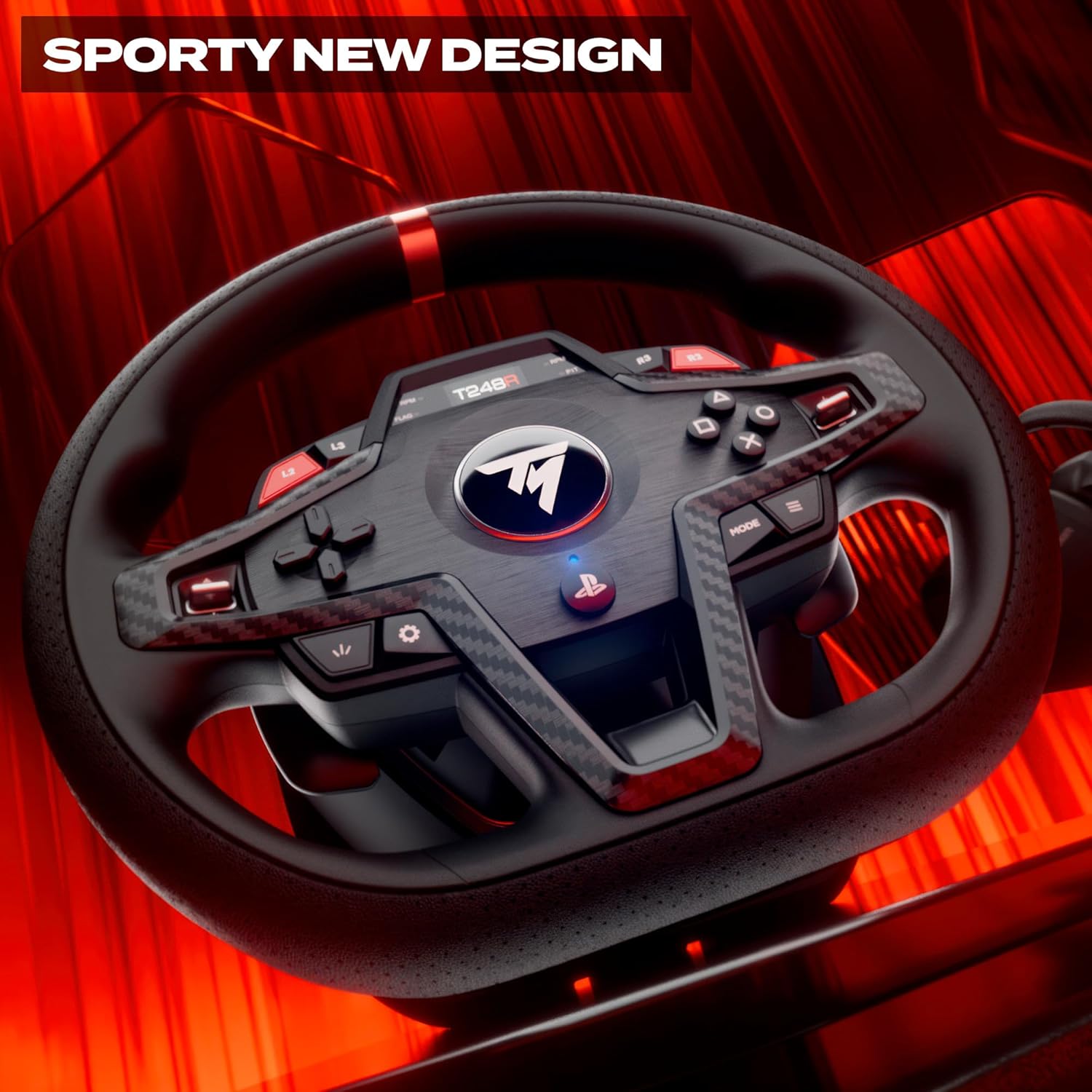
Image Description: A detailed view of the T248R racing wheel, showcasing its sporty design with perforated leather on the grips and imitation carbon fiber accents around the central button cluster. Red accents are visible on the top of the wheel rim and on some buttons.
T3PM Pedal Set
The T3PM pedal set includes three pedals (accelerator, brake, clutch) and utilizes H.E.A.R.T. (Hall Effect AccuRate Technology) sensors for high precision and durability. The brake pedal offers four distinct pressure modes, allowing for customization of resistance.
Adjusting Settings
The LCD screen on the racing wheel allows for on-the-fly adjustments of various settings, including Force Feedback levels. Consult the on-screen menu for available options and their functions.
Maintenance
- Cleaning: Use a soft, dry cloth to clean the racing wheel and pedal set. Avoid abrasive cleaners or solvents.
- Storage: When not in use, store the device in a clean, dry environment away from direct sunlight and extreme temperatures.
- Cable Management: Ensure cables are not kinked or pinched to prevent damage.
Troubleshooting
If you encounter issues with your T248R racing wheel or T3PM pedal set, try the following steps:
- No Power/No Recognition:
- Ensure all cables (power, USB, pedal) are securely connected.
- Try a different USB port on your console or PC.
- For PC, verify that the latest drivers and firmware are installed.
- Restart your console or PC.
- Incorrect Force Feedback:
- Check in-game force feedback settings.
- Adjust force feedback levels via the T248R's LCD screen.
- Ensure firmware is up to date.
- Pedal Issues:
- Verify the pedal set is correctly connected to the wheel base.
- Check for any physical obstructions preventing pedal movement.
- For PC, calibrate pedals through the Thrustmaster control panel.
- Buttons Not Responding:
- Ensure the wheel is properly connected and recognized by the system.
- Update firmware.
For further assistance, visit the official Thrustmaster support website.
Specifications
| Model Name | Thrustmaster T248R |
| Force Feedback System | T-HD (Hybrid Drive) |
| Torque | 3.1 N·m |
| Constant Power | 48 W |
| Wheel Diameter | 11.0 inches (28 cm) |
| Action Buttons | 25 (including 2 dual-activation encoders) |
| Paddle Shifters | T-MP with Mag-Shift sensors |
| Pedal Set | T3PM (3 pedals) with H.E.A.R.T. sensors |
| Brake Pedal Modes | 4 pressure modes |
| Compatibility | PlayStation 5, PlayStation 4, PC (Windows 10/11) |
| Mounting | Desk/Table (up to 1.8" / 45 mm thick), Cockpit |
| Product Dimensions | 13.39 x 1.97 x 15.35 inches |
| Item Weight | 12.57 pounds |
| Item Model Number | 4169102 |
Warranty and Support
Thrustmaster products are covered by a manufacturer's warranty. For detailed warranty information, terms, and conditions, please refer to the warranty card included with your product or visit the official Thrustmaster support website.
For technical support, driver downloads, firmware updates, and frequently asked questions, please visit:
Thrustmaster Support Website


