
1. Introduction and Overview
This manual provides detailed instructions for the installation, operation, and maintenance of your Winegard Air 360 LP TV Antenna, Model A3-LPB1. This ultra-low profile, omni-directional antenna is designed to reduce signal search time and hassle, featuring an embedded low noise amplifier for improved picture quality. It is capable of receiving signals up to 45 miles away.
Key features include:
- Ultra-low profile design: 4.34 inches tall x 11.75 inches wide.
- Omni-directional reception: No aiming required.
- Integrated low noise amplifier for enhanced signal reception.
- Up to 45-mile range for over-the-air (OTA) television signals.
2. Package Contents
Please verify that all items are present before beginning installation:
- Winegard Air 360 LP TV Antenna (Model A3-LPB1)
- Mounting Hardware (screws, washers, gaskets)
- Power Injector/Amplifier
- Coaxial Cable (for connecting antenna to power injector)
- Instruction Manual (this document)
3. Safety Information
Read all instructions carefully before installation and operation. Failure to follow these safety guidelines may result in injury or damage to the product.
- Electrical Safety: Ensure all power is disconnected before making any electrical connections. Do not expose the power injector to moisture.
- Mounting Safety: When mounting the antenna, ensure you are on a stable surface. Use appropriate safety gear, such as gloves and eye protection. Avoid contact with power lines.
- Cable Management: Route coaxial cables securely to prevent tripping hazards and damage.
- Environmental Conditions: This antenna is designed for outdoor use. However, avoid installation during severe weather conditions like lightning storms or high winds.
4. Setup and Installation
Follow these steps for proper installation of your Winegard Air 360 LP TV Antenna.
4.1. Choose a Mounting Location
Select a location on your RV or vehicle roof that is as high as possible and clear of obstructions such as air conditioners, satellite dishes, or other equipment that could block signal reception. The omni-directional design means no specific aiming is required, but a clear line of sight to broadcast towers is always beneficial.
4.2. Antenna Mounting
- Position the antenna base at the chosen location.
- Mark the drilling points for the mounting screws.
- Drill pilot holes as recommended by the mounting hardware instructions.
- Apply a suitable sealant around the drilled holes to prevent water intrusion.
- Secure the antenna base using the provided mounting hardware. Ensure a watertight seal.
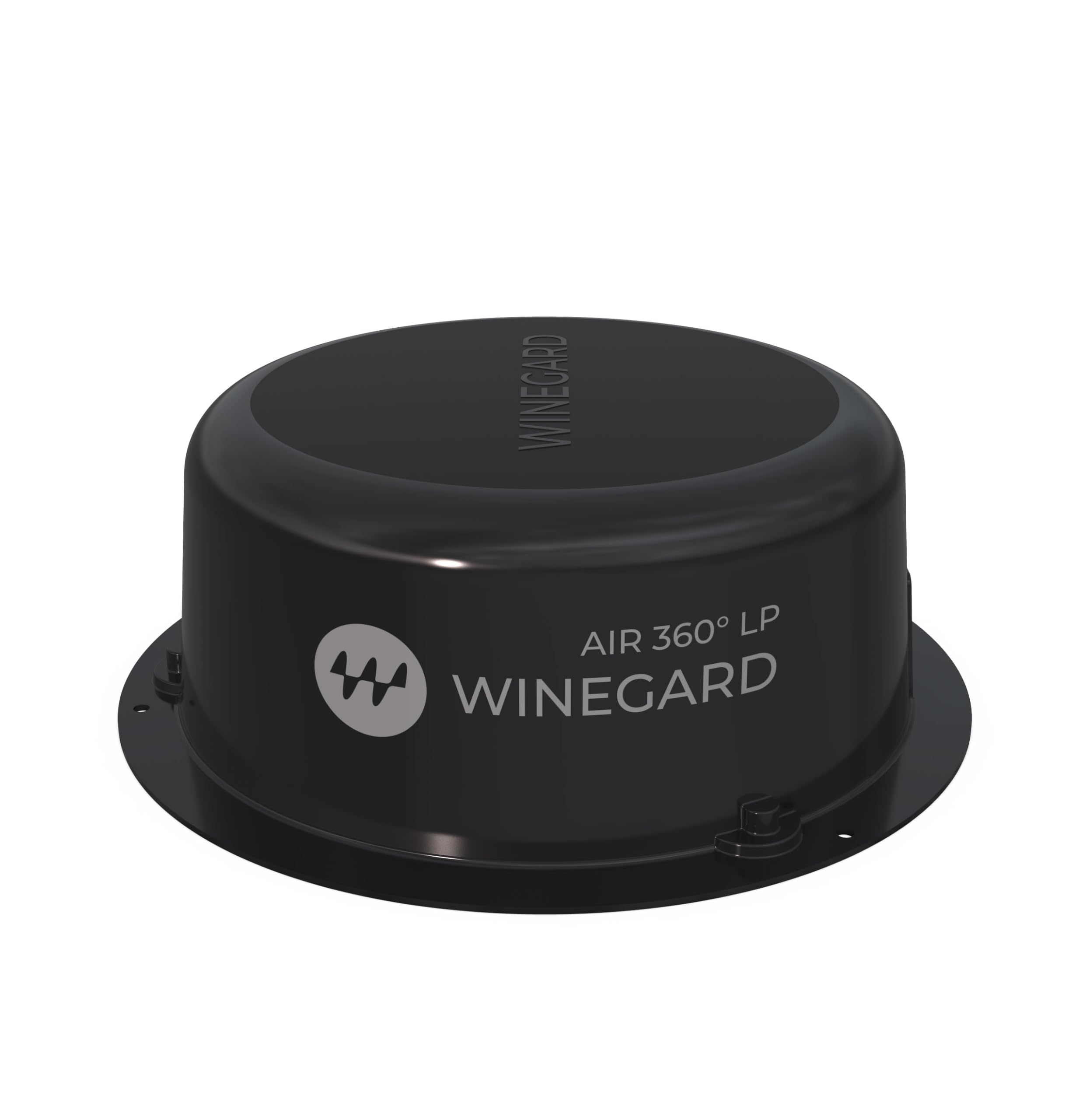
Image 1: The Winegard Air 360 LP TV Antenna (Model A3-LPB1) shown mounted on a vehicle roof. This image illustrates the compact, low-profile design of the antenna.
4.3. Wiring Connections
- Connect one end of the coaxial cable to the antenna's output port.
- Route the coaxial cable from the antenna into the interior of your vehicle, ensuring it is protected from weather and damage.
- Connect the other end of this coaxial cable to the 'Antenna In' port on the power injector/amplifier.
- Connect a second coaxial cable from the 'TV Out' port on the power injector to the antenna input on your television.
- Plug the power injector into a standard 12V DC or 120V AC power source (depending on model and vehicle setup). Ensure the power indicator light on the injector illuminates.
5. Operating Instructions
Once the antenna is installed and connected, follow these steps to receive television channels.
5.1. Power On and Channel Scan
- Ensure your television is powered on and set to the correct input (e.g., 'Antenna' or 'TV').
- Access your television's menu and navigate to the 'Channel Setup' or 'Auto Program' section.
- Select 'Antenna' or 'Air' as the signal source.
- Initiate an 'Auto Scan' or 'Channel Scan'. The television will search for available over-the-air channels. This process may take several minutes.
- Once the scan is complete, your television should display the received channels.
5.2. Optimizing Reception
While the Air 360 LP is omni-directional, signal strength can vary. If you experience poor reception on certain channels:
- Perform a new channel scan.
- Check all coaxial cable connections to ensure they are secure.
- Ensure the power injector is receiving power and its indicator light is on.
- Consider moving your vehicle to a location with fewer obstructions (e.g., trees, buildings) if possible.
6. Maintenance
The Winegard Air 360 LP TV Antenna requires minimal maintenance to ensure long-lasting performance.
- Cleaning: Periodically clean the exterior of the antenna with a soft, damp cloth. Avoid abrasive cleaners or solvents.
- Inspections: Annually inspect all mounting hardware and cable connections for signs of wear, corrosion, or looseness. Ensure all seals remain watertight.
- Cable Condition: Check coaxial cables for cracks, fraying, or damage, especially where they enter the vehicle or are exposed to the elements. Replace damaged cables promptly.
7. Troubleshooting
If you encounter issues with your antenna, refer to the following troubleshooting guide:
| Problem | Possible Cause | Solution |
|---|---|---|
| No channels found during scan. |
|
|
| Poor picture quality or pixelation. |
|
|
| Antenna not receiving power. |
|
|
8. Specifications
- Model Number: A3-LPB1
- Brand: Winegard
- Antenna Type: Television (Omni-directional)
- Color: Black
- Maximum Range: 45 Miles
- Dimensions: 4.34 inches (Height) x 11.75 inches (Width)
- Number of Channels: 1 (refers to single antenna input)
- UPC: 615798407650
- Manufacturer: Winegard
9. Warranty and Support
9.1. Warranty Information
The Winegard Air 360 LP TV Antenna (Model A3-LPB1) is covered by a 2-year warranty from the date of purchase. This warranty covers defects in materials and workmanship under normal use. Please retain your proof of purchase for warranty claims.
For specific warranty terms and conditions, please refer to the official Winegard warranty documentation or contact customer support.
9.2. Customer Support
If you require further assistance, have questions not covered in this manual, or need to make a warranty claim, please contact Winegard Customer Support. Contact information can typically be found on the official Winegard website or on the product packaging.


