
1. Introduction
Thank you for choosing the PopBloom 3xRL180 540W Saltwater Aquarium Light. This advanced LED lighting system is designed to provide optimal light intensity and spectrum for the growth and vibrant coloration of corals, marine fish, and other aquatic plants in your reef tank. Featuring smart app control, it offers customizable lighting programs, natural simulations, and efficient heat dissipation for a healthy and thriving aquatic environment. This manual provides detailed instructions for setup, operation, and maintenance to ensure the best performance of your lighting system.

Image 1.1: PopBloom 3xRL180 Saltwater Aquarium Lights installed over a vibrant reef tank, showcasing the lighting effect on corals and fish.
2. Safety Information
- Always disconnect power before performing any maintenance or installation.
- Do not operate the light if the power cord or plug is damaged.
- Ensure the light is securely mounted to prevent accidental falls into the aquarium.
- Keep the power supply and electrical connections away from water to prevent electric shock.
- Do not block the ventilation openings on the light fixture, as this can lead to overheating.
- This product is designed for indoor use only in a controlled environment.
3. Package Contents
Verify that all components are present in your package:
- 3x RL180 WiFi Light Fixtures
- 3x Arm Kits (for arm mounting)
- 3x Power Supplies
- 3x Power Plugs
- 1x User Manual

Image 3.1: Illustration of PopBloom RL180 package contents, showing the light fixture, arm mount, power adapter, power cable, and user manual.
4. Specifications
Key technical specifications for the PopBloom RL180 light fixture:
| Feature | Specification |
|---|---|
| Material | Aluminum |
| Light Source Type | COB LED |
| Power Source | Corded Electric |
| Mounting Type | Arm Mounting (Hanging Kit available separately) |
| Bulb Features | 4 Channels Dimmable and Programmable |
| Product Dimensions (each light) | 10.2"L x 4.7"W x 2.2"H (26cm x 12cm x 5.5cm) |
| Wattage (each light) | 180 Watts |
| PAR at Water Surface | 550 PAR |
| PAR at 80cm Depth | 130 PAR |
| Cooling System | Dual fans and aluminum heatsink |
| Control Method | Smart App (WiFi & Bluetooth) |

Image 4.1: Detailed specifications of the PopBloom RL180 light, including physical dimensions, wattage, PAR values, and channel breakdown.

Image 4.2: Comprehensive spectrum graph for the PopBloom RL180, illustrating the full spectrum coverage for biological growth and color development.
5. Setup and Installation
The PopBloom RL180 offers flexible installation options to suit various aquarium setups.
5.1 Mounting Methods
Your RL180 light comes with an arm mounting kit. A hanging kit is also available separately if preferred.

Image 5.1: Visual representation of the two primary installation methods: Hanging Way and Arm Mount Way, detailing components for each.
5.2 Physical Installation (Arm Mount)
- Assemble the Arm Mount: Attach the arm components together using the provided screws. Ensure all connections are secure.
- Attach to Aquarium: Secure the arm mount to the rim of your aquarium. The kit includes components for both rimmed and rimless tanks. Adjust the height and extension as needed to position the light over your tank.
- Mount the Light Fixture: Slide the RL180 light fixture onto the arm mount. Ensure it clicks into place or is secured with the designated fasteners.
- Connect Power: Plug the power cable into the light fixture, then connect the power supply to the cable and plug it into a suitable electrical outlet.
For a visual guide on unboxing and initial setup, please refer to the video below:
Video 5.1: Unboxing and initial setup of the PopBloom RL180 light, demonstrating how to connect components and power on the device.
5.3 Optimal PAR Distribution
The RL180 is engineered to provide ideal PAR values throughout your aquarium, minimizing hotspots and ensuring sufficient light for coral growth across the entire tank area.
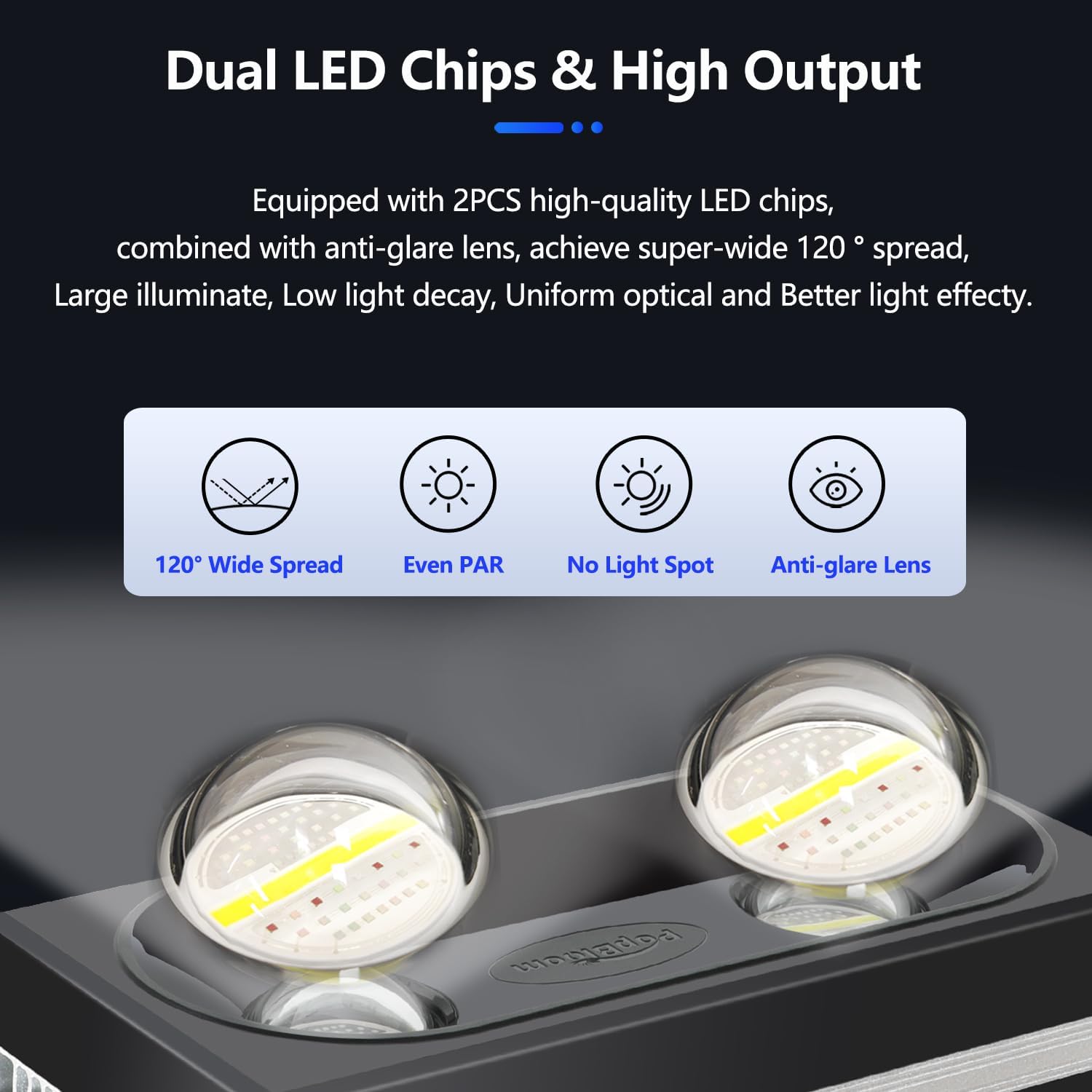
Image 5.2: Diagram illustrating optimal PAR distribution across a reef aquarium using multiple PopBloom RL180 lights, showing consistent light levels for coral health.
6. Operating the Light (Smart App Control)
The PopBloom RL180 is controlled via a smart mobile application, offering extensive customization and ease of use.
6.1 App Download and Connection
- Download the App: Search for "Smart Life" in your device's app store (iOS or Android) or scan the QR code provided in Image 6.1. You can also visit smartapp.tuya.com/smartlife.
- Enable Wireless: Ensure your phone's Wi-Fi and Bluetooth are enabled.
- Add Device: Open the Smart Life app, register or log in, and tap "Add Device".
- Connect to Wi-Fi: Follow the in-app instructions to connect the light to your home 2.4GHz Wi-Fi network.
- Pair with Light: The app will detect and pair with your PopBloom light.

Image 6.1: PopBloom Smart App interface showing the four-step easy setup process for connecting the light to your smartphone.

Image 6.2: The app's group control system, allowing management of multiple lights simultaneously, along with a QR code for app download.
6.2 Key Operating Features
The PopBloom app provides various modes and settings to optimize your aquarium lighting:
- Lunar Cycle: Simulates a 29-day lunar cycle, adjusting light intensity to mimic natural moonlight.
- Acclimation: Gradually increases light intensity over a set period to help new corals and fish adapt to the new lighting environment.
- Manual Mode: Allows for real-time adjustment of individual channel brightness.
- DIY (Custom) Program: Create personalized 24-hour lighting schedules by setting specific brightness levels for each channel at different time points.
- Natural Simulation: Includes features like lightning effects and seasonal changes.
- Program Library: Access a selection of pre-set lighting programs optimized for various tank types (e.g., Tropical Spring, Reduce Algae, SPS Dominant).
- Sharing Settings: Share your customized lighting programs with other users.
6.2.1 Lunar Cycle
Activate the 29-day lunar cycle to simulate natural moonlight. The app allows you to set the start date, and it will automatically update the moon's intensity. Channel 2 typically represents the moon's intensity.
Video 6.3: Demonstration of setting up and adjusting the Lunar Cycle feature within the PopBloom app (relevant segment: 01:08-01:18).
6.2.2 Acclimation Mode
The acclimation schedule helps your corals, fish, and plants adapt to new lighting by starting at a lower intensity and gradually increasing it over a chosen period. You can set the duration in days and the initial intensity.
Video 6.4: Guide on configuring the Acclimation mode in the PopBloom app, including setting duration and initial intensity (relevant segment: 01:19-01:30).
6.2.3 Manual Mode
Use Manual Mode for immediate, real-time adjustments to each of the four light channels. This mode overrides any programmed schedule until you exit it.
Video 6.5: Demonstration of using Manual Mode to adjust individual light channel intensities directly from the app (relevant segment: 01:31-01:46).
6.2.4 DIY (Custom) Program
Create your own 24-hour lighting program by setting specific brightness percentages for each of the four channels at various time points throughout the day. This allows for precise control over ramp-up and ramp-down times.

Image 6.6: The DIY program interface, illustrating how to add time points and adjust channel brightness to create a custom 24-hour lighting schedule.
Video 6.7: Detailed walkthrough of creating and saving a custom DIY lighting program in the PopBloom app (relevant segment: 02:14-02:55).
6.2.5 Natural Simulation
The app includes natural simulation features such as lightning effects, which can stimulate fish reproduction and plant growth, and seasonal changes for a dynamic environment.

Image 6.8: Overview of natural simulation options in the app, including DIY lunar cycle, coral acclimation, 4 seasons, and lightning effects.
Video 6.9: Demonstration of the lightning simulation feature in the PopBloom app (relevant segment: 01:55-02:00).
6.2.6 Program Library
The program library offers a selection of pre-configured lighting schedules tailored for different aquatic needs, such as 'Tropical Spring' or 'Reduce Algae'.
Video 6.10: Browsing and selecting pre-set programs from the app's program library (relevant segment: 02:05-02:13).
6.2.7 Sharing Settings
If you've created an effective custom program, you can share your settings with friends or other aquarists directly through the app.

Image 6.11: The app's sharing feature, allowing users to share their customized lighting programs and settings.
7. Maintenance
Regular maintenance ensures the longevity and optimal performance of your PopBloom RL180 light.
- Cleaning the Fixture: Periodically wipe the light fixture and lenses with a soft, damp cloth to remove salt creep, dust, and water spots. Ensure the light is unplugged before cleaning. Do not use abrasive cleaners.
- Fan Maintenance: The RL180 features active cooling fans. Ensure the fan vents are clear of obstructions. If dust accumulates, gently clean with a soft brush or compressed air while the unit is unplugged.
- Cable Inspection: Regularly check power cables and connections for any signs of wear, damage, or corrosion. Replace damaged components immediately.

Image 7.1: Diagram illustrating the multi-efficient heat dissipation system, emphasizing the importance of keeping fans and heatsink clear for optimal cooling.
8. Troubleshooting
If you encounter issues with your PopBloom RL180 light, refer to the following troubleshooting guide:
| Problem | Possible Cause | Solution |
|---|---|---|
| Light does not turn on | No power, loose connection, faulty power supply | Check power outlet, ensure all cables are securely connected. Test with another outlet if possible. Contact support if power supply is suspected faulty. |
| App cannot connect to light | Incorrect Wi-Fi, Bluetooth off, light not in pairing mode, app glitch | Ensure phone's Wi-Fi (2.4GHz) and Bluetooth are on. Restart the light and the app. Re-attempt the pairing process as described in Section 6.1. |
| Light intensity is inconsistent | Program conflict, manual mode active, sensor issue | Check if manual mode is active and disable it to return to the programmed schedule. Review your custom program for any unintended settings. |
| Fans are noisy or not working | Dust accumulation, fan obstruction, fan malfunction | Disconnect power and gently clean fan vents. Ensure no objects are blocking the fans. If noise persists or fans are not spinning, contact customer support. |
9. Warranty and Support
PopBloom products are manufactured to high-quality standards and come with a manufacturer's warranty. For specific warranty details, including coverage period and terms, please refer to the warranty card included in your package or visit the official PopBloom website.
If you require technical assistance, have questions about your product, or need to claim warranty service, please contact PopBloom customer support through the contact information provided on the official website or your purchase platform. Please have your model number (RL180-A-3) and proof of purchase ready when contacting support.


