
1. Safety Information
Please read all safety instructions carefully before installing and operating the PopBloom RL180 aquarium light. Failure to follow these instructions may result in electric shock, fire, or serious injury.
- Electrical Safety: Ensure the power supply and plug are correctly connected to a grounded outlet. Do not operate with damaged cords or plugs. Keep all electrical connections dry.
- Water Contact: This product is designed for use near aquariums but is not submersible. Avoid direct contact with water. If the light falls into water, unplug it immediately before attempting to retrieve it.
- Ventilation: Ensure adequate ventilation around the light fixture to prevent overheating. Do not cover the ventilation openings.
- Installation: Install the light securely according to the provided instructions. Ensure it is stable and cannot fall into the aquarium.
- Children and Pets: Keep the device out of reach of children and pets to prevent accidental damage or injury.
- Maintenance: Always unplug the light before performing any maintenance, cleaning, or adjustments.
- Operating Temperature: The light is designed to operate below 38°C. If the unit feels excessively hot, discontinue use and contact support.
2. Package Contents
Verify that all components are present in your package:
- 1x PopBloom RL180 WiFi Light
- 1x Hang Kit (for hanging installation)
- 1x Power Supply
- 1x Power Plug
- 1x User Manual

Image: Contents of the PopBloom RL180 package, including the light fixture, hanging kit, power supply, power plug, and user manual.
3. Setup Instructions
3.1. Physical Installation
The PopBloom RL180 light supports two installation methods: Hanging Way and Arm Mount Way. The standard package includes the Hanging Kit. If you require an Arm Mount Kit, please obtain it separately.
3.1.1. Hanging Way
Use the provided hang kit to suspend the light above your aquarium. Ensure the hanging wires are securely attached to the light fixture and a stable overhead structure (e.g., canopy or bracket). The hang kit length is approximately 40cm (15.7 inches).
3.1.2. Arm Mount Way (Optional)
If using an arm mount, attach the arm securely to the aquarium rim. The arm mount allows for both horizontal and vertical positioning of the light. Refer to the arm mount kit's specific instructions for detailed assembly.

Image: Diagram illustrating both the hanging and arm mount installation methods for the RL180 light, including dimensions for the arm mount.
3.2. Power Connection
Connect the power supply to the light fixture, then plug the power plug into the power supply. Finally, plug the power plug into a suitable electrical outlet.
3.3. Smart App Connection
The PopBloom RL180 features smart app control via WiFi and Bluetooth. Follow these steps to connect your light:
- Download and Install the App: Search for "Smart Life" in your device's app store (available on iOS and Android) or scan the QR code provided in the manual or on the product packaging. Download Smart Life App
- Enable WiFi and Bluetooth: On your phone, ensure both WiFi and Bluetooth are enabled.
- Open App and Add Device: Open the "Smart Life" app and tap "Add Device".
- Connect to Home WiFi: Select your home 2.4GHz WiFi network and enter the password.
- Connect to Light: Follow the in-app instructions to connect to the RL180 light. The app will guide you through the pairing process.

Image: Step-by-step guide for connecting the RL180 light to the Smart Life app, showing screenshots of the app interface for device discovery and WiFi configuration.
4. Operation
The PopBloom RL180 light is controlled via the Smart Life app, offering extensive customization for your aquarium's lighting needs.
4.1. Understanding Light Channels
The RL180 features 4 independent dimmable and programmable channels:
- Channel 1: Cool White (20W)
- Channel 2: Moonlight (10W)
- Channel 3: Reef-grow Blue (130W)
- Channel 4: Vivid Color (20W)
These channels allow for precise control over the light spectrum and intensity to support various coral types (SPS, LPS) and marine life.
4.2. App Features
The Smart Life app provides a user-friendly interface for managing your light:
- Preset Modes: Choose from 16 preset lighting modes for quick setup.
- 24-Hour Auto Cycle: Program a full day-night cycle with gradual changes.
- DIY (Custom) Program: Create your own lighting schedule by setting brightness for each of the 4 channels at specific time points. You can adjust ramp-up and ramp-down times.
- Natural Simulation:
- Lunar Cycle: Simulate the 29-day lunar cycle to encourage natural breeding behaviors in fish.
- Coral Acclimation: Gradually increase light intensity over a set period (e.g., 7 days) to help new corals acclimate to the light.
- Lightning: Simulate lightning effects.
- 4 Seasons: Program seasonal light variations.
- Group Control: Control multiple RL180 lights simultaneously from the app.
- Sharing Setting: Share your customized lighting settings with other users.

Image: Screenshots of the Smart Life app interface, demonstrating various control options such as channel intensity adjustment, lunar cycle settings, and custom programming.
5. Maintenance
Regular maintenance ensures optimal performance and longevity of your PopBloom RL180 light.
- Cleaning the Fixture:
- Always unplug the light before cleaning.
- Wipe the exterior of the light with a soft, dry cloth.
- For stubborn spots, use a slightly damp cloth, ensuring no water enters the internal components.
- Clean the optical lenses gently to maintain light output and clarity. Avoid abrasive cleaners.
- Fan Maintenance:
- Periodically check the cooling fans for dust accumulation.
- Use a soft brush or compressed air to carefully remove dust from the fan blades and vents. This helps maintain efficient heat dissipation.
- Cable Inspection: Regularly inspect the power cord and connections for any signs of wear, damage, or corrosion. Replace any damaged components immediately.
6. Troubleshooting
If you encounter issues with your PopBloom RL180 light, refer to the following common problems and solutions:
| Problem | Possible Cause | Solution |
|---|---|---|
| Light does not turn on. | No power, loose connection, faulty power supply. | Check power plug and outlet. Ensure all cables are securely connected. Test the outlet with another device. |
| Cannot connect to the app. | Incorrect WiFi password, 5GHz WiFi network, Bluetooth off, light not in pairing mode. | Ensure you are using a 2.4GHz WiFi network. Verify WiFi and Bluetooth are enabled on your phone. Restart the light and try pairing again. Follow app instructions carefully. |
| Light flickers or dims unexpectedly. | Unstable power supply, loose connection, app setting issue. | Check power connections. Review app settings for scheduled dimming or effects. Contact support if the issue persists. |
| Fans are noisy or light is overheating. | Dust accumulation in fans, obstructed ventilation. | Clean the cooling fans and ensure vents are clear. Ensure adequate airflow around the fixture. |
If the problem persists after attempting these solutions, please contact PopBloom customer support.
7. Specifications
| Feature | Detail |
|---|---|
| Model | RL180 |
| Power | 180W |
| Light Dimensions (L x W x H) | 10.2" x 4.7" x 2.2" (26cm x 12cm x 5.5cm) |
| PAR at Water Surface | 550 PAR |
| PAR at 80cm Depth | 130 PAR |
| Light Source Type | COB LED |
| Channels | 4 Channels (Cool White, Moonlight, Reef-grow Blue, Vivid Color) |
| Control | Smart App (WiFi & Bluetooth) |
| Material | Aluminum |
| Mounting Type | Hanging (Arm Mount optional) |
| Cooling System | Dual-fan on top, Fin-wavy Aluminum Alloy, PWM Smart Fan (32 dB noise) |
| Optimal Tank Size | 24-30 inch (for depth 30 inch tank) |

Image: Detailed specifications of the RL180 light, including dimensions, power, PAR values, and a spectrum graph showing relative intensity across wavelengths.
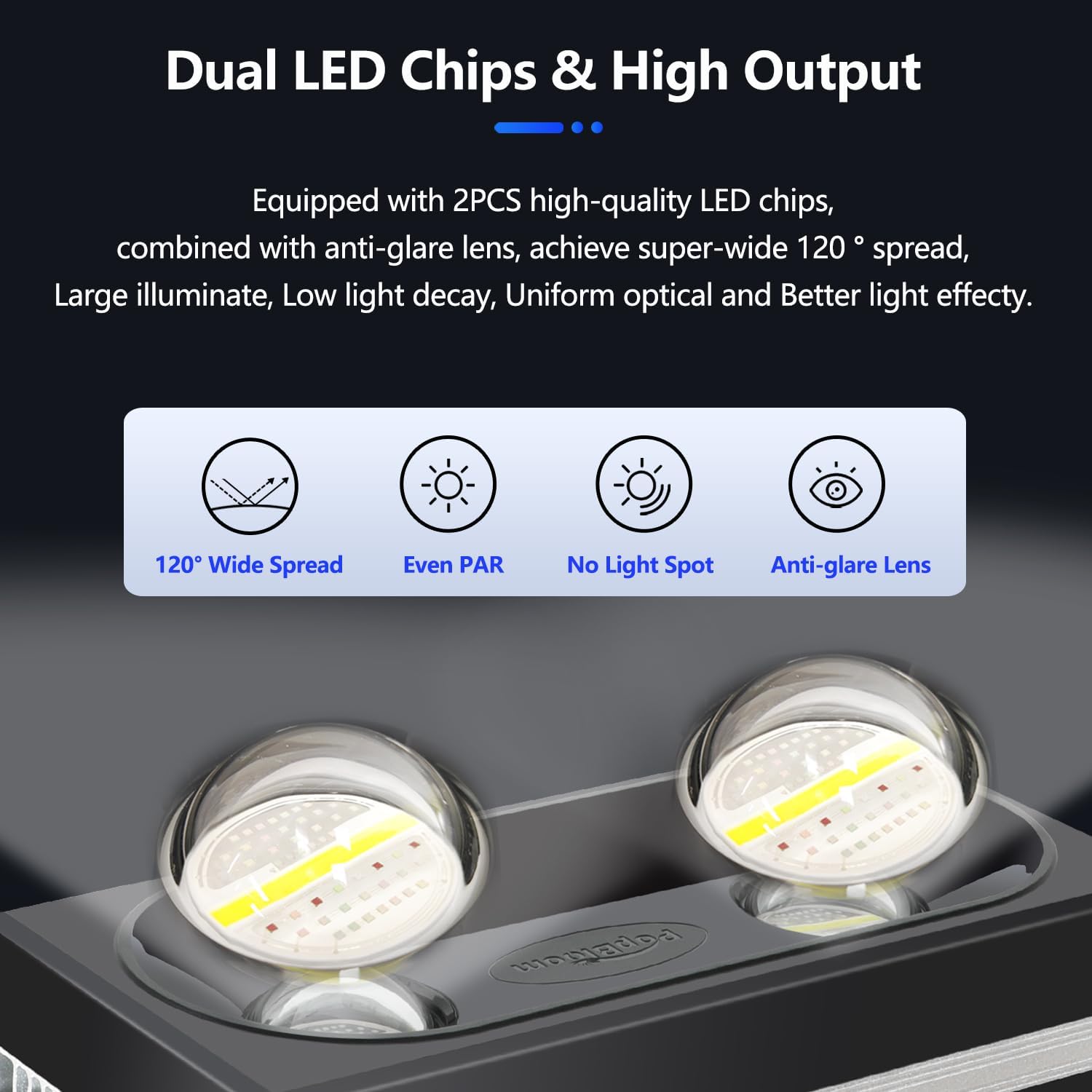
Image: Diagram illustrating the optimal PAR distribution of the RL180 light across an aquarium, showing PAR values at various depths and locations.

Image: Illustration of the RL180's multi-efficient heat dissipation system, highlighting the dual fans and fin-wavy aluminum alloy design for effective cooling.
8. Warranty and Support
The PopBloom RL180 Saltwater Aquarium Light comes with a 3-year manufacturer warranty.
For technical support, warranty claims, or any questions regarding your product, please contact PopBloom customer service. Refer to the contact information provided in your product packaging or on the official PopBloom website.
Manufacturer: Shenzhen PopBloom Electronic Technology Co., Ltd
Seller: PopBloom_USA


